Customer Ratings & Reviews
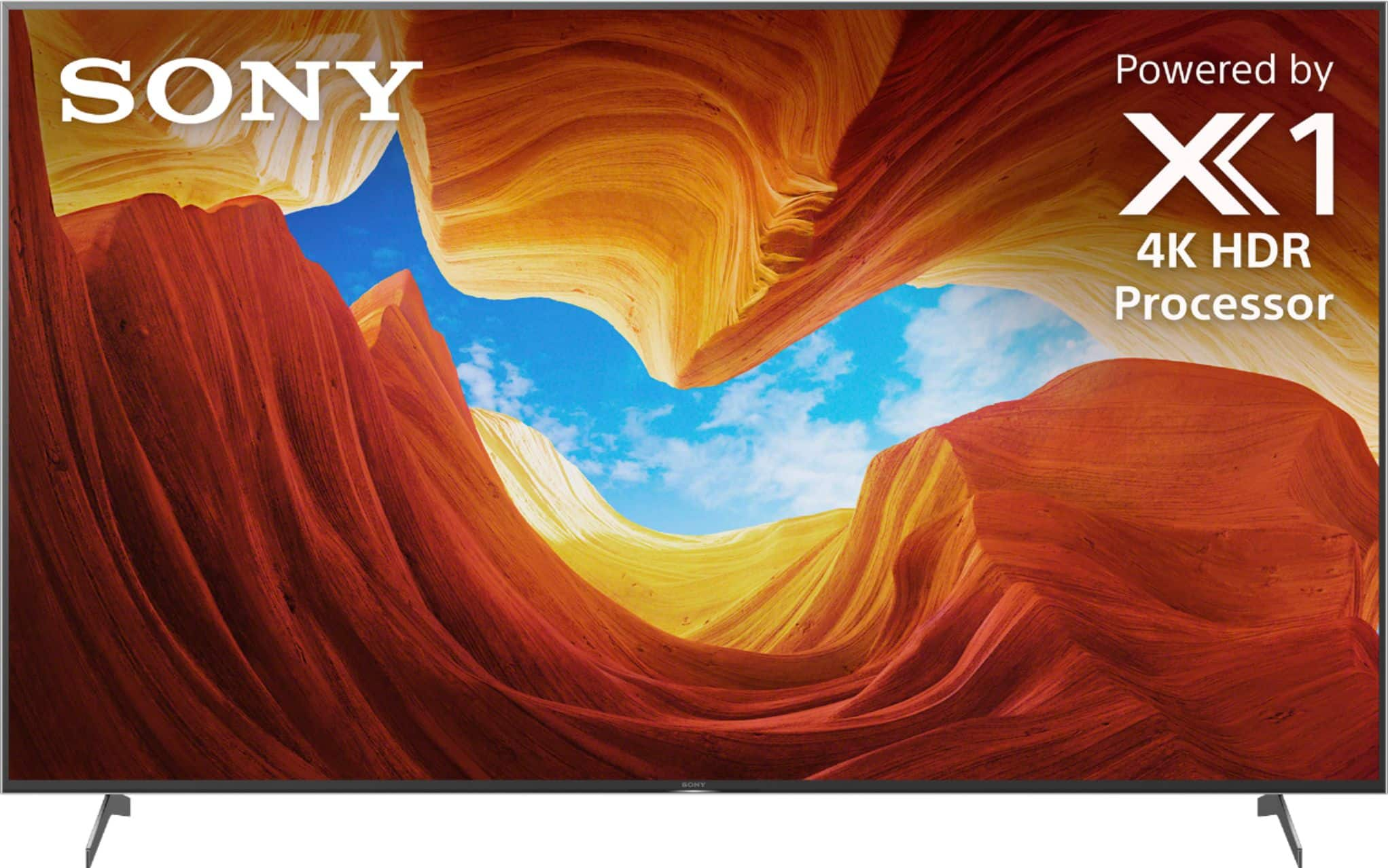
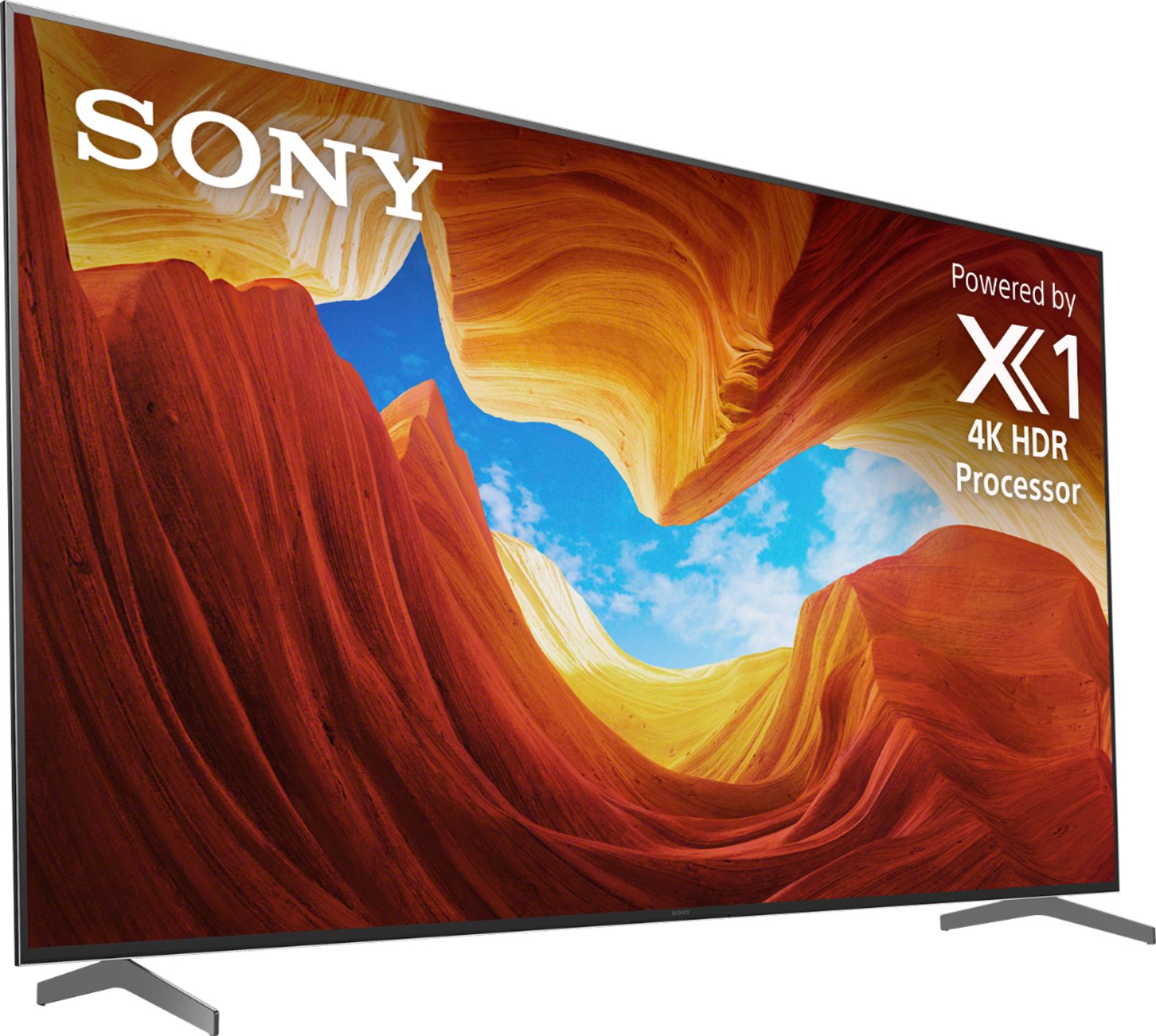
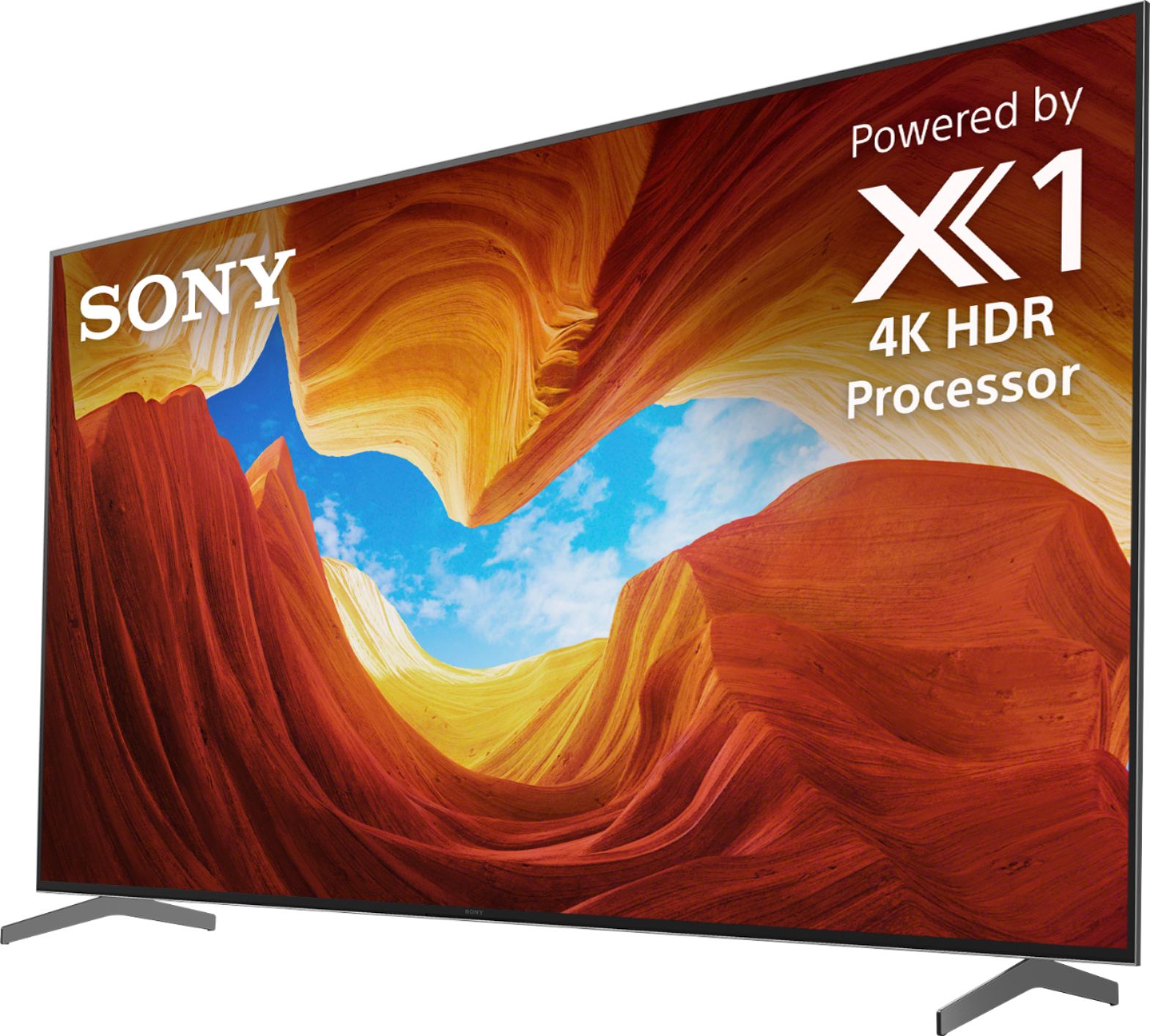
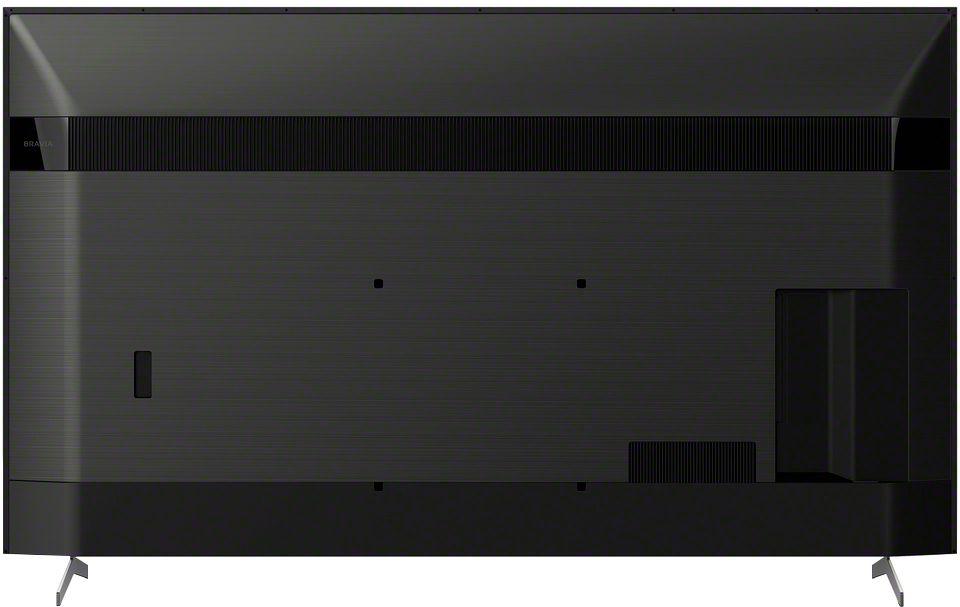





- Model:
- XBR85X900H
- SKU:
- 6401211
Rating by feature
- Picture Quality
Rating 4.7 out of 5 stars
- Sound Quality
Rating 4.2 out of 5 stars
- Brightness
Rating 4.7 out of 5 stars
Customers are saying
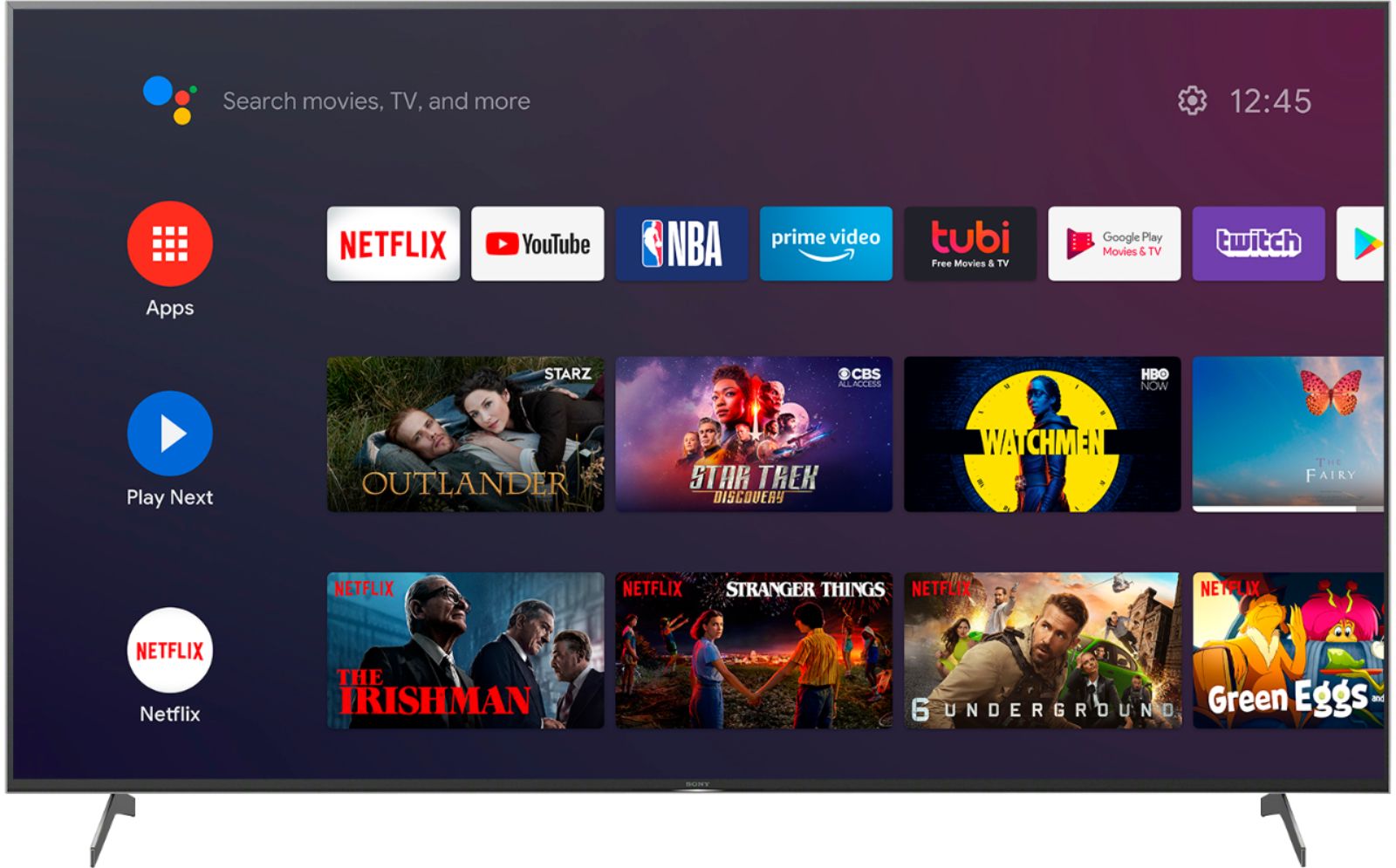
Customers highly value the 85" ClassX900H Series LED 4K UHD Smart Android TV for its exceptional picture quality, large screen, and affordable price. Many customers rave about the stunning clarity, vibrant colors, and deep blacks of the TV's display, making it an excellent choice for gaming and movie enthusiasts. The TV's user-friendly interface and easy setup process are also highly appreciated, allowing users to quickly connect and enjoy their favorite content.
This summary was generated by AI based on customer reviews.
Was just ok..
||Posted . Owned for 1 week when reviewed.This reviewer received promo considerations or sweepstakes entry for writing a review.This tv wasn't bright and the blacks weren't dark enough HDR was just ok Cable tv was meh...
No, I would not recommend this to a friendBrand response from SonyListens
Posted .Hi LennyB,
We are so sorry if the picture quality of our X900H did not meet your expectations. This is definitely not the viewing we'd like you to have. Picture quality may also depend on the signal and content. This issue can be fixed by changing the picture settings according to your preferences. You may check out this link for more information https://helpguide.sony.net/tv/husltn2/v1/en-003/01-03-09_01.html?hl=picture+quality.
We want to make sure you’re taken care of and help check on your TV.
May we contact you directly to assist you? If so, please email the below information to [email protected].
Apologies if you disclosed some of this information in your review and to customer service, we just want to ensure that we have your accurate details at the time of communication.
Full Name:
Best Buy Username:
Telephone Number:
Sony TV Model Number:
Additional Information regarding your experience with the X900H:
We value you being a Sony customer. Sorry for the inconvenience and hope to speak directly to try to resolve this matter.
Thank you for letting us help assist you.
Sincerely,
Romeo
Color isn't as vibrant as I hoped for
||Posted . Owned for 1 month when reviewed.This reviewer received promo considerations or sweepstakes entry for writing a review.The color and quality isn't what i expected for the price.
No, I would not recommend this to a friendBrand response from SonyListens
Posted .Hi Momma1975,
We regret to hear that the picture and TV quality did not meet your expectations. This is definitely not the viewing we'd like you to have. You may try changing the picture quality of this TV according to your preferences by following the steps on this link https://helpguide.sony.net/tv/husltn2/v1/en-003/01-03-09.html.
If this does not help, please email us at [email protected] with the following details:
Name:
BestBuy Username:
Model Number:
Issue:
Telephone Number:
Sincerely,
Romeo
Sony Social Support
Sony TV
||Posted . Owned for 6 months when reviewed.This reviewer received promo considerations or sweepstakes entry for writing a review.The picture just wasn't bright enough in a bright room so I exchanged it for a Samsung
No, I would not recommend this to a friendBrand response from SonyListens
Posted .Hi Curt,
We regret to hear that unit had to be returned. The picture quality of this TV, especially the brightness, can be changed according to your preference: https://helpguide.sony.net/tv/husltn2/v1/en-003/01-03-09_01.html. The brightness will also depend on the source.
We value your input and appreciate your feedback. Should you need further assistance, you can email the below information to [email protected].
Apologies if you disclosed some of this information in your review and to customer service, we just want to ensure that we have your accurate details at the time of communication.
Full Name:
Best Buy Username:
Telephone Number:
Sony TV Model Number:
Additional Information regarding your experience with the X950H :
We value you being a Sony customer. Sorry for the inconvenience and hope to speak directly to try to resolve this matter.
Thank you for letting us help assist you.
Sincerely,
Vincent
You'll be frustrated
||Posted . Owned for less than 1 week when reviewed.This reviewer received promo considerations or sweepstakes entry for writing a review.Don't pay for a beta test tv!! Multiple features that were advertised (ALLM, VRR, HDMI 2.1) were not available out of the box. These needed to be downloaded via a firmware update. When I did that, it created serious issues with the eARC (I lost Dolby Atmos sound). The only fix for the issue was to turn off the 120 hz refresh rate. YES - that is not a typo. Sony confirmed this (after I spent half the night on the phone with tech support) - that there is a known issue with the refresh rate that kills the Atmos sound. The 120 hz refresh rate causes issues in the eARC and you lose Dolby Atmos. You have to chose one or the other... If you are buying this for a home theater type setup, don't do it! You will be disappointed with the sound - or lose the much hyped 120 hz refresh rate for gaming. I did a return with Best Buy for this one.
No, I would not recommend this to a friendBrand response from SonyListens
Posted .Hi PhilinWyo, we are really sorry if our X900H did not meet your expectations and that it needs to be returned. This is definitely not the experience we wanted you to have in our product. We have identified the cause for these issues and have issued a firmware update (v6.0414) to resolve the problem. For detailed information, please visit https://www.sony.com/electronics/support/televisions-projectors-lcd-tvs-android-/xbr-85x900h/downloads.
If there’s anything we can do to help, please email the below information to [email protected].
Apologies if you disclosed some of this information in your review and to customer service, we just want to ensure that we have your accurate details at the time of communication.
Full Name:
Best Buy Username:
Telephone Number:
Sony TV Model Number:
Additional Information regarding your experience with the X900H:
We appreciate you and we are hoping you will consider Sony again in your future purchase!
Sincerely,
Romeo
Notworthit
||Posted . Owned for 1 month when reviewed.This reviewer received promo considerations or sweepstakes entry for writing a review.Great picture for 4K DVD, cable tv picture graniny. Would go back to Samsung
No, I would not recommend this to a friendBrand response from SonyListens
Posted .Hi Birdman01,
Thank you for bringing this to our attention. While we are glad you like the excellent picture quality of our X900H when watching 4K DVDs, we are sorry if the picture quality when watching cable TV did not meet your expectations. This is definitely not the viewing we'd like you to have. Picture quality may also depend on the signal and content. This issue can be fixed by changing the picture settings according to your preferences. You may check out this link for more information https://helpguide.sony.net/tv/husltn2/v1/en-003/01-03-09_01.html?hl=picture+quality.
We want to make sure you’re taken care of and help check on your TV.
May we contact you directly to assist you? If so, please email the below information to [email protected].
Apologies if you disclosed some of this information in your review and to customer service, we just want to ensure that we have your accurate details at the time of communication.
Full Name:
Best Buy Username:
Telephone Number:
Sony TV Model Number:
Additional Information regarding your experience with the X900H:
We value you being a Sony customer. Sorry for the inconvenience and hope to speak directly to try to resolve this matter.
Thank you for letting us help assist you.
Sincerely,
Romeo
OK - but could do better for the price point
||Posted . Owned for 3 weeks when reviewed.This reviewer received promo considerations or sweepstakes entry for writing a review.OK but not a great picture. Missing some clarity and definition.
No, I would not recommend this to a friendBrand response from SonyListens
Posted .Hi DecentProduct,
Thank you for choosing and purchasing Sony X900H Bravia LED Ultra HD TV.
We appreciate your feedback about the picture quality of your new Sony TV. You can always change the picture settings of your TV according to your preference: https://helpguide.sony.net/tv/husltn2/v1/en-003/01-03-09_01.html. Make sure your TV is always updated by performing a software update. For the best viewing experience, we highly recommend playing and streaming high-quality content on your Sony TV.
Should you need further assistance, you can email the below information to [email protected].
Apologies if you disclosed some of this information in your review and to customer service, we just want to ensure that we have your accurate details at the time of communication.
Full Name:
Best Buy Username:
Telephone Number:
Sony TV Model Number:
Additional Information regarding your experience with the X950H :
We value you being a Sony customer. Sorry for the inconvenience and hope to speak directly to try to resolve this matter.
Thank you for letting us help assist you.
Sincerely,
Vincent
Sony
||Posted . Owned for 3 weeks when reviewed.This reviewer received promo considerations or sweepstakes entry for writing a review.Lines all around the tv screen perimeter. Very disappointed.
No, I would not recommend this to a friendBrand response from SonyListens
Posted .Hi there, thank you for reaching out with your concern. It is unfortunate to hear you are encountering lines on the screen issue. This is definitely not the experience we wanted you to have on our premium TV. Some of these issues can be fixed by following the steps provided on the link below:
https://www.sony.com/electronics/support/televisions-projectors-lcd-tvs-android-/xbr-85x900h/articles/00032635
We want to make sure you’re taken care of and help check on your TV.
May we contact you directly to assist you? If so, please email the below information to [email protected].
Apologies if you disclosed some of this information in your review and to customer service, we just want to ensure that we have your accurate details at the time of communication.
Full Name:
Best Buy Username:
Telephone Number:
Sony TV Model Number:
Additional Information regarding your experience with the X900H:
We value you being a Sony customer. Sorry for the inconvenience and hope to speak directly to try to resolve this matter.
Thank you for letting us help assist you.
Sincerely,
Romeo
bought a new TV had to have help mounting it
||Posted . Owned for 3 weeks when reviewed.This reviewer received promo considerations or sweepstakes entry for writing a review.the produce was fine . The installation advise and service sucked.
No, I would not recommend this to a friendBrand response from SonyListens
Posted .Hi Toni,
We're so sorry to hear about what happened with the installation of your new 85" X900H. We will surely take note of your feedback as we always strive to make this a better experience. In any case, you need assistance with our product, please feel free to email us at [email protected].
Thank you so much for purchasing our X900H and for choosing Sony!
- Romeo
- Pros mentioned:Picture quality
I expected more from this tv
||Posted . Owned for 3 weeks when reviewed.This reviewer received promo considerations or sweepstakes entry for writing a review.The HDMI ARC don't work on my yamaha RX-V6A . I expected more from this tv............ went connect optical audio sounds terrific, my old tv make better sounds like this TV on optical audio and HDMI ARC work on any device...
No, I would not recommend this to a friendBrand response from SonyListens
Posted .Hi Rosalio,
We are really sorry if our XBR85X900H did not meet your expectations. This is definitely not the experience we wanted you to have in our premium TV. The problem you are having can be fixed by updating the firmware of your TV to the latest version (v6.0414). The software includes key features, applications, bug fixes, and feature improvements. For more information, please visit https://www.sony.com/electronics/support/televisions-projectors-lcd-tvs-android-/xbr-85x900h/downloads. After the latest firmware is installed, while the TV is on press and hold the power button and choose reset when the option pops up.
If the issue persists, please follow the steps provided on the following link:
https://www.sony.com/electronics/support/televisions-projectors-lcd-tvs-android-/xbr-85x900h/articles/00020051
Should you need more assistance, please email the below information to [email protected].
Apologies if you disclosed some of this information in your review and to customer service, we just want to ensure that we have your accurate details at the time of communication.
Full Name:
Best Buy Username:
Telephone Number:
Sony TV Model Number:
Additional Information regarding your experience with the X900H:
We value you being a Sony customer. Sorry for the inconvenience and hope to speak directly to try to resolve this matter.
Thank you for letting us help assist you.
Sincerely,
Romeo
- Pros mentioned:Picture quality
Audio can’t keep up with the motion rate
||Posted . Owned for 1 week when reviewed.This reviewer received promo considerations or sweepstakes entry for writing a review.Great picture quality but the words never match up to the moving of the lips. And this is across all platforms Xfinity, Netflix, prime you name it. It’s like the processor is t fast enough for the audio or something
No, I would not recommend this to a friendBrand response from SonyListens
Posted .Hi KrisGaskins,
Thank you for reaching out Sony! We're sorry to hear that you are having issues with the TV where the audio and video is out of sync. We'd like to help isolate and resolved the issue. May we know if these are TV apps or from an external device? Have you tried a difference source? Are you using the TV speakers, or do you have an audio system connected to the TV? Please make sure that the TV software is updated as it includes key features, applications, bug fixes, and feature improvements. For the meantime, please open this link with troubleshooting guide if the audio and video on your TV are out of sync or there's an audio delay. https://www.sony.com/electronics/support/televisions-projectors-lcd-tvs-android-/xbr-85x900h/articles/00026069
May we contact you to help? If so, please email the below information to [email protected].
Apologies if you disclosed some of this information in your review and to customer service, we just want to ensure that we have your accurate details at the time of communication.
Full Name:
Best Buy Username:
Telephone Number:
Sony TV Model Number:
Additional Information regarding your experience with the X900H:
We are sorry for the inconvenience and hope to speak to you to resolve this matter.
We appreciate you and thanks again for shopping Sony!
Sincerely,
Kris
85900hsonytv
||Posted . Owned for 2 weeks when reviewed.This reviewer received promo considerations or sweepstakes entry for writing a review.Nice screen, expensive wish it was a little brighter.
I would recommend this to a friendBrand response from SonyListens
Posted .Hi 90085inch,
Thank you so much for your feedback. While we are glad you like the overall performance of your X900H, we are sorry if its brightness did not meet your expectations. Picture quality may also depend on the signal and content. This issue can be fixed by changing the picture settings according to your preferences. You may check out this link for more information https://helpguide.sony.net/tv/husltn2/v1/en-003/01-03-09_01.html?hl=picture+quality.
We want to make sure you’re taken care of and help check on your TV.
May we contact you directly to assist you? If so, please email the below information to [email protected].
Apologies if you disclosed some of this information in your review and to customer service, we just want to ensure that we have your accurate details at the time of communication.
Full Name:
Best Buy Username:
Telephone Number:
Sony TV Model Number:
Additional Information regarding your experience with the X900H:
We value you being a Sony customer. Sorry for the inconvenience and hope to speak directly to try to resolve this matter.
Thank you so much for choosing Sony!
Sincerely,
Romeo
Bought Dec 2020, died October 2022
||Posted . Owned for 1.5 years when reviewed.This reviewer received promo considerations or sweepstakes entry for writing a review.There is an issue that I think may occur with others out there. Turn it on, screen is blank (but backlight). At first, cycling power fixed it. Then it didn't, but unplugging for a while fixed it. Now it doesn't. Contacted support. They told me it 'needs repair'. Out of warranty so will not support but they suggested I check out their new product line. No thanks. No more Sony for me.
No, I would not recommend this to a friendDefective Open Box
||Posted . Owned for 3 weeks when reviewed.This reviewer received promo considerations or sweepstakes entry for writing a review.Bought open box, defective and sent it back. It’s you get what you paid fir sort of thing. Have a hard time returning material so make sure you buy appropriately.
No, I would not recommend this to a friendBrand response from SonyListens
Posted .Hi there, We sincerely regret to hear what happened. It really not the experience we wanted you to have in your purchase. To best assist you with your concern, we recommend contacting Best Buy as they are best equipped to respond to your issue. In any case, you need more assistance or information with our product, please feel free to email us at [email protected]. Apologies if you disclosed some of this information in your review and to customer service, we just want to ensure that we have your accurate details at the time of communication. Full Name: BestBuy Username: Telephone Number: Issue: Model Number: Sincerely, Romeo Sony Social Support
Lines running across tv
||Posted .This reviewer received promo considerations or sweepstakes entry for writing a review.This tv is coming up on one year and then all of a sudden I have lines running across the tv non stop on all different channels
No, I would not recommend this to a friendBrand response from SonyListens
Posted .Hi Broker7777,
Thank you for reaching out to us. We're sorry to hear the issue that you are having with the TV where the lines are running across the screen. We'd like to help isolate the issue. Please follow the steps on this link to troubleshoot picture-related issues: hhttps://www.sony.com/electronics/support/televisions-projectors-lcd-tvs-android-/xbr-85x900h/articles/00032635
May we contact you to help? If so, please email the below information to [email protected].
Apologies if you disclosed some of this information in your review and to customer service, we just want to ensure that we have your accurate details at the time of communication.
Name:
Best Buy Username:
Telephone Number:
Model Number:
Issue:
We are sorry for the inconvenience and hope to speak to you to resolve this matter. - Kris
Sony 85” WiFi problem
||Posted . Owned for 2 months when reviewed.This reviewer received promo considerations or sweepstakes entry for writing a review.I love my new TV but it’s only two months old and now the WiFi doesn’t work, I have to unplug the power chord every time I want to watch Netflix so it can reset and connect to the internet, it will not connect to the WiFi from the setup screen menu. It’s over a month old which means it is not returnable, I purchased the 5 years warranty that costed me a lot of money and I know I will lose it automatically the minute I call to have it repaired.
No, I would not recommend this to a friendBrand response from SonyListens
Posted .Hi Ahmad, we are really sorry for the inconvenience. While we are glad you love your new X900H, we are sorry if you are encountering an issue with the Built-in Wi-Fi. This is definitely not the experience we wanted you to have in our premium TV. This issue will be addressed in an upcoming software update. In the meantime, you need to restart the TV each time the Wi-Fi connection turns off:
• On the remote control, press and hold the Power button until Restart appears on the TV screen, and then press Enter to restart it.
If this does not help, please email the below information to [email protected] so we can better assist you.
Apologies if you disclosed some of this information in your review and to customer service, we just want to ensure that we have your accurate details at the time of communication.
Full Name:
BestBuy Username:
Telephone Number:
Sony TV Model Number:
Additional Information regarding your experience with the X900H:
We value you being a Sony customer. Sorry for the inconvenience and hope to speak directly to try to resolve this matter.
Thank you for letting us help assist you.
Sincerely,
Romeo
Buy another brand.
||Posted . Owned for 11 months when reviewed.This reviewer received promo considerations or sweepstakes entry for writing a review.Not what o was expecting. Picture quality is ok. But the TV is very difficult to use. It’s constantly having annoying updates and the apps stop working all the time having to disconnect power cord every time. The HDMI ARC feature does not work good at all. I will never buy a Sony TV ever again
No, I would not recommend this to a friendBrand response from SonyListens
Posted .Hi Moises,
Thank you for taking the time to review your X900H TV. While we're glad that you like the picture quality, we're sorry to hear you've been running into difficulty. We apologize if the unit did not meet your expectations. We'd love to help you troubleshoot your problem and turn this into a better experience. Make sure these apps are updated. Some of these issues can be fixed by simply restarting the TV. To do that, simply press and hold the Power button until Restart appears on the TV screen, and then press Enter to restart it.
To make sure your TV runs as smooth as possible, we highly recommend downloading and installing the latest software for the TV. A firmware update improves the functionality and features of your unit. It can provide fixes to any performance issues that may occur.
https://www.sony.com/electronics/support/televisions-projectors-lcd-tvs-android-/xbr-85x900h/downloads
For more information on how to Use the Audio Return Channel (ARC) feature and troubleshoot problems, please refer to this helpful article: https://www.sony.com/electronics/support/televisions-projectors-lcd-tvs-android-/xbr-85x900h/articles/00191214
If you are still having the same issue, please follow the instruction below on how to contact us.
May we contact you to help? If so, please email the below information to [email protected].
Apologies if you disclosed some of this information in your review and to customer service, we just want to ensure that we have your accurate details at the time of communication.
Full Name:
Best Buy Username:
Telephone Number:
Sony Model Number:
Additional Information regarding your experience with the X900H:
We are sorry for the inconvenience and hope to speak to you to resolve this matter.
Sincerely,
Jess
Not worth your money!!
||Posted . Owned for 3 weeks when reviewed.This reviewer received promo considerations or sweepstakes entry for writing a review.TV would not connect to the WiFi even after it said it was connected. Picture quality was not worth the price.
No, I would not recommend this to a friendBrand response from SonyListens
Posted .Hi AnythingbutaSony,
We are really sorry if you are encountering a network issue and if the picture quality of our X900H did not meet your expectations.
To get the most out of your X900H, we recommend updating its firmware to the latest version. The software includes key features, applications, bug fixes, and feature improvements. For more information, please visit https://www.sony.com/electronics/support/televisions-projectors-lcd-tvs-android-/xbr-75x900h/downloads.
For your Wi-Fi issue, please try following the steps below to isolate the problem:
• The Wi-Fi signal strength is weak
- Place the router close to your TV, then check if the signal strength has improved.
• Your TV is too close to the router
- It is recommended that the TV and router be at least 1 meter (3 feet) apart.
• Other devices are connected to the same network
- If other devices are downloading large-sized files, such as videos, the network speed may slow down. Cancel or wait until this activity completes and try again.
• Restart your TV and reset your router
- To restart your TV, press and hold the POWER button on the remote control for about five seconds until Power off appears on the TV screen.
- To reset the router, check your router manual for instructions.
• Interference from other wireless devices
- If multiple wireless devices or electric equipment, such as microwave ovens, are used at home, it may affect the Wi-Fi performance of your TV. Power off these devices when not in use, or keep them away from your TV.
- Electromagnetic interference may also occur depending on the location of the TV. If possible, change its location and check if the performance improves.
• Check the frequency band setting of your router (for dual-band routers)
- Some routers support multiple frequencies (ex: 2.4 GHz, 5 GHz), if your router supports this feature, try a different frequency.
The picture quality may also depend on the signal and content. This issue can be fixed by changing the picture settings according to your preferences. You may check out this link for more information https://helpguide.sony.net/tv/husltn2/v1/en-003/01-03-09_01.html?hl=picture+quality.
Should you need more assistance, please email the below information to [email protected].
Apologies if you disclosed some of this information in your review and to customer service, we just want to ensure that we have your accurate details at the time of communication.
Full Name:
Best Buy Username:
Telephone Number:
Sony TV Model Number:
Additional Information regarding your experience with the X900H:
We value you being a Sony customer. Sorry for the inconvenience and hope to speak directly to try to resolve this matter.
Thank you for letting us help assist you.
Sincerely,
Romeo
- Cons mentioned:Software
Sony step it up.....
||Posted . Owned for 4 months when reviewed.This reviewer received promo considerations or sweepstakes entry for writing a review.Poor quality Sony Tv that is pledged with software issues.
No, I would not recommend this to a friendBrand response from SonyListens
Posted .Hi Crappy,
We regret to hear that you're having a quality issue with this TV. This is definitely not the experience we wanted you to have on our products. We apologize for the inconvenience. We'd love to help you regarding your concern about the quality of the TV. We want to know more details so we can diagnose and isolate the issue.
Please email the below information to [email protected] or chat with us from Sony’s e-support webpage. Apologies if you disclosed some of this information in your review and to customer service, we just want to ensure that we have your accurate details at the time of communication.
Full Name:
Best Buy Username:
Telephone Number:
Sony Model Number:
Additional Information regarding your experience with the X900H:
We are sorry for the inconvenience and hope to speak to you to resolve this matter. We appreciate you and thanks again for shopping Sony!
Sincerely,
Jay
- Pros mentioned:Color, Picture quality
Size Matters
Posted .This reviewer received promo considerations or sweepstakes entry for writing a review.When I first decided to purchase a new TV, I had my mind set on OLED. I was coming from a 58” 1080p plasma and OLED was said to be logical choice for plasma owners, as it has the best picture quality, infinite contrast and all the features I was looking for. But after many hours of research and deliberation, I concluded that an LCD made since for my family room and the way my household uses and watches TV. At the end of the day, I didn’t want to babysit my TV to protect against image retention (burn-in), plus for the same money I could get more screen real estate. The Sony X900H (also sold as X90CH) checked all my boxes: 4K, 120Hz native, full array backlit, Dolby VISION - ATMOS, HDR10, HDMI 2.1, eARC, etc… and after a trip to Best Buy I was able to see it side-by-side against the Sony A8H and X950H playing the same content. Don’t get me wrong, the X950H looked a little bit better than the X900H, and the A8H looked a little better than the X950H, but it wasn’t a dramatic difference and if I wasn’t viewing them side-by-side, I’d never notice a difference or miss anything. At the time, these TV’s were on sale, so for about the same price as a 65” A8H, or and for a little less than the 75” X950H, I could get the 85” X900H. I decided that the additional screen real estate was more valuable than the negligible difference in picture quality, and I’m very happy with my choice. Getting an 85” TV home and installed is not for the faint at heart, and will require a truck and at least two people, so plan accordingly or opt for delivery and setup service. Out of the box, the TV will require a little adjustment to get the picture quality to your liking. I recommend starting with the default “custom” picture setting and adjust from there. You can find also some recommended picture settings for this TV from “experts” online, but ultimately your environment and personal preferences will dictate the settings you choose. Just know, you will have to make these adjustments for each input/source/app/etc., and you’ll likely be fine tuning for a few weeks before you get everything to your liking. Once you have everything tuned to your liking, the picture is great! Dolby Vision and HDR content looks amazing with incredible contrast, vibrant colors, and exceptional clarity. HD content (1080p/720p) also looks great but the picture quality can vary dramatically based on the source quality (cable, over-the-air, streaming, etc…), and SD content… well, it’s SD content. The sound quality is pretty good as far as TV’s go, but I use a sound-bar, so I never use the TV’s speakers. If you're buying an 85" TV and spending this much money, I highly recommend a sound-bar or sound system to go with it. Android TV is pretty good and runs great on this TV. It’s responsive and smooth and overall a great smart TV experience. I was using an Apple TV 4K and planned to continue using it with this TV, but I found that my Apple TV 4K didn’t provide any significant benefit over the built-in Android TV OS, and only added an additional component and level of complexity to the user experience, so I’m not longer using it. That said, the TV isn’t “perfect” (what is?). While I like that the remote is Bluetooth, the design feels dated and it’s disappointing that it isn’t backlit. Strangely, while the over-the-air “guide” gets updated with programing information for most over-the air channels; the channel guide shortcut that available when you’re viewing programming, doesn’t have any information unless you actually tune to a channel, then it updates. The stand/legs (which I’m not using because I wall mounted my TV), doesn’t instill confidence for a TV this size. While on the included stand/legs it felt wobbly and top heavy, and I was concerned about someone bumping the TV and knocking it over. Overall, I think it was the right choice for me, I don’t have any regrets, and if I had to do it again, given the same options, I’d chose this TV again. Additional thoughts: While I appreciate the “expert” TV reviewers on YouTube, understand that all their measurements, stats, etc… and critical viewing critiques, will have little to no baring on your satisfaction or enjoyment with any TV you choose. This TV can be uncomfortably bright if you want it to be, and I can’t imagine anyone wanting more “NIT’s” of brightness (I usually keep mine at the lowest brightness setting). The black levels are beyond acceptable for all but the most critical viewers. Coming from plasma, I don’t see any notable difference in the black levels in my family room viewing environment, and the resolution, contrast, and brightness is much improved over my plasma (to my untrained eye). So, if you’re holding onto the old plasma because you think the picture quality is superior, I’d say it’s not, at least not when comparing with mid to high end LED’s. It’s time to move on.
I would recommend this to a friendBrand response from SonyListens
Posted .Hi Russ, thank you for taking the time to write such an in-depth review of your experience with your new X900H Full Array LED 4K Ultra HD Android TV. We are extremely pleased it suits your needs and expectations! We will surely take note of your feedback as it will help us improve our products. The X900H boasts an impressive X1 4K HDR picture processor that preserves lifelike clarity and detail as the creator intended. With Full Array Local Dimming and TRILUMINOS Display, experience deeper black levels, greater contrast, and vibrant color from your favorite movies, TV shows, and games. Thank you so much for recommending our X900H and for choosing Sony! - Romeo
At least it’s big....
||Posted . Owned for 2 weeks when reviewed.This reviewer received promo considerations or sweepstakes entry for writing a review.First one had lines running through it, now the second will not hook up to my WiFi
No, I would not recommend this to a friendBrand response from SonyListens
Posted .Hi James,
We are so sorry about what happened and for the inconvenience. This is definitely not the experience we wanted you to have on our premium TV. We will have your feedback noted as we always strive to make this a better experience.
For the lines on the screen issue, this can be fixed by performing a power reset by unplugging the power cord of the TV for two minutes before plugging back in. This will helps refresh the TV content. To get the most out of your X900H, we recommend updating its firmware to the latest version. The software includes key features, applications, bug fixes, and feature improvements. For more information, please visit https://www.sony.com/electronics/support/televisions-projectors-lcd-tvs-android-/xbr-85x900h/downloads.
For your Wi-Fi issue, please try following the steps below to isolate the problem:
• The Wi-Fi signal strength is weak
- Place the router close to your TV, then check if the signal strength has improved.
• Your TV is too close to the router
- It is recommended that the TV and router be at least 1 meter (3 feet) apart.
• Other devices are connected to the same network
- If other devices are downloading large-sized files, such as videos, the network speed may slow down. Cancel or wait until this activity completes and try again.
• Restart your TV and reset your router
- To restart your TV, press and hold the POWER button on the remote control for about five seconds until Power off appears on the TV screen.
- To reset the router, check your router manual for instructions.
• Interference from other wireless devices
- If multiple wireless devices or electric equipment, such as microwave ovens, are used at home, it may affect the Wi-Fi performance of your TV. Power off these devices when not in use, or keep them away from your TV.
- Electromagnetic interference may also occur depending on the location of the TV. If possible, change its location and check if the performance improves.
• Check the frequency band setting of your router (for dual-band routers)
- Some routers support multiple frequencies (ex: 2.4 GHz, 5 GHz), if your router supports this feature, try a different frequency.
If you are unable to resolve your concern please email the below information to [email protected].
Apologies if you disclosed some of this information in your review and to customer service, we just want to ensure that we have your accurate details at the time of communication.
Full Name:
Best Buy Username:
Telephone Number:
Sony TV Model Number:
Additional Information regarding your experience with the X900H:
We value you being a Sony customer. Sorry for the inconvenience and hope to speak directly to try to resolve this matter.
Thank you for letting us help assist you.
Sincerely,
Romeo