Customer Ratings & Reviews
- Model:
- 3004784
- |
- SKU:
- 6394775
Customer reviews
Rating 4.5 out of 5 stars with 1340 reviews
(1,340 customer reviews)Rating by feature
- Value4.6
Rating 4.6 out of 5 stars
- Quality4.7
Rating 4.7 out of 5 stars
- Ease of Use4.5
Rating 4.5 out of 5 stars
Customers are saying
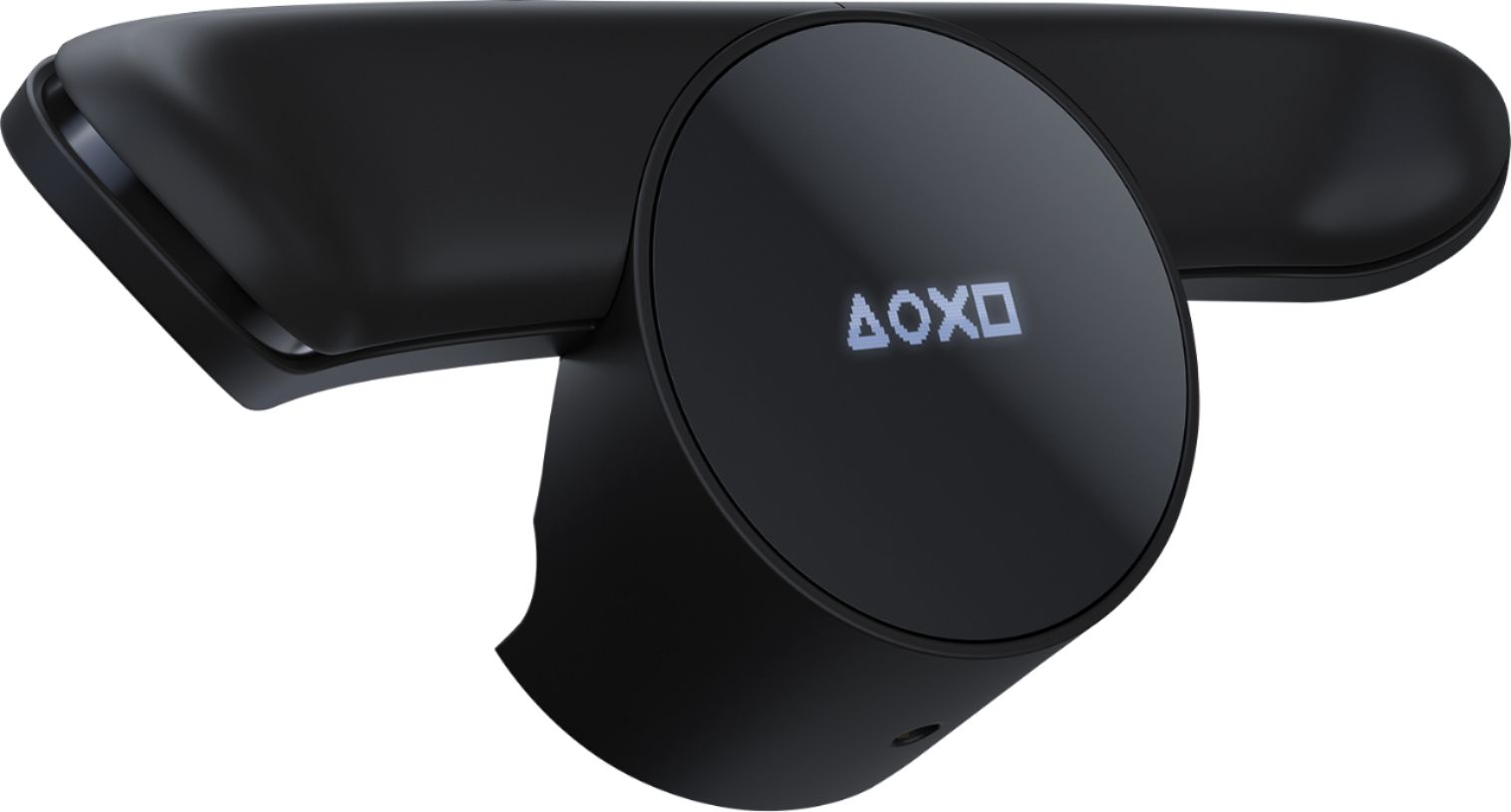
Customers commend the DualShock 4 Back Button Attachment's ease of use, the helpful addition of back buttons, and its reasonable price. Many appreciate the performance boost and customization options it offers, although some find the size and added bulk to be a drawback. A few users also noted that it may slightly decrease battery life and that installation can be a bit challenging.
This summary was generated by AI based on customer reviews.
- Pros mentioned:Customization, Ease of use
Rated 4 out of 5 stars
What took you so long Sony!
||Posted .This reviewer received promo considerations or sweepstakes entry for writing a review.If you play a lot of PS4 FPS shooter games( though I bet you could find use for extra buttons for just about any genre.) like me and you find it absurd to buy a 150 pad then this for. Weird they came out with this just before the PS5 is about to launch, only reason I won't give this 5 stars. Feels good in hand not bulky feeling.w Very handy to have two customizable paddles, hopefully this the glimpse of the future of Sony controllers
I would recommend this to a friend - Pros mentioned:Ease of useCons mentioned:Size
Rated 5 out of 5 stars
Finally back in stock
||Posted . Owned for 3 months when reviewed.This reviewer received promo considerations or sweepstakes entry for writing a review.It Works fantastic and is So much cheaper than a scuff. My only complaint is how easy it is to accidentally depress the mode button if I accidentally grip the controller too hard. I tend to rest my middle fingers towards the middle of the backside of the controller, which is right where that button is. Oh I'd like to complain about how hard they were to find until the past few months...
I would recommend this to a friend - Pros mentioned:Ease of use
Rated 5 out of 5 stars
Dual Shock Dock
||Posted . Owned for more than 2 years when reviewed.This reviewer received promo considerations or sweepstakes entry for writing a review.I got this for my sons play station 4 and he loves it. It does what it is suppose to
I would recommend this to a friend - Pros mentioned:Customization, Ease of use
Rated 5 out of 5 stars
Must buy
||Posted . Owned for 5 months when reviewed.This reviewer received promo considerations or sweepstakes entry for writing a review.A must have for anyone who plays competitively online. Great for mapping jump, slide, and or run on games like Call of Duty. Can also be fun to use for racing games as the shift up and down function. The cost makes this a great value. Takes just a little time to get used to. Very easy to customize and having three different profiles makes it easy to use for different games.
I would recommend this to a friend - Pros mentioned:Back buttons, Ease of use
Rated 5 out of 5 stars
Very neat attachment
||Posted . Owned for 1 month when reviewed.This reviewer received promo considerations or sweepstakes entry for writing a review.I bought this for try and add some functionality to my controller when playing Overwatch. This allows you to essentially, program two buttons to the back of the controller. So instead of having to take your finger off of the right stick to hit X, O, Square, or Triangle, you can hit the flipper on the back. I found it very easy to set up and don't have any complaints with it so far.
I would recommend this to a friend - Cons mentioned:Installation
Rated 4 out of 5 stars
Affordable solution
||Posted . Owned for 1 month when reviewed.This reviewer received promo considerations or sweepstakes entry for writing a review.This is the easiest and best solution to adding rear buttons to your PS4 controller. Your controller will still be wireless when using this and for PC users it will still be recognized as a PS4 controller w/o 3rd party apps. My only complaint is that the design makes it tricky to install to the controller... it is a tight fit and you make feel like you are going to break something, be careful.
I would recommend this to a friend - Pros mentioned:Ease of useCons mentioned:Size
Rated 5 out of 5 stars
Simple to set up, vastly helpful
||Posted . Owned for 3 months when reviewed.This reviewer received promo considerations or sweepstakes entry for writing a review.Configuring the paddles to whatever button presses you want is super simple and have made games like Days Gone (using D-Pad Left to heal while sprinting) and Modern Warfare (clicking in the sticks to run) so much easier. Takes some time to get used to how you hold your DualShock depending on how you were already holding it. Stick through the break in period, it's worth it.
I would recommend this to a friend - Pros mentioned:Ease of useCons mentioned:Size
Rated 4 out of 5 stars
Nifty but unnecessary
||Posted . Owned for 1 month when reviewed.This reviewer received promo considerations or sweepstakes entry for writing a review.It does what it advertises and you can make it into any button you want. Takes time to get used to. I haven't really had a great use case for them so i can't recommend them unless you know exactly what you're going to do with it. One star removed because when you are trying to get it on the product makes a very tight fit, so I thought I was going to break it.
No, I would not recommend this to a friend - Pros mentioned:Back buttons
Rated 5 out of 5 stars
I’m liking this little thing
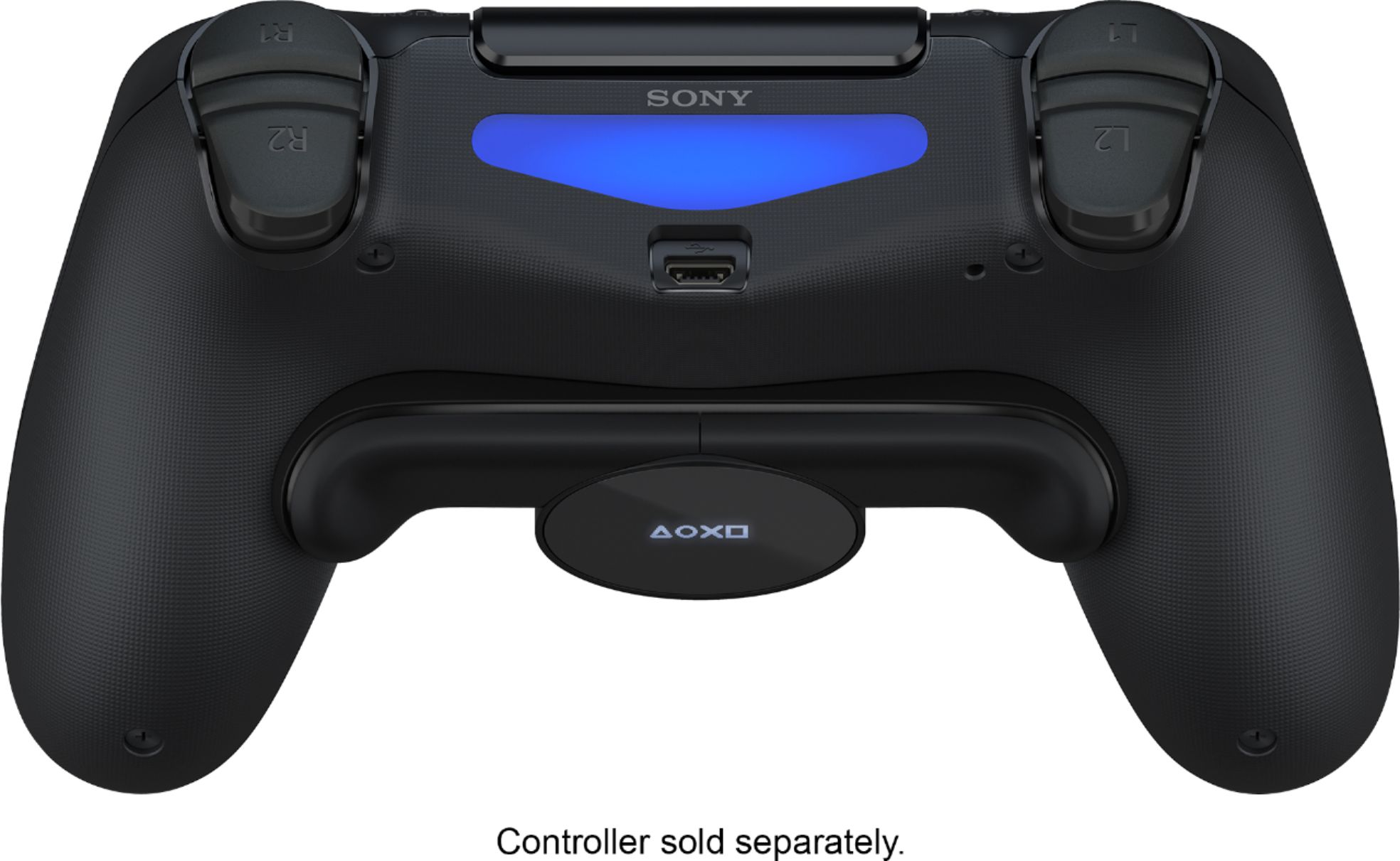
||Posted . Owned for 1 month when reviewed.This reviewer received promo considerations or sweepstakes entry for writing a review.I always wanted a “Pro” controller with triggers on the back but they are crazy expensive. Maybe for the True profesional it makes sense for for the casual gamer $200 seems like a lot. This little gadget adds 2 additional buttons to the back of the controller. It doesn’t feel like an add on. It feels as if it was part of the controller. The buttons can be mapped to any button on the controller. As of right now my main use is for playing FPS games. For example in Call of Duty I can jump and slide without ever removing the right thumb of the joystick, it doesn’t sound as important but every millisecond counts when you are running and then sliding turning and shooting all at the same time. The only thing I don’t like if that after adding this know I can’t use my charging station. Yes I could remove it but plugging this feel so awkward it almost feels like you are putting a lot of pressure so I don’t want to remove it constantly. I’m charging the remote using the micro USB on the top.
I would recommend this to a friend - Pros mentioned:Back buttons
Rated 5 out of 5 stars
Game changer (pun intended)
||Posted . Owned for 3 months when reviewed.This reviewer received promo considerations or sweepstakes entry for writing a review.I was on the market for a pro controller, because I saw the advantage pro players had just by using two extra trigger-buttons. Then, out of the blue, PlayStation was selling this adapter to do what I was looking to do! And only for $30, as opposed to pro-controllers being in the low hundreds. The set-up process is fast and straightforward. I have used two profiles, both with different combinations I use more based on the games I play. Playing battle royal games (Apex Legends, Fortnite, Modern Warfare) I was so much quicker because I could do more. (jump and reload, or turn while jumping, etc.) Then I tried it on Spider-Man. I could change directions of the swing much faster. The last game I tried it on was Need for Speed Heat, this was just to add a bit of glare to the gameplay but activating the nitrous system from the back of the controller feels cooler. I would recommend this to anyone, casual or hardcore gamer,
I would recommend this to a friend - Pros mentioned:Back buttons, Ease of use
Rated 5 out of 5 stars
Highly recommended
||Posted . Owned for 4 months when reviewed.This reviewer received promo considerations or sweepstakes entry for writing a review.I love this thing for FPS games! I never realized what a difference having those back buttons does. It’s easy to install and program. This was an item I wish Sony developers made long ago. The big question is why wasn’t this done for the PS5 controller too. It’s a great gadget to buy for your controller.
I would recommend this to a friend - Pros mentioned:Customization, Ease of use
Rated 4 out of 5 stars
Great for FPS
||Posted . Owned for 8 months when reviewed.This reviewer received promo considerations or sweepstakes entry for writing a review.Great little device to add a little customization to your PS4 controller. I have pretty big hands and this device just makes it easier to press some of the odd buttons. It is pretty responsive, but it can miss button push or two. Other than that it's pretty awesome addition to my PS4 controller and it really shines when I play a FPS.
I would recommend this to a friend - Pros mentioned:Ease of use, Price
Rated 5 out of 5 stars
Great for FPS Games
||Posted . Owned for 3 weeks when reviewed.This reviewer received promo considerations or sweepstakes entry for writing a review.This is another solid product by Sony. Fits snug, has 3 saved inputs, & works great. Best part is that unlike other retailers Best Buy actually sells it for the correct price. It takes a little getting used to (I never realized how much I squeezed the controller before this product), but all in all 11/10 would recommend to a friend. ;)
I would recommend this to a friend - Cons mentioned:Battery life
Rated 5 out of 5 stars
I loved it! Makes certain games more enjoyable.
||Posted . Owned for 4 months when reviewed.This reviewer received promo considerations or sweepstakes entry for writing a review.Wanna jump and turn your camera at the same time without taking your thumb off the right stick? You can with the back button attachment. It helps make certain games more enjoyable to play. Maybe you hate pressing the thumb sticks (L3,R3), but with this add on for your ps4 controller that's no longer a problem. It does take some time getting use to using it but after a couple of days you'll find yourself having a hard time going back and not using it for your single player games or competitive online games. You can button map any two buttons (not the touchpad) on up to 3 saved profiles which you can switch between them when you need to. It does drain your controller battery a little faster but not a lot just a little so beware of that. The button feel good and are very responsive on the click. How you hold the controller with the attachment will feel odd at first, but you'll get used to it over time as you continue to use it. Then it becomes more comfortable. It's great for shooters and I like using it on monster hunter it makes switch between items even better without using the shortcut wheel while mid fighting monsters.
I would recommend this to a friend - Pros mentioned:Ease of use, Price
Rated 5 out of 5 stars
Excellent Add-On!
||Posted . Owned for 1 month when reviewed.This reviewer received promo considerations or sweepstakes entry for writing a review.I had to wait several months for this to become available again but it was worth it! Having the ability to add two extra buttons and program any of the Dualshock’s button’s to them is a great feature AND for just $30! Easy to install. Easy to program. My only complaint is that it wasn’t released sooner.
I would recommend this to a friend - Pros mentioned:Back buttonsCons mentioned:Size
Rated 5 out of 5 stars
great peripheral
||Posted . Owned for 1 month when reviewed.This reviewer received promo considerations or sweepstakes entry for writing a review.great alternative to an overpriced custom controllers. has the ability to map two buttons, with 3 pre-sets, so you can customize to multiple game. nice that it runs off the controller without needing it's own battery. the only downside is it's a little snug with you put it in the first time.
I would recommend this to a friend - Pros mentioned:Ease of use, Price
Rated 5 out of 5 stars
Perfect if you do not want to spend a lot of money
||Posted . Owned for less than 1 week when reviewed.This reviewer received promo considerations or sweepstakes entry for writing a review.If you’re looking for something simple and at a great price this product is what you’re looking for. It definitely helps with multiplayer and pretty much and game if you want the competitive edge. At first it feels weird just like anything that feels foreign, but once you get use to it makes game play more enjoyable.
I would recommend this to a friend - Pros mentioned:Ease of use
Rated 5 out of 5 stars
More Buttons = More Enjoyment?
||Posted . Owned for 6 months when reviewed.This reviewer received promo considerations or sweepstakes entry for writing a review.I wanted this simply because it's an OEM accessory, and because it interested me. I don't really play first-person shooter games, for which this attachment would excel. It's a bit tough to snap on to the PS4 controller, but once attached it works great, and it's easy to configure.
I would recommend this to a friend - Pros mentioned:Ease of use, Price
Rated 5 out of 5 stars
Great and Affordable
||Posted . Owned for 3 weeks when reviewed.This reviewer received promo considerations or sweepstakes entry for writing a review.I have been waiting for this to get back in stock for months now and am so happy I was able to purchase it this time. Totally worth the $30 as it's much more affordable than other custom controllers. Easy to learn how to use the extra buttons so you can keep your thumbs on the joysticks during gaming
I would recommend this to a friend - Pros mentioned:Ease of use
Rated 5 out of 5 stars
Works like it should.
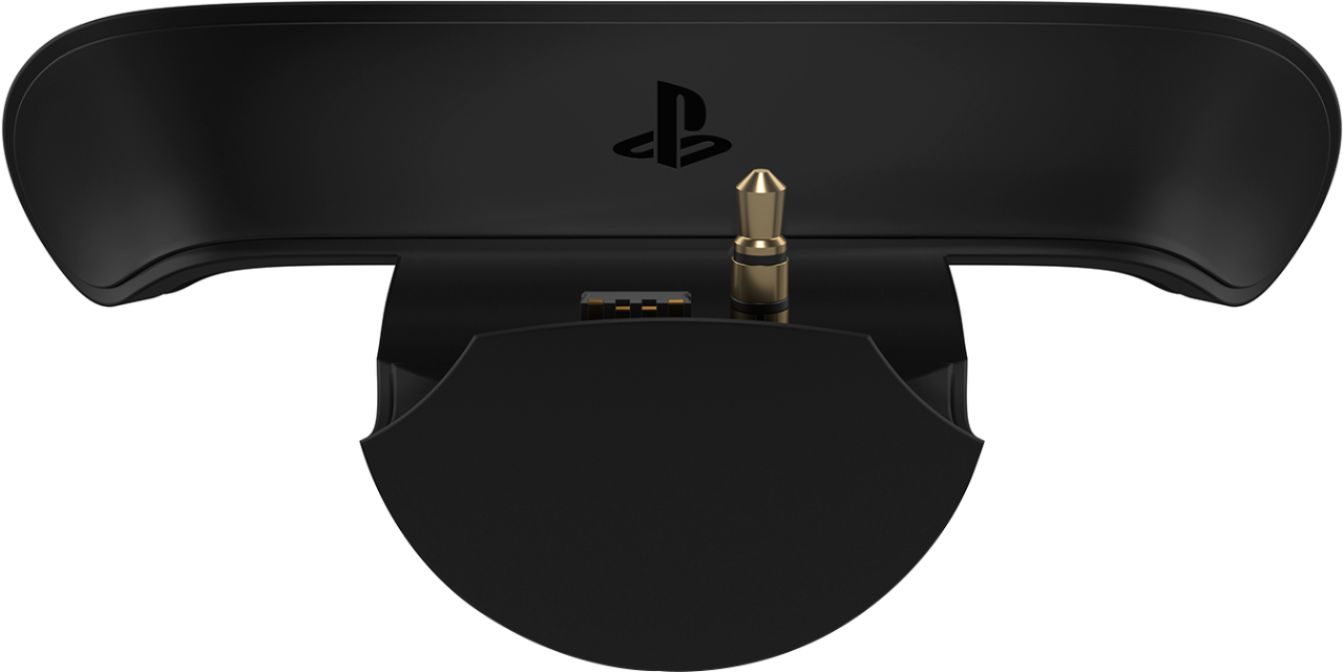
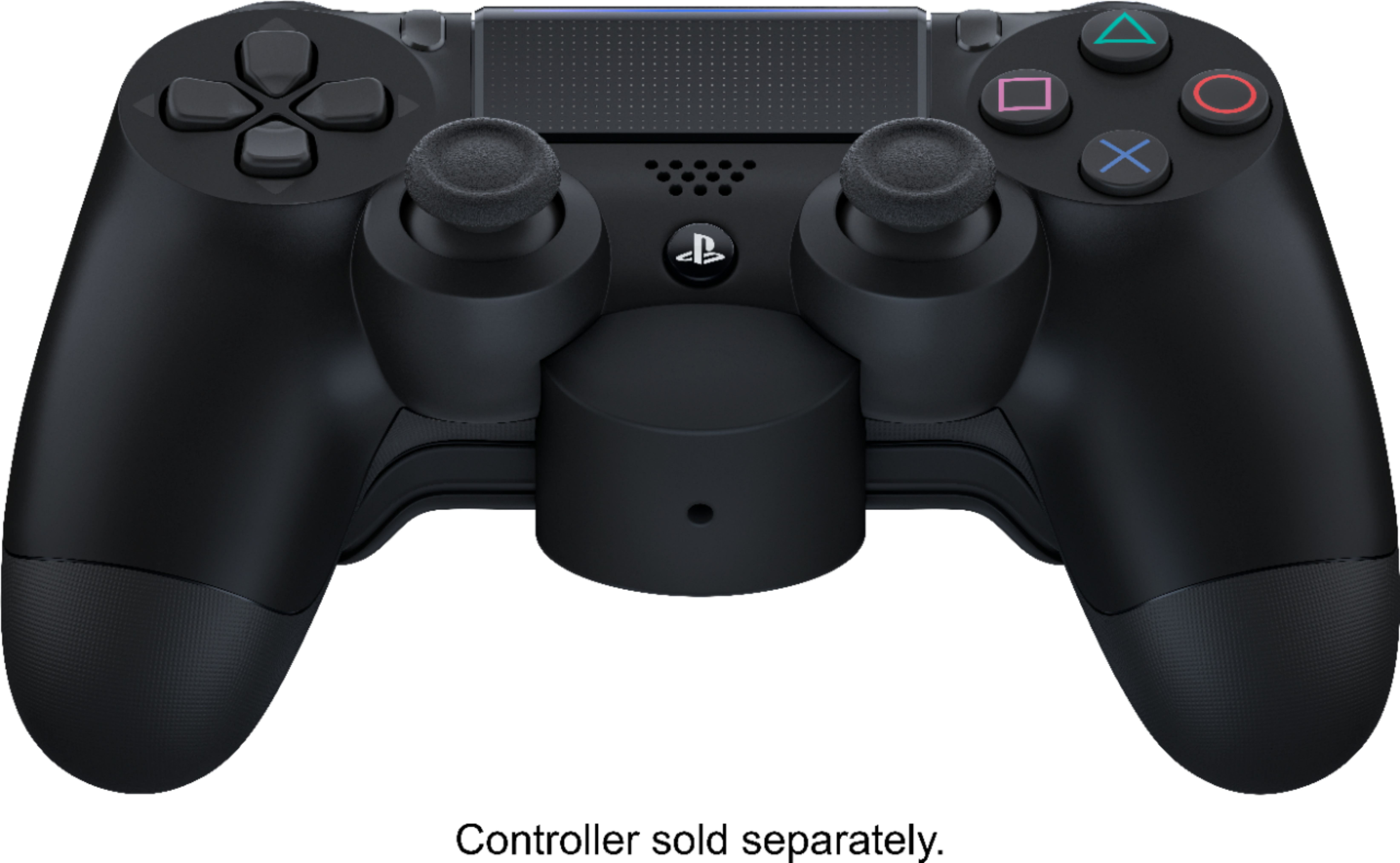
||Posted . Owned for 1 month when reviewed.This reviewer received promo considerations or sweepstakes entry for writing a review.Because the attachment is using the headphone port on the front of the controller, it can be a little difficult to get it mounted correctly at first. Read the instructions on how to mount it and push it on to the controller. The button attachment fits very snuggly on to the Dual Shock 4, which makes it feel sturdy like it was built into the controller. It is easy to program which buttons you want to mimic using the small screen on the underside. The buttons feel solid and respond well, but not so easy that you will hit them accidently. The most difficult thing is probably training your brain to use the "new" buttons rather than the "old" method. It took me a while to get used to it on a game I have put many hours into. I think if I was starting a new game with the back buttons already attached, it would be easier to associate the action with the correct button. Overall, this is a much more economical choice for adding back button options vs a 3rd party controller like Scuf, etc.
I would recommend this to a friend