Customer Ratings & Reviews
- Model:
- S00111
- |
- SKU:
- 5386900
Customer reviews
Rating 4.8 out of 5 stars with 64 reviews
(64 customer reviews)to a friend
Customers are saying
Customers highly value the Starry Station Wireless-AC Dual-Band Wi-Fi Router's ease of use, attractive design, and intuitive touchscreen interface. Many appreciate its strong performance and impressive range, while also noting the helpful parental controls and guest network features. However, some users find the limited number of Ethernet ports and the presence of a small fan to be drawbacks. The setup process is widely praised for its speed and simplicity.
This summary was generated by AI based on customer reviews.
- Pros mentioned:Design, Ease of use
Rated 5 out of 5 stars
Best-in-class router that raises the bar
Posted .This reviewer received promo considerations or sweepstakes entry for writing a review.Sometimes you don't realize how much better a product can be until you start using something that reimagines the entire experience from end to end. The Starry Station wireless router is one product doing just that, raising the bar for the entire category by making managing your wi-fi connection as easy and elegant as the rest of your digital devices. I'm a reasonably tech-savvy person, but definitely not a geek. As I kept adding to the number of devices that connect to the internet, my old router was starting to struggle at times and I was interested in getting something that was a step up. Given what I had heard about Starry Station's ability to easily set up your network and help make sure that you get the most out of your internet connection, I thought it was worth a try. I'll also admit, having a beautifully designed and unique piece of equipment that you'll want to display in your home was an added plus. Starry definitely rivals the best Apple experiences from the moment you receive the box. Elegantly packaged and simply presented, the router is incredibly easy to set up straight out of the box, with no manual necessary. You simply plug in the power adapter and the ethernet cable to your modem, and follow the directions on the touchscreen display and Starry does everything – you never need to install or run any software to set up your wifi with Starry, which makes you wonder how we lived with terrible router experiences in the past. Starry makes your wifi connection information a lot more interesting and useful than I would have expected. Through the onscreen messaging, I could understand a bit more about how using 5Ghz made a difference for certain devices, or just tracking overall general usage. While I didn't need all of the data available, it was nice to have an easy way to feel assured that things are working as well as they should. Performance of the router is very good so far. It does seem to help optimize the network for a growing number of devices, and it improved my signal across my very long but narrow apartment, without having to do anything else on my own. After a couple weeks of use, it's still going strong and the signal hasn't been interrupted once. I also appreciate Starry Station's small but thoughtful features, like the automatic wifi password generator and call button for customer support, all of which are accessible from the touchscreen. All in all, this is a great product that changes the game for wifi routers and the overall experience, which bodes well for their forthcoming internet service that could prove to be even more exciting.
I would recommend this to a friend - Pros mentioned:Ease of useCons mentioned:Ethernet ports
Rated 4 out of 5 stars
Really user friendly router
Posted .This reviewer received promo considerations or sweepstakes entry for writing a review.Starry Station is my replacement for my old Cisco router. The issue i had with my old one is that i tend to lose internet connection when there are many devices connected at the same time. I used to have to reboot my router once in a while. Starry definitely solves that problem for me. The UI looks really nice and I like how i have more visibility into how I am using the data. Hoping Starry will continue to improve on software to provide me more insight. Pros: Good signals with many connected devices. Very easy to setup guest wifi. Nice to review all the data about my devices. Cons: Not enough ethernet ports(still have many devices that does not have wifi or prefer wired connection) A bit pricey
I would recommend this to a friend - Pros mentioned:SetupCons mentioned:Fan noise
Rated 5 out of 5 stars
Sweet!!!
||Posted .This reviewer received promo considerations or sweepstakes entry for writing a review.I looked at this unit on the Best Buy page, and figured, since my wireless router was old and tired, that it was time to upgrade. I'm glad I did! Starry was ultra-easy to set up, and now I can see the health of my connection at any time (no more unplug/plug reboots for me!). It handles my 9 devices with no sweat, and keeps my network secure. I don't have kids at home, so I don't use the feature of pausing devices, but I can see where that might be handy. If I have any disappointment in Starry, it would be that it's a bit loud (there's an internal fan), but that sound is quickly becoming part of the background in my home. A great machine!
I would recommend this to a friend Rated 5 out of 5 stars
Set up was "easy peasy"....I mean REALLY easy!
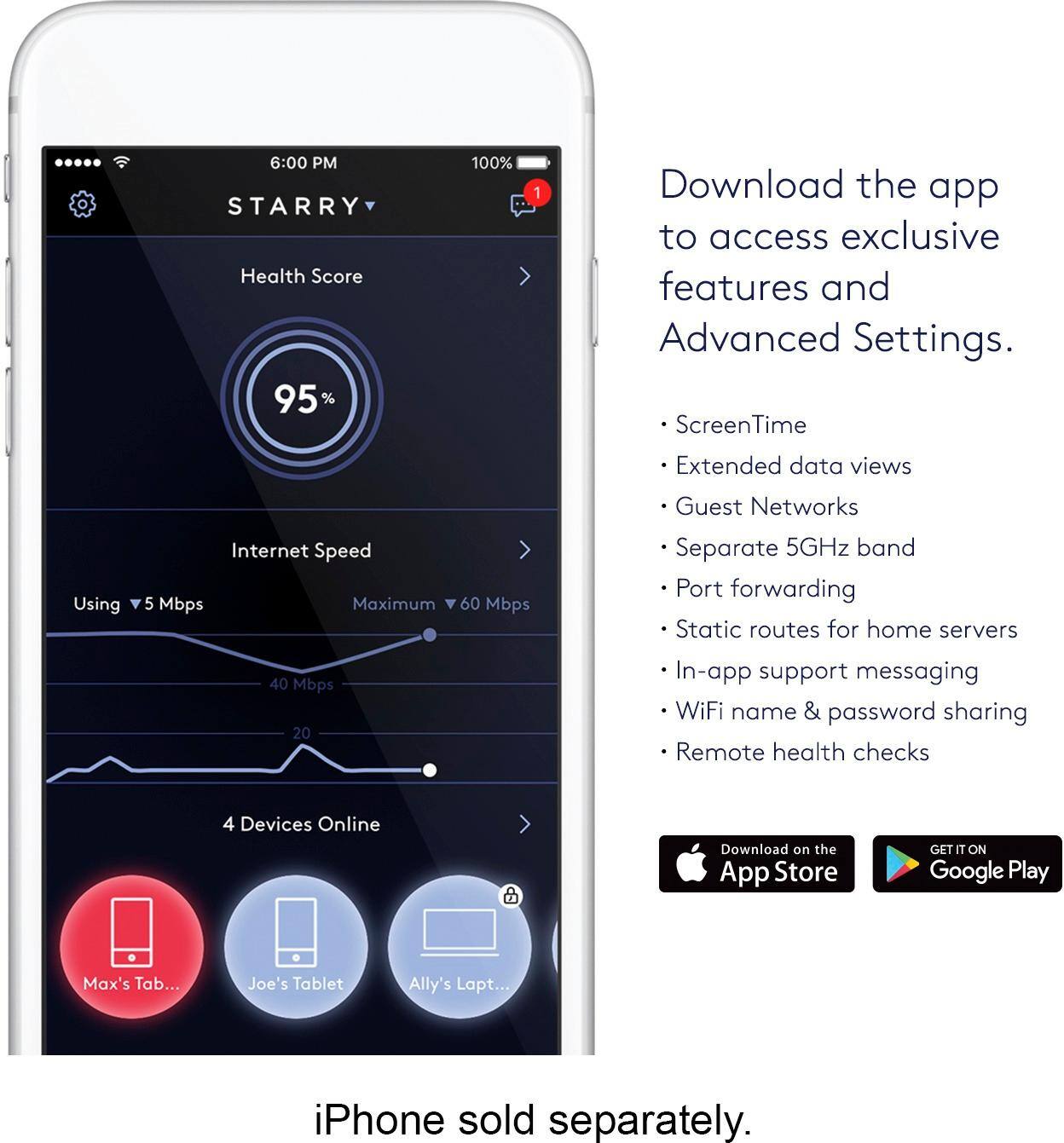
||Posted .This reviewer received promo considerations or sweepstakes entry for writing a review.Finally, someone gets the whole point of "easy". The Starry Station has an actual user interface that let me set up the whole router without needing a laptop to interface with it. Brilliant! Once it was set up I had instant visual verification of my true internet speed. No more guessing; or worse, having to go to some online Check-your-Speed website. In addition to being able to access my Starry Station from the user interface, I can also access it through the Starry App on my Samsung phone and check everything even when I am out and about. There is a "Health Score" that shows me how well my internet connection is doing and shows me if there is a device on the network that is having connection problems. The Starry Station has both 2.4 and 5GHz and also has a Guest Network setting that I can use for friends that come over. There are all of the expected Advanced Settings for those that are into that sort of thing, but I opted for easy and simple. And while it is easy and simple to setup, it is extremely powerful, giving me range that my previous Fios router couldn't provide. Finally, during the setup, Starry Station let's you create your own name for your wireless network, but if you are stumped for what to call it, it will create a name for you. I mean who could resist a wireless network with a name like "BananaJoe"!
I would recommend this to a friendRated 5 out of 5 stars
Great router easy to set up
||Posted .This reviewer received promo considerations or sweepstakes entry for writing a review.We needed to increase out signal strength and run a lot of devices on our wifi. It's nice to be able to look at the screen, see who is connected and our percentage of performance. It's also nice to see that we are getting the wifi speed we are paying for. It always seems to be with 1 or 2 points of the 50 mbps plan that we have I had my son set it up while I was at the store - now when guests come over it's easy for them to log on with the guest account and it was very simple to do.
I would recommend this to a friend- Pros mentioned:Ease of use
Rated 5 out of 5 stars
Stylish, easy setup, great app!
||Posted .This reviewer received promo considerations or sweepstakes entry for writing a review.I love my new Starry. It was simple to setup, and its performance has been as great as advertised!
I would recommend this to a friend - Pros mentioned:Speed
Rated 4 out of 5 stars
WiFi of the future
||Posted .This reviewer received promo considerations or sweepstakes entry for writing a review.Great WiFi distance and let’s in fast internet speed
I would recommend this to a friend Rated 5 out of 5 stars
Best router ive seen
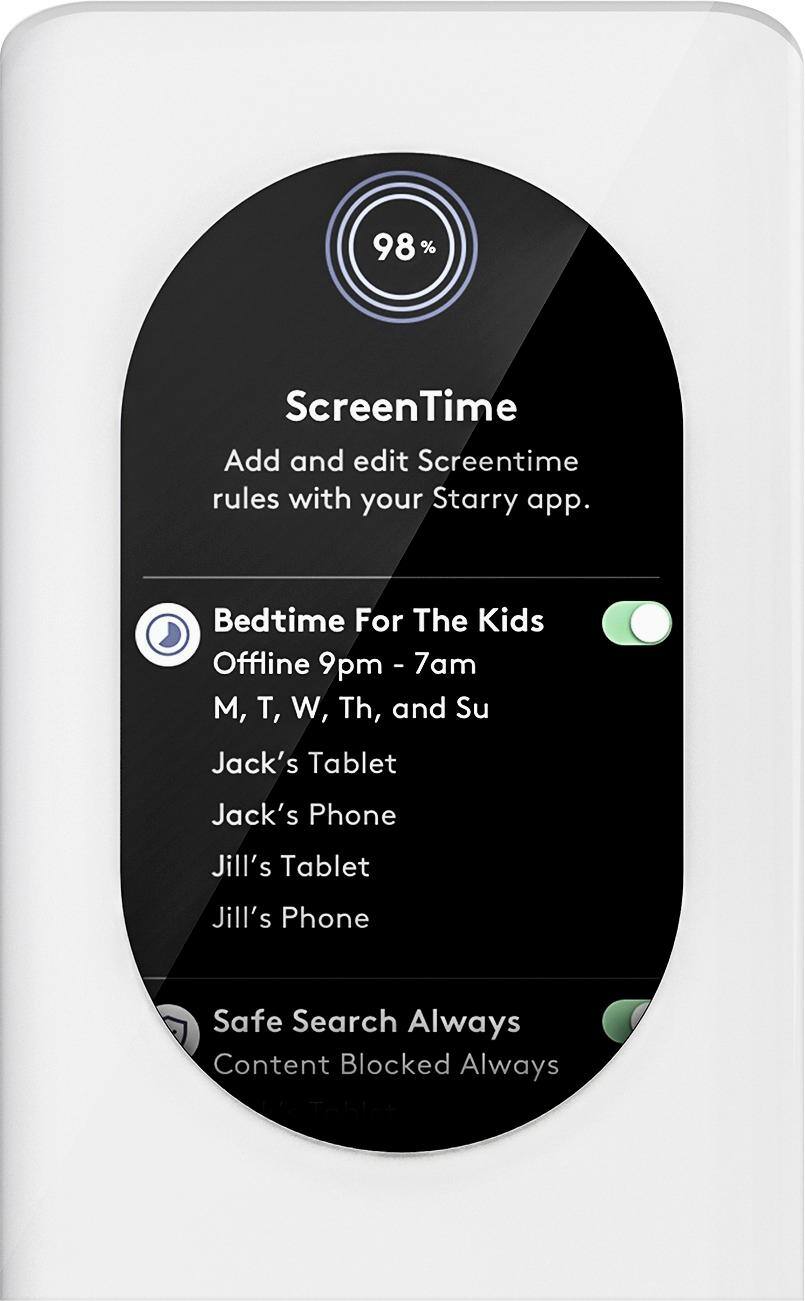
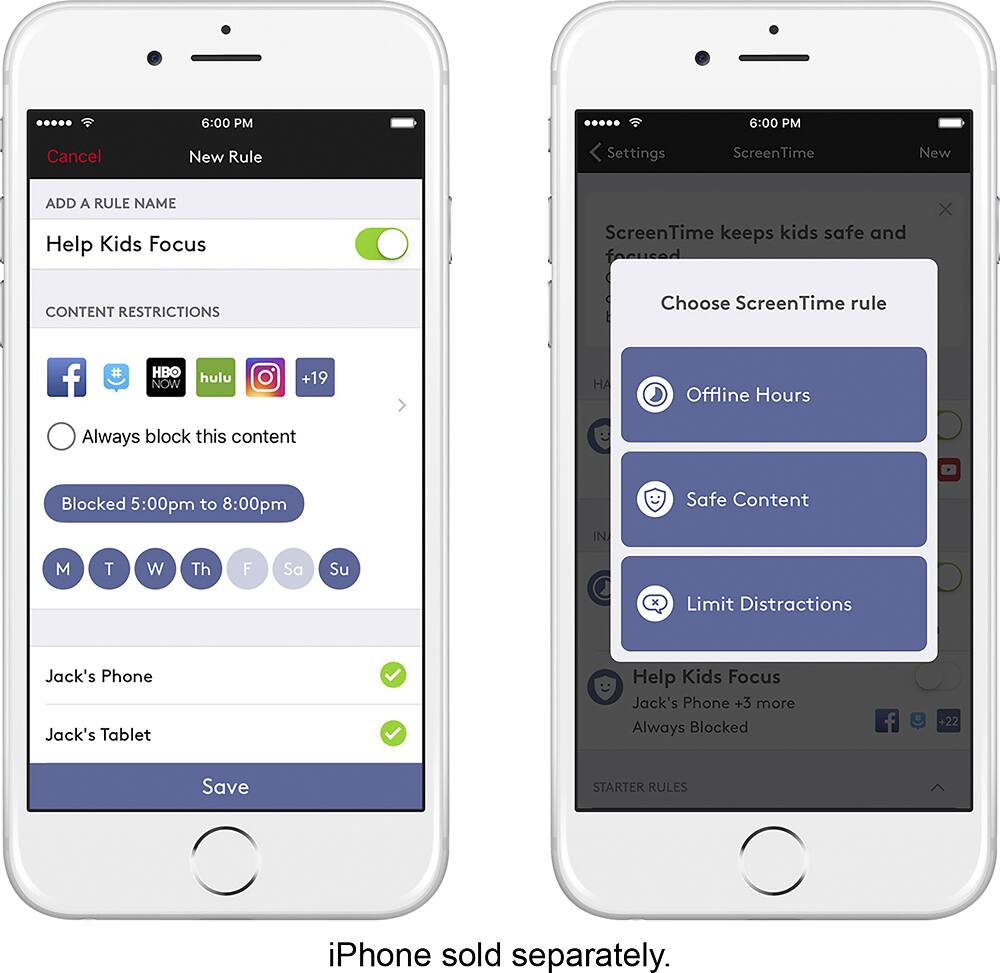
||Posted .This reviewer received promo considerations or sweepstakes entry for writing a review.I love this router. I can easily create rules for kids and shut off the wifi to their devices. Easy to troubleshoot my home internet. Love the MiMo capability. It allows multiple devices to habe their own decidated connection so bandwidth is not a problem.
I would recommend this to a friend- Pros mentioned:Speed
Rated 5 out of 5 stars
Great Internet "Helper"
||Posted .This reviewer received promo considerations or sweepstakes entry for writing a review.This product works great in our home. Our Internet has been boosted and the speed is much better than before. We live out in the country so I would recommend this to anyone who lives out and can't get great speed.
I would recommend this to a friend - Pros mentioned:Speed
Rated 5 out of 5 stars
Best wifi router I ever owned
||Posted .This reviewer received promo considerations or sweepstakes entry for writing a review.It took me about 5 minutes to set up. I been having connection problems with my apple wify router. All problems disappeared and it maxed out my available speed limit! I'm in love!
I would recommend this to a friend - Pros mentioned:Design, Ease of use, TouchscreenCons mentioned:Ethernet ports, Fan noise
Rated 5 out of 5 stars
The Future of Wireless Networking is Here!
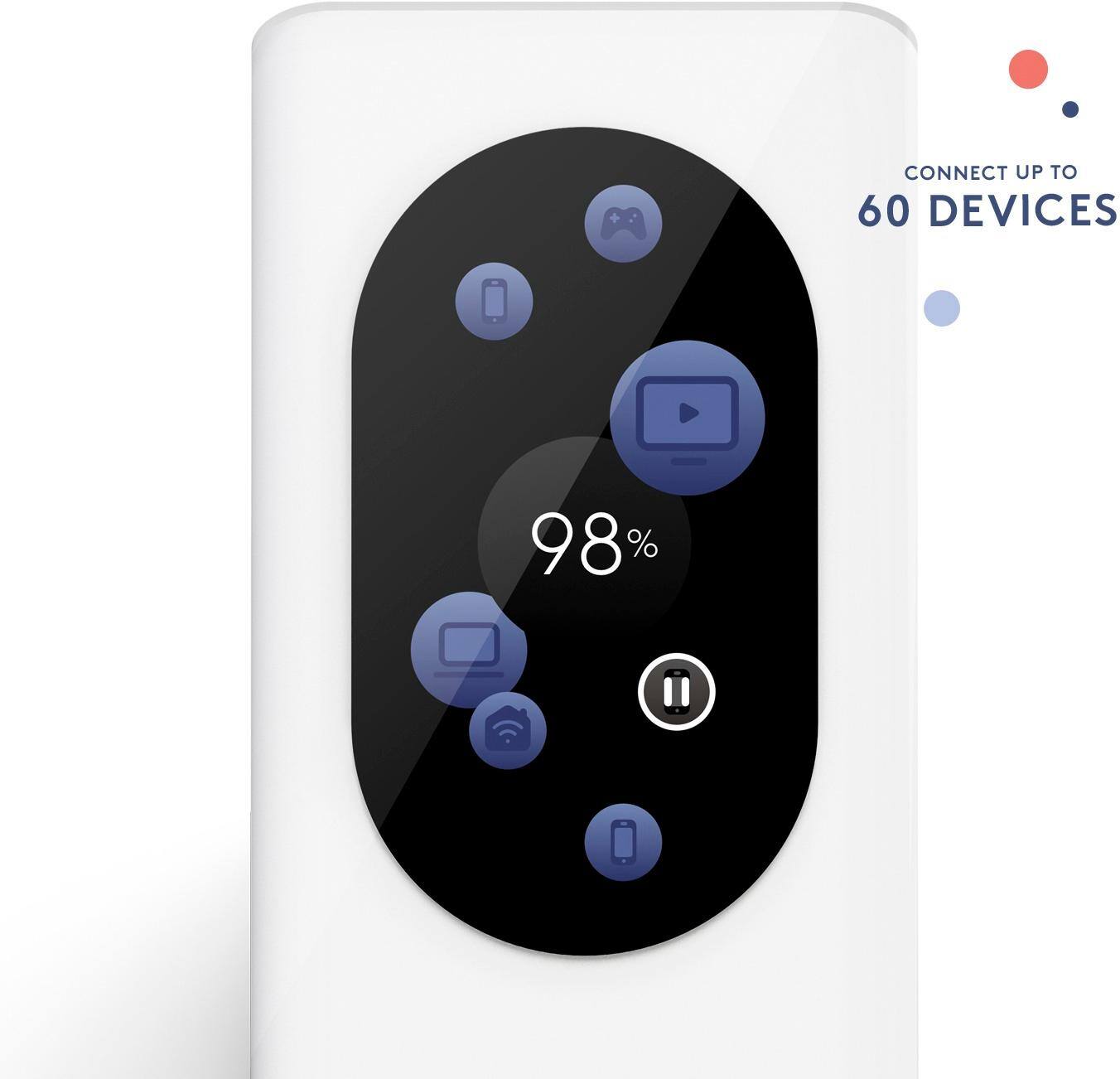
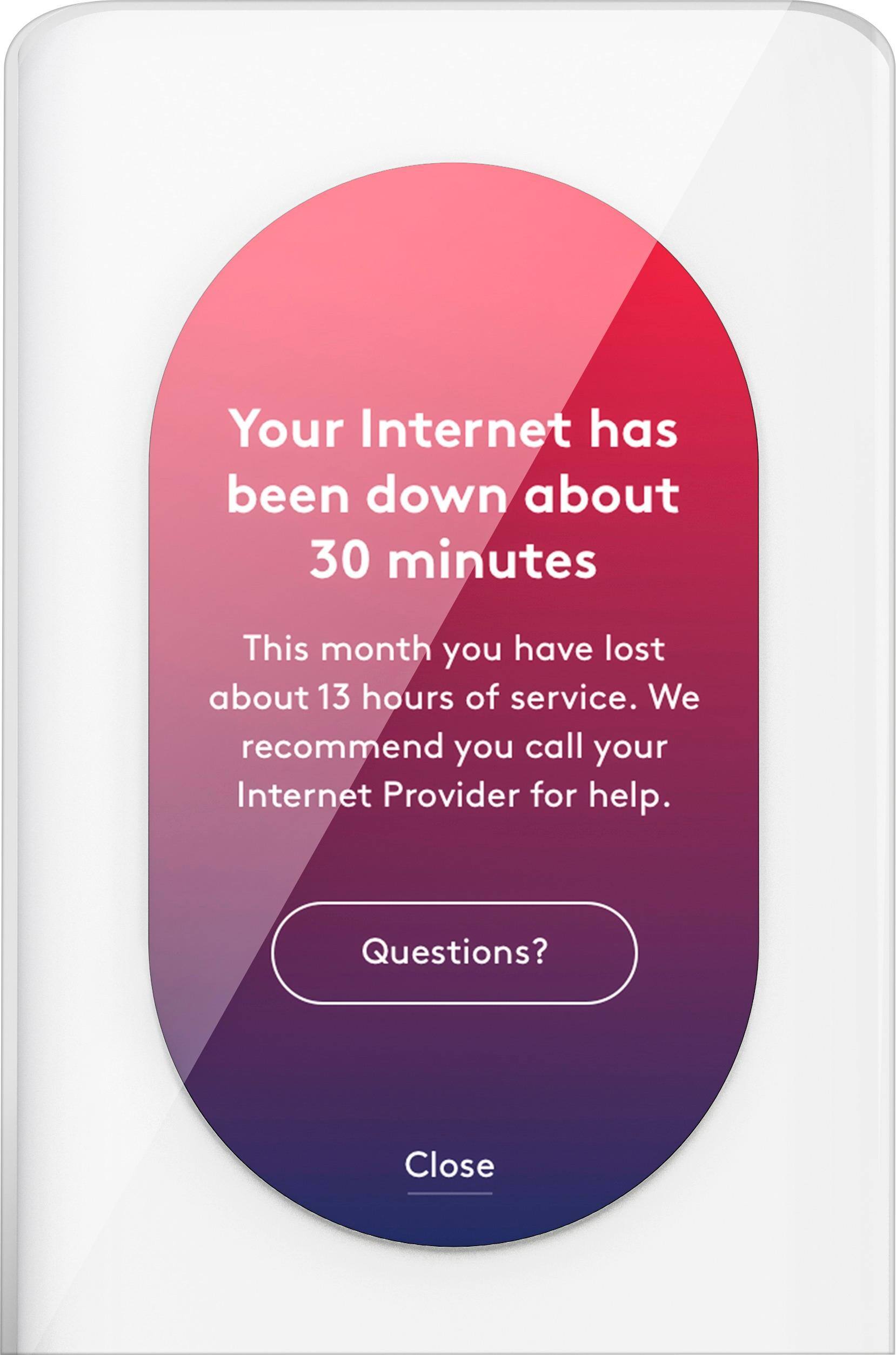
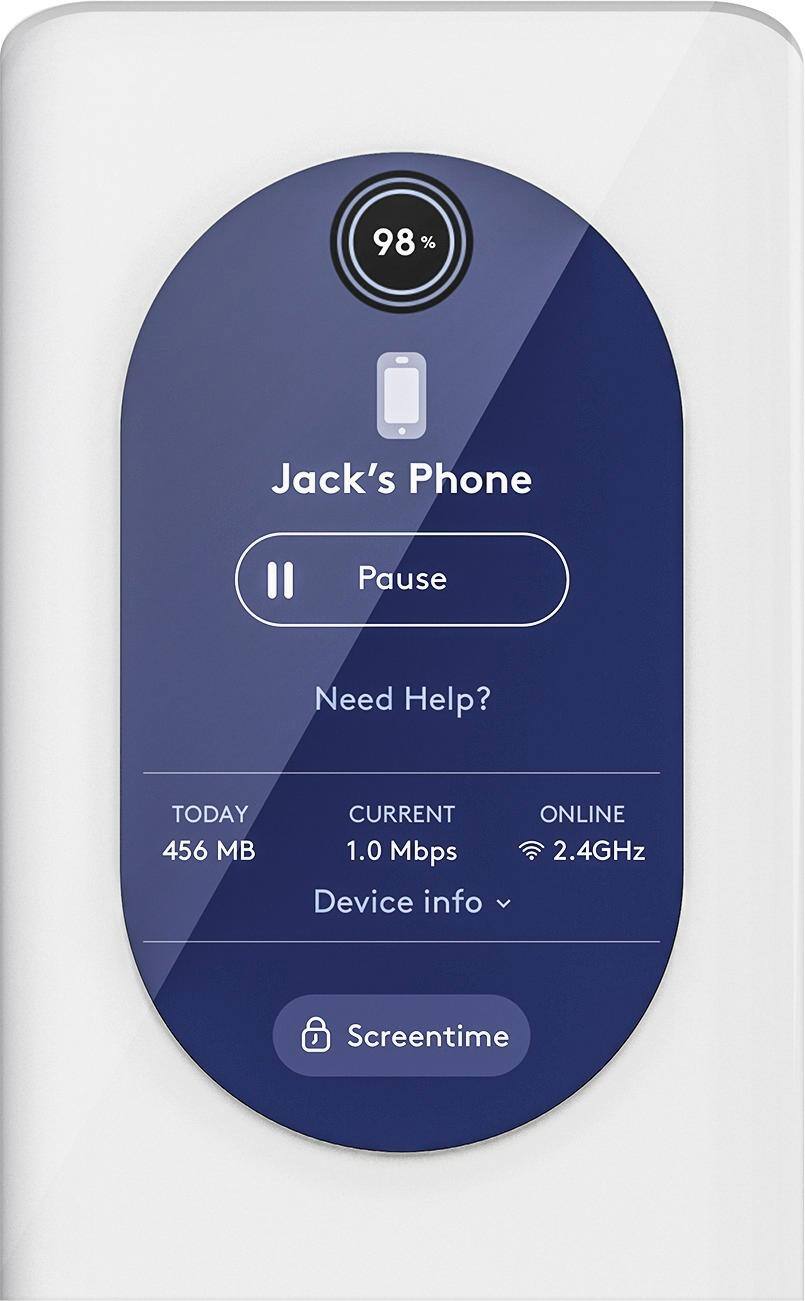
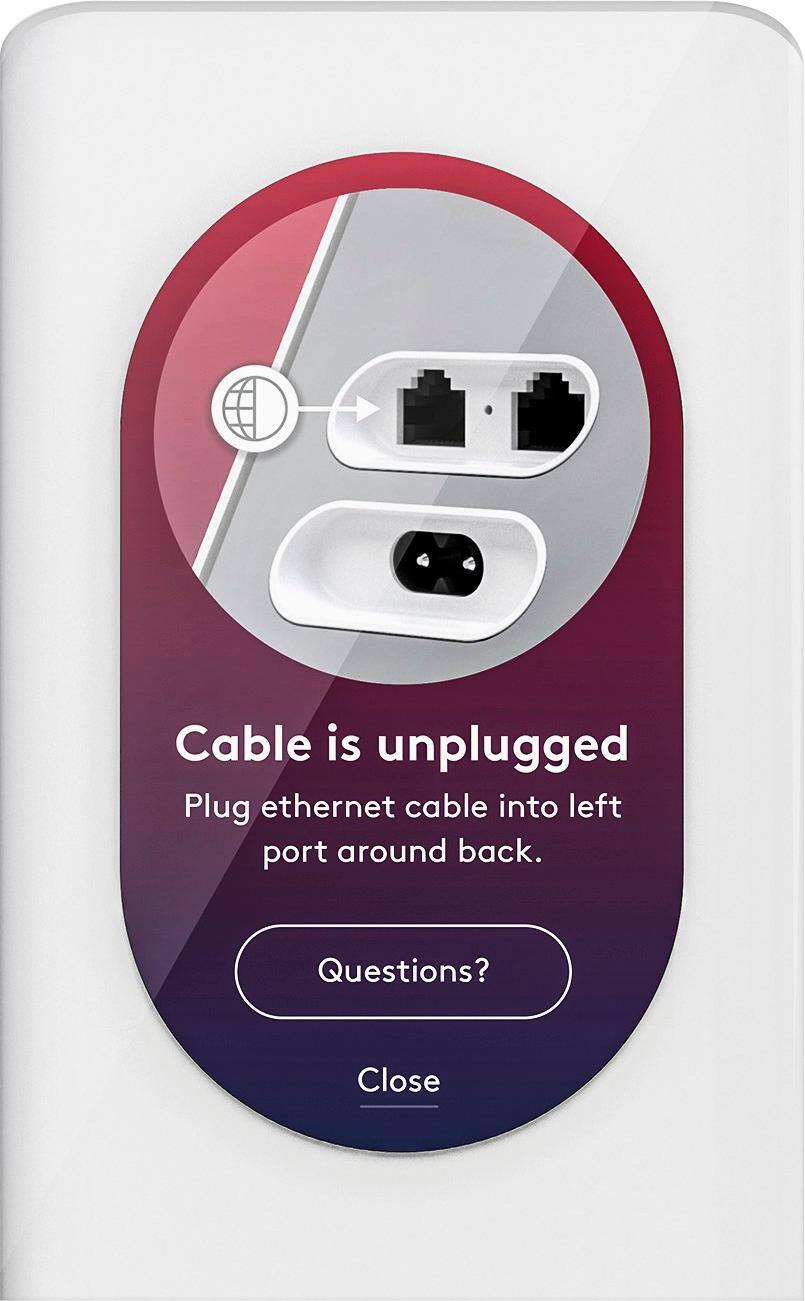
Posted .This reviewer received promo considerations or sweepstakes entry for writing a review.Received the Starry Station a week ago and I have been rigorously running it through its paces ever since. I have to say it does not disappoint. From it's beautiful design to it's ease of use, the Starry Station is a much welcome and much needed change from your standard router. No longer are you forced to deal with blinking lights and a clumsy web browser based interface to control your home network. The touchscreen is easy to read and very intuitive allowing for even the most non-tech savy person to control their wireless devices. The first part of my testing occurred at my home, a long narrow apartment where I have Time Warner Cable as my internet provider. Their Arris cable modem/wireless router does not broadcast a strong enough signal to cover my entire apartment but when I hooked up the Starry Station, the whole place was immediately and consistently within range of the wireless signal. The Station was able to handle my Desktop PC, Smartphone (Samsung), Smart Television (LG) and my Printer (Epson) all at once with no problems, loss of signal or reduction in upload/download speed. Streaming through the network was seamless and I no longer had to rely on a 100 foot Ethernet Cable running through the length of my apartment to use the features of my Smart Television. As well, it was easy to detect which devices were successfully connected through the Station and which were not without having to trace wires to the back of the router. The second part of my testing occurred at my brother's house where Optimum is the internet provider. The Starry Station's wireless signal had a broader range than the Optimum router and was able to handle a Laptop (Lenovo), my Smartphone (Samsung), my brother's Smartphone (Apple), my niece's Smartphone (Apple), a Surface (Microsoft) and a Smart Television (LG) simultaneously with no problems once again. When the Optimum signal went out during a rainstorm (which it often does), the Starry Station clearly reported to us that the Internet signal was down. What a refreshing change to be able to clearly see in plain English words that our Internet was down without having to squint and decipher which lights were down on which symbols on the Optimum router. And, of course, when our Internet was restored, the Starry Station let us know. Had the Internet been down for longer (as it has been in the past), we would be able to report to Optimum exactly how long and receive a full credit rather than for just the time that we noticed our signal was out. Additionally, we both downloaded the Starry App on our Smartphones (FYI we had to use the same login credentials) and were able to monitor and control the wireless network with no problems at all. The App is simple to use and provides all the information and controls you need to manage your home network. It would even allow us to block certain devices, like say my niece's Surface (Microsoft) when she should be sleeping or doing summer reading during the hours we saw fit. The Starry Station also has a built-in speaker that is not yet functional but perhaps could one day be used for audio feedback as well as live technical support or something I haven't thought about. Similarly, Starry plans to offer its own Internet Service in the near future which, if it is consistent with what I've experienced with Starry so far, might just be a better alternative to Time Warner Cable and/or Optimum and FIOS. I'm sure as more services are offered, more features will become available. Excited to see what the future holds! To conclude, here are the Pros for the Starry Station: -Beautiful design. -Easy to set-up and use. -Intuitive touchscreen graphical interface. -Network name can be anything you choose and you are not limited to a random string of letters and numbers. -Instant reporting of Network health, speed and problem devices. -Excellent signal strength and range. -Easy to manage your Network and Router through the Station itself or via the App on Androids and iPhones. -Parental controls allow for blocking of certain devices for predetermined periods of time. -One Touch Guest Network set-up so as to maintain the privacy of your Personal Network. -Information, status and feedback are provided via actual words and not via blinking lights and symbols. The only Cons that I could find were: -Unit runs hot. -Fan is not totally silent (but I found it to be quite soothing and similar to a white noise machine; some may be more sensitive and disagree). -Besides the WAN port, there is only one Ethernet Port on the back of the Station. It would be nice if there was one or two more. Overall, an excellent Wi-Fi Control Center and Router that I would highly recommend to everyone, from the most knowledgeable computer person to a novice user. PLEASE NOTE: I received my Starry Station in exchange for this complete and honest review. My review was NOT influenced at all by this fact nor by any other individual. It was written by me alone based solely on my personal experience and thorough testing of the unit.
I would recommend this to a friend - Pros mentioned:Touchscreen
Rated 5 out of 5 stars
Excellent device, improved household performance
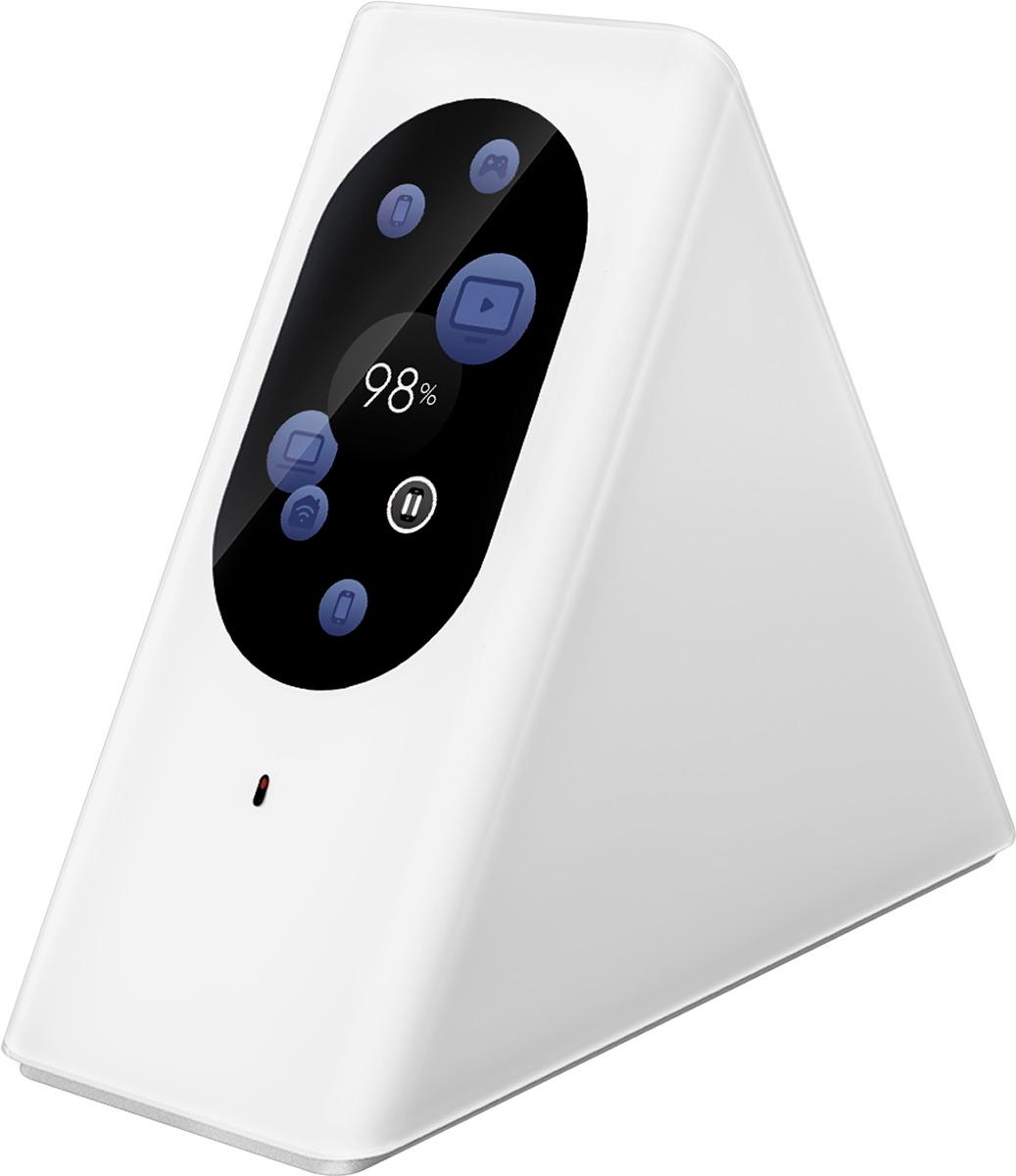
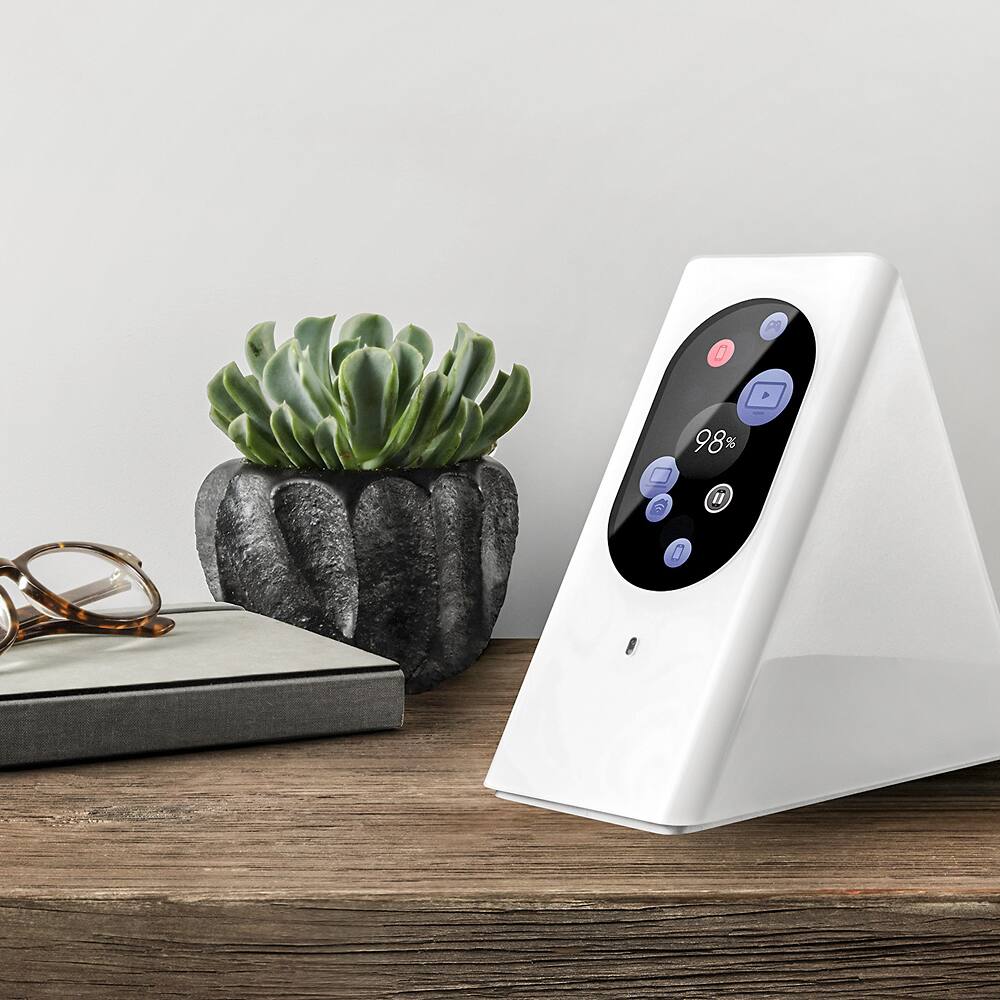
Posted .This reviewer received promo considerations or sweepstakes entry for writing a review.I began using a Starry Station after spending years on a standard Motorola router which worked fine in my tiny New York apartment but just couldn't cut it when I relocated to a larger home in Pennsylvania. The Starry Station looks like something Apple would cook up if it were located in The Legend of Zelda's Hyrule. It's a sleek, pristine white isosceles triangle with a touch screen that's slightly smaller than a dollar bill. I don't normally care about the aesthetics of my tech, but the unit looks GOOD, and it's nice to not have to go through some decorative shenanigans to "hide" the unit while ensuring it's located in an appropriate, prime spot. Setup took roughly a few minutes, and was less complicated than setting up a new cellphone. This included downloading their app, which you can use to monitor which devices are online and what kind of reception they're receiving. The app has been useful for me, as my wife and I have been able to identify spots where the reception drops significantly in our home. I think the only hitch in the setup (and this is very minute) is that my PS4 wouldn't register device until the third try. One of the things I noticed in my Motorola router was that the more devices I had connected, the worse performance I could expect regarding internet speed and connectivity. So, because Starry's touchscreen displays your internet health and expected performance, I was curious to see how many devices I could add to the network before my internet health began to atrophy. I went from 1 cellphone, to 2 cellphones, to 2 cellphones and my PS4 streaming Twitch, to 2 cellphones and my PS4 streaming while I ran a game on my laptop and my wife browsed on another MacBook Pro we have. Our internet health dipped momentarily to 95% as the devices connected, then hovered between 96-98% without any hitches in performance. Finally, we previously had a dead spot in our kitchen where we could expect our connection to drop and our iPhones to switch to the 3G network. This has been an annoyance for us, because our kitchen is a high-traffic area and it's unacceptable to be worried about data charges in our own home. With Starry, we've been able to stream Pandora and use our phones normally--the signal isn't as strong as when we're in the same room as the unit, but at least it's there! One more thing: there's a nice peace of mind that comes with this. Because the touchscreen tells you your internet health, there's no guesswork for what you may need to do if your connection starts to suck. The fact that I know I don't have to go clawing at the back of a modem to unscrew a coaxial cable and wait 2 minutes before screwing it back in every time the internet goes down is a huge relief. Being able to source the issue in the device, our internet connection, or the router is great--all it takes is a glance at the unit or my Starry app. I would highly recommend this product. It looks cool, performs way better than our previous wireless router, and it's interface is helpful and easy to use.
I would recommend this to a friend Rated 5 out of 5 stars
great device
||Posted .This reviewer received promo considerations or sweepstakes entry for writing a review.goes longer the the one I had at sundenlinl oh yea and faster wif-fi dtays up not like our last one
I would recommend this to a friend- Pros mentioned:Design, Setup, Touchscreen
Rated 5 out of 5 stars
Streamlined Product, Fantastic to Use
Posted .This reviewer received promo considerations or sweepstakes entry for writing a review.Short story: This is a beautifully designed product with an easy-to-use interface that provides good range and capabilities in comparison to other products I've used. Presentation I wouldn't normally talk about the packaging of a product, but the Starry's packaging was top-notch. The box protected the components well and was as beautiful as a box can be. 5/5 Hardware The Starry looks fantastic, far better than any other wireless router I've encountered. I'm coming from using an Airport base station, which is also pretty good looking, but the form of Starry blows it out of the water. There's no question that it's a beautiful product, and when people see it, they say, "what's that?" and want to interact with it. The only strike against it is that the screen is a fingerprint magnet. It seems like they could treat the surface with something to make it less prone to gather fingerprints. Otherwise, it's great. 4/5 Setup The brief instructions on the packaging instructed to download the Starry app, and after downloading it and walking through the interface to set up Starry, I was up and running. Probably only took about ten minutes from opening the box to having my network back up and running. One thing I disliked in the setup was the keyboard on Starry's touchscreen -- due to the orientation, it can't really be a traditional QWERTY setup, but the alternative isn't great either (a layout of the alphabet in order). That said, I don't really know a better solution for this, and if you wanted to go with the network name and password that Starry generates, you'd have no use for the keyboard anyhow. I can't really knock off any points for Starry in this case. Since I have about a dozen devices connected owned by different people in my household, I wanted to keep the same network name and password, and that was simple enough to make happen. Compared to setup on my Airport Base Station, I'd say it was slightly better. Compared to setting up a router from Belkin or Linksys, I'd say this is leaps and bounds better. 5/5 Interface Simple to use and understand. I like the way the many users are displayed and that all of the network information is readily available. I don't think I knew that I cared about my internet speed being a number that I could access, but now that it's available all the time, I care! If a video is buffering, it's nice to be able to say, "let's check the internet speed" instead of "maybe our connection is slow." I like that the screen goes to sleep and doesn't illuminate the room when it's dark, but easily comes back to life when you need it. 5/5 Range and Overall Capability The range of Starry seems pretty similar to my Airport Base Station. One thing I've noticed is that sometimes it seems like I start with a weaker connection that picks up over time. I'll get the "device has a weak connection" notification in the App, and it typically vanishes after a little bit of time. That said, at the price point of the Starry, I think I expected (maybe unrealistically) that the range would be greatly improved. An unsightly antenna would probably improve the range, but that would go against the great form factor of Starry. Still, it gets through my house and to most of my backyard, so that's nice, however, when streaming music from my yard I still got some lag. Comparable situation with the Airport. I was able to connect around 15 devices at once and everything seemed to be working well, which seems like a pretty worthy stress test. Starry handled it well. 5/5 App The app has some quirks that I assume will be ironed out eventually. From time to time, I'll get a notification that a device has a weak signal when the device is clearly out of range of the network (Person X's phone has a weak connection, but person X is 5 miles away at work). While it would be nice to get wifi from home when 5 miles away, Starry isn't doing it. There are also some stats that seem to only be available via the device's interface, and it would be nice if they were a closer match of each other. I think this will improve over time since it's early in the game so I'll give them a bit of leeway on this, but it's definitely the weak point for now. That said, no other router I've used has had an app at all, let alone one that provides all the information that Starry does, so I can't knock it too much. 4/5 Conclusion A wifi router is something that's essential, and Starry turns the mundane utility of this essential piece of hardware into something I'm eager to use. It looks great and functions better than many products I've used. Though it comes in at a premium price, it's a premium product, and it's something you'll only have to buy once. I'd recommend this to anyone who's seeking out a sleek wifi router with capabilities beyond other products on the market. Rounding up to 5 stars.
I would recommend this to a friend - Pros mentioned:Ease of useCons mentioned:Ethernet ports
Rated 5 out of 5 stars
High Performance, Easy to Set Up, But Shaped a Lit
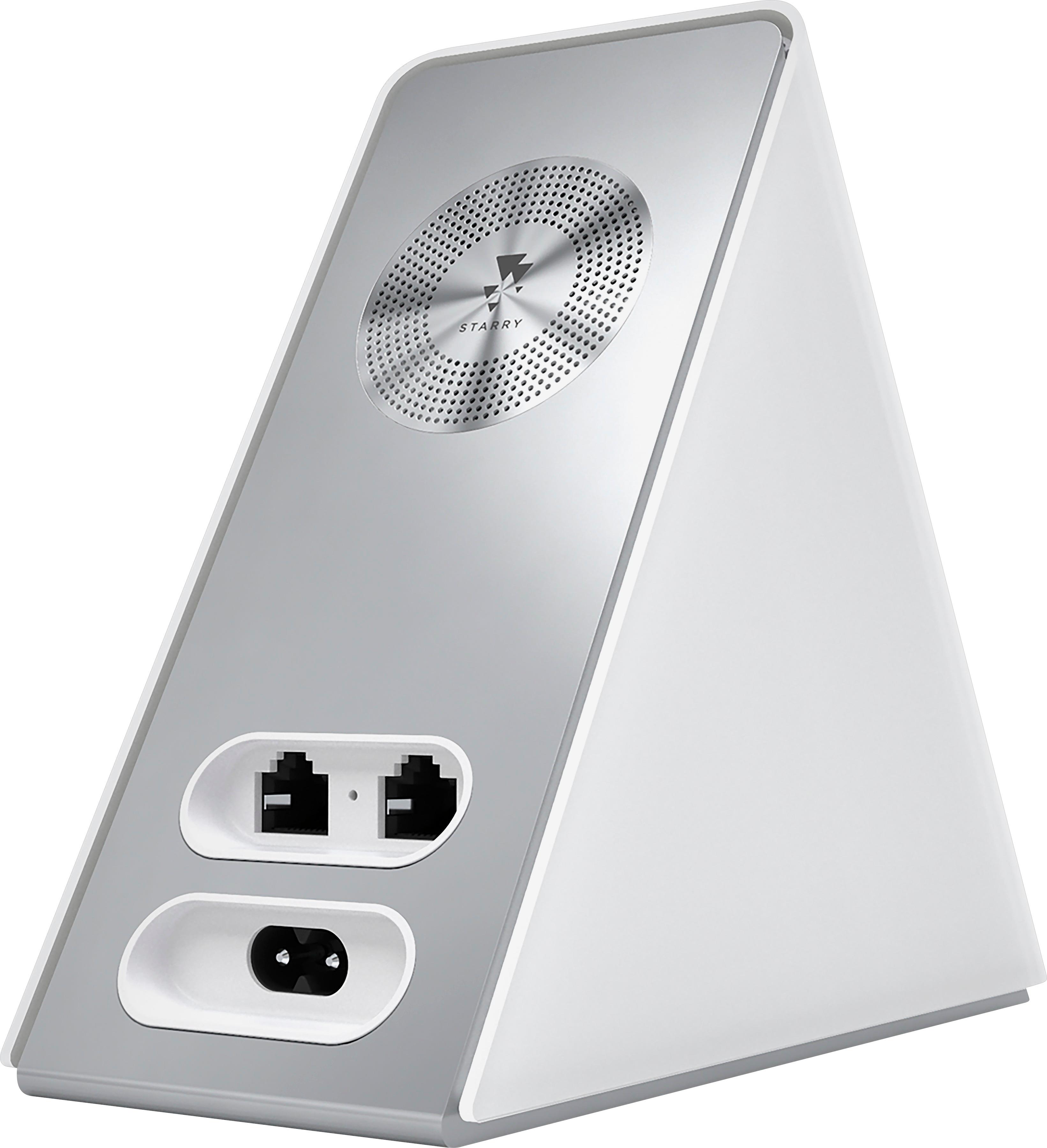
Posted .This reviewer received promo considerations or sweepstakes entry for writing a review.Overall, I would definitely recommend this router if you are looking to have a high-performing wireless access point with minimal technical skill. It is incredibly straightforwxard to setup and monitor, and the app provides quite a few useful features for checking on performance and usage. I particularly like the ability to monitor and control access for particular devices, making it much easier to diagnose when something is eating up all of the bandwidth. In case you are hoping to tuck it away in a TV stand or something, it is a bit awkwardly tall for its size. The recessed back panel where the Ethernet ports plug in is also a bit narrow, making it a bit of a struggle to plug in my existing ethernet cables, though the stock cable works quite well (just a bit shorter than I needed). Still, I have been very happy with its performance and, other than a couple minor changes to my setup, I have not had any problems after using it for a couple weeks.
I would recommend this to a friend - Pros mentioned:Setup, Touchscreen
Rated 5 out of 5 stars
Very impressive
Posted .This reviewer received promo considerations or sweepstakes entry for writing a review.I received the Starry Station about a week ago to provide feedback, and the timing couldn’t have been better. For background, after several service calls, my cable provider recently admitted that the infrastructure in my neighborhood required some significant work. The impact for us was dropped signal several times a day, and our previous router required a reboot each time to pick back up the signal. This product has saved a lot of headache since setup. Here goes with the full review: First impression – the station looks great. This isn’t a product that you feel like you need to hide behind something, which is saying a lot for a router. It was also very smartly packaged. Setup – The interface was very intuitive and took no time at all to set up. I appreciated the fact that the touchscreen was responsive and accurate, and won back access to an outlet on my surge protector due to the fact that the plug didn’t have a bulky converter on the end. Performance – The biggest win for me here is that I don’t have to constantly reboot the Starry Station to get it back online when our cable signal cuts out. The range is really impressive – I walked 4 houses down the street before my signal finally dropped. I’m also a big fan of the Starry app. In my case, the performance-over-time charts are really depressing, but I’m glad to have the data now. Overall – The Starry Station reminds me a lot of an Apple product. It’s sharp looking, very intuitive, and seems ultra dependable thus far. If you’re the type of person that likes to hard-wire a lot of devices to your router, this may not be the best choice, but it’s the ideal product for a home wifi access point and makes troubleshooting easier than any other product I’ve seen.
I would recommend this to a friend - Pros mentioned:Ease of use, Touchscreen
Rated 5 out of 5 stars
Great Product. High Quality.
Posted .This reviewer received promo considerations or sweepstakes entry for writing a review.I absolutely love this product. I have always wondered when the router market will actually cater towards ease-of-use, ease-of-setup, and high quality performance, and clearly Starry has figured it out! The packaging is gorgeous, and minimalist. You don't get a 100-page user manual with Starry because it isn't needed! I am very impressed that my router has a nice, phone-sized touch screen for setup. Set up time was approximately 3-4 minutes for me, and that's because I spent a few more spins of the wheel generating a random name and password for me WiFi (it had to be at least a little funny, right? :). Anyone could set up a Starry router -- no technical experience required. The router booted up seamlessly with my ISP and immediately diagnosed a 100% percent connection, which makes me feel good that my internet service provider isn't giving me a worse connection then they advertise. It feels really great to have something that can actually hold them accountable, and it's also great to have a piece of hardware that will immediately let me know if there's something wrong with my connection. But of course, there hasn't been anything wrong with my connection ever, because this router is top of the line quality. Through this past week I've watched it and the health score has generally been between 88% and 96%. That's it! I regularly have guests and it takes two clicks on the touch screen to get them the wireless name and password, which I could change at any moment if I so desired. It works right out of the box, it's gorgeous, and it's absolutely simple to use for anyone. Nice work Starry.
I would recommend this to a friend - Pros mentioned:Ease of use, Setup, Speed
Rated 5 out of 5 stars
Looks great and works better!
Posted .This reviewer received promo considerations or sweepstakes entry for writing a review.I've had the Starry Station for about a week now, and it's been almost flawless so far. Definitely a far more user-friendly router experience than anything else that's on the market. I would definitely recommend if you're looking to simplify and improve your home wifi experience Pros: + Super simple setup. From unboxing to use, it took about 5 min. The instructions are incredibly straightforward + Looks great! No other wireless router is worth keeping within view + Speeds have been excellent to this point + Touchscreen interface is very intuitive and fun. It' s awesome to see all of your devices displayed on one screen with their overall health + The ability to test your upload/download speeds from the router is a great feature + Love the ability to modify the network name and password from the router Cons: + Initial minor glitch with recognizing my iMac and showing that it had zero internet health. After an hour, everything sorted out nicely :)
I would recommend this to a friend - Pros mentioned:Design, SetupCons mentioned:Fan noise
Rated 5 out of 5 stars
A Solid High-End Router
Posted .This reviewer received promo considerations or sweepstakes entry for writing a review.Disclosure: I received a free Starry Station as part of a trial, in return for writing a review. I wasn't under any pressure to make it a positive review - the device is mine to keep without contingency. Overall the starry station is a well thought out router that simplifies many things that are often frustrating. It feels a bit like the kind of device that everyone will have eventually as the need to track more internet-connected household objects grows. What I liked: - The screen interface is very intuitive to read and lets me track my wifi usage and internet speed in real time. Compared to browser-based router interfaces this is much faster and easier. - The router broadcasts at two speeds, 2.4 and 5 ghz, and it actively recommended that I switch to the 5 ghz once I started streaming video - The mobile app allows me to check on the router usage or update the settings wherever I am - The small touches make a difference, like being able to set the hours that the screen is automatically off, or to temporarily let friends log on without a password - The design of the router is attractive and futuristic, I don't feel the need to hide it away behind the TV - Setup was quick, direct and painless What could be better: - Like any device that does more than the competition, the Starry router is relatively expensive. Whether the additional functionality is worth it will come down to how much you value convenience over necessity - There is a mobile app but no browser interface that I'm aware of. While the app is replete with options, it would be nice to have the ability to choose which interface to use - The internal fan makes an low air rushing noise (not to be confused with a buzzing noise). It's quiet and I can't hear it most of the time, but if you're used to routers making no noise at all then it's a bit of a change.
I would recommend this to a friend Rated 4 out of 5 stars
Router has great features
||Posted .This reviewer received promo considerations or sweepstakes entry for writing a review.Was looking for a router that gave me more control over who is on the network and what content they can view. Starry does the job.
I would recommend this to a friend