Customer Ratings & Reviews

- Model:
- ARCHER C8
- SKU:
- 2080118
to a friend
Customers are saying
Customers are delighted by the AC1750 Dual-Band Wi-Fi Router's ease of use, strong performance, and wide coverage throughout their homes. Many appreciate its reliable connection for multiple devices and streaming, finding it a good value for the price. While some experienced minor issues with Wi-Fi strength, the positive feedback on performance and range outweighs these concerns.
This summary was generated by AI based on customer reviews.
- Pros mentioned:Speed
Great pick for deal of the day
||Posted .This reviewer received promo considerations or sweepstakes entry for writing a review.This router cost me $49 for deal of the day. It gives 350-400 mbps on a wireless connection. Great speed for a 2B2B apt.
I would recommend this to a friend Very nice
||Posted .This reviewer received promo considerations or sweepstakes entry for writing a review.Its range is amazing.very nice looking and powerful router.
I would recommend this to a friend- Pros mentioned:Ease of use
These things just work :)
||Posted .This reviewer received promo considerations or sweepstakes entry for writing a review.Plug it in, configure and forget it,,,, use 5G to avoid the neighbors wifi messing with you as well.
I would recommend this to a friend - Pros mentioned:Price
Does what it's supposed to do
||Posted .This reviewer received promo considerations or sweepstakes entry for writing a review.Best bang for the buck. Does everything you need a router to do at a cheaper price,
I would recommend this to a friend - Pros mentioned:Coverage
Great router
||Posted .This reviewer received promo considerations or sweepstakes entry for writing a review.Coverage through our two-story house is very good. Coverage is a little better on 2.4 ghz than 5 ghz.
I would recommend this to a friend - Pros mentioned:Price
The Lowest Price
||Posted .This reviewer received promo considerations or sweepstakes entry for writing a review.I caught and ordered it with the lowest price in Deal of the Day. So close!
I would recommend this to a friend - Pros mentioned:Ease of use
Wireless router
||Posted .This reviewer received promo considerations or sweepstakes entry for writing a review.Saw this on tv on one of the programs and it was easy to order from Best Buy and works great
I would recommend this to a friend - Pros mentioned:Ease of use
Happy with purchase
||Posted .This reviewer received promo considerations or sweepstakes entry for writing a review.Bought based on recommendation. Good product. Easy set up.
I would recommend this to a friend - Pros mentioned:Ease of use
Just Right!
||Posted .This reviewer received promo considerations or sweepstakes entry for writing a review.This router offers everything promised. It was easy to install and configure.
I would recommend this to a friend - Pros mentioned:Speed
Good
||Posted .This reviewer received promo considerations or sweepstakes entry for writing a review.Run smoothly since the day i bought it. Recommended
I would recommend this to a friend Fast internet
||Posted . Owned for 1.5 years when reviewed.This reviewer received promo considerations or sweepstakes entry for writing a review.I bought this wifi router for my house and since there is only two people using it it gives really fast internet
I would recommend this to a friendTo link
||Posted .This reviewer received promo considerations or sweepstakes entry for writing a review.Great router to have at your home to control of your internet and security along with your apps for energy needs
I would recommend this to a friend- Cons mentioned:Wifi strength
Router
||Posted .This reviewer received promo considerations or sweepstakes entry for writing a review.It is a so so router, I bought it for my family and my kids were complaining about it.
I would recommend this to a friendBrand response from TPLinkSupport
Posted .Hi NYNE,
Thank you for your review. Wireless signal and connection can be optimized in multiple ways to ensure you get the most out of your router. To ensure optimal performance of your wireless router please check, and if needed, update its firmware using the steps outlined in our FAQ: https://www.tp-link.com/us/faq-2139.html
If you'd like assistance with any of these steps, please send an e-mail with your contact information and a link to this review to [email protected] and we'll gladly have a Support Agent follow up with you directly.
Thank you,
TP-Link Support
[email protected]
Great Router and easy to setup
||Posted .This reviewer received promo considerations or sweepstakes entry for writing a review.My Wi-Fi was degrading so when this went on sale I decided to give it a try. Easy installation and with the 5GHz band I am now getting Wi-Fi speeds above 90 Mbps.I recommend it.
I would recommend this to a friendGreat upgrade
||Posted .This reviewer received promo considerations or sweepstakes entry for writing a review.Got this to upgrade my Grandma's wifi. She is still running G and this made a difference.
I would recommend this to a friendSimple Setup
||Posted .This reviewer received promo considerations or sweepstakes entry for writing a review.The unit seemed to set itself up on it's own. I have enjoyed the good bandwidth.
I would recommend this to a friendWorse coverage then my 8 year old net gear wifi.
||Posted .This reviewer received promo considerations or sweepstakes entry for writing a review.Could net get to the web site to set it up. Was still able to get it to run and the coverage was horrible. Returned it for an asus wifi, which works great.
No, I would not recommend this to a friendBrand response from TPLinkSupport
Posted .Dear Ack002,
We sincerely apologize that our product did not provide the expected upgrade to your home network. We hope that this experience will not deter your interest toward our products in the near future and hopefully your new Asus router is working to your satisfaction.
Best Regards!
TP-LINK Support Team
(866) 225-8139
http://www.tp-link.com/us/support
I love that router
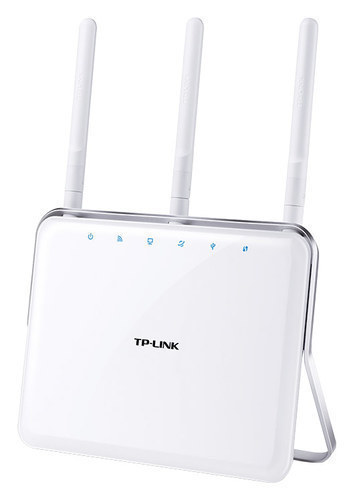
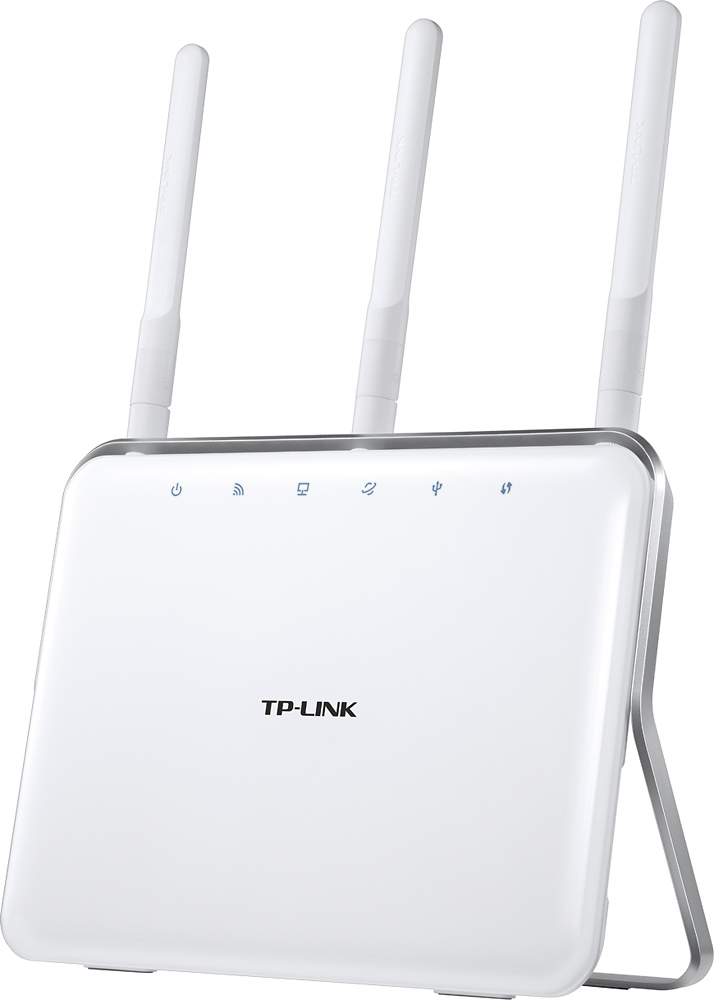
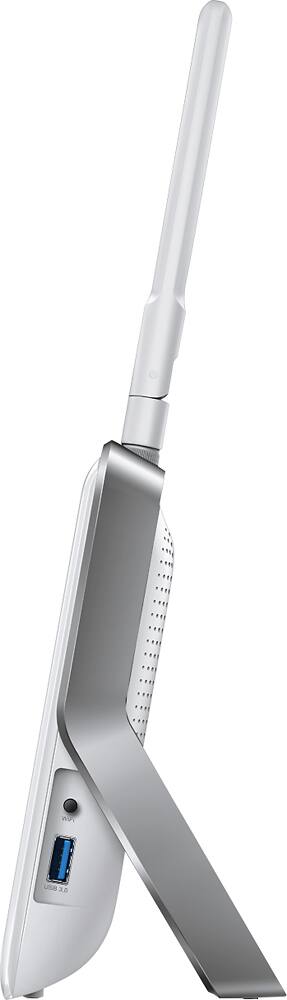
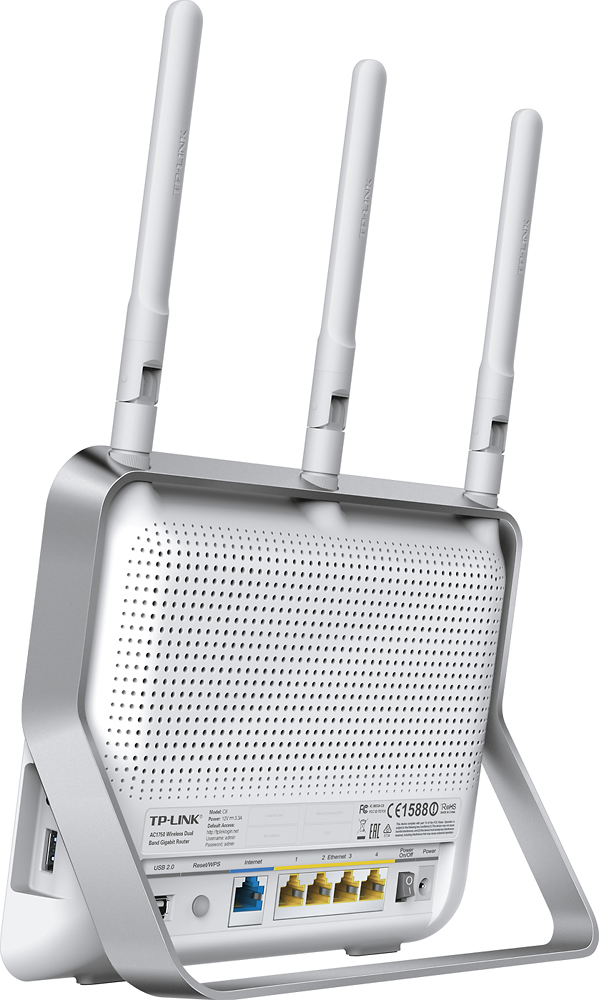
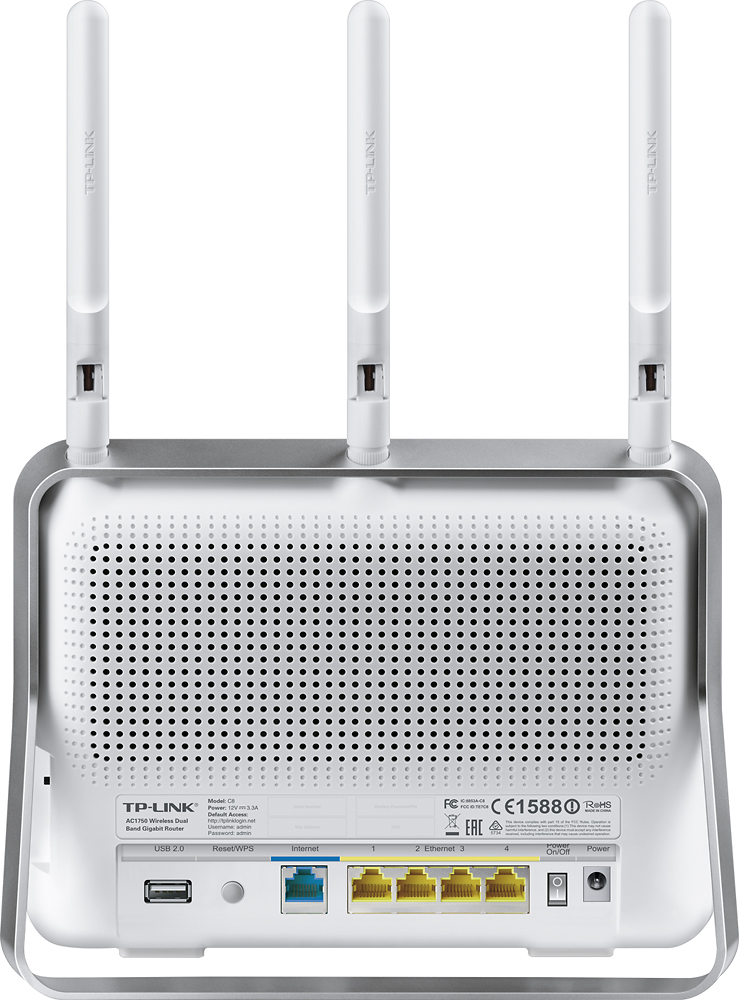
Posted .This reviewer received promo considerations or sweepstakes entry for writing a review.This is a router that balances AC connectivity / high speed, price, and style. To me the most remarkable thing was how good this router looks. It is a genuinely handsome stylish router that doesn't really have to be hidden away. It uses the latest AC standard, meaning it can connect at very high speeds and is a reliable solid router. At the current price of around $100, this is a really great value. This router looks good. The body is glossy white with chrome trim. The antenna is white, so they tend to blend into the background better than black or gray. A not removable silver plastic stand supports the router nicely. There is one small design defect I don't like - the plastic stand continues around the top of the router (visually this is pretty). Unfortunately, that band gets in the way of attaching the antenna. I like to tighten down the antenna so they will not come loose - that plastic band gets in the way. If you only ever turn the antenna clockwise when you adjust them, the antenna will never come loose. The lights on the front are subtle and not bright - so there's no worries about an inadvertent night-light, or crazy flashing lights at night. I love the power switch (so few routers have power switches) and TP-Link went one step further - there is a power switch for wireless. That means you can use this as a router without the wireless turned on. A small function you might use one day. Setup was about average, I've seen much more difficult and I've seen easier. The router comes with an SSID and password. The only place those are printed is on the router - you'll want to write down the password before you install the router - lifting the router and reading the tiny numbers is no fun. I would prefer a printed card in the box - that way I don't have to write the password down. I configured my router wirelessly with a Mac - you could just as easily use a phone or a PC, the router doesn't care. Once you've set up the router and connected it to the Internet, connect wireless to the SSID listed on the router (it will be TP-Link and a few numbers). Enter the password. Now you'll need to enter the IP address of the router (listed in the manual) or tplinklogin.net. Admin is the user name and admin is the password. You can now select the setup wizard, which will be what most people need to set up their router. There are a couple of slightly cryptic settings - WAN connection type was an odd one for me. Fortunately Auto Detect found that I have an open Internet connection. You are allowed to change the SSID (or network name) and the password. If you don't mind a silly TP-Link ### name, and you don't mind entering a bunch of digits for the password - just leave that alone. I personally always change the SSID and password. Just be certain to make the 2.4 GHz and 5 GHz network names different. It is always a good idea to change the administrator password. You have to go into the advanced settings to do that. I like TP-Link's main screen for devices that are connected. It is clean and simple. The router can be used for network attached storage through USB 3 port on the side or a USB 2 port on the rear panel. You can connect a USB drive or a thumb drive for the storage. It can also be used as a print server for printers without a wireless card. That may require a TP-Link app on the computer to use. The resource CD is a mini-CD. Don't bother trying to use that on a Mac. I had a lot of trouble on the TP-Link website getting downloads for any router. I wanted to see if the firmware needed updating and could never access the download section of the website. Easy information like owner's manuals and tech specs worked - I just couldn't get the firmware page to load. The router has four Gigabit ports for wired connections. I like the color-coding of the ports on the back panel. The only nit I have to pick is the wall wart AC adapter, it is huge. And it will take up two outlets. I prefer the laptop style AC adapters that only take up one electrical outlet. Range and speed is exactly what I expected. The router works extremely well. It is rock solid once up and running. I love the way it looks. And the price is well near perfect. This is a great little router.
I would recommend this to a friend- Pros mentioned:SpeedCons mentioned:Wifi strength
Great ac router
Posted .This reviewer received promo considerations or sweepstakes entry for writing a review.I tried several 2.4ghz routers before this that were 802.11.n and all of them had significant issues (Wifi strength was poor, and speed was also bad). This is the first 802.11.ac router that I tried, and could tell that the speed is significantly different, and I get Wifi anywhere in my house now.
I would recommend this to a friend Looks good doesn't work
||Posted .This reviewer received promo considerations or sweepstakes entry for writing a review.I received the TP- link about five weeks ago, it worked fine for a while then shut down. Fortunately I have two year product replacement and with geek squad. Need to contact them hope they can correct it.
No, I would not recommend this to a friendBrand response from TPLinkSupport
Posted .Dear Wolfgang,
Thank you for your feedback.
Due to the symptoms described, our Support Team would appreciate the opportunity to follow up with you in order to properly address this concern.
At your earliest convenience, please send an e-mail including your contact details along with a copy and paste of your review to our Support Team at the address below so we may have a Support Agent follow up with you for assistance.
Your case reference number is 160801-020010.
We thank you again for your feedback and certainly hope this experience will not discourage you from checking out more of our great networking products in the future.
Best Regards,
TP-Link Support Team
(866) 225-8139
[email protected]