Customer Ratings & Reviews
- Model:
- CTL490DW
- |
- SKU:
- 4359302
Customer reviews
Rating 4.5 out of 5 stars with 700 reviews
(700 customer reviews)to a friend
Customers are saying
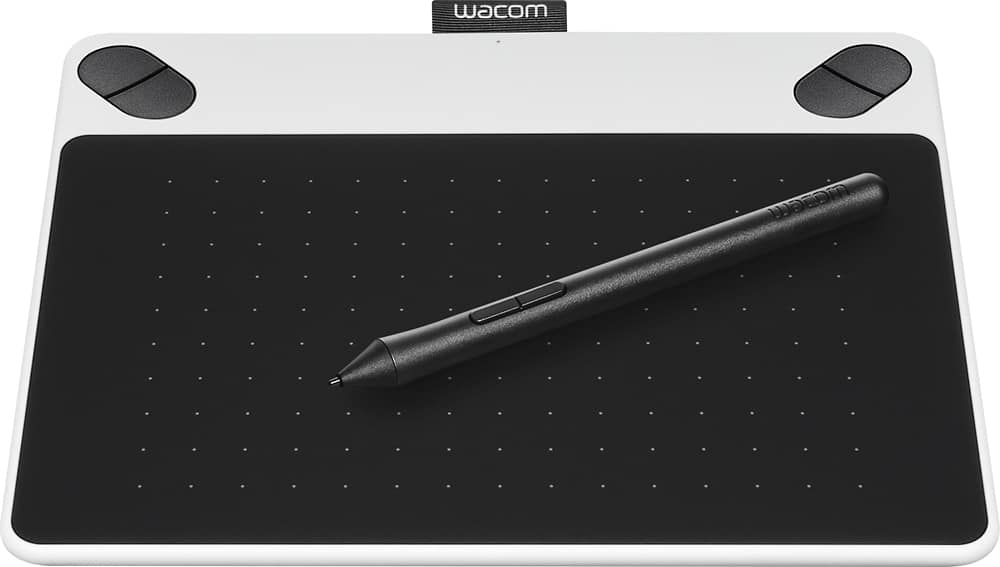
Customers find value in the Intuos Draw Small Pen Tablet for its ease of use, affordability, and beginner-friendly features. Many users appreciate its responsiveness and portability, making it a great choice for creative individuals, photo editing, and as a gift. While some users find the size a bit small and the software lacking, overall, customers are pleased with its drawing capabilities and pressure sensitivity.
This summary was generated by AI based on customer reviews.
- Pros mentioned:Ease of use, Size
Rated 5 out of 5 stars
Wonderful drawing tablet
||Posted .This reviewer received promo considerations or sweepstakes entry for writing a review.This is a great tablet for a beginner or experienced user. Small, easy to use and transport.
I would recommend this to a friend - Pros mentioned:Ease of use
Rated 5 out of 5 stars
Exactly What I Wanted
||Posted .This reviewer received promo considerations or sweepstakes entry for writing a review.I was in search for a drawing tablet of some sort, but had no knowledge of any branding or what was good. I talked to a Best Buy employee that showed me to this product, which I fell in love with. It does what I expected, installation was immediate and easy, and it comes with some really great drawing software (Art Rage Lite).
I would recommend this to a friend - Pros mentioned:Responsiveness
Rated 4 out of 5 stars
Works well on my windows 10 desktop and laptop
||Posted .This reviewer received promo considerations or sweepstakes entry for writing a review.This is a decent graphics tablet, the drivers installed effortlessly and the tablet works well. The pen nib seems to be tough yet glides smoothly across the table surface. Pressure sensitivity seems to work fine on all my graphics apps, but does not seem to work as well as my more expensive intuos, but you get what you pay for. All in all, good product and I would purchase again.
I would recommend this to a friend - Pros mentioned:Ease of use, Size
Rated 5 out of 5 stars
Pretty accurate movement
||Posted .This reviewer received promo considerations or sweepstakes entry for writing a review.Its precise and compact. It's Great for travel, and it can be used on the go
I would recommend this to a friend - Pros mentioned:Ease of use, Price
Rated 5 out of 5 stars
perfect tablet
||Posted .This reviewer received promo considerations or sweepstakes entry for writing a review.great tablet for a good price, totally recommended for you.
I would recommend this to a friend - Pros mentioned:Ease of use, Responsiveness
Rated 5 out of 5 stars
Great for beginners
||Posted .This reviewer received promo considerations or sweepstakes entry for writing a review.The tablet is very easy to use, great pressure sensitivity
I would recommend this to a friend - Pros mentioned:Size
Rated 5 out of 5 stars
Best Bang for the Buck
||Posted .This reviewer received promo considerations or sweepstakes entry for writing a review.I have had the Wacom Bamboo Fun tablet for years and it finally gave out on me. I went with this smaller Wacom tablet as it has every feature that I was using on the Bamboo Fun and it is Wacom's most comparable tablet at this time. I was worried that it may be TOO small but its perfect and I love that It is more compact because it slides right into my laptop case.
I would recommend this to a friend - Pros mentioned:Ease of use
Rated 5 out of 5 stars
For beginners this is affordable
||Posted .This reviewer received promo considerations or sweepstakes entry for writing a review.If you like to draw and want a decent device to play around with to get the hang of using this kind of device it's affordable to get familiar with it and see if an advanced Wacom Tablet or similar device would help you get more out of your creative software suites.
I would recommend this to a friend - Pros mentioned:Ease of use
Rated 4 out of 5 stars
Very good for young artist
||Posted .This reviewer received promo considerations or sweepstakes entry for writing a review.Gave this to my 13 year old granddaughter for Christmas. She set it up on a laptop with no assistance. In less than 2 hours, she had it up and running and had created her first drawing. It would be nice if drawing software had been included.
I would recommend this to a friend - Cons mentioned:Software
Rated 4 out of 5 stars
Nice beginner's tablet
||Posted .This reviewer received promo considerations or sweepstakes entry for writing a review.This tablet is for my daughter who may be interested in computer graphics. I got it on sale and she seems to like it. This is an basic/inexpensive way to introducing her to the technology. If she shows further interest, then I'll look into getting her into something more advanced. I checked it out myself and it is good for the intended audience. I only wished the included software was a bit better. Regardless, the tablet is compatible with just about everything that runs on a Win 10 computer. The experience is very similar to a Surface Pro 4 or a Surface Book in terms of using the stylus. I will be on the look out for better applications.
I would recommend this to a friend - Pros mentioned:Ease of use
Rated 5 out of 5 stars
Great starter
||Posted .This reviewer received promo considerations or sweepstakes entry for writing a review.Very good for someone wanting to start digital painting and drawing.
I would recommend this to a friend - Pros mentioned:Ease of use
Rated 4 out of 5 stars
Inexpensive way to begIn drawing digitally
||Posted .This reviewer received promo considerations or sweepstakes entry for writing a review.The Wacom Tablet and pen set (Intros). Along with Desktop sketchbook an online tool kit for drawing is the best way to start out in digital arts. The Wacom tablet Intros is basic enough for the begginner, yet advanced enough to be a professional way to design digital art.
I would recommend this to a friend - Pros mentioned:Ease of use
Rated 5 out of 5 stars
Really like this tablet
||Posted .This reviewer received promo considerations or sweepstakes entry for writing a review.I bought a $30 tablet on amazon and it was terrible. I bought this and it was more than worth the extra money. It’s easy to use and includes great software. I use this to make khan academy like instruction videos for my class and it’s such an improvement over my smart board.
I would recommend this to a friend - Cons mentioned:Software
Rated 4 out of 5 stars
Included Software Is Just OK
||Posted .This reviewer received promo considerations or sweepstakes entry for writing a review.The tablet is okay - it works as advertised and has a nice stylus to tablet feel. Recommend based upon that alone. The included software, however, is just a basic version that you will need to pay to upgrade. Good thing the tablet is compatible other programs.
I would recommend this to a friend - Pros mentioned:Ease of use
Rated 5 out of 5 stars
great device for a great price!
||Posted .This reviewer received promo considerations or sweepstakes entry for writing a review.i love this tablet. i wasn't familiar with tablets like this before purchasing but once i started using it, i easily got the hang of it. the only thing i dont recommend are the updates. they seem unnecessary and cause the tablet to act up. great for beginning artists.
I would recommend this to a friend - Pros mentioned:Ease of use
Rated 5 out of 5 stars
Perfect
||Posted .This reviewer received promo considerations or sweepstakes entry for writing a review.We bought this for doing graphics on homework assignments for an online school project and it worked out great I would recommend this to anybody
I would recommend this to a friend - Pros mentioned:Ease of use
Rated 5 out of 5 stars
You can't go wrong with this tablet
||Posted .This reviewer received promo considerations or sweepstakes entry for writing a review.I had an older version of this tablet and I really like the updates to this one. It is easy to install and calibrate. The pen action smooth. The tablet is very light and portable.Plush it has may options that can be purchased and added such as the wireless dongle.
I would recommend this to a friend - Cons mentioned:Pen
Rated 5 out of 5 stars
Good beginner tablet
||Posted .This reviewer received promo considerations or sweepstakes entry for writing a review.Purchased this tablet because the pen for my intuos4 pro had died and it cost as much as this whole system. It was nice for what it was, but for me it wasn't what I was a custom to. I ended up returning this and just getting a replacement pen
I would recommend this to a friend - Pros mentioned:Ease of use
Rated 5 out of 5 stars
Great product
||Posted .This reviewer received promo considerations or sweepstakes entry for writing a review.I bought this for my son who is pursuing Video game design. He has used it for his Skills USA competition and is very happy with it. Easy to use and exactly what he was looking for.
I would recommend this to a friend - Cons mentioned:Instructions
Rated 4 out of 5 stars
Will be a good beginner tablet for editing
||Posted .This reviewer received promo considerations or sweepstakes entry for writing a review.So far I have liked using this product. I did have a lot of trouble getting it installed. Written instructions for installation and use would be a lot of help. It has been really frustrating trying to figure out how to use it.
I would recommend this to a friend