Customer Ratings & Reviews



- Model:
- PTH660
- |
- SKU:
- 5708931
Customer reviews
Rating 4.7 out of 5 stars with 678 reviews
(678 customer reviews)Rating by feature
- Value4.5
Rating 4.5 out of 5 stars
- Quality4.8
Rating 4.8 out of 5 stars
- Ease of Use4.5
Rating 4.5 out of 5 stars
Customers are saying
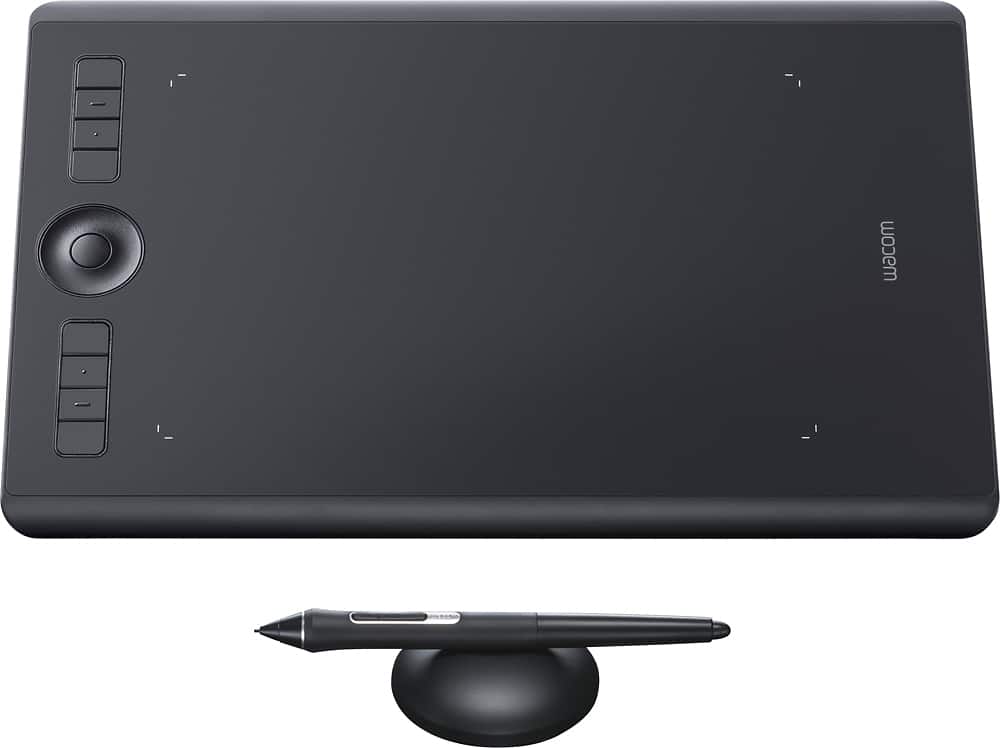
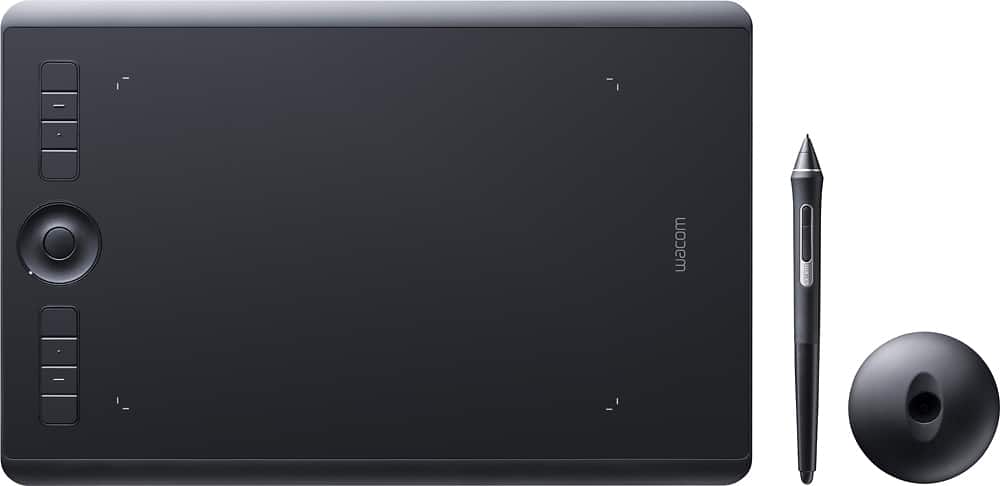
Customers love the Intuos Pro Pen Drawing Tablet (Medium) for its ease of use, precise sensitivity, and the quality of the pen and Bluetooth connectivity. Many appreciate the medium size, perfect for personal use, and its compatibility with various software. However, some users find the tablet surface to be rough and have noted issues with the included software. A few also mentioned experiencing occasional lag.
This summary was generated by AI based on customer reviews.
- Pros mentioned:Sensitivity
Rated 5 out of 5 stars
Great art companion
||Posted .This reviewer received promo considerations or sweepstakes entry for writing a review.Awesome experience very close to pencil and paper tons of accurate pressure sensitivity wish it had more nibs very classy design and recommend with a laptop over getting an iPad Pro with Apple pencil
I would recommend this to a friend - Pros mentioned:Quality
Rated 5 out of 5 stars
Good quality product
||Posted . Owned for 3 months when reviewed.This reviewer received promo considerations or sweepstakes entry for writing a review.Upgraded to the Intuous Pro tablet after the driver was no longer supported in the previous tablet I bought years ago. It's a quality product, the materials feel good, and it works well.
I would recommend this to a friend - Cons mentioned:Software
Rated 4 out of 5 stars
Does the job
||Posted . Owned for 2 weeks when reviewed.This reviewer received promo considerations or sweepstakes entry for writing a review.I am a 3D artist and wanted to get my hands on one of these for some time. I took the leap of faith and am pleased with how it works. The nubs being easily worn down is a disappointment but still works good. Software is buggy but manageable. A higher quality build would have been nicer but then again I’m not moving it around much.
I would recommend this to a friend - Pros mentioned:Ease of use
Rated 5 out of 5 stars
Love it
||Posted . Owned for 1 month when reviewed.This reviewer received promo considerations or sweepstakes entry for writing a review.It’s great for beginners, good tracking, and easy to use because it’s just like using a pen and paper to draw. I would highly recommend it.
I would recommend this to a friend - Pros mentioned:Bluetooth
Rated 5 out of 5 stars
wacom
||Posted . Owned for 1 month when reviewed.This reviewer received promo considerations or sweepstakes entry for writing a review.5***** plus and its great can be wired or wireless left or right handed control buttons and individual set up controls Pen control is a masterpiece if you use a pen tablet take a close look to this Works wonders.
I would recommend this to a friend - Pros mentioned:Ease of use
Rated 5 out of 5 stars
Love my Wacom Pro!
||Posted . Owned for 3 weeks when reviewed.This reviewer received promo considerations or sweepstakes entry for writing a review.This is a new adventure for me! I love this wacom for using Photoshop and Illustrator. While there IS a learning curve, it is still FUN! (And...it easier on my hands than the traditional mouse)
I would recommend this to a friend - Pros mentioned:Ease of use
Rated 5 out of 5 stars
Exceptional
||Posted . Owned for 3 weeks when reviewed.This reviewer received promo considerations or sweepstakes entry for writing a review.As someone who has always just used their mouse, it took a bit of getting used to but once you do it makes working on even small details easy
I would recommend this to a friend - Pros mentioned:Ease of use
Rated 5 out of 5 stars
A must for any photographer/graphic design
||Posted .This reviewer received promo considerations or sweepstakes entry for writing a review.After years of photoshop editing with my mouse, I finally was introduced to this wonderful gadget! Its a must for any photographer or graphic designer, as you're really able to edit with ease & speed!! Where has this been all my life!?
I would recommend this to a friend - Pros mentioned:Ease of use
Rated 5 out of 5 stars
Wacom
||Posted . Owned for more than 2 years when reviewed.This reviewer received promo considerations or sweepstakes entry for writing a review.Great drawing tablet. Easy to use and fun. I recommend it to anyone that likes drawing
I would recommend this to a friend Rated 5 out of 5 stars
Great product, especially for the price.
||Posted .This reviewer received promo considerations or sweepstakes entry for writing a review.These are great for the professional drawer, everything works excellent with photoshop or illustrator.
I would recommend this to a friend- Pros mentioned:Ease of use
Rated 5 out of 5 stars
Awesome tool
||Posted .This reviewer received promo considerations or sweepstakes entry for writing a review.Amazing piece of equipment to use with all my adobe cc apps. Makes everything so much more easier then using a mouse. I do get alot of work done faster now with all the programmable buttons on the side that I can set individually.
I would recommend this to a friend Rated 4 out of 5 stars
Worked as described, but not the device for me
||Posted .This reviewer received promo considerations or sweepstakes entry for writing a review.As an animator and video editor who needs, on occasion, to design in Illustrator I have been pining for mouse-less, more paper-like experience with a tablet and pen. The Intuos Pro worked exactly as promised with easy installation, smooth pressure sensitivity, and instant integration. Nonetheless I struggled with the mechanics of the disconnect between "drawing" on the tablet, but looking up at the monitor. Everyone said to give it time, but after two weeks I admitted defeat and returned it. Although not perfect, there was nothing wrong with the product; it just isn't right for me. I can see how it would work well for someone who is used to the disconnect between hand and eye, and for those people I recommend this whole heartedly.
I would recommend this to a friendRated 4 out of 5 stars
VERY HANDY FOR PHOTOSHOP USERS
||Posted .This reviewer received promo considerations or sweepstakes entry for writing a review.SO I WAS CONSIDERING WACOM AND IPAD 12" PRO WITH ASTROPAD. I TRIED TO FIGURE IT OUT BY READ THE REVIEWS FOR USING THIS TWO ITEMS FOR PHOTOSHOP AND LIGHTROOM AND THERE WAS NO INFO. SO I END UP BUYING BOTH AND PUT IT ON TEST. SO MAKE THE STORY SHORT FOR LIGHTROOM AND PHOTO SHOP PURPOSES WACOM IS THE BEST OPTION. FOR DRAWING YOU CAN USE BOTH. THANKS ROSS
I would recommend this to a friend- Pros mentioned:Ease of use
Rated 5 out of 5 stars
Wacom
||Posted . Owned for 1 month when reviewed.This reviewer received promo considerations or sweepstakes entry for writing a review.Great product! Glad we bought it. Great for editing pictures, since I am a photographer.
I would recommend this to a friend - Pros mentioned:Bluetooth
Rated 5 out of 5 stars
Much needed upgrade
||Posted .This reviewer received promo considerations or sweepstakes entry for writing a review.I'm so glad I decide to finally upgrade to the wireless Intuos. The wire on older version had me restricted with limited movement and sometimes it'd get in the way but now that's one less thing to worry about as I'm working.
I would recommend this to a friend - Pros mentioned:Size
Rated 5 out of 5 stars
Need bigger surface
||Posted . Owned for 1 month when reviewed.This reviewer received promo considerations or sweepstakes entry for writing a review.My daughter loves to draw so she had the smaller version. She tried out the larger size and decided it was even better than the 1st smaller one. She says it works so smoothly.
I would recommend this to a friend - Pros mentioned:Sensitivity
Rated 5 out of 5 stars
With Wacom You Can't Go Wrong
||Posted . Owned for 1 year when reviewed.This reviewer received promo considerations or sweepstakes entry for writing a review.This is a great tablet for the price that will provide the quality that the other cheaper brands don't offer. The level of sensitivity is excellent as well.
I would recommend this to a friend - Pros mentioned:Size
Rated 4 out of 5 stars
Great for editing
||Posted .This reviewer received promo considerations or sweepstakes entry for writing a review.I purchased the tablet to edit my photographs and also for digital graphics. It is small, but it works well for what I need it to do. Since, I work off my bed or my couch it is easier to use the smaller one. My only complaint is when I opened the back to replace the nubs it doesn't stay closed very well. But, still well worth the purchase.
I would recommend this to a friend Rated 5 out of 5 stars
Very easy to connect.
||Posted .This reviewer received promo considerations or sweepstakes entry for writing a review.I have an old Wacom tablet that I used for years. It was time for a new one and I got the new Intuos pro pen tablet. The pen and tablet work great. It’s very customizable with any drawing and photo editing software.
I would recommend this to a friendRated 5 out of 5 stars
Great Tool For Professional Designer
||Posted . Owned for 1 month when reviewed.This reviewer received promo considerations or sweepstakes entry for writing a review.This is an upgrade from a very old Wacom Intuos that I had own. I love the new features and it's a lot more compact than the previous model but still has the same workspace area. The many customizable buttons are a plus. I also love the hand gestures feature as it doubles as a trackpad. The pen is a lot lighter than previous ones but still very comfortable to hold and very responsive. Highly recommend for any graphics professional.
I would recommend this to a friend