Customer Ratings & Reviews



- Model:
- PTH660
- |
- SKU:
- 5708931
Customer reviews
Rating 4.7 out of 5 stars with 678 reviews
(678 customer reviews)Rating by feature
- Value4.5
Rating 4.5 out of 5 stars
- Quality4.8
Rating 4.8 out of 5 stars
- Ease of Use4.5
Rating 4.5 out of 5 stars
Customers are saying
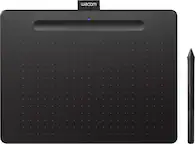
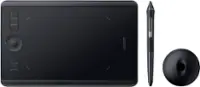
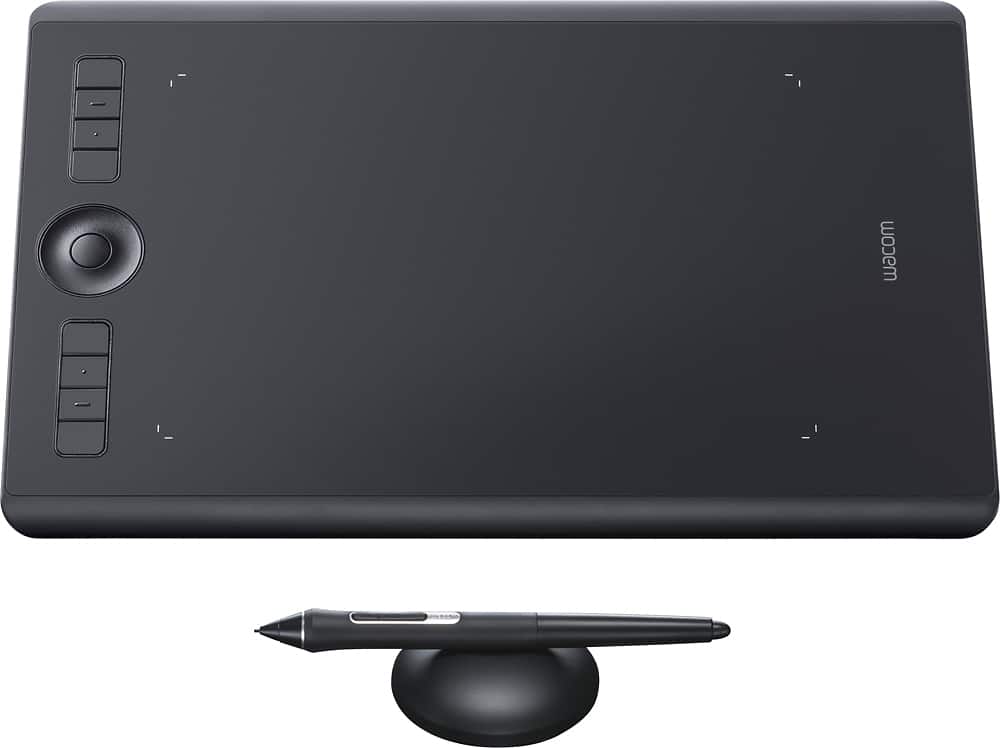
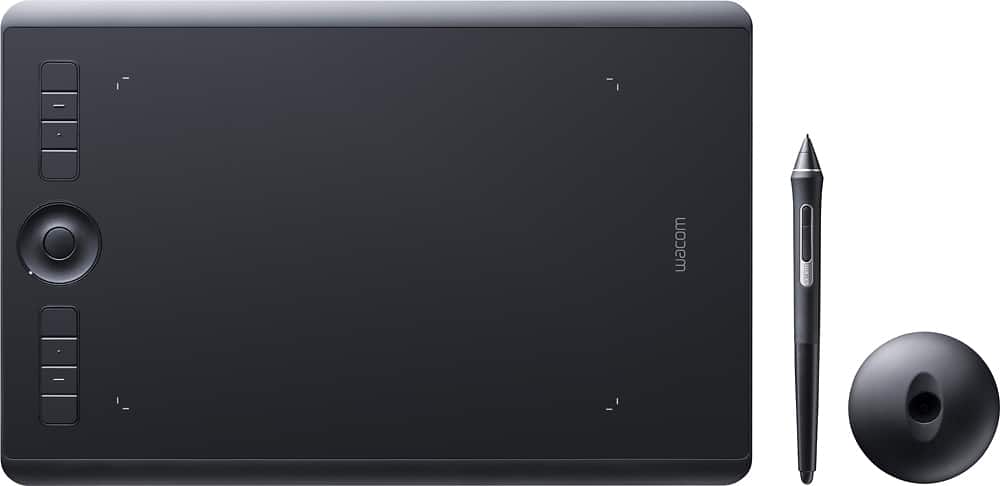
Customers love the Intuos Pro Pen Drawing Tablet (Medium) for its ease of use, precise sensitivity, and the quality of the pen and Bluetooth connectivity. Many appreciate the medium size, perfect for personal use, and its compatibility with various software. However, some users find the tablet surface to be rough and have noted issues with the included software. A few also mentioned experiencing occasional lag.
This summary was generated by AI based on customer reviews.
- Pros mentioned:Size
Rated 5 out of 5 stars
My first tablet - Wacom Intuos Pro
||Posted .This reviewer received promo considerations or sweepstakes entry for writing a review.Wacom is the company known for drawing tablets. Sturdy, well-built, nicely designed. The new pen is great. My first tablet. I wanted the medium size.
I would recommend this to a friend - Pros mentioned:Ease of use, Size
Rated 5 out of 5 stars
Great tablet
||Posted . Owned for 1 month when reviewed.This reviewer received promo considerations or sweepstakes entry for writing a review.Thought about buying a smaller, cheaper tablet but glad I did not. I use this as part of my photography editing studio and it as had life much easier and quicker.
I would recommend this to a friend Rated 5 out of 5 stars
This thing is a beast!
||Posted . Owned for 1 month when reviewed.This reviewer received promo considerations or sweepstakes entry for writing a review.The Wacom Intuos Pro is AWESOME. Everything I need for digital sculpting, graphic art & illustrations, this thing has it all. Customization of hot keys is a plus, and you can get protective screens to up the longevity of the drawing area. Comes with the fantastic new pen, which includes a stand that opens up to reveal more tips. Highly recommended if you want to pursue digital art jobs, or if you just want to make art and have the money to spend.
I would recommend this to a friend- Pros mentioned:Sensitivity
Rated 4 out of 5 stars
Quicker, more precise than mouse, Learning curve.
||Posted . Owned for 11 months when reviewed.This reviewer received promo considerations or sweepstakes entry for writing a review.I bought this to use when manipulating photos. I don't use it on every project, but when I have something that's fairly intricate, the Wacom tablet greatly improves my precision. Customizable buttons make it easy to get to features I use often. The one downside, in my opinion, is that there could be more training support / directions on how to use the tablet and how to get around the occasional wonkiness. I feel I could be more efficient with more complete directions for usage. Youtube vids are great, but don't always address my questions. Overall though, a very handy tool.
I would recommend this to a friend - Pros mentioned:Quality
Rated 5 out of 5 stars
Reliable with fantastic quality.
||Posted .This reviewer received promo considerations or sweepstakes entry for writing a review.As someone who has owned graphics tablets since the Intuos 2, this thing is beyond amazing. The quality is there and I say that having owned both Wacom and competitor's tablets. This is a wacom. It's stroke is predictable and accurate. It works without fuss. And the Bluetooth connection is a lot better than others in the past (looking at you Intuos 4). What is even better is the ability to replace the surface easily for between $30-40 USD should it ever wear or gain scratches. The only downside is the pen nib on this redesign has much less extra material to wear down on. After a couple weeks of drawing 3-6 hours a day, you *will* need replacement pen nibs.
I would recommend this to a friend Rated 5 out of 5 stars
Wacom
||Posted . Owned for 6 months when reviewed.This reviewer received promo considerations or sweepstakes entry for writing a review.I've been using wacom pen tablets for art for close to 20 years now, and the just keep getting better on performance and features, while dropping in price. Love this thing. The pen holder stores extra tips and even has a built in tip remover to keep from damaging them. Pen performs perfectly in photoshop or any other application.
I would recommend this to a friend- Pros mentioned:Bluetooth, Sensitivity
Rated 5 out of 5 stars
Great for the GSAS Student
||Posted .This reviewer received promo considerations or sweepstakes entry for writing a review.I needed a tablet for my GSAS courses that would give me flexibility, accuracy and wireless, Intous Pro fit the bill. Worth spending the extra money. Really excited to use in my classes.
I would recommend this to a friend - Pros mentioned:Size
Rated 4 out of 5 stars
Decent for the price.
||Posted . Owned for 1 month when reviewed.This reviewer received promo considerations or sweepstakes entry for writing a review.I bought this to replace the same exact model that I had for years, that wasn't functioning correctly any longer. This tablet is fine. It's a nice compact size that doesn't hog the desk. I turn off all the external buttons and touch features because they just get in the way and complicate things. My biggest pet peeves are that the nibs wear down really fast and that getting to the new ones inside the holder base is too difficult.
I would recommend this to a friend - Pros mentioned:Size
Rated 5 out of 5 stars
Needed tool for photoshop
||Posted . Owned for 3 weeks when reviewed.This reviewer received promo considerations or sweepstakes entry for writing a review.Great for drawing. Compact and works great with all my designs
I would recommend this to a friend - Pros mentioned:Size
Rated 5 out of 5 stars
Great drawing board
||Posted . Owned for 1 month when reviewed.This reviewer received promo considerations or sweepstakes entry for writing a review.Great tablet for drawing or photo editing. I like the size of this one; it fits on your lap as well as on a small desk with no issues.
I would recommend this to a friend - Cons mentioned:Surface
Rated 4 out of 5 stars
Pretty good
||Posted .This reviewer received promo considerations or sweepstakes entry for writing a review.So far this is working pretty good. A couple of times the bluetooth didn't connect and had to be forgotten and relearned to sync back up. Also the surface it comes with is too rough and chews through nibs way too fast. Much better after buying a new smooth surface for it. Just sucks it doesn't come with the smooth and I had to spend $30 more on top of this already expensive tablet.
I would recommend this to a friend - Pros mentioned:Ease of use
Rated 5 out of 5 stars
I’ll only buy a tablet for Wacom
||Posted . Owned for 1 month when reviewed.This reviewer received promo considerations or sweepstakes entry for writing a review.I’ve been using Wacom tablets for year and recently updated for a new workstation. Personally I would not buy a tablet other than Wacom. Dependability and ease of use are what I count on and they deliver every time
I would recommend this to a friend - Pros mentioned:Size
Rated 5 out of 5 stars
MommaD
||Posted . Owned for 1 week when reviewed.This reviewer received promo considerations or sweepstakes entry for writing a review.I have purchased this Wacom pad in large a couple of times for different parts of the house and absolutely love them. I’ve tried other brands but always switch back to the Wacom pads. My son is now starting to do digital art and I wouldn’t trust anything else. Merry Christmas!!!
I would recommend this to a friend - Pros mentioned:Quality, Size
Rated 5 out of 5 stars
Great tool for digital artists..
||Posted .This reviewer received promo considerations or sweepstakes entry for writing a review.Purchased for my 13 yo daughter. She was ready to move up to this larger, better tablet and has been enjoying it very much.
I would recommend this to a friend - Pros mentioned:Bluetooth
Rated 4 out of 5 stars
Convenient built-in BT
||Posted . Owned for 3 weeks when reviewed.This reviewer received promo considerations or sweepstakes entry for writing a review.I used the Intuous 5 prior to purchasing this product and I really loved it but unfortunately, it died. I love the convenience of the built-in Bluetooth on this device as it doesn't take up an extra USB port on my computer. The only reason I didn't give it 5 stars is the touch sensitivity. When using the pen on the Intuous5 it would recognize the pen and switch to pen only until I take my hands away. Unfortunately, I keep having to manually turn off the touch on this device whenever I want to use the pen and so it becomes very cumbersome to go back and forth between touch and pen. Maybe it's software-based and can be fixed. I also have to watch where I put my palms while using touch that can be a little annoying especially when editing. Overall, great product.
I would recommend this to a friend - Pros mentioned:Bluetooth, Sensitivity
Rated 5 out of 5 stars
Amazing for photoshop and design
||Posted .This reviewer received promo considerations or sweepstakes entry for writing a review.This. Is. A. Lifesaver. Everything is so much quicker and accurate. I work a ton in indesign/illustrator/photoshop. My hands don’t hurt. Bluetooth works perfect no lag.
I would recommend this to a friend - Pros mentioned:Size
Rated 5 out of 5 stars
This tablet is a beast.
||Posted . Owned for 3 months when reviewed.This reviewer received promo considerations or sweepstakes entry for writing a review.This thing is my work horse. Ive had a few Wacom tablets over the years but this thing exceeds them all. Large size gives me the ability to get more detailed. The pen is a little bulky but.. not enough of a bother to me to change my thoughts. It just takes a little getting used too. I love that it also serves as a touch pad so you aren't just confined to using the pen.
I would recommend this to a friend - Pros mentioned:Size
Rated 5 out of 5 stars
Worthwhile Upgrade
||Posted . Owned for 1 month when reviewed.This reviewer received promo considerations or sweepstakes entry for writing a review.After years of working on the small, beginner level intuos tablet, this thing is the breath of fresh air I desperately needed. The size of the tablet is perfect for photo retouching - like others, I recommend staying clear of anything larger than the medium for such needs. Noteworthy: I highly recommend customizing your preferences immediately after purchasing, otherwise - if you're anything like me, this thing will drive you crazy when it scrolls all over your screen at first accidental touch with your palm.
I would recommend this to a friend - Cons mentioned:Surface
Rated 4 out of 5 stars
My wife loves it
||Posted . Owned for 10 months when reviewed.This reviewer received promo considerations or sweepstakes entry for writing a review.Bought this for my wife to be able to do more at home graphic design, and it's a great product for the price. She set up the side buttons as shortcuts for herself, and uses it almost daily. The only issue we've seen is that it can get scuffed up from a lot of pen usage on the surface. As far as we can tell, it's purely cosmetic. We also don't really use the circular scroll part, but that is just personal preference. The extra tips in the pen stand are great, and it is definitely worth it to us.
I would recommend this to a friend - Pros mentioned:Sensitivity
Rated 5 out of 5 stars
The one that all the professionals use!
||Posted . Owned for 3 months when reviewed.This reviewer received promo considerations or sweepstakes entry for writing a review.I bought this for digital photo post-processing. Essentially all of the professional photo editors that I follow use this tablet. I love the pressure sensitivity, the screen mapping, and the fact that the stylus does not require any batteries. Everyone says that this takes some time to get used to using this, but be patient... eventually it will feel natural and will be way more precise and offer much greater control than a mouse.
I would recommend this to a friend