Customer Ratings & Reviews
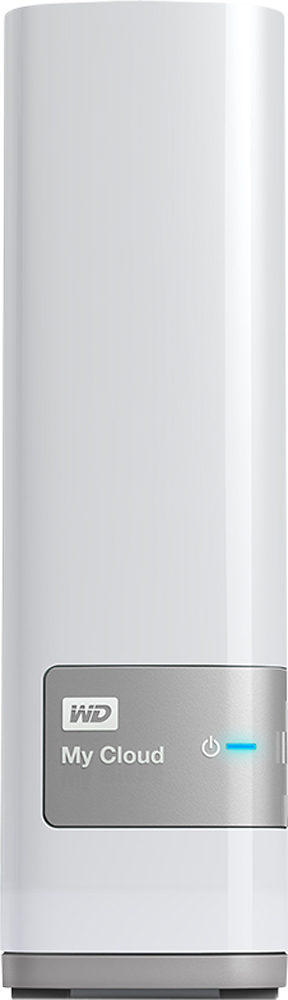
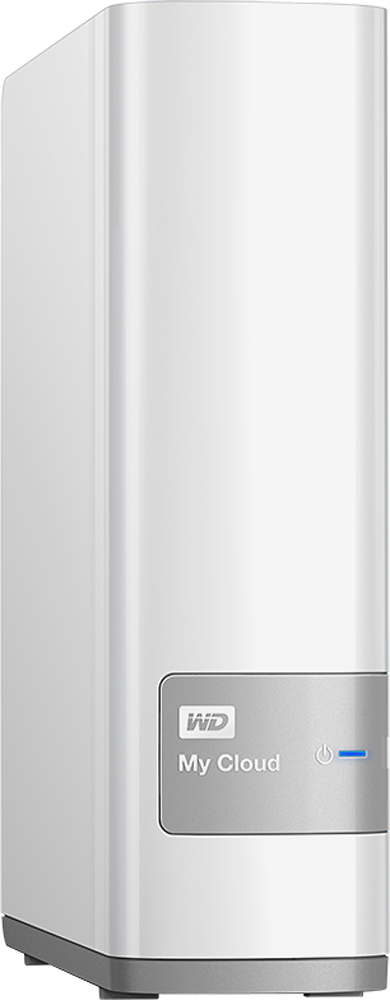
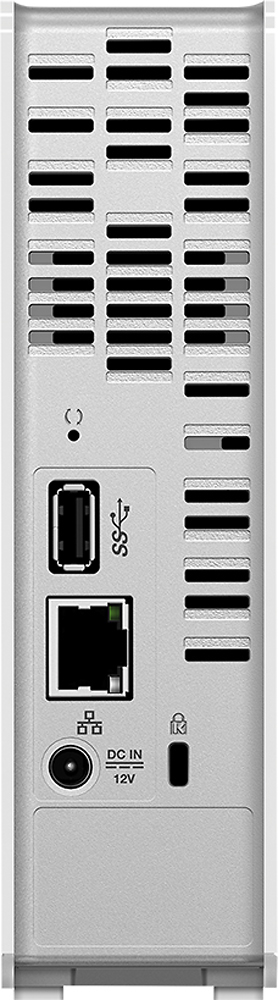
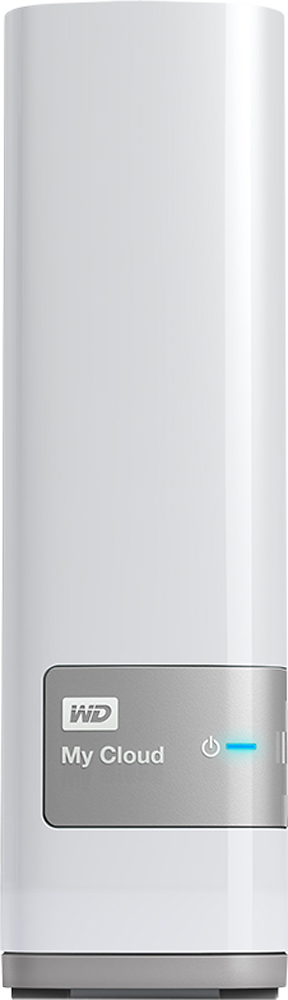
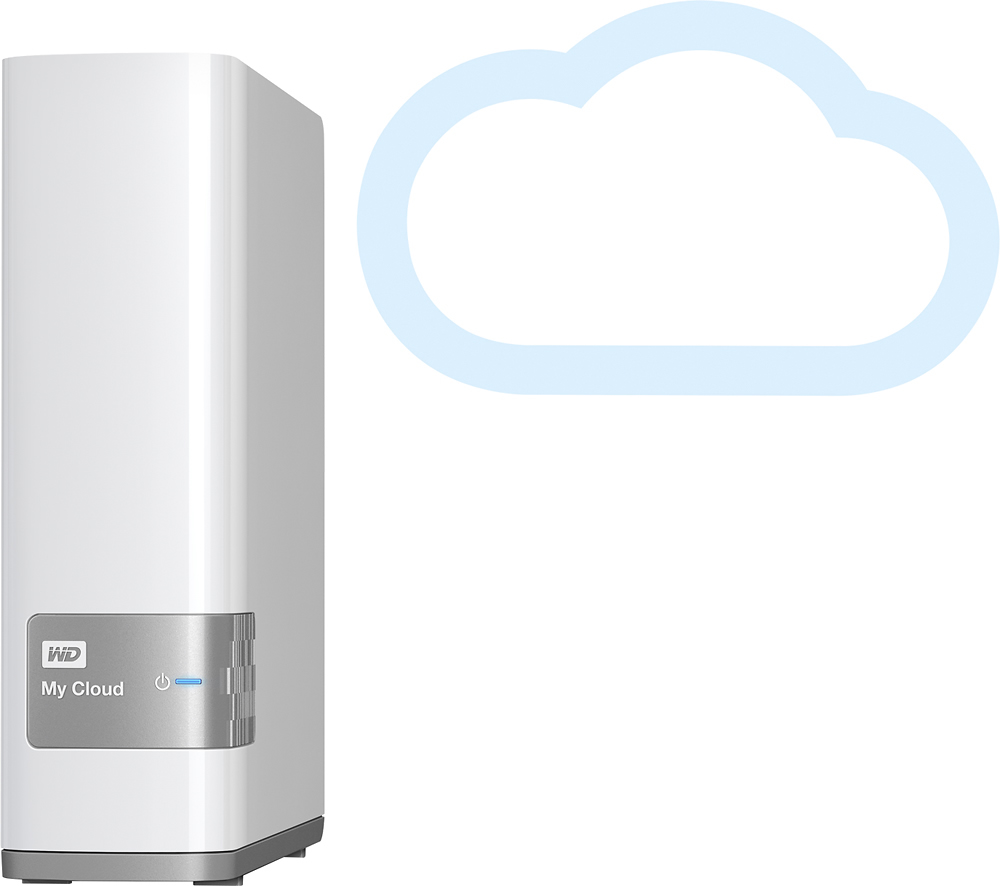

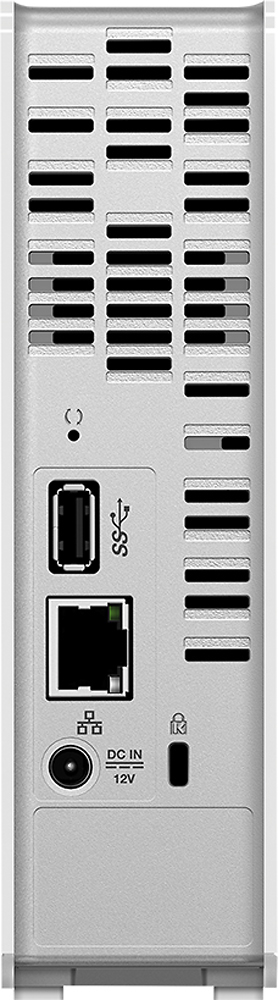
- Model:
- WDBCTL0040HWT-NESN
- |
- SKU:
- 2832018
Customer reviews
Rating 4.2 out of 5 stars with 1848 reviews
(1,848 customer reviews)Rating by feature
- Ease of Use3.5
Rating 3.5 out of 5 stars
Customers are saying
Customers find value in the My Cloud 4TB External Hard Drive's ease of use, large storage capacity, and relatively quick setup. Positive feedback also highlights its performance, remote access capabilities, and competitive price. However, some users experienced challenges with the software and interface, suggesting areas for improvement. The instructions could also benefit from greater clarity and detail.
This summary was generated by AI based on customer reviews.
- Pros mentioned:Storage
Rated 5 out of 5 stars
Great NAS for a Great Price
||Posted .This reviewer received promo considerations or sweepstakes entry for writing a review.I think this is a fantastic device with plenty of storage for almost any home-use purpose. I keep a lot of large data files and they are available through the WAN connection (MyCloud). The only down side, which is to be expected of a non-professional NAS, is that it is non-expansive past the original 4TB. For those of you who absolutely need more than 4TB, I would advise looking into a Diskless NAS with a few bays. That said, a good Diskless NAS will run you about $800 when all is said and done. Entirely up to your cost/benefit analysis. I think this WD product does a fantastic job when remote access is concerned. It has a few good security features and still maintains availability at an very acceptable rate.
I would recommend this to a friend - Pros mentioned:Setup, Storage
Rated 5 out of 5 stars
Great NAS and Private Cloud Storage Device
||Posted .This reviewer received promo considerations or sweepstakes entry for writing a review.The WD My Cloud 4TB Personal Cloud is a well thought out and refined product if you are looking for a home network storage with external internet access to your files. Setup was very easy. Just plug in the power adapter and an Ethernet cable to your home router. You have the option of installing configuration software on your PC or just using the web browser to connect to the device. The unit can automatically update its own firmware over the internet and sends you status emails, all configurable. You setup accounts on the unit to give access permissions for the users you specify. Once this is done, Windows PCs will automatically detect the device, install drivers, and permit you to log in. I haven't tested Linux or Mac access, but it appears on the network as a standard NAS. For logging into the unit and for accessing it externally from the internet, you do need to set up a free account on WD site. This forms 3 point security with WD web site doing the access authentication. For most home users, this is preferable since you are not exposing any ports to the outside world. My DLNA-/UPnP-capable 3 year old Samsung TV immediately detected the device and was able to play any movies stored on it. Additional capabilities available, which I haven't tested yet, include ability to add another USB 3.0 Hard Drive for additional storage or backup. Built-in backup support to external USB 3.0 HD or over Ethernet. There is also extensive Mac support. I really like that everything just works as one would expect. All features it supports are well designed and built-in, not 3rd party add-ons or additional fee apps. In summary, I wasn't expecting too much from the unit other than a low cost NAS, but was pleasantly impressed with the capabilities and performance of the unit.
I would recommend this to a friend - Pros mentioned:Ease of use, Price, Storage
Rated 5 out of 5 stars
Great addition to any network; accessible anywhere
||Posted .This reviewer received promo considerations or sweepstakes entry for writing a review.When I bought this, I was considering building a standalone network server from an old desktop PC and some leftover hard drives. This little box solve my problem and exceeded my expectations... First the negative points: The instructions provided for logging in to the device were incorrect (wrong URL), causing me some grief until I found the proper address on the Internet. Once I worked out the proper address and played around the with the html interface, it was fairly easy to add and remove folders, users, permission levels, etc. The only other problem I saw was a tendency for the server to drop out if accessed by two computers at the same time. I imagine it has limited overhead protection against file access conflicts, so multiple users trying to access the same folder or files seem to cause the server to drop out. Limiting user access to certain folders would seem to solve this problem. Now the positives: The price is not bad for a 4TB hard drive, and the ability to access my own data on my own hardware from anywhere is priceless. It seems like each device needs to log in over the network/Internet first, but after that, every one of my computers (Windows 7, 10, and Linux) and my phone (Android) have no trouble recognizing and interacting with the drive. I have even accessed it from my S6 phone over the 4G/LTE (after acquiring the appropriate app). Speed is a matter of the network you are on and the device you are using. If you are moving large folders and files like movies, then it may take a while, but it is comparable to using thumb drives and USB 2.0. Intranet is closer to USB 3.0. Small files move fairly quickly, even on my cell phone. You can create multiple users with controlled access to different folders; a potentially useful feature for a small office or a household with children/teenagers. An added bonus is the ability to add another non-NAS hard drive; you can seamlessly join or remove data and storage to your network as needed. All in all, I am very happy with this NAS server!
I would recommend this to a friend - Pros mentioned:PerformanceCons mentioned:Speed
Rated 4 out of 5 stars
A decent cloud drive
||Posted .This reviewer received promo considerations or sweepstakes entry for writing a review.Overall my cloud is pretty reliable but it tends to be slow at times. The biggest con is its web interface that works from time to time and is not consistent. It's a great product for its price and I would certainly recommend it, but getting it setup on Windows 7 could be challenging. Computers on the same networks with the same configuration both running identical Windows 7 would not always see MyCloud. No problems on Mac or Windows 10.
I would recommend this to a friend - Pros mentioned:StorageCons mentioned:Speed
Rated 4 out of 5 stars
Good network storage
||Posted .This reviewer received promo considerations or sweepstakes entry for writing a review.The My Cloud 4TB drive has a ton of space for all your music, movies, and photos. It also works with my Roku so I can stream all my music from the My Could to my living room through the Roku Media Player app. It was pretty easy to set up. The only complaint I have is that it's not as fast as I would hope it would be. It's connected via an ethernet cable and the speeds are a little slow when copying large files. Small files are OK, but when I backed up the files off my PC onto it, it took a few hours. Other than that, it's been great.
I would recommend this to a friend - Pros mentioned:Ease of use, Storage
Rated 5 out of 5 stars
Nice Product!
||Posted .This reviewer received promo considerations or sweepstakes entry for writing a review.I bought this for my husband. He likes the extra protection of this cloud. I have a ton of photos of grandkids so this is great! We now have our own "Cloud" service for just the cost of the product - no monthly fees! He found it easy to set up. We have 2 computers on our home network on high speed internet and 2 smartphones, As long as our internet service is turned on, we can access our "Cloud" from anywhere. I can actually see all my files from my smartphone. The "Cloud" unit is about 7" x 5-1/2" x 2" and fits neatly on my husband's desk. We are very happy with this item!
I would recommend this to a friend - Cons mentioned:Software, Speed
Rated 3 out of 5 stars
Software needs help
||Posted .This reviewer received promo considerations or sweepstakes entry for writing a review.I set the drive up a couple weeks ago and so far I have found the drive is the right size but the software that came with it is greatly lacking. I was able to get the drive to connect to my router initially. Once connected, I got in and downloaded the setup software and then things fell apart. The software wasn't able to discover the drive. I ended up typing the IP address of the drive into a browser and connecting to it. From there, I was able to update the drive firmware and then the setup software was able to discover the drive. By this time, I had already set the drive up. Once set up, it has worked great from my PC. The WD Photos software for my phone is another area that seems to struggle. I have been fighting with syncing the photos and videos from my phone to the drive for almost a week. I have 1 video on my phone that is about 3gbs but it won't transfer completely. I suspect I will end up downloading the video to my PC via a USB cable and then to the drive. I think this drive could be very nice if the software with it was better but I wonder how people less tech savy actually get the drive to work. Would I recommend this drive to a friend, maybe. If the friend was tech savy yes, if not, no way.
I would recommend this to a friend - Pros mentioned:Ease of use, PriceCons mentioned:Speed
Rated 4 out of 5 stars
Does as advertised
||Posted .This reviewer received promo considerations or sweepstakes entry for writing a review.Got this to store and stream music and movies on my LAN. Works well. But I did not follow the WD instructions to set it up. Downloaded the PDF guide from WD website. Connected to router and determined IP address and name. Downloaded utility software. Configured shares manually. Has worked with no fuss. I do not need internet access so I'm not using cloud features. The cloud features provide an attack vector into your home network and I don't want that. Disabled cloud features. It's a simple medium duty NAS. It takes about 4 hours to transfer about 150 GB over the LAN via gigabit Ethernet wired connection. Considerably slower via wireless. However, once on the drive/NAS playback is fine with no interruption or stutter. I do have it on a power conditioner and that helps.with noise filtration. In summary, this is a respectable device for what it does. If you understand it's limits and can live with them it will serve you well. And the price is good. Those wanting higher performance and additional features look toward a more solid offering from vendors of higher end NAS devices.
I would recommend this to a friend - Pros mentioned:Ease of use
Rated 5 out of 5 stars
Excellent product
||Posted .This reviewer received promo considerations or sweepstakes entry for writing a review.It was easy to setup and use with both my Mac and PC. Setup was easily and effortless for both operating platforms. Like the ability to use with cell phone when away from the computer to get access to files, movies, photos.
I would recommend this to a friend - Pros mentioned:Ease of useCons mentioned:Speed
Rated 4 out of 5 stars
Easy setup and convenient
||Posted .This reviewer received promo considerations or sweepstakes entry for writing a review.Easy setup and the website has all the software necessary to access files on all my devices from MacBook Pro, to iPad and iPhone. It is very convenient to be able to access any files remotely albeit on the slow side when compared to physically connected to the hard disk. Time Machine takes forever to backup and it tends to take up a lot of bandwidth. I would strongly recommend doing the first full system backup by physically connecting with a cable or it would take days.
I would recommend this to a friend - Cons mentioned:Speed
Rated 4 out of 5 stars
Works well but a little slow
||Posted .This reviewer received promo considerations or sweepstakes entry for writing a review.Simple to setup, however, the default security settings should be higher. It works well. I have had it for a month now and have not had any issues connecting, either local or remote. There is no direct connect to a PC, so it is a bit slow even over the ethernet. If you have a lot of data you want to initially copy to this drive for backup, be prepared to let it run over night. Once there, it streams adequately.
I would recommend this to a friend - Cons mentioned:Software
Rated 4 out of 5 stars
great personal cloud solution
||Posted .This reviewer received promo considerations or sweepstakes entry for writing a review.I'm very happy with this product, it fits to my needs to storage files, photos and videos. Will be better if the software is improved, I would like to have features like: [+] share folders with friends without create them an account, and send a link to the folder/file like in online cloud services. [+]To create reproduction list when streaming my audio files However is a great price-benefit solution
I would recommend this to a friend - Pros mentioned:Storage
Rated 4 out of 5 stars
My own Cloud
||Posted .This reviewer received promo considerations or sweepstakes entry for writing a review.Its great to have your own place to store remotely, and you can divide into diffrent users. I have 3 different user accounts me, my wife and guest. its super fast but you do have to go into setup and change the got to sleep option to off, if not you cant access remotely. But its been useful for music files and photos i didnt want cluttering up my pc or phone you can access it anywhere its great
I would recommend this to a friend - Pros mentioned:SetupCons mentioned:Speed
Rated 5 out of 5 stars
Great purchase!
||Posted .This reviewer received promo considerations or sweepstakes entry for writing a review.Greatest way to back up files! So easy to set up. Just takes a long time to transfer a large amount of pictures. Can access from my phone, which is awesome!!!
I would recommend this to a friend - Pros mentioned:Ease of use, Price, Storage
Rated 5 out of 5 stars
Great external storage
||Posted .This reviewer received promo considerations or sweepstakes entry for writing a review.I needed a bigger storage to replace my 1T. This offers more space at a great price and is easy to access from the web any where by multiple users!
I would recommend this to a friend Rated 4 out of 5 stars
Good; Not Perfect
||Posted .This reviewer received promo considerations or sweepstakes entry for writing a review.PROS: 3 purchased. All working. Firmware automatically updates. In my home, works great as media server on all devices: Roku, WDLIve, tablets, phones, and desktops/laptops. Databases update automatically and reliably when new media files are added. Remotely, app on android works great. CONS: Remote through a browser still very buggy. As such, I do not use this function. Expecting an update from WD soon. Moving large amounts of date does take some time. Moved 2TB of mostly music files to a "clean" device. The transfer time was good but building the file database took nearly a week. Of the three devices, one has a typical hard drive click that is slightly louder than the 2 others. Most noticeable when the device is building/rebuilding the file database.
I would recommend this to a friend- Pros mentioned:Ease of use, Storage
Rated 4 out of 5 stars
My data is where i am.
||Posted .This reviewer received promo considerations or sweepstakes entry for writing a review.Looked into this because of hard drive issues storing thousands of photos and music files. Plenty of room here for both, and easy, instant access for the many devices in my home that stream from it. Some issues with getting the data there, the bigger the chunk of data, the slower it transfers, even via cable.
I would recommend this to a friend - Pros mentioned:Performance, Price, Storage
Rated 4 out of 5 stars
good for budget NAS
||Posted .This reviewer received promo considerations or sweepstakes entry for writing a review.This is a great option for those looking for a budget friendly home NAS. I have been able to free up a lot of hard drive space on multiple computers; using the WDMYCLOUD as a network drive. I have also been able to do more robust backups of my computers now that I have enough room to back up everything. Thus far, the WDMYCLOUD has been reliable; I have no reason to believe that it won't remain so. At the time I purchased, the dual drive versions that support multiple RAID options were not available. I will likely spring for a dual drive version in the future. Note: We are a 'house divided' -- my wife uses Macintosh products and I stick with PC based systems. This NAS works well for both.
I would recommend this to a friend - Pros mentioned:Ease of use, Storage
Rated 4 out of 5 stars
Works well, several different apps to install
||Posted .This reviewer received promo considerations or sweepstakes entry for writing a review.This device works well, was relatively easy to install but has different software apps to do different things, not always intuitive. One comprehensive suite that integrates different functions would be nicer. Fairly inexpensive for this capacity, overall I'm happy with the purchase.
I would recommend this to a friend - Pros mentioned:Ease of use, Performance
Rated 5 out of 5 stars
Super Simple to use and works great
||Posted .This reviewer received promo considerations or sweepstakes entry for writing a review.I bought this to share photos with my family while traveling to Europe. I didn't know much about it or how to use it. After I got it, it was really easy to set up and share photos. (on a mac, i'm not sure about a pc) elegant design and a small footprint makes it fit in on my desk effortlessly. Not to mention WD hard drives have the one of the best reliability ratings among all brand so I don't have to worry about loosing the media I put on it.
I would recommend this to a friend