Customer Ratings & Reviews
- Model:
- 3F1J0XUS00C
- |
- SKU:
- 5949024
Customer reviews
Rating 3.6 out of 5 stars with 34 reviews
(34 customer reviews)to a friend
Customers are saying
Customers regard the da Vinci Junior 1.0 3D Printer as easy to use and set up, making it suitable for beginners. However, concerns exist regarding the print quality, with some users reporting difficulty achieving satisfactory results. Issues with filament, including compatibility and jamming, were also noted. Overall, the ease of use is a significant positive, but potential buyers should be aware of the challenges related to print quality and filament.
This summary was generated by AI based on customer reviews.
Rated 5 out of 5 stars
Does the job
||Posted .This reviewer received promo considerations or sweepstakes entry for writing a review.Took some work to get used to but works great to this day.
I would recommend this to a friendRated 3 out of 5 stars
Bought for my boyfriend
||Posted .This reviewer received promo considerations or sweepstakes entry for writing a review.Has some flaws and needs constant updating which is annoying.
I would recommend this to a friendRated 5 out of 5 stars
Nice printer for starters
||Posted .This reviewer received promo considerations or sweepstakes entry for writing a review.I am satisfied with and like this printer. I have printed a few items and the results are what I pretty much expected so far.
I would recommend this to a friendRated 5 out of 5 stars
This is too much fun!
||Posted .This reviewer received promo considerations or sweepstakes entry for writing a review.Really. Lost more than a few hours of sleep playing with this. Getting better and better results the more I experiment with it.
I would recommend this to a friendRated 5 out of 5 stars
3d printer
||Posted .This reviewer received promo considerations or sweepstakes entry for writing a review.i didnot use it yet but i recived it before the expected date
I would recommend this to a friendRated 1 out of 5 stars
Not a good printer
||Posted .This reviewer received promo considerations or sweepstakes entry for writing a review.I really want this to work but could not even get it to print a single item. The printed target kept detaching from the print platform. I ended up returning it.
No, I would not recommend this to a friendRated 1 out of 5 stars
feed line clogged with 24 hours
||Posted .This reviewer received promo considerations or sweepstakes entry for writing a review.Bought for engineering student. USED ONCE. Material feed line clogged. Waiting on answer from customer service
No, I would not recommend this to a friend- Cons mentioned:Print quality
Rated 4 out of 5 stars
Affordable printer with basic features
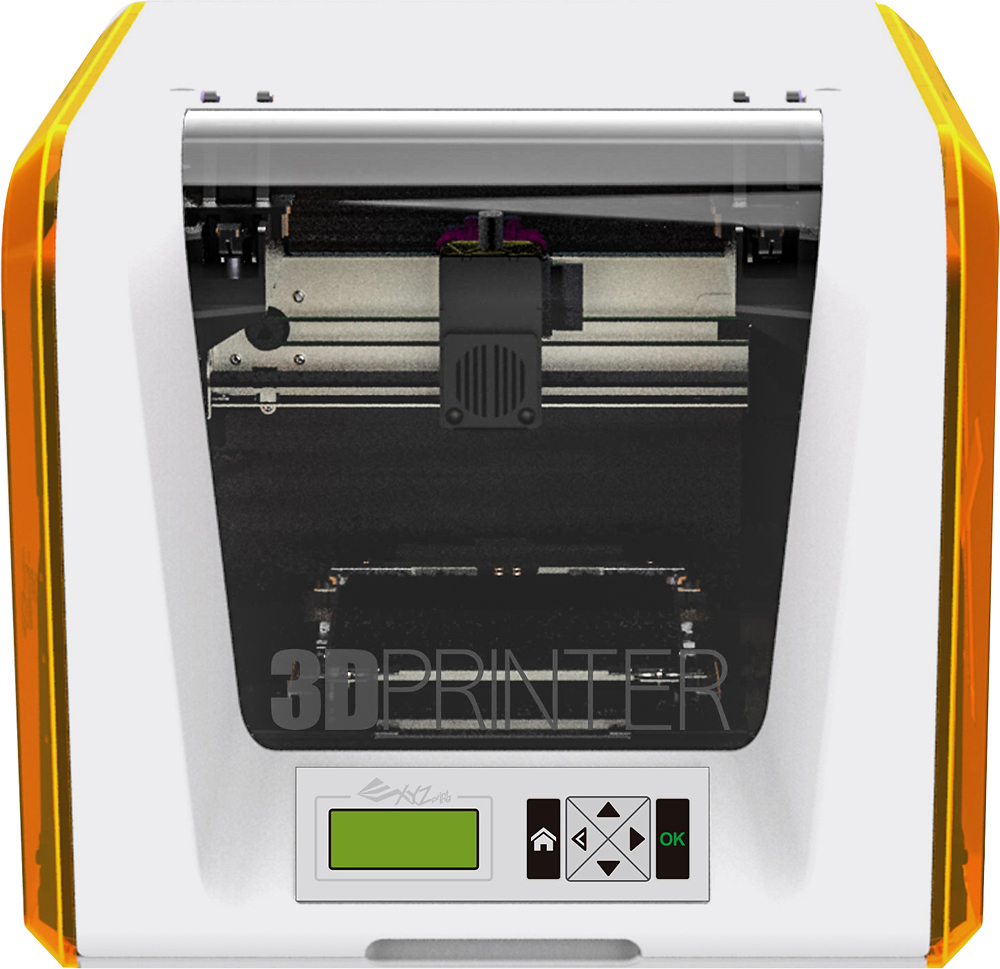
Posted .This reviewer received promo considerations or sweepstakes entry for writing a review.The XYZ da Vinci Junior 1.0 aims to be an inexpensive printer that requires little calibration, an enclosed design and environmentally friendly in power usage and use of PLA filament. Priced at under $350 it comes in as the cheapest printer I’ve tested so far. The price point is great for a first time printer if you're looking to just try out 3D printing and don't want to spend a lot of money to try it out. The da Vinci Jr. is an enclosed printer with a non-heated glass bed that you apply blue painters or masking tape on top of. I tested it with a glue stick and got similar printing results. The roll of PLA filament is housed on the inside left of the printer and then runs out the top and back into a channel that the extruder runs along. This does a great job of keeping it from catching on anything. The filament has a smart chip installed in it to keep you from using any other vendors filament. You will need to purchase XYZ Printing PLA filament to use. The front of the printer lifts up to grant access to the inside and also houses the LCD screen at the bottom. An SD card slot is located behind the LCD screen and can be used to print from files exported from the XYZ printing software. The printer connects to your Windows or Mac computer with a USB cable or the software can export a .3W file to an SD card. The LCD gives you basic features to print a .3W file from an SD card, see stats, current print progress and some basic maintenance features. XYZWare can update the firmware on the printer and handles converting the STL file to a .3W that the printer will then print. The software is available on Windows and OS X. The software handles importing a standard STL file, moving, rotating, resizing and printing or exporting a .3W file for use on an SD card. Settings available on the print or export are limited to density (fill %), Layer height (.4, .3, .2, .1), shells (thin, standard, thick) and speed (fast, standard, slow). The software has added improvements over previous versions to help fix some files and provide a better product. Keeping in mind this is a $350 printer when other printers range in price from $800 - $2500 it does a good job printing. Proper calibration and sometimes a little glue stick on the painters tape will get a better result. The non-removable bed makes getting some prints with large bottom surface areas difficult to remove if they have a large base. There are better and more expensive printers out there, but for the price you can do a lot with this printer and the money saved can get a few rolls of filament without a huge investment. Pros: -- Inexpensive Printer -- Small footprint Cons: -- Rafts become one with the printed object. -- Only works with XYZ Printing filament due to chip technology. ------------------------------------------------- Original 2-star review from 10/2/2015 The XYZ da Vinci Junior 1.0 aims to be an inexpensive printer that requires little calibration, an enclosed design and environmentally friendly in power usage and PLA filament. Priced at under $350 it comes in as the cheapest printer I’ve tested so far. The price point is great for a first time printer if you're looking to just try out 3D printing and don't want to spend a lot of money to try it out. Unfortunately the printer does not print the best quality objects and may spoil your first impression of 3D printing. The da Vinci Jr. is an enclosed printer with a non-heated glass bed that you apply blue painters or masking tape on top of. I tested it with a glue stick and got similar printing results. The roll of PLA filament is housed on the inside left of the printer and then runs out the top and back into a channel that the extruder runs along. This does a great job of keeping it from catching on anything. The filament has a smart chip installed in it to keep you from using any other vendors filament. You will need to purchase XYZ Printing PLA filament to use. The front of the printer lifts up to grant access to the inside and also houses the LCD screen at the bottom. An SD card slot is located behind the LCD screen and can be used to print from files exported from the XYZ printing software. The printer connects to your Windows or Mac computer with a USB cable or the software can export a .3W file to an SD card. The LCD gives you basic features to print a .3W file from an SD card, see stats, current print progress and some basic maintenance features. XYZWare can update the firmware on the printer and handles converting the STL file to a .3W that the printer will then print. The software is available on Windows and OS X. The software is handles importing a standard STL file, moving, rotating, resizing and printing or exporting a .3W file for use on an SD card. Settings available on print or export are limited to density (fill %), Layer height (.4, .3, .2, .1), shells (thin, standard, thick) and speed (fast, standard, slow). Keeping in mind this is a $350 printer when other printers range in price from $1000 - $2500 it does a fair job printing. The quality ranges from not too bad to broken when small pieces that are designed to work together don’t fit. After cutting a few printed objects open it appears to be the fill and pattern that is not being handled very well. The normal crisscross pattern was not solid and may cause issues with some prints. Other printers have a nicer fill pattern and this may be something that's fixed with a future software fix to enable better prints. During testing I was able to get some objects to print out satisfactorily the quality wasn't the best I've seen, but was pretty good. On some other printers the accuracy and quality just wasn't there. I printed a 2" tall squirrel and it was nice, but when I tried to print a smaller parts with gears and bolts they just didn't fit together. The XYZ Da Vinci Junior 1.0 is a very cheap printer and you’re getting what you paid for in this case. Over many prints I had more bad experiences in my prints than I had good experiences. The non-removable bed makes getting some prints with large bottom surface areas difficult to remove. The quality ranged from not too bad to just couldn’t print properly. I was required to adjust the settings and printer a lot more than other printers and at times still ended up giving up printing. There are better printers out there and you're better off saving up for one of those. Pros: -- Inexpensive Printer -- Small footprint Cons: -- Too many issues with the print quality. -- Software needs some updates to the slicing engine.
I would recommend this to a friend Rated 5 out of 5 stars
Excellent Quality easy to use
Posted .This reviewer received promo considerations or sweepstakes entry for writing a review.I received this printer as a Christmas gift. The printer has been running non-stop since Christmas. I have printed several projects all have been successful. The best quality takes longer the GOOD quality less time but still very good prints. I have had -0- issues with this printer. First startup I did update the firmware and never have had to adjust the printer at all. I also leveled the stand on which it sits so the bed is totally level from all sides. Out of the box this worked beautifully and I look forward to many years of enjoyment.
I would recommend this to a friend- Pros mentioned:Ease of use
Rated 5 out of 5 stars
Best 3D printer to start with
Posted .This reviewer received promo considerations or sweepstakes entry for writing a review.- Easy to Use. - Only z offset calibration. - 6" cube print volume. I save $1000 dollars to buy ALL the filament I need.
I would recommend this to a friend - Pros mentioned:Ease of use
Rated 5 out of 5 stars
GOOD !
Posted .This reviewer received promo considerations or sweepstakes entry for writing a review.good printer with greate price. easy to use, good priniting quality.
I would recommend this to a friend Rated 5 out of 5 stars
I had an overall great experience with this printe
Posted .This reviewer received promo considerations or sweepstakes entry for writing a review.This printer is worth the money. It was kind of clogging up at first but after a couple of times it works perfectly.
I would recommend this to a friend- Pros mentioned:Ease of use
Rated 5 out of 5 stars
Easy set up with light weight
Posted .This reviewer received promo considerations or sweepstakes entry for writing a review.It's a really good 3d printer for beginners. It is easy to set up and you can carry this around in the house.
I would recommend this to a friend Rated 1 out of 5 stars
Poor XYZ printing customer service
Posted .This reviewer received promo considerations or sweepstakes entry for writing a review.Purchased this as a gift. Turned it on and gave error message right away. Called the company and was told a technician would call back the next day at a specific time. He never called so I called back a few hours after our scheduled time. The customer service rep put me on hold for 10 minutes. When she arrived back, she said the board must be bad. Not even sure what that means or if they even cared if it could be troubleshooted. They never even tried. I could either return to the store for refund or them for repair. Repair would require a cost to me even though it was brand new and under warranty. She kept stressing I could return to the store, like the company did not want to be bothered with repairing it. I suggest finding a more reputable manufacturer when looking for a 3D printer. Now I have disappointed kids and will need to return to the store. Will now research a better brand to buy instead.
No, I would not recommend this to a friend