Customer Ratings & Reviews





- Model:
- SMOOTH-Q
- |
- SKU:
- 5960806
Customer reviews
Rating 4.1 out of 5 stars with 1060 reviews
(1,060 customer reviews)Rating by feature
- Value4.1
Rating 4.1 out of 5 stars
- Quality4.1
Rating 4.1 out of 5 stars
- Ease of Use3.7
Rating 3.7 out of 5 stars
Customers are saying
Customers frequently mention the excellent video quality, ease of use, and stability of the Smooth-Q 3-Axis Handheld Gimbal Stabilizer. Many also praise its affordability and long battery life, while some users note challenges with the weight capacity, app functionality, and calibration process for certain phone sizes. The stabilizer's features are also frequently highlighted as a positive aspect. A few users experienced difficulties with balancing larger phones.
This summary was generated by AI based on customer reviews.
Rated 1 out of 5 stars
Hate it
||Posted .This reviewer received promo considerations or sweepstakes entry for writing a review.Don’t like this product at all. Hard to use extreme learning curve and after still does not work good
No, I would not recommend this to a friendRated 1 out of 5 stars
Not user friendly
||Posted .This reviewer received promo considerations or sweepstakes entry for writing a review.Didn’t care for this item. Very difficult to use operate. Love the idea. Just need simple one.
No, I would not recommend this to a friendRated 1 out of 5 stars
Piece of garbage
||Posted . Owned for 1 month when reviewed.This reviewer received promo considerations or sweepstakes entry for writing a review.Doesn’t work. It is junk. Piece of crap. Would tell everyone to not buy
No, I would not recommend this to a friendRated 1 out of 5 stars
low end price means low end quality
||Posted .This reviewer received promo considerations or sweepstakes entry for writing a review.Used it and got very frustrated on set up. Not intuitive, not user friendly. Going back to the store
No, I would not recommend this to a friendRated 1 out of 5 stars
neat idea bad execution
||Posted .This reviewer received promo considerations or sweepstakes entry for writing a review.one of the worst products I have purchased returning tomorrow, never worked correctly
No, I would not recommend this to a friendRated 1 out of 5 stars
it's crap
||Posted .This reviewer received promo considerations or sweepstakes entry for writing a review.I could never get this thing to work. I took it back to bestbuy for refund
No, I would not recommend this to a friendRated 1 out of 5 stars
Not so happy with this product
||Posted .This reviewer received promo considerations or sweepstakes entry for writing a review.Bought this but had to return it because it did not work for me as expected.
No, I would not recommend this to a friendRated 1 out of 5 stars
Bad quality
||Posted .This reviewer received promo considerations or sweepstakes entry for writing a review.Horrible product, this probably was relevant in the dinosaur age of technology.
No, I would not recommend this to a friend- Pros mentioned:Stability
Rated 5 out of 5 stars
Excellent Gimbal!
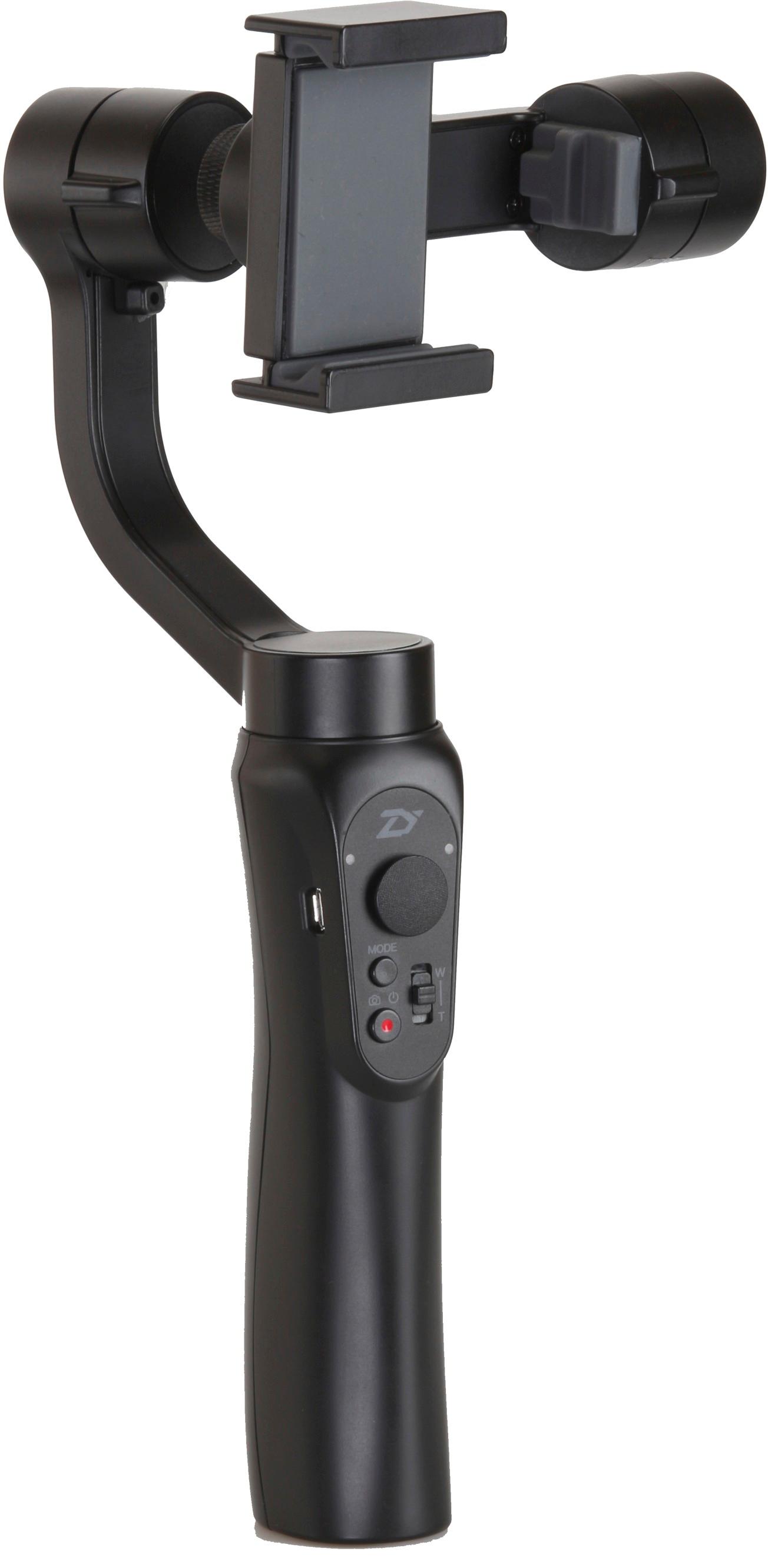
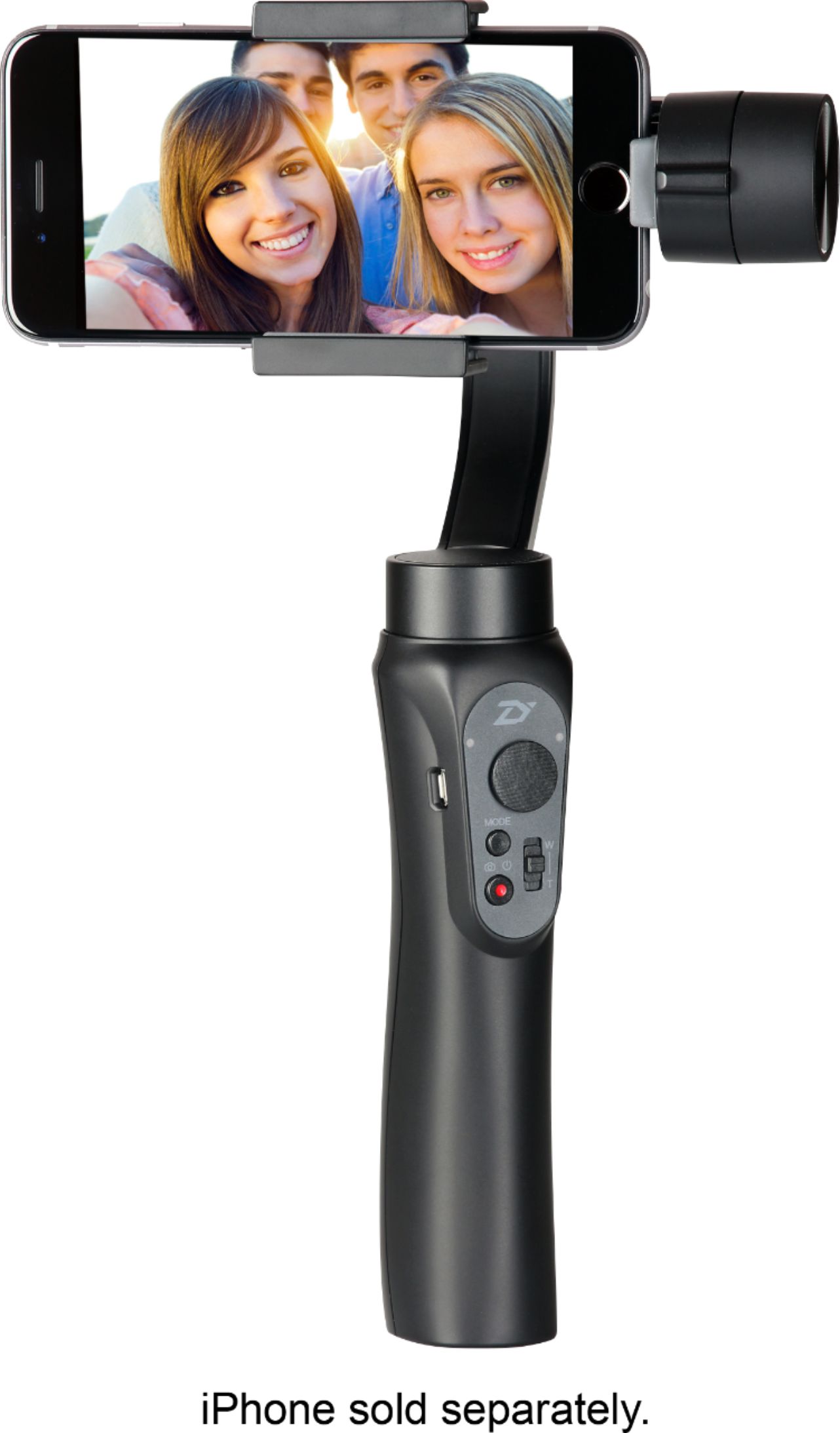
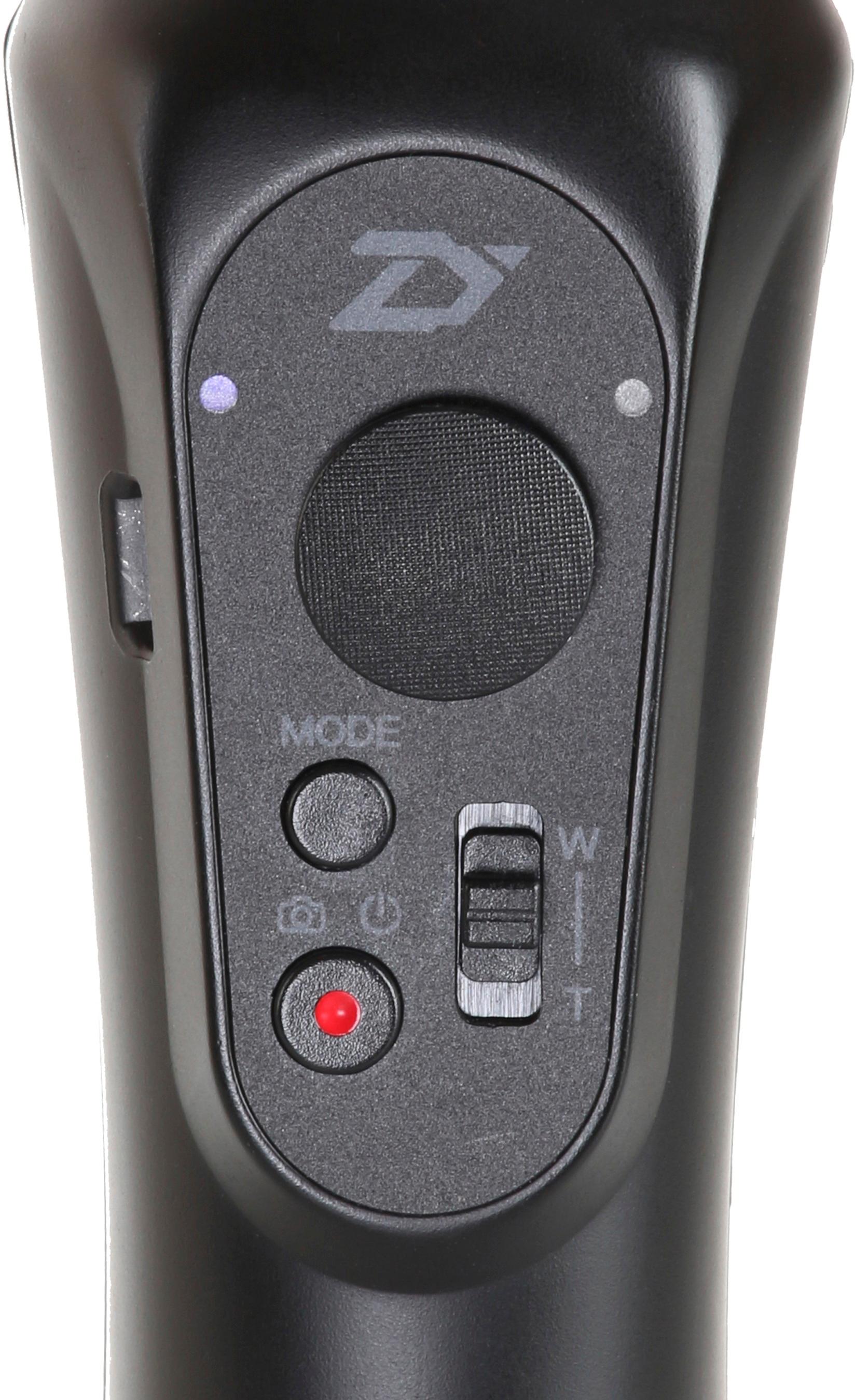
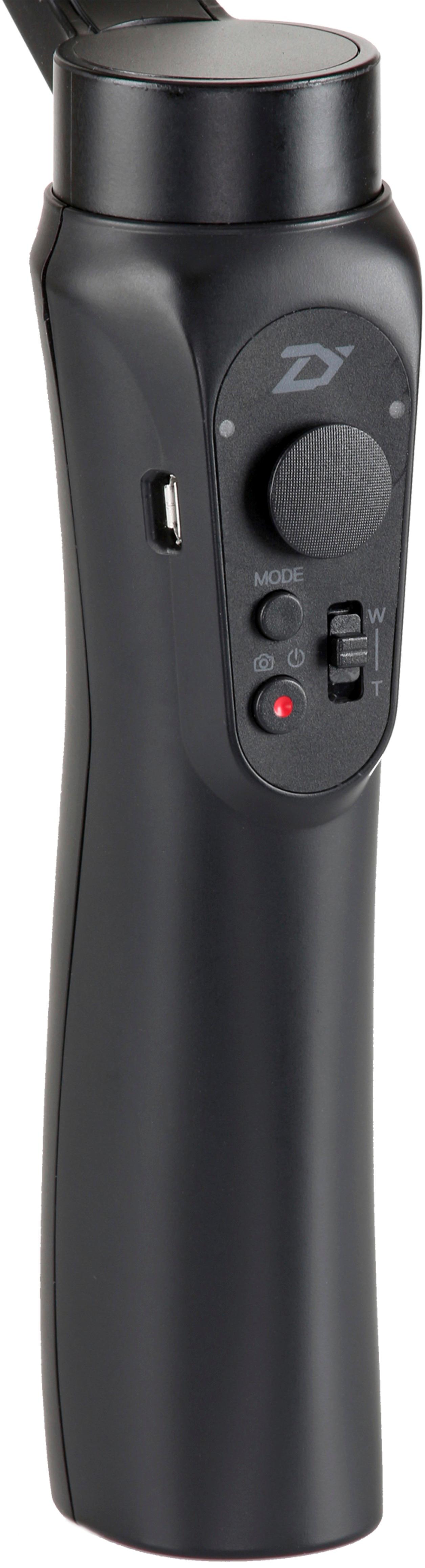
Posted .This reviewer received promo considerations or sweepstakes entry for writing a review.For $125 (on sale), this gimbal is EXCELLENT. During my first few hours messing around with the gimbal, it's proven itself to be capable of matching up to the more expensive GoPro/Smartphone gimbals. I've taken a few videos already using my iPhone and GoPro 4 and it has kept each video as stable as possible even while I was running and jumping around. I've even tried it in different angles including holding it such that the handle was above the smartphone for a low ground shot. Like other reviews you will see online, the very first thing that you NEED to do upon putting your smartphone onto the gimbal is to balance. Balancing the smartphone is a must because leaving it unbalanced will put way too much strain on the motors and the last thing you need is to break the gimbal because you refused to balance it. Another thing that needs to be done is to update the Gimbal's firmware. There isn't much instruction on that part but a short youtube search "Smooth Q firmware update" will lead you to a short tutorial. The Smooth-Q has 3 modes: Pan Following Mode, Locking Mode, and Following Mode. When you turn the gimbal on it'll automatically enter Pan Following Mode. To switch to Locking Mode, press the mode button ONCE. To switch to Following Mode, press mode TWICE. To go back to the PREVIOUS (the last mode you were in before switching), press the mode button ONCE. This whole mode switching thing was the most complicated thing about this gimbal. The Zhiyun App does tell you what mode the gimbal is in while you're switching but when you're using it with a GoPro it just gets a little confusing. Zhiyun has two different apps - Zhiyun Assistant and Zhiyun Play. They both do the same thing but I believe Play is the more recent app and Play's tracking feature works better. Be warned, the apps do need work but everything you need is in there like adjusting the speed of the gimbal's movements. For anyone wondering how you can use a GoPro with this, you can buy an adapter that will let you mount the GoPro like a smartphone. I didn't get one of those but instead I kept the gimbal's smartphone mount on horizontal, took the GoPro out of its housing placed it onto the mount facing me. There was a gap from the top of the GoPro to the upper bracket and in that gap I wedged a pentel eraser which made the GoPro fit perfectly. Of course I had to move the GoPro slightly to the left such that half the GoPro was not on the mount, it's also a way of balancing it without having to move the gimbal bracket around too much. Now, the problem is that the GoPro will be facing you so the simple solution is to press the "mode" button 3-times to put the gimbal in selfie mode. To conclude this long sort-of review, if you're looking for a cheap, quality gimbal that will get you that stable shot then Smooth-Q is definitely the way to go. However, be warned that it does take some getting used to especially the Pan Follow mode. You will certainly have to adjust the speed settings (how fast it pans, rolls, and tilts) of the gimbal in the Zhiyun app to where you like it. But after setting it all up and getting everything together, it works how it's supposed to and it'll get you the smooth shots that you've been looking for.
I would recommend this to a friend Rated 1 out of 5 stars
Couldn’t get it to work properly.
||Posted .This reviewer received promo considerations or sweepstakes entry for writing a review.Need practice to get the hang of it. Will eventually work.
No, I would not recommend this to a friendRated 1 out of 5 stars
I dont like
||Posted . Owned for 7 months when reviewed.This reviewer received promo considerations or sweepstakes entry for writing a review.I returned to the store i don't like and hard to used
I would recommend this to a friendRated 1 out of 5 stars
Meh!
||Posted .This reviewer received promo considerations or sweepstakes entry for writing a review.I wasn’t a fan, however everyone seems to enjoy it it just wasn’t for me.
I would recommend this to a friendRated 1 out of 5 stars
Didn't work as expected
||Posted .This reviewer received promo considerations or sweepstakes entry for writing a review.Would not recommend at all, didn't work as expected and very hard to use
No, I would not recommend this to a friend- Pros mentioned:Battery life, Video qualityCons mentioned:App
Rated 4 out of 5 stars
Gets the Job Done
Posted .This reviewer received promo considerations or sweepstakes entry for writing a review.Good at this price point. But, the app on android is terrible. There have been times where the motor was overloaded and would cause this vibrating glitch that would ruin the video. One the plus side, the learning curve for it is slight and the battery lasts a very long time on this (5+ hours). When everything is working, the video turns out really smooth and good looking. Would recommend if on a budget or just looking to get into the gimble "scene".
I would recommend this to a friend Rated 1 out of 5 stars
Not ready for prime time.
||Posted .This reviewer received promo considerations or sweepstakes entry for writing a review.Would not hold a charge. Struggled to adapt to the iPhone 7 Plus.
No, I would not recommend this to a friendRated 2 out of 5 stars
Wouldn’t stabilize
||Posted . Owned for 1 year when reviewed.This reviewer received promo considerations or sweepstakes entry for writing a review.Could not get this to work right. It remained unbalanced and though it attempted to stabilize was more shaky then just using a selfie stick. Also had difficulty figuring out the app.
No, I would not recommend this to a friendRated 2 out of 5 stars
No so great
||Posted . Owned for 1 year when reviewed.This reviewer received promo considerations or sweepstakes entry for writing a review.Not a very good product for the note 8 to note 20 ultra . For smaller phones yeah maybe but my phones nope not so stable
No, I would not recommend this to a friendRated 2 out of 5 stars
Didn't work for me
||Posted . Owned for 7 months when reviewed.This reviewer received promo considerations or sweepstakes entry for writing a review.Perhaps it was just my phone but I never could get it to work properly. Very disappointed.
No, I would not recommend this to a friend- Pros mentioned:Price, Stability
Rated 5 out of 5 stars
Great Gimbal for Smartphone and GoPro
Posted .This reviewer received promo considerations or sweepstakes entry for writing a review.After having the GoPro Karma Grip and finding out I bought the wrong model I went back to Best Buy, when I went to see if they had the model that includes the case I stumbled upon this guy. The price intrigued me so I watched a few videos on it and I then exchanged my karma grip for this. The fact that you can use a smartphone or a gopro is a huge plus. I really like this device.
I would recommend this to a friend - Pros mentioned:Stability
Rated 4 out of 5 stars
Still New - Already Impressed
Posted .This reviewer received promo considerations or sweepstakes entry for writing a review.Hello, thank you for taking the time to read my review! I would like to start that I am far from knowledgeable when it comes to the world of cameras and accessories, as I am just starting to pick up the hobby. My videos were far from stable and it was disheartening. After doing a lot of research off of Google shopping, Amazon, eBay, Google web results, and stores selling products online - I concluded to give the Zhiyun Smooth-Q a chance as the price is appealing to a newbie like me who does not want to invest in an expensive piece of hardware without any prior experience. After testing around and learning how to use the gimbal, I was pleased. It handles well, especially with the convenient size. It holds my Samsung Galaxy S9 just fine, as well as my APEMAN A66 fits (although, if you have an A66, I recommend putting it in its case as the gimbal presses down the device's zooming buttons). It is a huge improvement compared to handheld recording or using tripods/selfie sticks. ONE DOWNSIDE EXPERIENCE. I had to get it exchanged, as it started to randomly limp during steady use. I looked online and could not find any definite answer if it's a normal occurrence or faulty. I tried re-calibration, but the app and device failed to perform so. Being the better-safe-than-sorry mindset, I went to get it replaced with a new one. This new replacement is currently working fine. Until I have any further issues, I recommend and am excited about this gimbal!
I would recommend this to a friend
People also viewed
- $59.00$59.00The price was $75.00
- $126.00$126.00The price was $149.00