Samsung - 27" ViewFinity S9 5K IPS Smart Monitor with Matte Display, Thunderbolt 4 and SlimFit Camera - Silver
Customers are saying
Customers are delighted by the accurate color representation and the amazing display and design of the 27" ViewFinity S9 5K IPS Smart Monitor. However, some customers have expressed concerns about the monitor's build quality, describing it as inexpensive. Overall, the monitor seems to be well-received for its visual performance but may need improvement in its physical construction.
Highlights
Features
5K Resolution
5K provides more pixels than 4K, creating a bigger canvas, with 218 PPI for incredible detail. The 99% DCI-P3 option delivers the color saturation that brings your ideas to vibrant life,
and factory-calibrated color accuracy (ΔE < 2) delivers true color representation straight out of the box ¹
Matte Display
Take care of your eyes while you take care of work. Matte Display drastically reduces light reflections without obscuring your view. Intelligent Eye Care automatically optimizes brightness, reduces blue light, and eliminates screen flickering, so you can keep your eyes on the prize.
Smart Calibration
The ViewFinity S9 brings vivid colors to life. With Smart Calibration and a smartphone, the screen can easily be customized for unique experiences.
Choose between DCI-P3 or sRGB color space, and set your preferences, color temperature, luminance, and gamma settings without any extra tools or complex procedures.²
Pantone Validated
View every hue with true-to-life accuracy. Backed by the world leader in color development, S9 is Pantone Validated,
confirming the authentic reproduction of more than 2,000 Pantone colors and 100 Pantone SkinTone shades on screen. Now your work looks as good on your monitor as in the real world.
Thunderbolt 4 & DP Port
Designed with powerful performance and versatility in mind, ViewFinity S9 with Thunderbolt 4 provides up to 90W charging and 40Gbps data transfer.
Together with DisplayPort and three downstream USB-C ports, these connections enable seamless integration across multiple devices.³
4K SlimFit Camera
Always capture your good side. The 4K Resolution of the built-in SlimFit camera keeps video conferencing crystal-clear. Capturing content in high resolution has never been easier.
Apple AirPlay
Sometimes one screen just isn't enough. With Apple AirPlay, mirror or extend your screens to get more done. Wireless dual screens increase productivity, without increasing the number of plugs.⁴
Slim Metal Design & Ergonomics
A slim metal design that works for you in any space, with a height-adjustable screen that tilts for the best angle and ultimate utility. Pivot the screen 90 degrees to view long documents with less scrolling.
Plus, you can keep your desk clutter-free and clean with VESA-compatible mounting.
Smart TV Apps
When the work is done, let the play begin. Seamlessly switch to entertainment mode with embedded Smart TV Apps which have all of today's hottest streaming content, easily accessible on one screen.⁵
Gaming Hub
Samsung Gaming Hub is the ultimate home for gaming. Instantly play the biggest games from top streaming partners, with no PC or console needed. Discover new games or replay old favorites all in one place.⁶
¹ Color accuracy figures may vary based on the measuring device and the measuring point. Screen features may vary depending on system environment, such as computer components, duration of use, or other factors. Factory calibration is completed and measured in sRGB before shipment
² Smart Calibration is available on Galaxy S10 or later, Galaxy Note10 or later, Galaxy Fold devices, Galaxy Flip devices, iPhone 11 or later, and the second generation iPhone SE 2 or later. Requires the latest version of the SmartThings App. On-screen content simulated for demonstration purposes
³ Only Mac computers with Apple silicon introduced after 2020 are supported. - MacBook Pro introduced in 2021 or later, plus MacBook Pro (13-inch, M1, 2020) -
MacBook Air introduced in 2022 or later, plus MacBook Air (M1, 2020) - iMac introduced in 2021 or later - Mac mini introduced in 2020 or later - Mac Studio introduced in 2022 or later - Mac Pro introduced in 2023
⁴ AirPlay or mobile mirroring requires iOS 12.3 or later, or macOS 10.14.5 or later, or Android OS 8.0 or later. This function may not be supported depending on the model or geographical area. Apple and AirPlay are trademarks of Apple Inc., registered in the U.S. and other countries and regions.
⁵ App availability may vary by country and separate subscriptions may be required. Samsung TV Plus and Universal Guide availability and remote control specifications may vary by country. Requires internet connection and TV tuner is not included.
You will need a Samsung Account to access the full range of smart features available through your device, including network-based smart services, applications such as games and streaming services, smart home functionality, and many more.
If you choose not to log-in to your device with your Samsung Account, you will only be able to connect to terrestrial TV (applicable to devices with tuners only) and external devices, e.g. via HDMI. Terms and Conditions apply. UI is subject to change without prior notice
⁶ Gaming Hub is available in limited countries, with app availability differing by country. Accessing Gaming Hub is free of charge.
Subscription may be required to access content offered by game-stream providers on the Gaming Hub platform. A separate controller may be required depending on the specific game you are playing on the Gaming Hub. Requires internet connection.
Specifications
- Refresh Rate60HzMaximum Resolution5120 x 2880Response Time5 millisecondsPanel TypeIPSSynchronization TechnologyNot Applicable
Reviews
Rating 3.4 out of 5 stars with 23 reviews
- Color (5)
- Display (4)
- Build Quality (3)
Customer Images
The vast majority of our reviews come from verified purchases. Reviews from customers may include My Best Buy members, employees, and Tech Insider Network members (as tagged). Select reviewers may receive discounted products, promotional considerations or entries into drawings for honest, helpful reviews.
Customers often buy these together
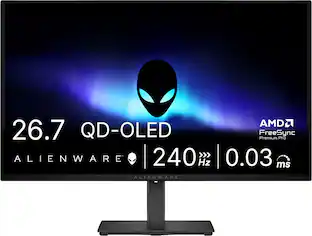
Alienware - AW2726DM 27" QD-OLED QHD 240Hz 0.03ms FreeSync Premium Pro Gaming Monitor with HDR (HDMI, DisplayPort) - Black
Black Friday Deal$279.99The price was $349.99
Insignia™ - 24" Class IPS FHD 144Hz Monitor with AMD FreeSync (HDMI, VGA) - Black
Black Friday Deal$59.99The price was $119.99
Samsung - 24" G3 (G31H) IPS FHD 144Hz 1ms AMD FreeSync Monitor (HDMI, DisplayPort) - Black
Black Friday Deal$79.99The price was $119.99



Explore tech essentials Sponsored
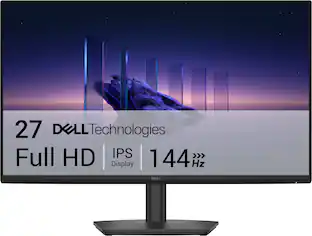
Dell SE2726HS 27" IPS LCD FHD 144Hz FreeSync Height Adjustable Monitor (HDMI, USB)
Black Friday Deal$99.99The price was $139.99Dell S2725QC 27" IPS LED 4K UHD 120Hz 8ms FreeSync Premium Monitor with HDR (HDMI, DisplayPort, USB)
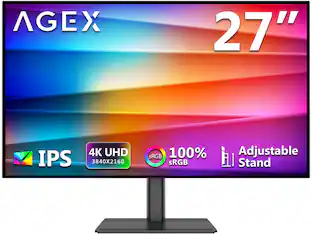
Black Friday Deal$249.99The price was $369.99AGEX A27I4K 27" 4K UHD 3840 x 2160 1.07B Display Colors 100% sRGB IPS Monitor with Adjustable Stand
$189.99The price was $199.99Alienware AW2726DM 27" QD-OLED QHD 240Hz 0.03ms FreeSync Premium Pro Gaming Monitor with HDR (HDMI, DisplayPort)
Black Friday Deal$279.99The price was $349.99AGEX AG34S 34" Curved Ultrawide WQHD 3440x1440 Gaming Monitor, 21:9 VA Panel, 240Hz, MPRT 1ms, FreeSync, HDR10
$229.99The price was $299.99Z Z-Edge S274K 27" 4K UHD 3840 x 2160 120 Hz 1 ms Flat-Panel IPS Gaming Monitor, HDMI 2.1, DP 1.4
$189.99The price was $229.99