Skip to contentGo to Product Search
Main Content

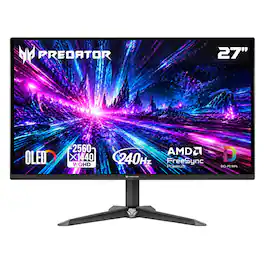
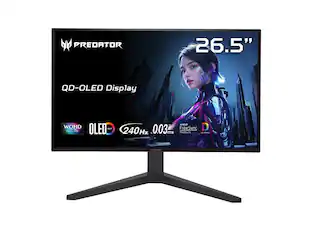
Acer - Predator 27" QD-OLED QHD 240Hz 0.03ms FreeSync Premium Gaming Monitor with HDR (DisplayPort, HDMI) - Black

Model: XB270U XBIIP
SKU: 6685680
Sold byBest Buy

About this product

OLED In Full Force: Infused with the latest eye care technologies and a blisteringly fast 240Hz refresh and up to 0.03ms response time. The Predator XB270U delivers you a WQHD (2560 x 1440) QD-OLED. Add AMD FreeSync Premium to the mix and your gaming experience will be unbeatable! This 26.5-inch (2560 x 1440) monitor combines jaw dropping specs including an QD-OLED panel that supports blazing-fast 240Hz refresh rate. This AMD FreeSync Premium monitor takes gameplay to the next level of smooth, the game’s frame rate is determined by your graphics card, not the fixed refresh rate of the monitor, giving you a serious competitive edge.

Highlights

Features
  • OLED Makes All The Difference

    Ever seen an QD-OLED in action? They go above and beyond colors so vivid that you might just question reality. The addition of Image Retention Refresh also works to prevent burn-in. Enjoy longer

  • AMD FreeSync Premium Technology

    Say “goodbye” to stuttering and tearing. With AMD FreeSync Premium, the monitor’s frames are synced with the graphics card’s frames, which eliminates screen tearing and provide the smoothest gaming experience.

  • Fast and Furious

    If you want seamless gameplay at absolutely ridiculous levels of speed, you’ve come to the right place. With an 240Hz refresh rate and 0.03ms (G to G) response time, your sessions will be fluid, unbroken and unmatched – with little to no ghosting

  • Brilliant Colors

    Elevate your gaming with a 99% DCI-P3 color gamut, Delta E<2 accuracy, and HDR 10. Experience cinematic visuals with true-to-life color, deep contrast, and breathtaking detail in every frame.

  • Center of Vision

    At 26.5-inches, the XB270U directly in your field of view. Considered a hallmark of eSports tournaments, this is the perfect size to gain an edge over your opponents. The addition of a ZeroFrame design also removes the bezels – giving you have even more visibly over every match and every movement your rivals make.

  • Port Haven

    Do you stream? Do you have multiple consoles in addition to your PC and want them all plugged in at once? Well, now you can! No more fiddling with cables as the XB270U includes two HDMI 2.1 ports and a one display port 1.4.

  • Designed for the Triathlon

    The XB270U has a bonanza of features that both improve your viewing experience and help reduce eye strain during long, drawn-out gaming sessions. The flicker-less display has blue light filter and glare reduction that significantly improve viewing comfort while enhancing eye protection. Game longer, and in comfort.

  • BlueLightShield Pro

    Protect your vision without compromising your performance. BlueLightShield Pro intelligently filters harmful high-energy blue light while maintaining color accuracy, ensuring your display stays vivi,WQHD and your eyes stay fresh during marathon gaming sessions. Game longer, react faster, and see every detail in comfort.

  • Be Flexible

    Master your view with -5° to 25° ergonomic tilt. Effortlessly adjust your display to eliminate strain and stay locked in for longer gaming sessions. Precision-engineered for your perfect angle.

Specifications
  • Refresh Rate
    240Hz
    Maximum Resolution
    2560 x 1440
    Response Time
    0.03 milliseconds
    Synchronization Technology
    FreeSync Premium (AMD Adaptive Sync)
    Screen Size
    26.5 inches
Sponsored

Reviews

Rating 4.7 out of 5 stars with 10 reviews

5 star rating. 7 reviews4 star rating. 3 reviews
100% would recommend to a friend

Customer Images

The vast majority of our reviews come from verified purchases. Reviews from customers may include My Best Buy members, employees, and Tech Insider Network members (as tagged). Select reviewers may receive discounted products, promotional considerations or entries into drawings for honest, helpful reviews.

  • Rated 5 out of 5 stars

    Solid QD-OLED Choice for Gaming

    I’ve been on a rotation to replace all our older TN & VA panels with OLED monitors. I wanted another 27in monitor to replace the gaming setups TN panel. I was eyeing a QD-OLED, as they’re great for gaming and amazing for HDR. I saw Acer had a new refresh of the Predator XB270U monitor, so decided to give it a try. Pros: - Beautiful Color. - High Frame Rates & Quick Response. - Thin Bezel & Light Weight. - HDR works great! Cons: - No DisplayPort Cable included. - Text can seem fuzzy on white background. Setup: I’m a sucker for simple things. Like when a monitor is nothing more than a Monitor, there is no need to connect it to the internet or setup any accounts just to display your game. Just plug it in and start gaming. Acer includes with the Predator XB270U QD-OLED only a Power Cable and HDMI. Unfortunately, they don’t include a DisplayPort cable. The monitor has 2xHDMI and 1xDisplayPort, along with a power port. No USB-A or USB-C ports. Setup was simple, take the monitor out of the box, plug in the power & display cable, then power on. I did go into the monitor settings to check and enable a few settings, but everything was a simple switch to on. The biggest thing I noticed while setting up the monito was just how thin and lightweight the panel was, with most of the panel edges being just 4mm (0.16in!!). Do be careful when taking it out of the box. Monitor Settings: Monitor settings can be accessed from the on-panel controls via the back of the right side, just above the Power button. A press of multi-function joystick brings up the menu, which then provides easy to navigate options. If you’re going to use HDR settings, then just simply switch the monitor to HDR mode, which takes care of most of the important settings needed for getting the best picture out of HDR. The only other setting I’d occasionally check is the screen refresh under panel care, OLED’s can get burn-in from static images like the Windows Taskbar or Mini-Maps, which can leave a lingering ghost image on the screen. Luckily, most of the monitors have a panel setting that refreshes the monitors pixels if they get stuck which can undue that image if caught early enough. Just run that occasionally, and you should be fine. Display: The display is a 26.5in 2K QD-OLED panel, which stands for Quantum Dot which is a special type of OLED panel that excels at gaming and HDR uses. QD helps improve the color and how clear moving images are on the display, hence why it’s amazing for gaming. The high contrast and response time makes it so there is no ghosting or blooming with bright colors, in fact the test for this is almost mesmerizing because it feels like staring at an old CRT monitor playing an endless screen saver. Paired with a 240Hz Refresh Rate, this makes the Predator XB270U a solid choice for any gamer. The biggest drawbacks are with text clarity and full screen brightness compared to other OLED panels, as well as the ever-potential risk of OLED burn-in. I only noticed the issue with the text when viewing text on a bright white background, it was less noticeable when applying a dark mode theme that swapped text color from black to white as the darker background provided less contrast than the all-white background. Acer applied a high gloss finish to the display, which is very common for OLED displays as it helps make the color pop and stay sharp, without causing color shifting. Size-wise, the Predator XB270U is slightly under standard 27in size, which is only noticeable when placed next to another normal thickness monitor, because the bezel on the Predator is so thin it makes the monitor look much smaller. Additionally, the weight is much lighter when compared to a non-OLED panel. Playing On It: Honestly, I had one of my best experiences gaming on the Predator XB270X. The colors just popped out, while objects moved smoothly and stayed sharp. I love playing FPS games, so moving quickly and smoothly is extremely important for landing the shot. I played for many hours on Fortnite and The Division 2, never noticing any issues like ghosting or color bloom with both games using ray-tracing effects for light and reflections that can cause other monitors to bloom/halo. The HDR alone was worth it, with more games supporting HDR, and even higher HDR standards, it is even more important to have a display that can take full advantage of the range of HDR colors. The Black color stands out so much more, allowing for you to see even in dark scenes (think caves/dark rooms) in a way that just doesn't work on other monitor panels. Just make sure to enable HDR mode on the monitor and within your OS and game to get the full use of it. Conclusion: If you’re considering upgrading to an OLED monitor to mainly play games, then consider a QD-OLED monitor as it offers high refresh rates, quick response times, and HDR support that makes gaming even more enjoyable. The Acer Predator XB270U checks off all of these plus keeps everything simple, just plug it in and start gaming. I’ll be recommending this monitor as a strong choice for those looking to get an OLED monitor.

    Posted by BradfordBT

  • Rated 5 out of 5 stars

    Fantastic OLED at the perfect size and great price

    This is a fantastic, focused display. At a fair price, you get a straightforward display with an amazing picture and deep blacks, with only a few drawbacks. First, it’s the perfect size. At just under 27” and a 1440p resolution, it’s fantastic for gaming. This is a current sweet spot for getting the best performance from an average, mid-level gaming machine and above. Color fidelity is amazing, as is typical with most OLED panels and a fast refresh rate means jitters and tearing in the image is almost non-existent. While great for gaming, OLEDs at this resolution don’t offer the best clarity for productivity as an IPS panel, in my opinion. I see that with this model, but it’s passable and reads more like a 1080p resolution when looking at smaller text sizes on the web or in productivity applications. In games, this makes almost no difference and it looks amazing. The design is also very compact. The panel is very slim, providing a nice, sleek look. The overall assembly is also more shallow than other 27” OLEDs I own. The stand is sculpted and reads as a ‘gaming’ monitor more than others, with its largest drawback being that this model had no height adjustment. The display is set slightly low, and while you get some pivoting options, taller users may need to place a stack of books underneath, or place this on a stand for a better, ergonomic height. Overall, it’s a straightforward design with a fair price. OLED is one of the best technologies for a great experience while gaming, so Acer has a great offering here. OLEDs simply provide the best blacks, amazing viewing angles, good brightness, perfect blacks, etc. This model isn’t the brightest, but it offers great light for most cases, nonetheless. This one is easy to recommend, as long as you don’t require height adjustment and don’t mind the slightly showy stand.

    Posted by Scott S

  • Rated 5 out of 5 stars

    2k QD OLED, 240hz, super low price!

    This acer predator gaming monitor is probably the lowest price I’ve seen recently. I’m sure there are others but this is a very affordable price point for a QD-OLED panel that is 1440p and 240hz. The panel was even calibrated which shows a level of dedication from Acer. You want to have the sharpest and most accurate display possible and that effort is usually reserved for higher end monitors.the colors are beautiful and super vivid since this panel is a QD(quantum dot) oled. You get the expected super fast response time of oled and a respectable 240hz refresh rate. At this price I wouldn’t have been upset if it was only 144hz. The panel isn’t the brightest but it’s perfect in my opinion. The menu is good although it is a bit outdated but you do have access to all the most important settings you would need from a gaming monitor. The design is nice and simple and the mounting is very easy but you do not have any adjustability unfortunately and the stand does feel a bit weak so be careful not to try an adjust it as I felt like it might break. But again, if you are looking to get a monitor with a beautiful screen, high refresh rate and is very affordable then this one I definitely recommend. This is the best bang for your buck and will be an even better deal when on sale and sales are frequent. Truly an amazing deal for an amazing monitor!

  • Rated 5 out of 5 stars

    Wonderful budget friendly OLED monitor

    I have been using the same simple 24 inch monitor since 2019 for work and hooking up my laptop for gaming. It was time for an upgrade and this is definitely an upgrade. For work, I tend to have two tabs side by side and this 27 inch screen is perfect for that while not taking up a lot of room on my desk. This was made for gaming and it definitely shows. The resolution on the monitor is 2560x1440 and provides a very clear and bright picture. I had the refresh rate set at 240hz and my games looked great, I did not notice any lag or stuttering. The build of the monitor is pretty solid but not heavy. The stand is simple, there is no height adjustment but it does have the ability to tilit forward and backward slightly. The standard height was perfect for my desk. The bezel/black space around the visible screen is about under 1 cm. There was a really good HDMI cable included so you can hook it up right out of the box without having to purchase anything else. I feel that this is a great value for what you get, great picture, great performance without costing a whole lot.

    Posted by GeorgeM77

  • Rated 4 out of 5 stars

    Great screen, cheap stand

    This is an excellent monitor overall for gaming on a tighter budget. It has a really accurate and smooth OLED display, is very thin, and has slim bezels. It is physically a very nice design and easy to look at, bringing a premium look and feel for the screen itself. Color representation is excellent as are the blacks and HDR brightness is decent at 456 nits. Gaming is smooth and crisp, and it pairs up nicely with my 5070 equipped laptop. I’ve tried out a few games I’ve played recently on it to see how it handles them, from Expedition 33 to Forza Horizon 6 and 007 First Light. All of them really shine, looking fantastic. It is a bit light on ports, with two HDMI’s and one Display Port, but no USB’s or anything else. The biggest drawback for it is the stand is a cheap, flimsy joke. It flexes so much that when I am at my keyboard on a super stable desk the monitor shakes a ton with the slightest movement. To add further insult it has almost zero adjustability, with only a slight tilt available but no rotation or height changes available whatsoever. Even putting it together felt cheap and I wondered if it would be easy to break. I’d say plan on an adjustable arm for this monitor and skip the stand, since thankfully it still has a VESA 100 x 100 mounting point. The stand really drags this monitor down a great deal. Otherwise, it is a nice package, 240 hz refresh rate, QHD, OLED, it checks lots of boxes. If you’re looking for a quality screen and have a mounting solution available, I’d recommend this one for sure.

    Posted by Josh

Compare similar products

Acer - Predator 27" QD-OLED QHD 240Hz 0.03ms FreeSync Premium Gaming Monitor with HDR (DisplayPort, HDMI) - Black
4.7(10)

OLED In Full Force: Infused with the latest eye care technologies and a blisteringly fast 240Hz refresh and up to 0.03ms response time. The Predator XB270U delivers you a WQHD (2560 x 1440) QD-OLED. Add AMD FreeSync Premium to the mix and your gaming experience will be unbeatable! This 26.5-inch (2560 x 1440) monitor combines jaw dropping specs including an QD-OLED panel that supports blazing-fast 240Hz refresh rate. This AMD FreeSync Premium monitor takes gameplay to the next level of smooth, the game’s frame rate is determined by your graphics card, not the fixed refresh rate of the monitor, giving you a serious competitive edge.
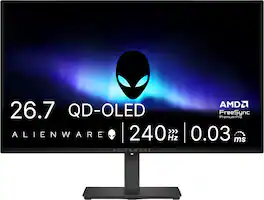
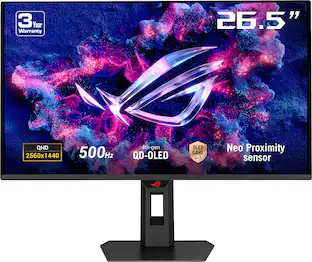
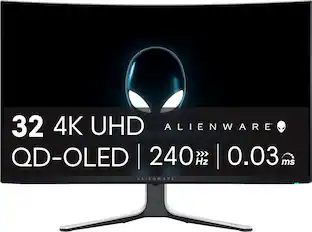
Alienware - AW2726DM 27" QD-OLED QHD 240Hz 0.03ms FreeSync Premium Pro Gaming Monitor with HDR (HDMI, DisplayPort) - Black

Alienware 27 240Hz QD-OLED Gaming Monitor. Take in superb QD-OLED visuals and fluid gameplay on the 27" flat panel monitor featuring a fast 240Hz refresh rate.
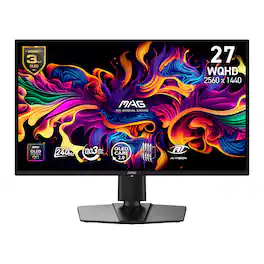
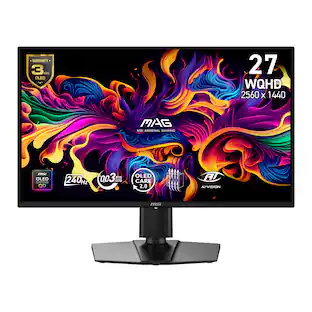
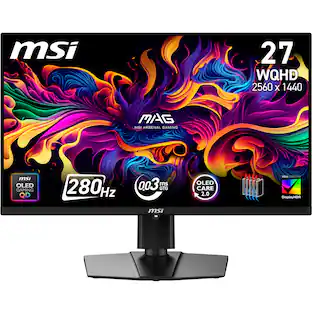
MSI - MAG 274QP QD-OLED X24 27" QHD 240Hz 0.03ms Gaming Monitor with G-SYNC FreeSync Premium Pro HDR Ready (HDMI, DP) - Metallic Black
4.9(7)

Visualize your victory with the MAG 274QP QD-OLED X24 gaming monitor. Equipped with the latest 3rd-gen QD-OLED panel and features a blazing-fast 240Hz refresh rate, it delivers an elevated gaming experience like never before. The 26.5-inch high-performance display offers a lightning-fast 0.03ms (GtG) response time, ensuring ultra-smooth, crystal-clear visuals. Certified by VESA for ClearMR 13000, it guarantees stunning image quality and reduced motion blur. OLED Care 2.0 technology helps prevent burn-in, extending the panel’s lifespan.

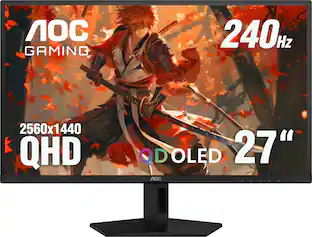
AOC - 27” QD-OLED, QHD, 240hz, G-Sync Compatible, .03ms, Gaming Monitor - Black

The Q27G41ZDF delivers lightning-fast 240Hz refresh rates, 0.03ms GtG pixel response, and low input lag for ultra-responsive gameplay. The ultra-responsive QD-OLED panel and 10-bit color space provides sharp visuals with unbelievable contrast and vibrant colors, while the NVIDIA G-SYNCA Compatible AdaptiveSync and HDR ready panel enhances clarity and fluidity. Built for eSports, its stable base ensures a solid setup for intense matches.

Pros for Acer - Predator 27" QD-OLED QHD 240Hz 0.03ms FreeSync Premium Gaming Monitor with HDR (DisplayPort, HDMI) - Black
There were no pros for this product—OLED Quality, Overall Performance, Refresh Rate, Stand AdjustabilityThere were no pros for this product—OLED Quality, Overall Performance, Refresh Rate, Resolution
Cons for Acer - Predator 27" QD-OLED QHD 240Hz 0.03ms FreeSync Premium Gaming Monitor with HDR (DisplayPort, HDMI) - Black
There were no cons for this product—Brightness, Connectivity, Audio Output, USB PortsThere were no cons for this product—Brightness, Connectivity, Stand Design, Adjustability, Size

Specs

Be the first to ask a question.

We’ll try to get your question answered within 24 hours by a Best Buy customer or brand representative.

No content

Customers often buy these together

Sponsored

Special Offers

Top Offers
Included with Purchase