Secure Laptops
-
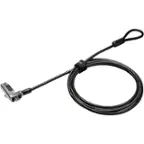
Kensington - MicroSaver Keyed Laptop Lock Patented T-Bar Carbon Steel 6ft Cable Universal Security Slot Compatibility K64068F
SKU: J7RJZZP7CYSee all Laptop AccessoriesProduct Description
A universal carbon steel laptop lock with a 6-foot cable and patented T-Bar mechanism for secure protection.Your price for this item is $21.99 -
Kensington - MicroSaver 2.0 Keyed Laptop Lock Security Cable - Silver
SKU: J7RJZZPQLJSee all Laptop AccessoriesProduct Description
A compact, steel security cable in silver designed to protect laptops and devices with keyed locking.Your price for this item is $64.99Save $5The previous price was $70.62 -
Targus - DEFCON Ultimate Universal Serialized Laptop Combination Lock, 6.5 ft - Silver
SKU: J7QXPVJ5H7See all Laptop AccessoriesProduct Description
A silver steel laptop lock with a 6.5-foot cut-proof cable and universal slot compatibility.Your price for this item is $47.97


Best Sellers




Related Pages




FAQ
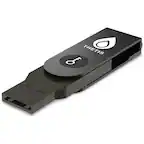
When choosing a secure laptop, look for features such as biometric authentication (like fingerprint readers or facial recognition), TPM (Trusted Platform Module) chips, hardware encryption, and pre-installed security software. These features help protect your data and prevent unauthorized access.
Yes, secure laptops are designed to protect your information regardless of how you use them. Many offer user profile separation and advanced access controls, making them suitable for both professional and personal activities.
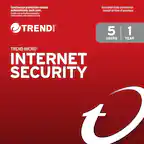
Most secure laptops are compatible with a wide range of antivirus and security software. In fact, many come with built-in or pre-installed security solutions, but you can also install your preferred antivirus programs for added protection.
Many secure laptops support multi-factor authentication (MFA), allowing you to add an extra layer of security by requiring multiple forms of verification, such as a password and a fingerprint scan, to access your device.
Secure laptops are available with various operating systems, including Windows, macOS, and Chrome OS. Each offers its own set of security features and regular updates to help keep your device protected from emerging threats.