Save up to 50% on 3-Day Sale deals.Ends 12/7.Shop now

Skip to content
Gift Ideas
Main Content

Small Keyboard for Smartphone

No content

Best Buy customers often prefer the following products when searching for Small Keyboard for Smartphone.

Discover the ultimate convenience and efficiency with our selection of small keyboards for smartphones. Perfectly designed to complement your mobile device, these compact keyboards offer a seamless typing experience on the go. Whether you're crafting emails, jotting down notes, or engaging in lively chats, a small keyboard for smartphone use can transform your productivity and enhance your digital interactions. Explore a variety of styles and designs that combine portability with functionality, ensuring you stay connected wherever life takes you.

Main Results
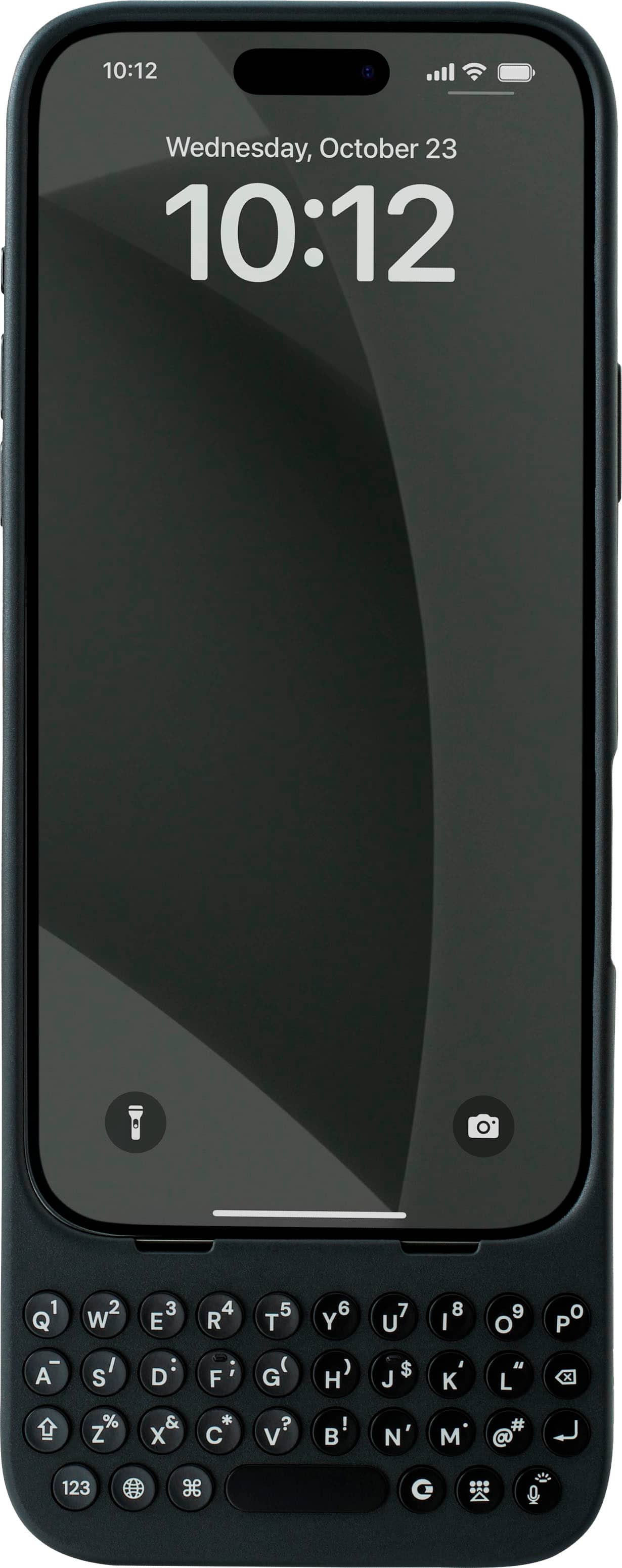
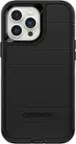
  1. Clicks - Keyboard for Apple iPhone 14 Pro Max - BumbleBee - Front_Zoom
    Top comment

    "Clicks Technology Keyboard Case...its a beautiful color and i get a lot of complements for the keyboard"

    See all customer reviews

    Product Description

    Clicks extends the power of your iPhone with a physical keyboard. Use Clicks to free up your screen for content, tackle tasks on the go and take full control of your iPhone with keyboard shortcuts.  By moving the keyboard off the screen, Clicks helps you gain up to 50% more display to immerse yourself in chats, browsing, live streaming and more.  Real keys make typing feel natural so you can write long notes, edit documents, or take action on ideas, without having to wait to get back to your laptop or tablet. Use Clicks to access powerful iOS keyboard shortcuts for the first time on iPhone - just like on a Mac or iPad. Some popular iOS shortcuts include: Press CMD + H to quickly navigate to your home screen; Use CMD + Space to launch Spotlight search; Scroll through web pages with space bar. Clicks connects directly to iPhone so there's no battery to charge or Bluetooth connection.
    See all iPhone Cases
    Top comment

    "Clicks Technology Keyboard Case...its a beautiful color and i get a lot of complements for the keyboard"

    See all customer reviews

    Product Description

    Clicks extends the power of your iPhone with a physical keyboard. Use Clicks to free up your screen for content, tackle tasks on the go and take full control of your iPhone with keyboard shortcuts.  By moving the keyboard off the screen, Clicks helps you gain up to 50% more display to immerse yourself in chats, browsing, live streaming and more.  Real keys make typing feel natural so you can write long notes, edit documents, or take action on ideas, without having to wait to get back to your laptop or tablet. Use Clicks to access powerful iOS keyboard shortcuts for the first time on iPhone - just like on a Mac or iPad. Some popular iOS shortcuts include: Press CMD + H to quickly navigate to your home screen; Use CMD + Space to launch Spotlight search; Scroll through web pages with space bar. Clicks connects directly to iPhone so there's no battery to charge or Bluetooth connection.
    See all iPhone Cases
    See all iPhone Cases
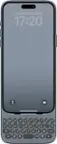
  2. Clicks - Keyboard for Apple iPhone 15 Pro Max - Miami Beach - Front_Zoom
    Top comment

    "Can't say enough about the value of a keyboard for my phone. Tactile, easy to use, back-lit when required. ...So glad that at last there is now a phyiscal keyboard for my iPhone. Improvements I'd appreciate: Better support for cyrillic script. "

    See all customer reviews

    Product Description

    Clicks extends the power of your iPhone with a physical keyboard. Use Clicks to free up your screen for content, tackle tasks on the go and take full control of your iPhone with keyboard shortcuts.  By moving the keyboard off the screen, Clicks helps you gain up to 50% more display to immerse yourself in chats, browsing, live streaming and more.  Real keys make typing feel natural so you can write long notes, edit documents, or take action on ideas, without having to wait to get back to your laptop or tablet. Use Clicks to access powerful iOS keyboard shortcuts for the first time on iPhone - just like on a Mac or iPad. Some popular iOS shortcuts include: Press CMD + H to quickly navigate to your home screen; Use CMD + Space to launch Spotlight search; Scroll through web pages with space bar. Clicks connects directly to iPhone so there's no battery to charge or Bluetooth connection.
    See all Cell Phone Cases
    Top comment

    "Can't say enough about the value of a keyboard for my phone. Tactile, easy to use, back-lit when required. ...So glad that at last there is now a phyiscal keyboard for my iPhone. Improvements I'd appreciate: Better support for cyrillic script. "

    See all customer reviews

    Product Description

    Clicks extends the power of your iPhone with a physical keyboard. Use Clicks to free up your screen for content, tackle tasks on the go and take full control of your iPhone with keyboard shortcuts.  By moving the keyboard off the screen, Clicks helps you gain up to 50% more display to immerse yourself in chats, browsing, live streaming and more.  Real keys make typing feel natural so you can write long notes, edit documents, or take action on ideas, without having to wait to get back to your laptop or tablet. Use Clicks to access powerful iOS keyboard shortcuts for the first time on iPhone - just like on a Mac or iPad. Some popular iOS shortcuts include: Press CMD + H to quickly navigate to your home screen; Use CMD + Space to launch Spotlight search; Scroll through web pages with space bar. Clicks connects directly to iPhone so there's no battery to charge or Bluetooth connection.
    See all Cell Phone Cases
    See all Cell Phone Cases
  3. Targus - Ergonomic Foldable Bluetooth Antimicrobial Keyboard - Black - Front_Zoom
    Top comment

    "A real keyboard for my phone!...Just what I needed to be able to type texts and emails in my phone with a real QWERTY keyboard! Folds really small, and immediately links to Bluetooth when I open it....nice small keyboard...Nice compact keyboard. Connects easily. Cane be connected to three different items. "

    See all customer reviews

    Product Description

    Unfold the power of this lightweight, pocket-sized keyboard with its unique, split, ergonomic design, reliable Bluetooth 5.1 wireless technology, and multi-device connectivity. Powered by a rechargeable 100 mAh battery, you can type for hours at a time. Compatible with most platforms, you’ll be able to write code, send emails, or work on your book from anywhere you want.
    See all Wireless & Bluetooth Keyboards
    Top comment

    "A real keyboard for my phone!...Just what I needed to be able to type texts and emails in my phone with a real QWERTY keyboard! Folds really small, and immediately links to Bluetooth when I open it....nice small keyboard...Nice compact keyboard. Connects easily. Cane be connected to three different items. "

    See all customer reviews

    Product Description

    Unfold the power of this lightweight, pocket-sized keyboard with its unique, split, ergonomic design, reliable Bluetooth 5.1 wireless technology, and multi-device connectivity. Powered by a rechargeable 100 mAh battery, you can type for hours at a time. Compatible with most platforms, you’ll be able to write code, send emails, or work on your book from anywhere you want.
    See all Wireless & Bluetooth Keyboards
    See all Wireless & Bluetooth Keyboards
  4. Clicks - Keyboard for Apple iPhone 15 Pro - Miami Beach - Front_Zoom
    Top comment

    "I love my Clicks Keyboard!...It does make the phone quite a lot longer, but that is a small price to pay for all of the additional usability it provides from the great keyboard to significantly more screen real estate....15 pro max click keyboard...I have received & used your product, unfortunately i have faced two issues: - phone size 15 pro max after adding keyboard became really oversized for daily use. - as Arab country you need to add arabic letters for easier experience."

    See all customer reviews

    Product Description

    Clicks extends the power of your iPhone with a physical keyboard. Use Clicks to free up your screen for content, tackle tasks on the go and take full control of your iPhone with keyboard shortcuts.  By moving the keyboard off the screen, Clicks helps you gain up to 50% more display to immerse yourself in chats, browsing, live streaming and more.  Real keys make typing feel natural so you can write long notes, edit documents, or take action on ideas, without having to wait to get back to your laptop or tablet. Use Clicks to access powerful iOS keyboard shortcuts for the first time on iPhone - just like on a Mac or iPad. Some popular iOS shortcuts include: Press CMD + H to quickly navigate to your home screen; Use CMD + Space to launch Spotlight search; Scroll through web pages with space bar. Clicks connects directly to iPhone so there's no battery to charge or Bluetooth connection.
    See all iPhone Cases
    Top comment

    "I love my Clicks Keyboard!...It does make the phone quite a lot longer, but that is a small price to pay for all of the additional usability it provides from the great keyboard to significantly more screen real estate....15 pro max click keyboard...I have received & used your product, unfortunately i have faced two issues: - phone size 15 pro max after adding keyboard became really oversized for daily use. - as Arab country you need to add arabic letters for easier experience."

    See all customer reviews

    Product Description

    Clicks extends the power of your iPhone with a physical keyboard. Use Clicks to free up your screen for content, tackle tasks on the go and take full control of your iPhone with keyboard shortcuts.  By moving the keyboard off the screen, Clicks helps you gain up to 50% more display to immerse yourself in chats, browsing, live streaming and more.  Real keys make typing feel natural so you can write long notes, edit documents, or take action on ideas, without having to wait to get back to your laptop or tablet. Use Clicks to access powerful iOS keyboard shortcuts for the first time on iPhone - just like on a Mac or iPad. Some popular iOS shortcuts include: Press CMD + H to quickly navigate to your home screen; Use CMD + Space to launch Spotlight search; Scroll through web pages with space bar. Clicks connects directly to iPhone so there's no battery to charge or Bluetooth connection.
    See all iPhone Cases
    See all iPhone Cases
No content
No content