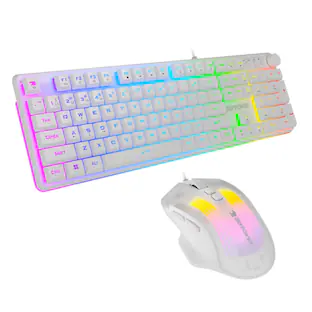
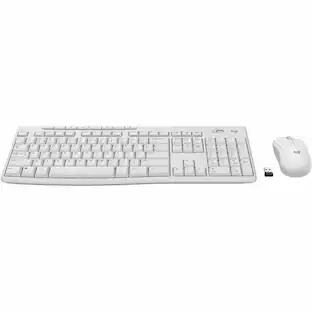
Manhattan - Dual-Mode Multipoint Wireless USB Standard Keyboard and Mouse Combo Set - White
Reviews coming soon
About this product
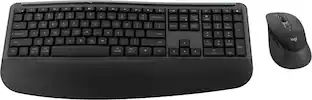
The Manhattan® Dual-Mode Multipoint Wireless USB Keyboard and Mouse Combo Set allows you to seamlessly connect and switch between 3 devices at once - 2 via Bluetooth® and 1 via a 2.4-GHz USB-A nano receiver - making it ideal for multitasking between a laptop, smartphone, and tablet. With a 33-ft. (10 m) wireless range, this combo eliminates the need for cords, offering a cleaner, more comfortable workspace and improved typing comfort over touch screens. The keyboard features low-profile, scissor-style key switches for quiet, precise typing, along with 12 function keys for quick access to multimedia commands. Its compatibility spans across Windows®, Android™, iOS™, Chrome OS™, iPadOS®, and Linux® systems with easy plug-and-play setup - no drivers needed. The mouse is designed for comfort with an ambidextrous shape and compact size that’s easy to carry, while the ultra-compact keyboard design with an adjustable tilt mechanism fits ideally into small workspaces, providing ergonomic comfort and stability with rubber feet to protect your desk from scratches.
Multipoint Connectivity
Connect and switch easily between 3 devices simultaneously using Bluetooth 5.0 and 2.4 GHz wireless USB-A receiver with up to 33-ft. range
Wide Compatibility
Works seamlessly with Windows, Android, iOS, Chrome OS, iPadOS, and Linux devices for versatile use
Quiet Typing
99 scissor key switches reduce noise and provide precise keystroke response for comfortable typing
Enhanced Layout
Includes numeric keypad and navigation keys for efficient data entry and quick access to multimedia functions
Built-In Cradle
Features a cradle to hold your phone or tablet, keeping your workspace organized and devices accessible
- Form FactorFull-sizeKeyboard TechnologyMechanicalConnection TypeWired
Reviews
This product doesn't have any reviews yet.

- CORSAIR - IRONCLAW WIRELESS SE FPS/MOBA/MMO Optical Gaming Mouse - Wireless - Black$69.99The price was $89.99
Compare similar products
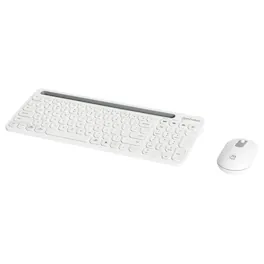
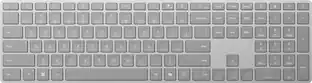
The Manhattan® Dual-Mode Multipoint Wireless USB Keyboard and Mouse Combo Set allows you to seamlessly connect and switch between 3 devices at once - 2 via Bluetooth® and 1 via a 2.4-GHz USB-A nano receiver - making it ideal for multitasking between a laptop, smartphone, and tablet. With a 33-ft. (10 m) wireless range, this combo eliminates the need for cords, offering a cleaner, more comfortable workspace and improved typing comfort over touch screens. The keyboard features low-profile, scissor-style key switches for quiet, precise typing, along with 12 function keys for quick access to multimedia commands. Its compatibility spans across Windows®, Android™, iOS™, Chrome OS™, iPadOS®, and Linux® systems with easy plug-and-play setup - no drivers needed. The mouse is designed for comfort with an ambidextrous shape and compact size that’s easy to carry, while the ultra-compact keyboard design with an adjustable tilt mechanism fits ideally into small workspaces, providing ergonomic comfort and stability with rubber feet to protect your desk from scratches.
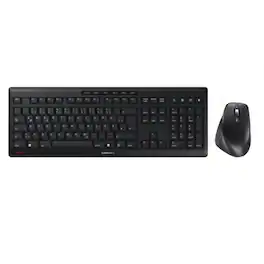
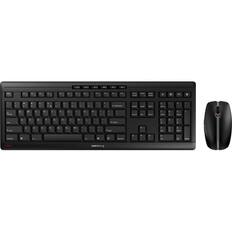
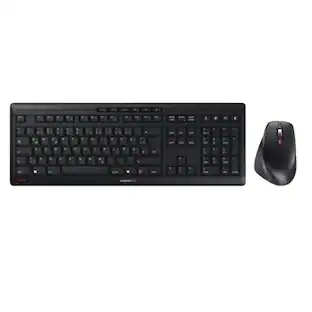
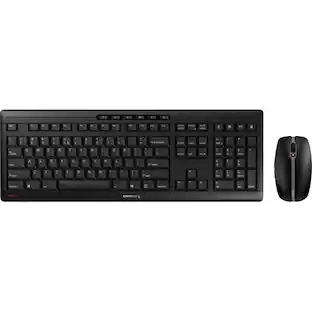
The CHERRY STREAM Desktop Comfort is a premium wireless keyboard and mouse combo designed for productivity, comfort, and near-silent operation. Connected through a secure 2.4 GHz USB nano receiver with AES-128 encryption, this desktop set delivers reliable wireless performance for home and office use. The full-size keyboard features CHERRY’s renowned SX scissor mechanism, providing precise, quiet keystrokes and a responsive typing experience. Its slim design includes an integrated metal plate, rubberized feet, and adjustable tilt legs for enhanced stability and ergonomic support. The included ergonomic right-handed mouse is ideal for medium to large hands and features six buttons, a rubberized thumb rest, a premium metal scroll wheel, and four adjustable DPI levels up to 4000 DPI for precise cursor control. With battery life of up to 36 months for the keyboard and up to 16 months for the mouse, the CHERRY STREAM Desktop Comfort offers long-lasting convenience and dependable performance for professional and everyday computing.

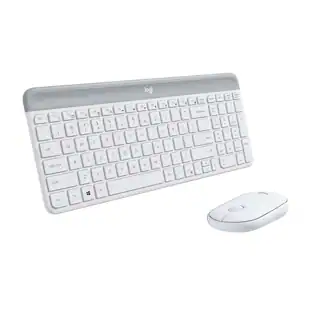
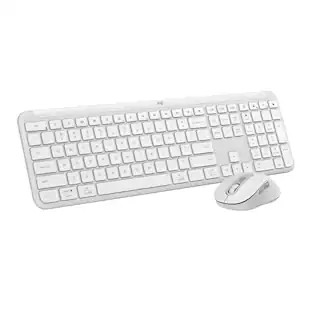
Type and click across computers effortlessly with the Logitech MK955 Signature Slim Wireless Keyboard and Mouse Combo made out of recycled plastic. Make work-life magic with customization and shortcuts that keep you in control of your wireless mouse and keyboard. Enjoy fast, precise scrolling and a familiar laptop-style keyboard feel that allows you to work even smarter with the Logi Options+ App’s custom shortcuts. Quiet keyboard typing and mouse clicking give you more focus and less disturbance to others. Connect wirelessly with Bluetooth or the included Logi Bolt USB receiver, and stay concentrated for longer with up to 36 months of battery life for the wireless keyboard and 24 months for the wireless mouse for larger hands.

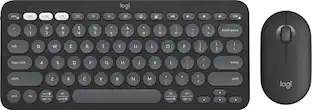
Defy Boring with the Pebble 2 Combo for Mac made with recycled plastic. Its minimalist, slim design makes it as iconic as you and super portable. Pair up to 3 wireless devices across OS and switch between devices with a press of a button. (Logi Bolt receiver also included). With Logi Options+ app, you can customize your Pebble Mouse 2 M350s' middle button with shortcuts that shuffle your Spotify playlist, send emojis on WhatsApp, and more. Personalize the 10 keyboard Fn shortcut keys to work how you want and save time. Work, browse, and chat with quiet clicks and typing, and go for longer with the durable battery.
| Pros for Manhattan - Dual-Mode Multipoint Wireless USB Standard Keyboard and Mouse Combo Set - White | |||
|---|---|---|---|
| There were no pros for this product— | There were no pros for this product— | Keyboard Quality, Connectivity, Battery Life, Noise Level, Ease of Use | There were no pros for this product— |
| Cons for Manhattan - Dual-Mode Multipoint Wireless USB Standard Keyboard and Mouse Combo Set - White | |||
| There were no cons for this product— | There were no cons for this product— | Key Feel | There were no cons for this product— |
Specs
Be the first to ask a question.
We’ll try to get your question answered within 24 hours by a Best Buy customer or brand representative.
Customers often buy these together


More to consider
 Top Deal$31.99The price was $49.99
 $69.99The price was $79.99
 $38.99The price was $45.69
 $47.99The price was $59.99
Explore tech essentials Sponsored
- $47.99The price was $59.99




Keep exploring
 $29.99The price was $30.99
 $69.99The price was $99.99
 $80.99The price was $85.49
 $59.99The price was $75.49