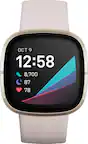
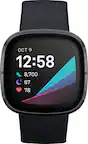
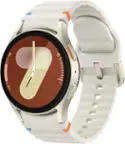
Smart Watches Compatible With iPhone
Compare smart watches compatible with iPhone by design, battery life, and fitness-tracking features to find a fit for your routine. Before choosing, check each model’s iOS requirements and which notifications, apps, and calling features work with your iPhone, since support can vary.




Smart Watches Compatible With iPhone
FAQs
Check the smart watch’s compatibility requirements for supported iPhone models and iOS versions. Also confirm that its companion app is available in the App Store. Compatibility can vary by watch model, and some features may work differently on iPhone than on other phones.
Many compatible smart watches can display incoming call alerts, text notifications, calendar reminders, and app notifications from your iPhone. Available alerts depend on the watch, its companion app, and your notification settings. You may need to grant permissions during setup.
Calling and messaging features vary by smart watch. Some let you answer calls through a connected iPhone, while others only show incoming call alerts. Text replies may be limited or unavailable with certain watches on iOS. Independent calling generally requires a cellular-capable watch and a compatible wireless plan.
Turn on Bluetooth on your iPhone, install the required companion app, and follow the app’s pairing instructions. Keep the devices nearby during setup and approve the permissions needed for the features you want to use. Some watches also require an account or a software update.
Many compatible smart watches offer playback controls for music playing on your iPhone. Some also support streaming or downloaded music without the phone nearby. These options depend on the watch, supported music apps, connectivity, and any required subscriptions.