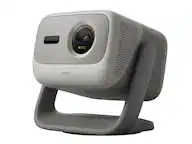
Vankyo - Performance V700 Pro Native 1080P Wireless Smart WebOS Single LCD Portable Projector - Gray
Vankyo - Performance V700 Pro Native 1080P Wireless Smart WebOS Single LCD Portable Projector - Gray
Related Item

Specifications
- Product Weight5 poundsLight SourceLEDResolutionFull HD (1080p)Color Brightness (IDMS)680 lumensWhite Brightness (ISO)680 lumensContrast Ratio1500:1
- Key Specs
- Product Weight: 5 pounds (The out of box weight of the item.)
- Light Source: LED
- Resolution: Full HD (1080p) (Refers to the number of pixels, both horizontally and vertically, used to capture video/images. The higher the resolution the finer the detail that can be seen.)
- Color Brightness (IDMS): 680 lumens (Measurement of the device's color light output measured accordance with standards established by the Information Display Measurements Standard (IDMS). The more lumens, the brighter the output. In large and/or well-lit environments, such as auditoriums or rooms with plenty of natural light, a higher brightness improves the color quality of the projected image.)
- White Brightness (ISO): 680 lumens (Measurement of the device's white light output measured in accordance with standards established by the International Organization for Standardization (ISO). The more lumens, the brighter the output. In large and/or well-lit environments, such as auditoriums or rooms with plenty of natural light, a higher brightness improves the quality of the projected image.)
- Contrast Ratio: 1500:1 (Measured difference between a displayed image's brightest whites and darkest blacks. The larger the first number, the more detail and color that can be displayed.)
- Projector Use: Home Theater, Business, Gaming, Educational (Classroom)
- Projector Throw Type: Standard Throw (The distance from the screen that the projector can be placed to project images. Standard throw projectors typically need to be at least 6 feet away while short throw and ultra short throw projectors can be placed closer to the screen for use in smaller rooms.)
- Portability: Ultra Portable, Portable (Fixed projectors are ideal when creating an authentic theater atmosphere in your home. Often designed to stay in one place they may require significant recalibration if moved. Portable projectors, weighing around 5 pounds, are easy to move, but will still require set-up calibration and often have technology to reduce the complexity. Ultra-portable projectors are very light, often battery-powered, and ideal for on-the-go use.)
- Smart Capable: true (Smart, or smart-capable devices are able to connect directly to your home network in order to stream content from the Internet, run Internet-based apps, or connect to other smart devices.)
- Smart Platform: webOS (Just like a computer, a smart TV needs an operating system (also called a smart platform) in order to access the Internet, connect with entertainment apps, and play streaming content. Some common TV smart platforms are; Roku TV, Android TV, and Chromecast.)
- Wireless Connectivity: Bluetooth (The manner in which a device sends data to another device over a short distance without the use of wires or cables.)
- Display Connector(s): 2 x HDMI 2.0 (The number and type of connectors used to connect to an external display.)
- Power Source: Plug-in
- General
- Brand: Vankyo
- Model Number: V700P
- Product Name: Performance V700 Pro Native 1080P Wireless Smart WebOS Single LCD Portable Projector
- Color: Gray
- Projector Mount Pattern: Universal (Universal mounts can be adjusted to support a variety of devices. Dedicated mounts are designed to fit a specific device.)
- Dimensions
- Product Height: 3.97 inches (The out of box height of the item. Height is measured as the vertical distance from the bottom of the item to the top as it would be primarily used or placed.)
- Product Width: 11.89 inches (The out of box width of the item. Width is measured as the horizontal distance from one side of the item to the other as it would be primarily used or placed.)
- Product Depth: 9.32 inches (The out of box depth of the item. Depth is measured as the distance from the front of the item to the back as it would be primarily used or placed.)
- Product Weight: 5 pounds (The out of box weight of the item.)
- Display
- Light Source: LED
- Display Technology: LCD (Denotes the product’s visual process, sometimes manufacturer specific, used to display an image.)
- Resolution: Full HD (1080p) (Refers to the number of pixels, both horizontally and vertically, used to capture video/images. The higher the resolution the finer the detail that can be seen.)
- Resolution (Native): 1080 x 1920 (Native resolution of a screen refers to its single, fixed resolution. Sometimes screens must scale an image up or down in order to fit the native resolution. This can cause a loss of resolution or detail.)
- 3-Chip Technology: false (Projectors with this technology are able to display images with optimal brightness, color, and detail. Because of their high-performance design, these projectors are primarily used in large venues and digital cinemas.)
- Color Brightness (IDMS): 680 lumens (Measurement of the device's color light output measured accordance with standards established by the Information Display Measurements Standard (IDMS). The more lumens, the brighter the output. In large and/or well-lit environments, such as auditoriums or rooms with plenty of natural light, a higher brightness improves the color quality of the projected image.)
- White Brightness (ISO): 680 lumens (Measurement of the device's white light output measured in accordance with standards established by the International Organization for Standardization (ISO). The more lumens, the brighter the output. In large and/or well-lit environments, such as auditoriums or rooms with plenty of natural light, a higher brightness improves the quality of the projected image.)
- High Dynamic Range (HDR): false (An HDR-compatible 4K TV or other HDR-compatible product displays HDR video content when it's available from sources like 4K Ultra HD Blu-ray Discs and 4K streaming services.)
- Light Source Life (Normal Mode): 30000 hours (The light source's estimated length of operating time when normal operating mode is enabled.)
- Contrast Ratio: 1500:1 (Measured difference between a displayed image's brightest whites and darkest blacks. The larger the first number, the more detail and color that can be displayed.)
- Aspect Ratio: 16:9 (The measurement of the width of a screen compared to the height of a screen, expressed as a ratio.)
- Throw Ratio Range: 1.3:1 (This measurement indicates what size of projected image can be produced from a certain distance. The smaller the ratio, the closer the projector can be to the screen while still producing a large image.)
- Digital Keystone Correction: true ("Keystone effect" refers to the distortion of an image when it is projected on an angled surface or when the projector is positioned too high or too low from the center of the display. Projectors with a digital keystone correction feature are able to scale the image as needed before it is projected, resulting in the correct image orientation no matter where it is displayed.)
- 3D Technology: false
- Viewing
- Minimum Projector Distance: 4 feet (Minimum distance that the projector can be placed from the screen to produce a display with acceptable visual performance.)
- Maximum Projector Distance: 20 feet (Maximum distance that the projector can be placed from the screen to produce a display with acceptable visual performance.)
- Minimum Viewable Screen Size: 40 inches
- Maximum Viewable Screen Size: 200 inches
- Features
- Projector Use: Home Theater, Business, Gaming, Educational (Classroom)
- Projector Throw Type: Standard Throw (The distance from the screen that the projector can be placed to project images. Standard throw projectors typically need to be at least 6 feet away while short throw and ultra short throw projectors can be placed closer to the screen for use in smaller rooms.)
- Portability: Ultra Portable, Portable (Fixed projectors are ideal when creating an authentic theater atmosphere in your home. Often designed to stay in one place they may require significant recalibration if moved. Portable projectors, weighing around 5 pounds, are easy to move, but will still require set-up calibration and often have technology to reduce the complexity. Ultra-portable projectors are very light, often battery-powered, and ideal for on-the-go use.)
- Smart Capable: true (Smart, or smart-capable devices are able to connect directly to your home network in order to stream content from the Internet, run Internet-based apps, or connect to other smart devices.)
- Smart Platform: webOS (Just like a computer, a smart TV needs an operating system (also called a smart platform) in order to access the Internet, connect with entertainment apps, and play streaming content. Some common TV smart platforms are; Roku TV, Android TV, and Chromecast.)
- Remote Control Included: true
- TV Tuner: false
- Featured Streaming Services: Netflix, YouTube, Prime Video (Streaming services and other programs are available on this device. Keep in mind, there may be more services supported than just those shown here.)
- Screen Mirroring: Mobile to screen (Casts the screen of one device onto another wirelessly, using a common protocol (typically Bluetooth).)
- Minimum Noise Level: 40 decibels
- Exposure Control
- Focus Adjustment: Auto (The method used to focus the device in order to view or display a sharper image.)
- Digital Zoom Capability: true (Projectors with this feature allow for digital adjustment to the projected image size without changing the location of the projector.)
- Connectivity
- Number of HDMI Inputs (Total): 2
- Wireless Connectivity: Bluetooth (The manner in which a device sends data to another device over a short distance without the use of wires or cables.)
- Bluetooth Version: 5.1 (The Bluetooth specification formalized by the Bluetooth Special Interest Group. All versions of the Bluetooth standard are backwards compatible with previous versions.)
- Display Connector(s): 2 x HDMI 2.0 (The number and type of connectors used to connect to an external display.)
- Network Connector(s): No network connectors
- Audio Only Outputs: 1 x 3.5mm audio
- Number of USB Port(s): 1
- Audio
- Sound Mode: Stereo
- Integrated Speaker(s): true
- Speaker(s) Included: true
- Compatibility
- Voice Assistant Built-in: No (A digital assistant built into the device that uses voice commands to answer questions and control smart devices.)
- Operating System Compatibility: Android
- Certifications Listings & Approvals
- ENERGY STAR Certified: false (Devices carrying the ENERGY STAR service mark, such as computer products and peripherals, kitchen appliances, and other products, generally use 20% to 30% less energy than required by federal standards.)
- Power
- Power Source: Plug-in
- Warranty
- Warranty - Parts: 1 year
- Warranty - Labor: 1 year
- Other
- UPC: 810089905987
Experience the brilliance of the Vankyo Performance V700 Pro wireless smart WebOS portable projector delivering a full HD 1080P picture that can project up to 200". Featuring 680 lumens and 1500:1 contrast ratio for vivid color and a sharp image. Enhanced features include keystone adjustment, eliminating the need for manual tweaks during use and guaranteeing flawless display quality. Featuring DolbyAudio surround sound and dual 8W speakers for a truly amazing viewing experience. And, with Smart WebOS included, you can tune into all your favorite streaming channels, including Netflix, YouTube, Amazon Prime and more.
- 680 Lumens Of White Brightness: Delivers clear and vivid images with enhanced white brightness, ensuring sharp visuals in a variety of lighting conditions.
- Dolby Audio & Dual 8w Speakers Home Theater Sound Experience: Experience immersive, high-quality surround sound with integrated Dolby audio technology. The dual 5W dual speakers eliminate the need for external speakers while delivering clear, rich, and dynamic sound for an enhanced viewing experience.
- Built-In Smart TV Operating System: Enjoy a seamless, user-friendly interface with webos, offering easy access to popular streaming services, apps, and content with intuitive navigation and quick-launch options.
- Native 1080P Resolution: Enjoy crisp, clear, and detailed images with 1920 x 1080 resolution, perfect for watching movies, gaming, and presentations with stunning clarity and vibrant colors.
- Pixperfect Smart Adjustment: Features Auto Keystone correction, Auto Focus, Intelligent Obstacle Avoidance and Screen Alignment to quickly align the image for the best picture quality from any angle.
- 1500:1 Contrast Ratio: Delivers deep blacks and bright whites, enhancing image clarity and depth for more vivid, lifelike visuals. This feature ensures rich, detailed images even in darker scenes, providing a more immersive viewing experience.
- 40" - 200" Viewable Screen Size: Enjoy a customizable viewing experience with a projector that supports a wide range of screen sizes, from compact 40 inches to large 200-inch displays, allowing you to tailor your setup to any room or space.
- 680 Lumens Of White Brightness: Delivers clear and vivid images with enhanced white brightness, ensuring sharp visuals in a variety of lighting conditions.
- Dolby Audio & Dual 8w Speakers Home Theater Sound Experience: Experience immersive, high-quality surround sound with integrated Dolby audio technology. The dual 5W dual speakers eliminate the need for external speakers while delivering clear, rich, and dynamic sound for an enhanced viewing experience.
- Built-In Smart TV Operating System: Enjoy a seamless, user-friendly interface with webos, offering easy access to popular streaming services, apps, and content with intuitive navigation and quick-launch options.
- Native 1080P Resolution: Enjoy crisp, clear, and detailed images with 1920 x 1080 resolution, perfect for watching movies, gaming, and presentations with stunning clarity and vibrant colors.
- Pixperfect Smart Adjustment: Features Auto Keystone correction, Auto Focus, Intelligent Obstacle Avoidance and Screen Alignment to quickly align the image for the best picture quality from any angle.
- 1500:1 Contrast Ratio: Delivers deep blacks and bright whites, enhancing image clarity and depth for more vivid, lifelike visuals. This feature ensures rich, detailed images even in darker scenes, providing a more immersive viewing experience.
- 40" - 200" Viewable Screen Size: Enjoy a customizable viewing experience with a projector that supports a wide range of screen sizes, from compact 40 inches to large 200-inch displays, allowing you to tailor your setup to any room or space.
- 680 Lumens Of White Brightness: Delivers clear and vivid images with enhanced white brightness, ensuring sharp visuals in a variety of lighting conditions.
- Dolby Audio & Dual 8w Speakers Home Theater Sound Experience: Experience immersive, high-quality surround sound with integrated Dolby audio technology. The dual 5W dual speakers eliminate the need for external speakers while delivering clear, rich, and dynamic sound for an enhanced viewing experience.
- Built-In Smart TV Operating System: Enjoy a seamless, user-friendly interface with webos, offering easy access to popular streaming services, apps, and content with intuitive navigation and quick-launch options.
- Native 1080P Resolution: Enjoy crisp, clear, and detailed images with 1920 x 1080 resolution, perfect for watching movies, gaming, and presentations with stunning clarity and vibrant colors.
- Pixperfect Smart Adjustment: Features Auto Keystone correction, Auto Focus, Intelligent Obstacle Avoidance and Screen Alignment to quickly align the image for the best picture quality from any angle.
- 1500:1 Contrast Ratio: Delivers deep blacks and bright whites, enhancing image clarity and depth for more vivid, lifelike visuals. This feature ensures rich, detailed images even in darker scenes, providing a more immersive viewing experience.
- 40" - 200" Viewable Screen Size: Enjoy a customizable viewing experience with a projector that supports a wide range of screen sizes, from compact 40 inches to large 200-inch displays, allowing you to tailor your setup to any room or space.
Whats Included
- Projector
- Remote Control
- Power Cable
- HDMI Cable
- User Manual
- Carrying Case
- Projector
- Remote Control
- Power Cable
- HDMI Cable
- User Manual
- Carrying Case
- Projector
- Remote Control
- Power Cable
- HDMI Cable
- User Manual
- Carrying Case
Q: What is the sound mode of the projector's speakers?
A: The sound mode of the projector's speakers is Stereo. The projector also includes dual 8-watt speakers for powerfulaudio.
Q: What is the weight of the projector?
A: The weight of the projector is 5 pounds.
Q: What is the projector's color?
A: The Vankyo Performance V700 Pro Native 1080P Wireless Smart WebOS Single LCD Portable Projector is gray.
Q: How many USB ports are there on the projector?
A: The Vankyo Performance V700 Pro Native 1080P Wireless Smart WebOS Single LCD Portable Projector has one USB port.
Q: What is the maximum recommended screen size for the projector?
A: The maximum recommended screen size for the Vankyo Performance V700 Pro projector is 200 inches.
Q: What light source does the projector use?
A: The projector uses an LED light source.
Q: Does the projector have a wired HDMI input?
A: Yes, the Vankyo Performance V700 Pro Native 1080P Wireless Smart WebOS Single LCD Portable Projector has two HDMIinputs. The context states that the "Number of HDMI Inputs (Total): 2".
A: This projector requires a dedicated remote control, which is not sold separately. Please reach out to us via [email protected]
Compare similar products
Experience the brilliance of the Vankyo Performance V700 Pro wireless smart WebOS portable projector delivering a full HD 1080P picture that can project up to 200". Featuring 680 lumens and 1500:1 contrast ratio for vivid color and a sharp image. Enhanced features include keystone adjustment, eliminating the need for manual tweaks during use and guaranteeing flawless display quality. Featuring DolbyAudio surround sound and dual 8W speakers for a truly amazing viewing experience. And, with Smart WebOS included, you can tune into all your favorite streaming channels, including Netflix, YouTube, Amazon Prime and more.
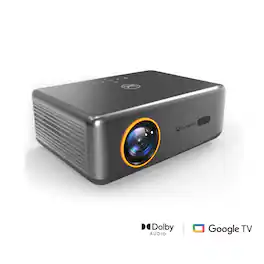
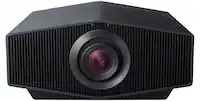
Introducing the performance V700 Neo: where innovation meets entertainment in the palm of your hand. Experience cinema-quality visuals with native 1080P resolution and 400 lumens brightness, bringing your favorite movies to life with breathtaking clarity. Say goodbye to extra devices—streaming content is seamlessly integrated, offering instant access to a plethora of entertainment options. With auto focus and auto keystone correction, enjoy hassle-free setup and consistently sharp, distortion-free images in any environment. Whether it's movie marathons, gaming nights, or professional presentations, the V700Neo redefines versatility and convenience, making every viewing experience an unforgettable journey.

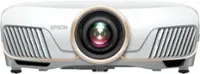
Redefine your viewing experience with cutting-edge visual technology that brings stories to life—introducing the state-of-the-art Home Cinema 980 projector from Epson. Featuring an impressive 4,000 lumens of color brightness (IDMS rated) and 4,000 lumens of white brightness (ISO rated)¹, the Home Cinema 980 delivers a display size up to 300" for immersive entertainment—even in brightly lit spaces. With Full HD 1080p resolution and data processing designed for fast-moving sports, gaming, and beyond, you’ll never miss a moment of the action. Whether you’re watching your favorite TV show or enjoying the big game, this powerful projector provides a stunning, larger-than-life viewing experience with true 3-chip 3LCD technology. And with versatile connectivity and built-in speaker, you get captivating HD entertainment right out of the box.
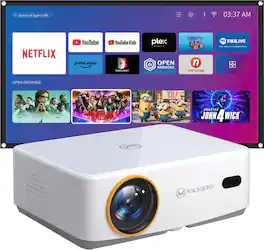
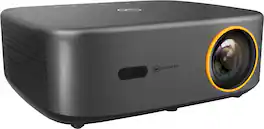
Sit back, relax and enjoy family movie night with the Vankyo L570B projector. The Vankyo Leisure 570B wireless smart WebOS mini projector delivers a full HD 1080P picture up to 200". Featuring 200 lumens and a 1000:1 contrast ratio for vivid color and a sharp image. Enhanced features include keystone adjustment, eliminating the need for manual tweaks during use and guaranteeing flawless display quality. Featuring DolbyAudio surround sound and dual 5W speakers for a truly amazing viewing experience. And, with Smart WebOS included, you can tune into all your favorite streaming channels, including Netflix, YouTube, Amazon Prime and more. 100" screen included.
| Pros for Vankyo - Performance V700 Pro Native 1080P Wireless Smart WebOS Single LCD Portable Projector - Gray | |||
|---|---|---|---|
| Image Quality, Connectivity, Auto Focus, Portability | Image Quality, Auto Focus, Connectivity, Setup Ease, Projector Performance | Picture Quality, Setup, Brightness, Ease of Use, Fan Noise | Picture Quality, Auto Focus, Setup, Ease of use, Size |
| Cons for Vankyo - Performance V700 Pro Native 1080P Wireless Smart WebOS Single LCD Portable Projector - Gray | |||
| Noise Level, App Performance | Noise Level | Connectivity, Menu Design | Brightness, Screen, App Availability, Fan Noise, Keystone Correction |
Specs
Reviews
Top Mentions
- Image Quality (31)
- Portability (29)
- Connectivity (13)
- Noise Level (10)
- App Performance (4)
Customer Images
The vast majority of our reviews come from verified purchases. Reviews from customers may include My Best Buy members, employees, and Tech Insider Network members (as tagged). Select reviewers may receive discounted products, promotional considerations or entries into drawings for honest, helpful reviews.
- Rated 5 out of 5 stars
Great Projector at a Great Price
If you're looking for a home theater experience, this is the best projector for it! It's easy to set up with auto-adjustments and has very bright picture quality. The built-in speaker and pre-installed apps also make it very easy to use.
This review is from Vankyo - Performance V700 Pro Native 1080P Wireless Smart WebOS Single LCD Portable Projector - Gray
DieynabaT Posted
- Rated 4 out of 5 stars
Good for Smaller Room
About The Vankyo Performance V700 Pro is a 1080P LED Projector designed for projection between 4 and 20 feet. It has built-in apps and multiple inputs for video sources. There are two speakers in the projector for audio or you may use the external audio connection options. Pros & Cons The Good: • Clear Picture with 40” to 200” screen size • Lots of adjustable picture settings • On-board audio • Settings for various projection methods • Inputs for HDMI and USB • External Audio Connectivity • Remote Control The Bad: • Installed Apps are terrible • Speakers are just okay. Tinted sound with not a lot of bass. • Awkward Power strip • No mounting screws • Instructions were rough, incomplete What It Comes With • The roughly 5 lbs projector • Power Cord (2 pieces) • HDMI cable • Remote (no batteries) • User Manual • Quick Start Guide • Does NOT come with mounting screws Setup The setup was not quite as easy as I had hoped, but once you got the idea it wasn’t bad overall. Instructions – These were vague, leaving out most of the information about the actual settings for the projector. A page or two about each video setting would have helped. In both the User Manual and the Quick Start Guide, they were geared toward screen mirroring and Home Share, which I wasn’t planning to use. Assembly – The hardest part of the setup was trying to figure out where I could place the projector so that it would project where I needed it to. I used a front desktop placement so I didn’t have to mount it from the ceiling. You can choose from front and rear desktop or front and rear ceiling. As a heads up, it does not come with the screws to do the ceiling mount. If you want to mount it from the ceiling you will need to buy four M5 screws and the mount. It’s mostly just plugging in the power cord and turning it on unless you attach an external device. If you use the inputs, there are two HDMI ports and a USB. There’s a lens cap to remove, which does help to keep dust off of the lens. The power cord is two pieces with a large block. It’s not a super long cord and the block is kind of in the middle, which could make for an awkward power connection. Wi-Fi – Once you have it turned on there are some setup screens to go through. You will have the option to connect wirelessly to the internet. I did not have any issues connecting to my Eero 6 Pro. You can also check for firmware and download any updates available. Mine appeared to be up to date. Apps – The projector has built-in apps, which is what I was looking for. There are choices for apps like Netflix, Amazon, and Youtube that are already loaded. You can use the App Assistant to download apps like Disney, Hulu, and ESPN. Unfortunately, the apps are terrible. Disney and Hulu just showed a blank login screen, so I had no way to actually log in. I did get logged into ESPN, but it wouldn’t play any video clips. If you plan to use this for apps, I’d suggest you go ahead and look at getting a streaming device that uses the projector’s input. I moved a Firestick over to the projector and it worked great. Once I got past this part, I started enjoying the projector. Picture Quality The V700 has a 1080P resolution. The brightness is rated at 680 lumens and the Contrast Ratio is 1500:1. There are certainly higher resolution, higher lumen, and higher contrast ratio projectors out there. Just know what you are getting and keep your expectations set for these levels. Vankyo does recommend to use a projection screen, which they also make. The projection screen will help to present the best quality for your projected image. Some people project to their walls, which can be fine. Just understand that dark wall colors will diminish the brightness of the picture and alter the color rendering. Also, if your walls have any imperfections, you will be more likely to see these with the bright light shining on it. My Impression of the Picture – I was really happy with it. The colors are vivid. I could adjust the brightness, size of the image, and shape the projection even projecting at an angle. I think that this device works well for a small room. I am using it in my office and throwing the image about 12 feet. Sound Quality There are two 8 watt speakers in the projector. The speakers are loud, but they are tinted. There’s not a lot of bass, which bothers me. There are some connectivity options to help with this. On the back of the projector, there’s a 3.5 mm jack that you can send audio out. Also, there’s a Bluetooth connection option which is what I am using. My computer speakers have better sound quality than the projector speakers, so that is what I went with. These options could give you access to connecting to your home theater. Recommendation Overall, I am happy with using the Vankyo projector in my office. Once I got past the issues with the internal apps and connected the audio to an external source, I started really enjoying it. I am giving this product 4 stars. If they could fix the app issues and provide the mounting screws, it would certainly increase my rating.
This review is from Vankyo - Performance V700 Pro Native 1080P Wireless Smart WebOS Single LCD Portable Projector - Gray
sgriesch Posted
- Rated 5 out of 5 stars
Wow... Simply Wow !!!
This projector is absolutely brilliant, much better than I thought and exceeded expectations in terms of clarity and brightness. This is exceptional for a projector movie theater that can project upto 200” screen size. The experience of watching a movie in this projector is awesome with the right speakers. Brightness: This projector is comes with 680 ANSI Lumens (550 ISO Lumens) and displays images in Full HD with 1080p resolution (1080 x 1920). During practical use, its super bright, produces amazing picture quality in dark conditions and good quality in bright conditions too. The projector claims a overall light source life of 30,000 hours which is enormous. Distance and screen size: The minimum projector distance is 4 feet and maximum is 20 feet. It produces a minimum screen size of 40 inches and a maximum of 200 inches. The distance determines the screen size. Further you place the projector, larger the screen size. Inbuilt stream and other Input Options: By default this projector has licensed software of Netflix, Prime video and YouTube. This has WebOS software and the app store has few other options but not the important ones. This has 2 HDMI IN options and a USB port. We can connect devices like Fire stick, Roku to the HDMI IN port; or play videos via USB drive. I felt connecting a Firestick solves all its limitations. It boots up to the last used device, which is convenient. Screen cast is also available where I was able to cast my tab screen to the projector. I could also connect my laptop to use it for presentations. Sound Options: The projector has an inbuilt dual 8W speaker which is alright. But for the ultimate experience it should be connected to a sound bar via Bluetooth or 3.5mm jack. It supports Dolby audio when connected to the right speakers. Unfortunately I noticed a very slight delay in sound when connected via Bluetooth to my external Home theater sound bar. So I am using a 3.5mm jack instead and its perfect. Auto Focus Feature: The best feature of this projector is its Auto focus. When the projector is moved slightly, it does an auto focus to adjust the image to produce a crisp and sharp image. This can also be projected from a side angle, and the auto focus automatically processes the image and projects it straight and this feature feels like magic. This also has an manual focus mode, which comes in handy if the auto focus doesn’t produce the sharpest image (it could happen when projected from a side-upward angle). Projection Angle: It supports 4 different projection angles – Front Desktop, Front Ceiling, Rear Desktop and Rear ceiling. Portability: With just 5 pounds weight and 12 x 10 x 4 inches, its pretty portable and easy to move around and setup anywhere we like. Watching Experience: The experience of watching a late night movie with this projector is out of the world. With right speakers, it almost feels like watching in a cinema hall. Noise: The only con of this projector is its loud noise. By no means it is quiet. However, when I was watching something with sound, the sound suppresses the projector noise. This did not hinder my movie watching experience. Summary: The Vankyo Performance V700 Pro projector as the name suggests performs like a pro. With crisp sharp images, the picture quality is brilliant and it can get plenty bright as well. I had a great time watching movies in it. I absolutely recommend it for anyone looking for a projector.
This review is from Vankyo - Performance V700 Pro Native 1080P Wireless Smart WebOS Single LCD Portable Projector - Gray
Kalai Posted