Wacom - Cintiq Pro 27 Creative Pen Drawing Tablet with Touch Display - Black
Wacom - Cintiq Pro 27 Creative Pen Drawing Tablet with Touch Display - Black
More Buying Options

Specifications
- Screen Size26.9 inchesScreen Resolution3840 x 2160Multi-Touch ScreenYesActive Area23.5 x 13.2 inColor Gamut (Adobe RGB)99 percentTotal Storage Capacity0 gigabytes
- Key Specs
- Screen Size: 26.9 inches (Size of the screen, measured diagonally from corner to corner.)
- Screen Resolution: 3840 x 2160 (Screens come in a range of resolutions (measured in pixels, horizontal x vertical). The higher the resolution, the greater the picture quality.)
- Multi-Touch Screen: true (A screen that recognizes multiple points of contact, allowing for intuitive navigation functions such as pinch to zoom.)
- Active Area: 23.5 x 13.2 in (The size of the screen area that a user interacts with, either by stylus and/or touch (if supported).)
- Color Gamut (Adobe RGB): 99 percent (This number represents the percentage of colors on the RGB spectrum that are visible, as specified by the International Commission on Illumination (CIE).)
- Total Storage Capacity: 0 gigabytes
- Battery Chemistry: Lithium-ion
- Pressure Levels: 8192 (Allows the device to recognize different pressures from a compatible pen or stylus, which may control line thickness, opacity, or color. The more pressure levels, the more responsive the pen will feel.)
- General
- Brand: Wacom
- Model Number: DTH271K0A
- Product Name: Cintiq Pro 27 Creative Pen Drawing Tablet with Touch Display
- Color: Black
- Year of Release: 2022
- Display
- Display Type: LED
- Screen Type: IPS
- Screen Size: 26.9 inches (Size of the screen, measured diagonally from corner to corner.)
- Screen Resolution: 3840 x 2160 (Screens come in a range of resolutions (measured in pixels, horizontal x vertical). The higher the resolution, the greater the picture quality.)
- Stylus Input: Active (Electromagnetic Resonance) (An active stylus/pen is able to communicate directly with a compatible device; active electromagnetic resonance (EMR) pens are powered via a device's screen and active electrostatic (AES) pens require an additional power source. A passive stylus does not have electronic features and is compatible with most capacitative touch screens.)
- Multi-Touch Screen: true (A screen that recognizes multiple points of contact, allowing for intuitive navigation functions such as pinch to zoom.)
- High Dynamic Range (HDR): true (An HDR-compatible 4K TV or other HDR-compatible product displays HDR video content when it's available from sources like 4K Ultra HD Blu-ray Discs and 4K streaming services.)
- Response Time: 10 milliseconds (The speed at which pixels can change colors is called response time. It is measured in milliseconds (ms).)
- Graphic Resolution: 2160 lines per inch (The resolution generated by the device. The higher the resolution, the finer the detail that can be seen and reproduced.)
- Active Area: 23.5 x 13.2 in (The size of the screen area that a user interacts with, either by stylus and/or touch (if supported).)
- Aspect Ratio: 16:9 (The measurement of the width of a screen compared to the height of a screen, expressed as a ratio.)
- Brightness: 400 candela per square meter (A measure of the total light output.)
- Color Gamut (Adobe RGB): 99 percent (This number represents the percentage of colors on the RGB spectrum that are visible, as specified by the International Commission on Illumination (CIE).)
- Displayable Colors (Maximum): 1.07 billion
- Contrast Ratio: 1000:1 (Measured difference between a displayed image's brightest whites and darkest blacks. The larger the first number, the more detail and color that can be displayed.)
- Storage
- Total Storage Capacity: 0 gigabytes
- Compatibility
- Operating System Compatibility: Windows, Mac OS
- System Requirements: Windows 10 and later, macOS 10.15 and later (The software that a product must have for it to be able to integrate with another product.)
- Connectivity
- Interface(s): USB-C, USB-A, HDMI, DisplayPort (Refers to the types of connections that devices use to interact and communicate with each other.)
- Power
- Charging Interface(s): USB-C (The connection for transmitting power to charge the device.)
- Battery Chemistry: Lithium-ion
- Features
- Cable Lock Slot: Kensington Security Slot (K-Slot)
- Stylus Dock: Non-charging
- Pressure Levels: 8192 (Allows the device to recognize different pressures from a compatible pen or stylus, which may control line thickness, opacity, or color. The more pressure levels, the more responsive the pen will feel.)
- Number Of Switches: 3
- Number of Shortcut Keys: 8 (Allows for convenient access to frequently used software shortcuts.)
- Tilt Angle (Maximum): 60 degrees (Greatest angle of tilt between the pen and active screen area that the device can recognize. Allows for intuitive functions when using the pen, such as more natural brush strokes or shading.)
- Dimensions
- Product Height: 1.2 inches (The out of box height of the item. Height is measured as the vertical distance from the bottom of the item to the top as it would be primarily used or placed.)
- Product Width: 25.1 inches (The out of box width of the item. Width is measured as the horizontal distance from one side of the item to the other as it would be primarily used or placed.)
- Product Depth: 14.9 inches (The out of box depth of the item. Depth is measured as the distance from the front of the item to the back as it would be primarily used or placed.)
- Product Weight: 15.9 ounces (The out of box weight of the item.)
- Certifications Listings & Approvals
- ENERGY STAR Certified: false (Devices carrying the ENERGY STAR service mark, such as computer products and peripherals, kitchen appliances, and other products, generally use 20% to 30% less energy than required by federal standards.)
- Included
- Included Software: 3-month trial to MASV, 6-month trial to CSP EX, & 90 days of Toon Boom Harmony & Storyboard Pro; offer available for customers located in the Americas
- Stylus Included: true
- Stylus Model Included: Wacom Pro Pen 3
- Stylus Stand Included: true
- Tablet Stand Included: false
- Warranty
- Warranty - Parts: 2 years
- Warranty - Labor: 2 years
- Other
- UPC: 753218985057
Wacom Cintiq Pro 27 is designed and engineered for professionals to create a harmonious creative process between artists and their work. Featuring the pinnacle of Wacom screen color accuracy and resolution along with Wacom’s new Pro Pen 3 performance and custom comfort, every detail of Wacom Cintiq Pro 27 has been engineered for effortless harmony between creator and tool..
- Create directly on screen with natural pen experience: Add an incredible, on-screen creative experience to your Mac or PC. Everything about Wacom's most advanced pen display plunges you into your creativity.
- 26.9-inch 4K Ultra HD display: Features 4K Ultra HD resolution (3840 x 2160) and color accuracy of up to 99% of Adobe RGB. The etched glass screen reduces glare and reflections while providing a distinct, tactile experience as you draw, mimicking the feel of a pen on paper.
- Multitouch support: Intuitive multi-touch gestures, like panning, zooming and rotating, allow you to completely immerse yourself in your creative process.
- Wacom Pro Pen 3: Features 8192 levels of pressure sensitivity, 3 side switches, and the ability to customize by swapping the included grips or adjusting the weight and center of balance.
- Create with full fluidity: Wacom Cintiq Pro 27 Stand* is designed specifically to bring maximum comfort, flexibility and stability to any desktop studio or remote workspace and allows for rapid adjustment of the height, angle or up to 20 degrees** of rotation in each direction.
- Create at the speed of imagination: Never break your flow with the freedom of ExpressKeys. Repositioned in the new rear grip of the display, each key is a shortcut of your choosing.
- Bonus software pack: Register your Cintiq Pro & receive 3-month trials of Capture One, Toon Boom Harmony & Storyboard Pro, MASV, and a 6-month trial to Clip Studio Paint EX; offer available for customers located in the Americas.
Whats Included
- Wacom Cintiq Pro 27
- Wacom Pro Pen 3 with 2 extra grips, 3 extra button plates, and a balance weight
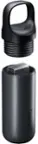
- Detachable pen holder with 10 replacement nibs (5 standard, 5 felt) and nib removal tool
- PVC-free USB-C to USB-C cable (1.8 m)
- PVC-free USB-C to USB Standard A cable (1.8 m)
- PVC-free HDMI cable (1.8 m)
- PVC-free Mini DisplayPort to DisplayPort cable (1.8 m)
- PVC-free AC adaptor, power cord (1.0 m)
- Quick Start Guide Specifications
Q: Does this drawing tablet support multi-touch?
A: Yes, the Wacom Cintiq Pro 27 supports intuitive multi-touch gestures.
Q: What is the screen size of this Wacom tablet?
A: The Wacom Cintiq Pro 27 has a 26.9-inch display.
Q: What is the color accuracy of the Wacom Cintiq Pro 27?
A: This model features color accuracy of up to 99% of Adobe RGB.
Q: How many levels of pressure sensitivity does the Wacom Pro Pen 3 have?
A: The Wacom Pro Pen 3 features 8192 levels of pressure sensitivity.
Q: What kind of pen comes with the Wacom Cintiq Pro 27?
A: It comes with the Wacom Pro Pen 3.
Q: Does the Wacom Cintiq Pro 27 come with a stand?
A: No, the stand is sold separately.
Q: Do you guys sell the power cord for it?I believe its 19.0v 8.4A
A: Thank you for your question. We do sell the power adapter for our Wacom Cintiq Pro 27, the sku for the power adapter is: ACK44814Z Hope that helps!
Q: Is this a standalone tablet?
A: This is dependent on using a computer and not a stand alone tablet.
Compare similar products

Wacom Cintiq Pro 27 is designed and engineered for professionals to create a harmonious creative process between artists and their work. Featuring the pinnacle of Wacom screen color accuracy and resolution along with Wacom’s new Pro Pen 3 performance and custom comfort, every detail of Wacom Cintiq Pro 27 has been engineered for effortless harmony between creator and tool..
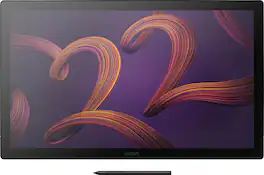
Wacom Cintiq Pro 22 is designed and engineered for professionals to create a harmonious creative process between artists and their work. Featuring a professional quality Ultra HD/4K display, along with Wacom’s Pro Pen 3, which matches performance with customizable comfort, every detail of Wacom Cintiq Pro 22 has been engineered for effortless harmony between creator and tool.
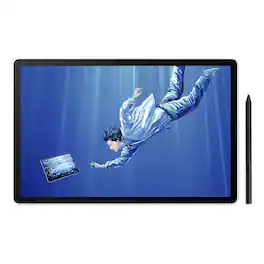
Draw Beyond with MovinkPad Pro 14. Ink, brush, and paper: a creative tradition passed down through generations. To bring that familiar feeling and boundless potential into today's creative world, Wacom has reimagined what a digital creative tool can be. Break free from creative limitations with the MovinkPad Pro 14: an all-in-one digital art studio engineered for serious creatives who demand more from their tools. This isn't just a mobile drawing tablet; it's your creative ecosystem in a portable package.

Illustrate your ideas in digital form with this Wacom Cintiq creative pen display. The foldable legs let you work from any position, while the 8,192 levels of pressure sensitivity enable the pen to recognize every stroke. This Full HD Wacom Cintiq creative pen display has a detachable pen holder to help you stay organized.
| Pros for Wacom - Cintiq Pro 27 Creative Pen Drawing Tablet with Touch Display - Black | |||
|---|---|---|---|
| There were no pros for this product— | There were no pros for this product— | There were no pros for this product— | Overall Performance, Size, Ease of Use, Pen Performance |