Cable TV Alternatives: How to Cut the Cord
Best Selling Products carousel(6 Items)


Modernizing and streamlining your entertainment with cable alternatives
If you're tired of paying for a traditional cable or satellite TV package, there are more ways than ever to watch your favorite shows, movies, news and live programming. Cutting the cord means moving away from traditional pay-TV service and choosing the combination of devices, streaming services and other options that fit the way you watch TV.
The right cable TV alternatives depend on what you want to watch and how much you want to spend. Some households may only need an antenna for local channels, while others may combine an antenna with streaming services and a streaming device. A strong home Wi-Fi network can also make a difference when most of your entertainment comes from the internet.
Here's how to get started with cable alternatives and build a TV setup that works for you.
What does it mean to cut the cord?
Cutting the cord generally means canceling traditional cable or satellite TV service and using other ways to access television programming. Instead of paying one provider for a large channel package, you can choose individual streaming services, free over-the-air channels or a combination of both.
There isn't one way to cut the cord. Your setup might include a smart TV, streaming device, TV antenna, DVR or several of these options. The goal is to create an entertainment setup around the content you actually watch.
Before canceling your cable service, make a list of the channels and programs you want to keep. This can help you determine which cable alternatives make sense for your household.
What are the main alternatives to cable TV?
TV antennas for local channels
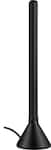
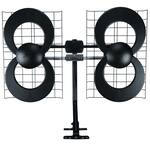
If you primarily watch local broadcast channels, a TV antenna can be one of the simplest alternatives to cable. An antenna can receive available over-the-air broadcasts without requiring an internet connection or a monthly TV subscription.
Indoor and outdoor antennas are available in different designs and reception ranges. Your location, the distance from broadcast towers and obstacles such as buildings or terrain can affect reception. An amplified antenna may be useful in some locations, particularly when the signal needs additional help reaching the TV.
An antenna can also complement streaming services. For example, you might use an antenna for local programming while using streaming services for movies, original shows or other content. Learn how to set up a TV antenna properly to maximize the signal and get a higher quality picture.
Streaming services and Live TV streaming choices
Streaming services provide another alternative to traditional cable TV and offer live TV streaming choices along with streaming services. Depending on the service, you can find movies, TV shows, news, sports and other programming available over the internet.
Instead of subscribing to a large cable package, you can choose the services that contain the content you actually want to watch. Keep in mind that streaming subscriptions generally have their own month to month fees, so it's worth comparing the total cost of the services you plan to use.
Some services also offer live TV channels, making them an option for people who want a more traditional channel-based experience without a cable subscription.
Streaming devices
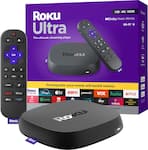
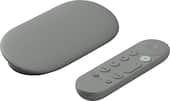
A streaming device connects to your TV and provides access to streaming apps and services. These devices can be especially useful if your TV doesn't have the apps you want or if you prefer the interface and features of a separate streaming platform.
Streaming devices are available in several forms, including compact sticks and larger media players. Many support high-resolution video and features such as HDR, depending on the device, TV and streaming service.
A reliable internet connection is important because streaming video uses your home's internet connection. If you regularly experience buffering or dropped connections, your network may need attention before you get the most out of a streaming setup.
Smart TVs
A smart TV can provide many of the same streaming capabilities as a separate streaming device. Streaming apps are built directly into the TV, allowing you to access compatible services without connecting another player.
A smart TV can be a convenient choice if you're replacing an older television anyway. If your current TV still works well, however, adding a streaming device may be a simpler way to expand its capabilities.
DVRs for recording local TV
A DVR can complement an antenna by allowing you to record available local programming and watch it later. This can be useful if you want some of the convenience of a traditional DVR without maintaining a traditional cable package.
An antenna-based DVR can be particularly useful for recording local news, sports or other programs that you cannot watch live.
Do you need Wi-Fi to cut the cord?
Your Wi-Fi and networking needs depend on which cable alternatives you choose.
An antenna can receive over-the-air broadcasts without an internet connection. Streaming services and streaming devices, however, require internet access. If most of your entertainment will come from streaming, setting up a reliable home network is an important part of your setup.
Your internet speed is only one consideration. The placement of your router, the size of your home, the number of connected devices and wireless interference can all affect your experience.
If your TV is far from your router or you regularly experience buffering, consider evaluating your home network before changing your TV service. A newer router or a mesh Wi-Fi system may help provide more consistent coverage throughout your home. Best Buy's current Wi-Fi offerings include routers and other networking equipment for different home setups.
How to choose the right cable alternative
There's no single solution that works for every household. Start by thinking about how you use your TV.
- If you mostly watch local channels: An antenna may provide the channels you need without a monthly TV subscription.
- If you watch mostly on-demand movies and shows: Streaming services paid for by the month paired with a smart TV or streaming device may be enough. Sometimes options for free live TV content can be found in package deals.
- If you want local channels plus streaming: Consider combining an antenna with streaming services.
- If you want to record local programming: Add a compatible DVR to an antenna setup.
- If you watch a lot of live programming: Look for streaming services that offer the specific live channels or programming you want.
- If your current TV works well: A streaming device can add streaming capabilities without requiring you to replace the TV.
- If you're already planning to replace your TV: A smart TV may provide a convenient all-in-one solution.
What to consider before canceling cable
Cutting the cord can change how you access your favorite programming, so take a few minutes to plan before canceling your existing service.
First, make a list of the channels, shows and sports you regularly watch. Then determine where each one is available. Some may be available through an antenna, while others may require a particular streaming service.
Next, add up the monthly cost of the streaming services you would need. While individual services can cost less than a traditional TV package, subscribing to several services can add up.
You should also consider your internet plan. If your household will be streaming on multiple TVs and devices, make sure your internet service and home network can support that usage.
Finally, check whether you have any equipment that needs to be returned to your cable or satellite provider and review the terms of your existing service before canceling.
Where to look for help with cutting the cord
If you're not sure which combination of products will work for your home, Best Buy offers products and services that can help you build and set up a cable-free entertainment system.
You can shop TV antennas, streaming devices, smart TVs, DVRs, routers and other home entertainment equipment. Best Buy also offers Geek Squad services for certain TV, streaming and networking setups.
For example, Geek Squad's current Home Wi-Fi Setup service can help with network optimization, security settings, network naming and passwords, parental controls and other aspects of setting up a home Wi-Fi network.
TV and home theater services can also include TV mounting and other setup options.
If you're having trouble getting your streaming devices or network working together, Geek Squad also offers home networking and Wi-Fi services.
FAQ about cable alternatives
What is the best alternative to cable TV?
The right alternative depends on what you watch. An antenna can work well for local broadcast channels, while streaming services can provide on-demand or live TV streaming. Many households combine an antenna with streaming services paid month to month for a broader selection of content.
Can you watch TV without cable or satellite?
Yes. You can watch television without traditional cable or satellite service by using an antenna for over-the-air channels, streaming services, live TV streaming or a combination of both. A smart TV or streaming device can provide access to internet-based programming.
Can I cut the cord and still watch local channels?
Yes. A TV antenna can receive available local broadcast channels without requiring a cable subscription or internet connection. Reception depends on factors such as your location and the distance from broadcast towers.
Do I need a smart TV to cut the cord?
No. A separate streaming device can provide access to streaming apps and TV streaming services on a compatible TV. If your existing TV has the inputs needed for the device, you may not need to replace the television.
Do I need Wi-Fi for streaming?
Streaming services require an internet connection, which can be provided through Wi-Fi or a wired network connection. A reliable home network can help provide a smoother streaming experience, especially when multiple devices are connected. TV streaming services like live TV streaming or sports streaming work best with reliable broadband that supports high-definition live TV streaming.
Can I use an antenna and streaming services together?
Yes. Combining an antenna with streaming services can give you access to local broadcast channels as well as internet-based movies, shows and other programming.
What is the difference between live TV and on-demand streaming?
Live TV streaming allows you to watch channels and programs as they’re being broadcast over the internet, similar to traditional cable or satellite TV. With on-demand streaming, you can choose individual shows and movies from a library and watch them whenever you want.
How do you choose streaming services for live sports?
You can watch some games on live TV, while streaming services vary in the channels, leagues and local games they offer, so start by making sure your favorite teams and sports are included. Then compare prices month to month, streaming quality and features like DVR to find the best cord-cutting sports option for your needs. If it seems like live TV is the better option for your favorite league, consider purchasing a live TV streaming service.
Is cutting the cord cheaper than cable?
It can be, but the total cost depends on your setup. Consider the cost of your internet service per month, streaming subscriptions, equipment and any services you may need. Choosing only the streaming services or live TV and TV streaming services you'll regularly use can help you avoid paying for unnecessary programming.
Can I get help setting up a cable-free TV system?
Yes. Best Buy offers TV and home theater services as well as Home Wi-Fi Setup and other Geek Squad services that can help with parts of a cord-cutting setup. Available services vary depending on the equipment and installation needs.
Start building your cable-free entertainment setup
Cutting the cord doesn't have to mean giving up the programming you enjoy. The right combination of an antenna, streaming services, streaming device, smart TV, DVR and strong Wi-Fi can give you a more flexible way to watch TV.
Start by identifying what you watch most, then choose the cable alternatives that match those needs. Whether you're replacing a traditional cable package or simply looking for more flexibility, Best Buy can help you find the products and services to build your home entertainment setup.