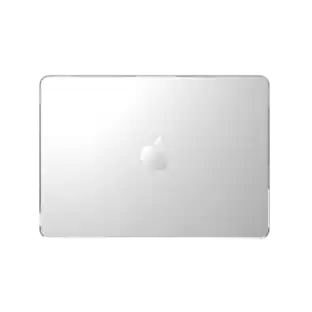
3M - Privacy Filter for MacBook Pro 16" 2019 - Scratch & Fingerprint Resistant - false
Reviews coming soon
More Buying Options from Marketplace sellers
Related Item

About This Item
- General
- Brand: 3M
- Model Number: BPNAP004
- Product Name: 3M Privacy Filter for MacBook Pro 16" 2019 - Scratch & Fingerprint Resistant
- Color: false
- Compatibility
- Model Compatibility: 16 in Diagonal Monitor Size
- Brand Compatibility: Universal
- Warranty
- Warranty - Parts: Manufacturer's limited one-year warranty.
- Warranty - Labor: 1 year
- Other
- Product Width: 13.82 inches (The out of box width of the item. Width is measured as the horizontal distance from one side of the item to the other as it would be primarily used or placed.)
- Product Length: 9.02 inches (The out of box length of the item. Length is measured as the longest dimension of the item.)
- Material: Polycarbonate
- Anti-Glare Feature: false (Reduces the likelihood for screen glare.)
- Self-Adhesive: true
- Privacy Filter: true (Increases privacy by making the screen difficult to view without being directly in front of it.)
- Touch-Screen Capabilities: true
- Screen Size Compatibility: 16 inches
- UPC: 638060338469
3M Bright Screen Privacy Filter for Apple® MacBook Pro® 16 2019, 16:10, BPNAP004 - For 16" Widescreen LCD MacBook Pro - 16:10 - Scratch Resistant, Fingerprint Resistant
- Durable and Easy to Clean Surface: Scratch Resistant, Fingerprint Resistant
- 3M: For 16" Widescreen LCD MacBook Pro
- office-supplies.accessories-and-attachments: 16:10
Whats Included
- Bright Screen Privacy Filter for Apple MacBook Pro 16 2019 - BPNAP004
Reviews
This product doesn't have any reviews yet.
Compare similar products
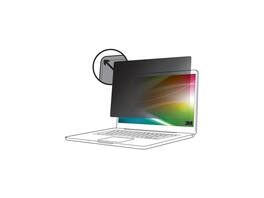
3M Bright Screen Privacy Filter for Apple® MacBook Pro® 16 2019, 16:10, BPNAP004 - For 16" Widescreen LCD MacBook Pro - 16:10 - Scratch Resistant, Fingerprint Resistant

TechProtectus Tempered Glass Screen Protector for MacBook Air 13 Model A2337 M1 A2179 A1932 |New MacBook Pro 13 Inch Model A2338 M1 A2289 A2251 A2159 A1706 A1708

Privacy screen seamlessly, conveniently, and easily attaches to and detaches from the MacBook Pro frame with magnets. No inconvenient and potentially damaging adhesives required. Even with the privacy screen attached, the MacBook Pro can close completely to enter sleep mode. Limited viewing angle narrows the field of vision to +/- 30 degrees, helping keep the information on your screen private and reducing the chances of a visual data breach in the office or in public. Blue light reduction filters out harmful rays by up to 52%, easing eye strain and reducing the chances of blue light interrupting natural sleep patterns. Low reflective coating reduces glare from outside light sources for improved viewing clarity. With reversible viewing options, one side has a matte finish to reduce glare and fingerprints. The other side is glossy and provides a clearer view of the monitor. Magnets make it easy to detach and reattach.
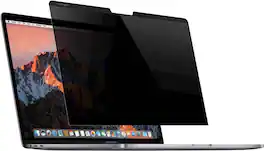
Protect the confidentiality of information as you work on your 15-inch Apple MacBook Pro with this magnetic Kensington MP15 privacy screen. It limits the field of vision to +/- 30 degrees, so visibility is restricted to those sitting nearby. This Kensington privacy screen attaches easily, utilizing the magnets already present in the MacBook's frame.
| Pros for 3M - Privacy Filter for MacBook Pro 16" 2019 - Scratch & Fingerprint Resistant - false | |||
|---|---|---|---|
| There were no pros for this product— | Ease of use | There were no pros for this product— | There were no pros for this product— |