A/V Receiver/Processor Setup
Customers are saying
Customers are delighted by the overall performance and ease of use of the Add-On A/V Receiver/Processor Setup. Many customers found the installation process to be successful, and appreciated the knowledge and professionalism of the installers. Some customers reported issues with the receiver being defective or the subwoofer not working.
Initial evaluation and consultation
When we arrive at your home, we'll evaluate the service area and discuss the scope of work to ensure that the services you purchased meet your needs and expectations. If they don't, we'll recommend solutions.
Delivery and unboxing
Your service includes delivery to a location serviced by an elevator or up to the third floor. After delivery, we’ll unbox your new receiver or processor and prepare for the next steps of the installation service.
Configuring your TV
We’ll complete your smart TV’s initial software configuration process so it’s ready for us complete your service.
Placing on existing furniture
We’ll place your component on an existing entertainment stand or shelving unit and ensure adequate spacing for control and ventilation.
Setting up your audio and video devices
We'll connect your audio and video devices to one new or existing AV receiver or processor. If applicable, we’ll integrate the system with a TV or projector. Once setup is complete, we’ll configure all settings and menu options to provide the best possible experience.
Integrating your speakers
Based on your room layout and seating, we’ll recommend the optimal placement for your speakers, set them up on stands or existing furniture, and make the appropriate connections for your stereo or surround-sound application.
Connecting to your home network
For components with network features, we'll add the devices to your existing wireless network and perform the necessary software or firmware updates.
Configuring your subscriptions and accounts
Once your device is connected to the network, we'll configure up to two smart streaming services as needed (Spotify, Apple Music, etc.) and assist in setting up your associated user accounts.
Programming remote controls
Our installers will program manufacturer or service-provider remote controls (DirectTV, Xfinity, etc.) and consolidate remotes where possible for easier operation.
Neatly dress visible cables
We'll make sure that all wires and cables are neatly dressed and that wire ties are used when necessary.
System demo and education
Once the services are completed, we’ll perform a system demo to show you the features and benefits of your new technology. We’ll answer any questions you may have and discuss additional solutions that could enhance your audio or home theater experience.
Cleaning up and removing packaging
After the installation, we'll clean up the work area and remove any packaging you don’t want to keep.
- BrandGeek Squad®Product NameA/V Receiver/Processor SetupEstimated Time to Complete Service60 minutesWorkmanship WarrantyWe stand behind our services and repairs with a 90-day workmanship warranty.UPC400064333968BSINJCQ6HRTYLW
Reviews
Rating 4.5 out of 5 stars with 2806 reviews
- Overall Performance (247)
- Installation (220)
- Knowledge (120)
- Ease of use (107)
- Professionalism (98)
- Receiver (21)
- Subwoofer (8)
Customer Images
The vast majority of our reviews come from verified purchases. Reviews from customers may include My Best Buy members, employees, and Tech Insider Network members (as tagged). Select reviewers may receive discounted products, promotional considerations or entries into drawings for honest, helpful reviews.
Compare similar products

Save yourself some time and leave the hassle of user manuals and menu options to us. Enjoy the convenience of our expert installers setting up your AV receiver or processor. If needed, we’ll complete any initial software configurations your TV might need so it can be ready for us to complete your service. We’ll configure the receiver and all your audio and video components, connect your speakers and ensure the system is set up for the best possible audio experience. We’ll also connect these devices to your existing network, complete necessary updates and configure up to two streaming services like Spotify or Apple Music. In addition, we’ll program the remotes that come with your equipment and consolidate controls when possible. After the setup is finished, we’ll demonstrate your new technology and make sure you know how to use it. Finally, we’ll ensure that all wires and cables are neatly dressed and the workspace is clean when we finish. Best Buy’s home theater services are backed by a 90-day limited workmanship warranty.
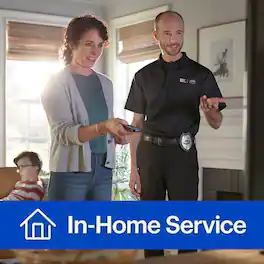
Save yourself the hassle and have us set up your new video device (media player, video game console, etc.). If needed, we’ll complete any initial software configurations your TV might need so it can be ready for us to configure your video devices. We’ll connect up to two video devices to your TV or A/V receiver and configure the picture, sound, and general settings. We’ll then connect up to two video devices to your existing home network and perform any necessary firmware updates. We’ll also configure up to three subscription services or profiles on your video device(s), and we can set up screen mirroring using your compatible mobile device. Once the setup is finished, we’ll take the time to demo your new technology and make sure you know how to use it. Finally, we’ll ensure that all wires and cables are neatly dressed, and the workspace is clean when we finish. Best Buy’s TV services are backed by a 90-day limited workmanship warranty.*

You can experience music throughout your home when you choose our networked audio device installation service. Enjoy time savings and convenience by having our installers set up your networked audio devices, such as Sonos or Heos. If needed, we’ll complete any initial software configurations your TV might need so it can be ready for us to complete your service. We’ll install and program the audio platform/application on a compatible phone, tablet or computer, connect the system to your network, and complete updates. We’ll also adjust the audio settings to be tailored to your space while utilizing built-in tuning software when available. Then, we’ll help you set up your user account and configure up to two streaming services like Spotify or Apple Music. After the setup is finished, we’ll demonstrate your new technology and make sure you know how to use it. Finally, we’ll ensure that all wires and cables are neatly dressed and the workspace is clean when we finish. Best Buy’s networked audio services are backed by a 90-day limited workmanship warranty.

We’ll do the heavy lifting and save you time and hassle. Enjoy the convenience of our installers quickly and professionally mounting your TV to the wall or a piece of compatible furniture, giving it a clean look without all the cables. We can make recommendations on placement for the best viewing experience of your TV. For properly-rated, non-powered cables, we'll conceal them within the wall in a single stud bay or on the wall’s surface. If we're extending power cables, we’ll make sure an approved extension kit, which is sold separately, meets your desired mounting height requirements. Then, we’ll install the outlet portion of the kit inside the drywall, run the in-wall-rated jumper cable inside the single wall stud bay and install the receptacle portion of the kit near an existing power outlet. Then, we’ll power on the TV to ensure it powers on and works properly. Finally, we’ll ensure all wires and cables are neatly dressed, and the workspace is clean when we finish. Best Buy’s TV services are backed by a 90-day limited workmanship warranty.
| Pros for A/V Receiver/Processor Setup | |||
|---|---|---|---|
| Overall Performance, Installation, Knowledge, Ease of use, Professionalism | Overall Performance | Overall Performance, Installation, Knowledge, Ease of use, Professionalism | Mounting Quality, Wire Concealment |
| Cons for A/V Receiver/Processor Setup | |||
| Receiver, Subwoofer | There were no cons for this product— | Sonos App | There were no cons for this product— |