Video Device Configuration & Demo
Customers are saying
Customers have good things to say about the overall performance of this television, with many users highlighting its excellent color quality. Additionally, the audio quality is frequently praised for being great. Overall, users seem very satisfied with the core features of this product.
Features
Before we begin
When we arrive at your home, we'll evaluate the service area and discuss the work being performed to ensure that the services purchased meet your needs and expectations. If they don't, we'll recommend solutions.
Configuring devices and apps
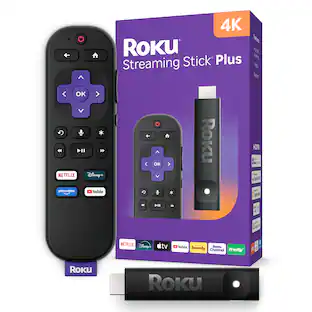
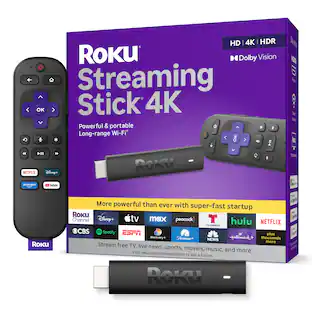
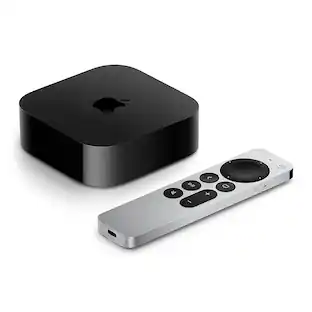
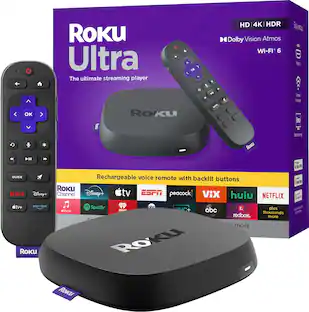
This service covers up to five total video devices (media player, video game console, etc.) and apps or subscriptions.
Connecting your video devices
We'll connect your video devices to your TV or A/V receiver and configure the picture, sound and general settings.
Connecting to your home network
We'll add your video devices to your existing wireless network and perform the necessary software or firmware updates.
Configuring your subscriptions and accounts
Once connected to the network, we'll configure up to three subscription services as needed (Netflix, Disney+, Amazon Prime, etc.).
Neatly dressing visible cables
We'll make sure that all wires and cables are neatly dressed and that wire ties are used when necessary.
System demo and education
Once the services are completed, we'll perform a system demo to show you the features and benefits of your new technology. We'll answer any questions you may have and discuss additional solutions that will improve your experience.
Cleaning up and removing packaging
After the installation, we'll clean up the work area and remove any packaging that your products came in.
Specifications
- BrandGeek Squad®Product NameVideo Device Configuration & DemoEstimated Time to Complete Service55 minutesRequired for ServiceCustomer supplied video components and any cables required for setup. An existing, functional network if network services are desired.Workmanship WarrantyWe stand behind our services and repairs with a 90-day workmanship warranty.UPC400066461591
Reviews
Rating 4.5 out of 5 stars with 70 reviews
- Overall Performance (19)
- Audio Quality (4)
Customer Images
The vast majority of our reviews come from verified purchases. Reviews from customers may include My Best Buy members, employees, and Tech Insider Network members (as tagged). Select reviewers may receive discounted products, promotional considerations or entries into drawings for honest, helpful reviews.
Compare similar products
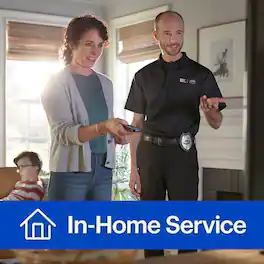
Let us handle the setup of up to five video devices, apps or subscriptions, including TVs, streaming devices, game consoles and more. We'll connect your devices to your TV or A/V receiver, optimize picture and sound settings, connect them to your home network, and install any updates that are needed. We can also set up your streaming services and user profiles. Before we leave, we’ll show you how everything works, tidy up cables, and clean the workspace. All Best Buy TV services are backed by a 90-day limited workmanship warranty.

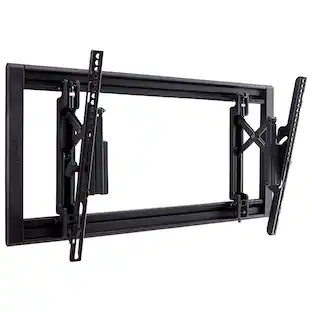
We’ll do the heavy lifting and save you time and hassle. Enjoy the convenience of our installers quickly and professionally mounting your TV to the wall or a piece of compatible furniture. We can make recommendations on placement for the best viewing experience of your TV. In addition, we’ll connect your TV to an existing power outlet to ensure it powers on and works properly. Finally, we’ll ensure all wires and cables are neatly dressed and the workspace is clean when we finish. Best Buy’s TV services are backed by a 90-day limited workmanship warranty.
We’ll do the heavy lifting and save you time and hassle. Enjoy the convenience of our installers quickly and professionally mounting your TV to the wall or a piece of compatible furniture. We can make recommendations on placement for the best viewing experience of your TV. In addition, we’ll connect your TV to an existing power outlet to ensure it powers on and works properly. Finally, we’ll ensure all wires and cables are neatly dressed and the workspace is clean when we finish. Best Buy’s TV services are backed by a 90-day limited workmanship warranty.
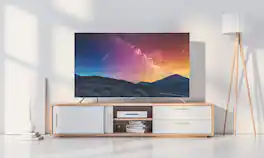
We’ll do the heavy lifting and save you time and hassle. Enjoy the convenience of our installers professionally setting up your TV on a piece of furniture and checking that it’s ready for its new place in your home. We’ll power it on and check that it’s free from damage and defects. Finally, we’ll ensure that all wires and cables are neatly dressed, and the workspace is clean when we finish. Best Buy’s TV services are backed by a 90-day limited workmanship warranty.
| Pros for Video Device Configuration & Demo | |||
|---|---|---|---|
| Overall Performance, Audio Quality | Overall Performance, Installation Speed, Wire Management | Overall Performance, Installation Speed, Wire Management | Overall Performance, Setup Speed |
| Cons for Video Device Configuration & Demo | |||
| There were no cons for this product— | Mounting Distance | Mounting Distance | There were no cons for this product— |
Specs
Customers often buy these together
 Techtober Deal$69.99The price was $99.99
 Techtober Deal$59.99The price was $79.99