AccuQuilt - GO! Strip Cutter 2" Fabric Cutting Die (1.5" Finished) with Angle Guides for Quilting - Multicolor
About This Item
Reviews
This product doesn't have any reviews yet.
Compare similar products
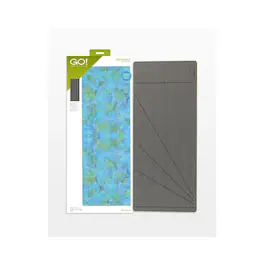
AccuQuilt is excited to announce an improvement to the GO! Strip Cutter-2" (1 1/2" Finished) die. This upgrade is simple, yet offers users a valuable way to expand the use and versatility of their fabric cutters. This GO! Strip Cutter will have four angled guide lines printed on the foam surface. Lines at 90-degrees, 30-degrees, 45-degrees, and 60-degrees allow quilters to cut strips into squares and several types of diamonds that can be used to make classic quilts like the Lone Star and Tumbling Blocks. These preprinted angled guide lines will make it easy to create a variety of shapes with consistent cuts that will save time and fabric. The GO! Strip Cutter Dies are hugely popular amongst quilters, and now the creative possibilities with Strip Cutter Dies are infinitely bigger. •AQ Cutting Mat Required: GO! Cutting Mat, 10 in. x 24 in. (25.4 cm x 61 cm) How to Die Cut 2" Strips: 2" Strips: Cut 8 1/2" wide strips across the width of fabric to cut four, 2" strips. Position fabric on die so fold of fabric is perpendicular to cutting blades and will roll through the cutter first. One yard of 40" wide fabric cuts 16 strips. 2" Squares: Start with a 2" strip aligning it across the die board with the 90° guideline. Fanfold into 8 1/2" widths. Cut 18, 2" squares across the width of fabric. One yard of 40" wide fabric cuts 288 squares. 45° Diamond-2 7/8" Cut Side Edge: Start with a 2" strip. Align your 2" strip across the die board to the right side of the 45° guideline. 30° Diamond-4" Cut Side Edge: Start with a 2" strip. Align your 2" strip across the die board to the right side of the 30° guideline. 60° Diamond-2 3/8" Cut Side Edge: Start with a 2" strip. Align your 2" strip across the die board to the right side of the 60° guideline.
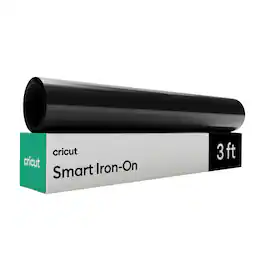
Just add heat! With Cricut Smart Iron-On Matless Heat Transfer Vinyl, you can personalize T-shirts, jackets, backpacks, and so much more. Plus, this material requires no machine mat, saving you time and simplifying your making experience. It's the same Smart Iron-On you love in bulk size and with simplified packaging, so we can pass the savings on to you. All Cricut materials are optimized for Cricut cutting machines with automatic cut settings in Design Space to ensure you have the best cutting experience. One roll Cricut Smart Value Iron-on - 13 in x 3 ft.

Just add heat! With Cricut Value Iron-On, you can personalize T-shirts, jackets, backpacks, and so much more. Plus, bulk sizes means more making. It also has a clear, heat-resistant backer for easy pressing, and outlasts 25 washes. Cricut Value Iron-On is engineered to give you the perfect blend of cost and quality. By selling in bulk sizes and with simple packaging, we pass the savings on to you. Optimized for Cricut cutting machines. Automatic cut settings in Design Space ensure you have the best cutting experience with every Cricut material and machine.
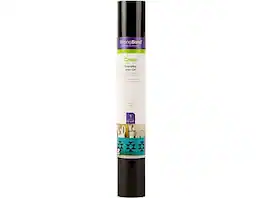
Outlasts more than 50 washes. Cricut Everyday Iron-On with StrongBond guarantee works fabulously with a wide variety of base materials, including wood. Intricate designs are simple to cut with your Cricut machine, and you'll weed with ease to prep for flawless application. Make a T-shirt with an inspirational quote, design heartwarming home decor, embellish accessories with one-of-a-kind designs, and create handmade gifts that will leave a lasting impression. Use one color or layer up to three for standout patterns and projects. For use with all Cricut cutting machines. For a flawless iron-on application, use Cricut EasyPress. Or apply with household iron.