Labor Day SaleEnds September 7. Limited quantities. No rainchecks.Shop now

Main Content

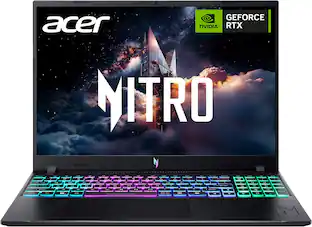
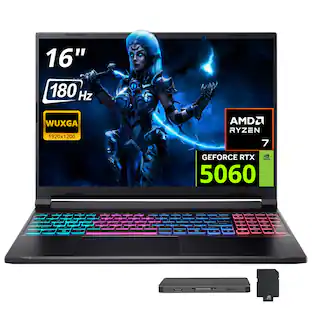
Acer - Nitro V – 16" WUXGA 165Hz Gaming Laptop - Intel Core 7 240H 2024 - NVIDIA GeForce RTX 5060 – 16GB Memory – 512GB Storage - Obsidian Black

Model: ANV16-I31-70WA
SKU: 6675842
Sold byBest Buy

Customers are saying

Customers are impressed with the solid build quality and the surprisingly slim, portable design of the Nitro 16. Users also appreciate the effective heat dissipation that keeps the system running relatively cool during use. However, some owners have noted that the fan can become quite loud under load. Additionally, the battery life is frequently mentioned as an area that could see improvement.

Generated by AI based on customer reviews.
See it in-store: Laurel (31.6 miles away) 
is the closest store with a demo model on display.

Highlights

Features
  • Windows 11 Operating System

    With intuitive navigation, faster performance, and stronger security, Windows 11 is designed to elevate how you work and create. Its extensive ecosystem and continuous updates empower you to unlock your PC’s full potential.

  • Gaming PC's

    Gaming PCs are built for high performance gaming, so you can stay fully in the action with the speed and graphics for modern, immersive gameplay.

  • 16” WUXGA 165Hz Display

    Elevate your play with a massive 16" WUXGA (1920 x 1200) 16:10 display designed for total immersion. Dominate the competition with a lightning-fast 165Hz refresh rate that eliminates motion blur, while the 400-nit brightness and IPS technology ensure every detail pop with lethal clarity. From sprawling open worlds to high-octane shooters, experience ultra-smooth performance and vibrant, accurate colors that put you right in the center of the action.

  • Intel® Core 7 processor 240H

    The advanced performance hybrid architecture of the Intel® Core 7 processor 240H enables you to game, stream, and create simultaneously with ease. Intel Application Optimization boosts performance further by intelligently allocating application resources in real time

  • NVIDIA GeForce RTX 5060 Laptop GPU

    Unleash game-changing realism with the GeForce RTX 5060 Laptop GPU, powered by NVIDIA Blackwell architecture. With a massive 572 AI TOPS, it delivers next-gen graphics fidelity and full ray tracing. Experience cinematic visuals at unprecedented speeds via fourth-gen RT Cores and advanced neural rendering accelerated by fifth-gen Tensor Cores

  • NVIDIA DLSS 4

    NVIDIA DLSS is a revolutionary suite of neural rendering technologies that uses AI to boost FPS, reduce latency, and improve image quality. DLSS 4 brings new Multi Frame Generation and enhanced Ray Reconstruction and Super Resolution, powered by GeForce RTX™ 50 Series GPUs and fifth-gen Tensor Cores.

  • The Ultimate in Ray Tracing and AI

    NVIDIA RTX is the most advanced platform for full ray tracing and neural rendering technologies that are revolutionizing the ways we play and create. Over 700 games and applications use RTX to deliver realistic graphics and incredibly fast performance with cutting edge AI features like DLSS Multi Frame Generation.

  • Smooth, High-Speed Multitasking with 16GB of DDR5

    Enjoy lightning fast responsiveness and seamless multitasking for gaming, editing, and everyday browsing, thanks to 16GB of ultra fast DDR5 memory.

  • 512GB of PCIe 4.0 SSD Storage

    Save files in an instant and store massive amounts of data with ease. PCIe 4.0 SSDs deliver high speed data throughput, making them ideal for intensive gaming, multi server environments, daily backups, and more.

  • Killer Connectivity

    Stay ahead with elite connectivity. The Nitro V 16 features Intel® Killer™ DoubleShot™ PRO, combining Wi-Fi 6 and Ethernet E2600 for fast, stable, and intelligent network prioritization—perfect for gaming and streaming without interruptions. Paired with Thunderbolt 4, you get ultra-fast data.

  • Game Hard, Stay Cool

    Maintain peak thermal control with a robust dual-fan, dual-intake, and dual-exhaust cooling system. It pulls in cool air from above and below the keyboard, expelling heat efficiently to ensure stable performance during long gaming sessions and heavy multitasking.

  • The Ports You Need, Built In

    Get connected with 1 x USB Type-C Port USB 3.2 Gen 2 (up to 10 Gbps) DisplayPort over USB Type-C, Thunderbolt 4 & USB Charging (Up to 100W), 1 x USB 3.2 Gen 2 port (Featuring Power-off Charging), 2 x USB 3.2 Gen 1 Ports, 1 x HDMI 2.1 Port supporting 48 Gbps, 10K maximum resolution, Fixed Rate Link, 1 x Headphone/Speaker/Line-Out Jack, 1 x Ethernet (RJ-45) Port, 1 x DC-in Jack for AC Adapter and 1 x Kensington Lock Slot

  • Additional System Features

    4-Zone RGB Backlit Keyboard, Full HD Webcam (1920 x 1080) supporting 1080p Video and DTS®: X Ultra Audio

  • Enjoy 2 months of Xbox Game Pass

    Play 200+ games on Acer Nitro V 16 with two months of XBOX Game Pass and get access to a library of legendary, high-quality games, get exclusive in-game perks, partner discounts, and earn points annually with Xbox Rewards.

See all features
Specifications
  • Screen Type
    IPS
    Screen Size
    16 inches
    Screen Resolution
    1920 x 1200 (WUXGA)
    Touch Screen
    No
    Refresh Rate
    165Hz
Sponsored

Reviews

Rating 4.4 out of 5 stars with 12 reviews

5 star rating. 6 reviews4 star rating. 5 reviews3 star rating. 1 review
83% would recommend to a friend
Customers are sayingCustomers are impressed with the solid build quality and the surprisingly slim, portable design of the Nitro 16. Users also appreciate the effective heat dissipation that keeps the system running relatively cool during use. However, some owners have noted that the fan can become quite loud under load. Additionally, the battery life is frequently mentioned as an area that could see improvement.
This summary was generated by AI based on customer reviews.
  • Build Quality (8)
  • Portability (4)
  • Heat Dissipation (3)
  • Battery Life (3)
  • Noise Level (3)

Customer Images

The vast majority of our reviews come from verified purchases. Reviews from customers may include My Best Buy members, employees, and Tech Insider Network members (as tagged). Select reviewers may receive discounted products, promotional considerations or entries into drawings for honest, helpful reviews.

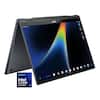
  • Rated 4 out of 5 stars

    Midrange Gaming, Top-Range Price

    The value-oriented brand with roots stretching back to eMachines has become something of a juggernaut as of late. Having absorbed former major players in the PC market including Packard Bell and Gateway, Acer’s computer offerings now extend all across the price gamut and even into peripherals. The Nitro gaming line has been around a while, with iterative updates every year to keep pace with newer specs. This Nitro 16 inch laptop packs a decent midrange punch and does well to keep cool, but a major sticking point leaves me wanting much more than what’s here. - Unboxing and Setup The Acer Nitro 16 unboxes in as just about a no-frills manner as you could expect. The spartan box contains only the laptop, power brick, a couple sparse pieces of warranty and health information, but Acer does include a Nitro keychain as a neat little pack-in. Otherwise, the setup and tutorial experience is on-device, and the standard Windows 11 setup process is straightforward with only a single Acer-specific addition for device registration if you desire. I’m also pleased to report that as of this review, workarounds for setting up Windows 11 without a Microsoft account are still possible. While I’m grateful to see only a small amount of bloatware on the Nitro 16, there’s still some unwanted promotions, questionable Acer pack-ins (including an AI agent that nobody asked for) and the notorious McAfee to deal with right off the bat. The Nitro 16 is a surprisingly slim device for the hardware and port selection afforded. Three USB-A 3.2 ports are virtually unheard of nowadays, though more than one USB-C port would have been nice. Thankfully it’s a fully-featured Thunderbolt 4 port that supports Power Delivery for an alternate charging and power method besides the bulky AC adapter and the DC barrel jack. A 3.5mm combination microphone and headphone jack is a welcome sight, and the full size HDMI port makes connecting to external monitors a breeze. And love of all things, a proper full size Ethernet port backed up with a Killer NIC (though only Gigabit speeds) complements WiFi 6 and Bluetooth 5.3 connectivity. - Performance Equipped with a 10-core, 16-thread Intel Core Ultra 7 CPU and an 8GB Nvidia RTX 5060 mobile GPU, this configuration of the Nitro 16 is fairly capable at its default “Performance” profile. Loading up my go-to benchmark of Forza Horizon 6 with the “High + Ray Tracing” preset at the screen’s native 1920x1200 resolution, with no resolution scaling and the factory NVidia driver (January 2026), the benchmark achieved a very consistent 53 FPS with 1% lows just above 50. In-game performance at these settings held above 60FPS at all times, usually at or just above 70. Unfortunately higher presets were pushing up against VRAM limitations and performance fell off a cliff - running the Extreme + Ray Tracing preset, the game became a 12-13 frame per second slideshow. For those who want to game on battery or just enjoy a quieter-running laptop (on the Nitro’s Performance profile, both fans were spinning at moderate speed and were a clip louder than I’d like), the Balanced profile dropped performance by about 40%. Running the same benchmark and settings above, framerates hovered in the low to mid 30s and the fans were nearly silent. Oddly enough, the run data showed that the GPU wasn’t limiting performance on the Balanced profile…GPU render was at 40-45 frames per second, but CPU performance was the bottleneck, with such a drastic fall-off that a single stutter was observed. I wouldn’t be surprised to see a future BIOS update boost the CPU’s performance in lower-power modes as it does appear to be more starved from the power budget than it should be. Even a two-watt adjustment could do wonders if it lets the high performance cores of the CPU run more freely. - Screen, Sound, and Thermals While it seems odd to go with a lower-resolution panel on a gaming laptop, the 1920x1200 16-inch panel is an IPS instead of the more common VA panel you’ll find on similar machines, and at 165Hz with adaptive sync the display is perfect for maxing out the RTX 5060. I found the high refresh rate made games running at lower framerates far less juddery than on a 60Hz display, and the panel delivers good color reproduction and depth with a decent, albeit not exceptional, vibrancy and brightness. At 400 nits the IPS display technically meets HDR400 specification, but HDR content on this display is only marginally more vivid than SDR. As is par for course with most laptops, gaming or not, the built-in speakers are mediocre at best. In this machine they at least don’t sound terribly tinny, but they also don’t get particularly loud and can easily be drowned out by the cooling fans at full bore. Thankfully the 3.5mm headphone jack provides good audio quality with a clean DAC that seems to be well-suited for medium impedance headphones, and there are of course the USB ports and Bluetooth for alternate audio connections. As always, the laptop’s speakers are very much an “in a pinch” type beat. Thermal management on the Nitro 16 is quite good. In its Balanced performance profile, I was able to go through an hour-long gaming session without the fans ramping up (they were virtually inaudible over the aforementioned weak speakers) while both GPU and CPU maintained about 75C. The Performance profile held around 80C while maxing both out, at the expense of fan noise that was significantly louder than most gaming laptops I’ve used as of late as both fans were on a high duty cycle the entire time. Turbo, the profile above Performance, was equally heavy on the fans but yielded temperatures at or above 90C for nearly indistinguishable FPS gains over Performance. - Nitrosense and Battery Life Acer includes the Nitrosense system management application as the primary way to change device settings, including the current power profile, 4-zone RGB lighting on the keyboard, color profiles for the screen, and more. The application is surprisingly easy to use with helpful descriptions and tool tips for each setting, and looks quite nice to boot. Most of my time spent in the app was changing power settings and the function of the power mode key at the top-left of the keyboard, setting it as a toggle between each of the four default power profiles: Eco (low CPU state, integrated graphics only), Balanced (standard CPU state, low GPU state), Performance (full CPU+GPU state), and Turbo (both overclocked). Of note, only Eco and Balanced are available while the Nitro 16 is running on battery power or USB-C power delivery charging. The AC adapter is required to use Performance or Turbo. As is typical with a gaming laptop, don’t expect long battery life for gaming. From a full charge on the Balanced profile with the screen at half brightness, I used up 25% of the battery in just over 20 minutes, suggesting the battery will last around an hour and a half at full bore. The news is much better when using the Eco profile and doing general tasks; when streaming a 93 minute movie the battery fell from 74% to 58%, estimating over 9 hours total battery life from full. Of course, your mileage may vary greatly depending on use case, power mode, and background software. - Upgradeability, Build Quality The Acer Nitro 16 is one of the more serviceable laptops I’ve seen in recent memory. The bottom side of the case is held in with just 9 screws, and with the panel off you have immediate access to the primary M.2 drive, an unpopulated secondary M.2 slot, the two SODIMM DDR5 memory modules, and the WiFi & Bluetooth module on a mini PCIe connector. The battery can be replaced, the CPU & GPU heatsink is a standard design with replaceable fans, and the mainboard can be swapped out if needed. Overall the Nitro 16 has passable design and build. Plastics are standard midrange laptop fare, and there’s just enough flex in the keyboard tray when typing to remind you of that fact. The keyboard keys do feel quite nice under the fingertips, using higher quality chiclet-style keys and rubber domes than usual. The generously oversized trackpad feels fine and tracks well. The lid and screen are fairly rigid and don’t twist any concerning amount. One area that could be an issue for long term ownership is the hinge. The lid has much less resistance to angle adjustments than other 15 and 16 inch laptops I’ve used, to the point where gravity or air can close the lid from shallow angles, and it exhibits a bit of wobble. This appears to be due to a simplified (cost-cutting?) hinge design that only connects one side of each hinge to the laptop base, and they’re fairly narrow at that. As these are the highest-stress points on a laptop I would take extra care to monitor these through the warranty period for signs of premature wear or failure. - Bottom Line The most noteworthy thing about the Nitro 16 is that I didn’t note the one issue I have with most other gaming laptops…it doesn’t get concerningly hot nor does it overheat. While I have my reservations about its build quality and longevity, it does a phenomenal job delivering its power, and overall seems no worse for it than any other midrange gaming laptop. This would be a solid choice amongst its peers. But, it’s time to address the elephant in the room. With an MSRP pushing nearly two thousand dollars, even rotating sales bringing this machine down to the low-thousands doesn’t make up for the fact that only 16GB RAM and a 512GB SSD is a pitifully minimal spec, even in the AI-demand driven market that’s pushing RAM and NAND prices sky-high as of this review’s posting. The RAM I can understand, but 512GB is pitiful when modern AAA games can push over 150GB installed. Take a little more time to shop and compare because while you can always upgrade these things after purchase, it’s an awful high cost of entry to get weak specifications today, and the overall quality doesn’t make up the price gap. Grab it on a deep discount; otherwise, not recommended.

    Posted by Turbolence

  • Rated 4 out of 5 stars

    Good Budget Gaming Laptop

    The Nitro V 16 is a good entry-level gaming laptop and a pretty good value even as RAM and storage prices continue to get out of control. It’s not perfect, but it’s great for 1080p gaming and the cuts made are mostly sensible. My only problems are the slightly mediocre display and that the included charger is not capable of powering this laptop in its highest performance mode. I do think this is worth considering though, especially if it goes on sale. The Nitro V 16 has an understated look with a few subtle accents and doesn’t look too gaudy or gamer-y. It’s also relatively thin and light for a gaming laptop and easy to travel with. It’s an all plastic build, but the build quality is excellent with very little flex and no creaking or cheap-feeling parts. The screen can fold all the way back to 180 degrees and stays in place. For specs, you are getting an RTX 5060 GPU with 8GB of GDDR7 at 75W. 75W is about the middle of the RTX 5060’s power range, so this is not the most powerful RTX 5060 GPU available in terms of pure wattage. The Intel Core 7 240H is a decent CPU with 6 performance cores and 4 efficiency cores, though contrary to its Series 2 designation it’s actually based on the previous generation Raptor Lake architecture. 16GB of DDR5-5600 is provided via 2 SODIMM modules and this can be upgraded. The 512GB Gen 4 SSD is quite fast at 7500 MB/s read and 5500 MB/s write, though this will fill up quickly with how big modern PC games are and will need to be managed. There is an additional NVMe slot on the mainboard, so more storage can be added later. Opening the laptop is very easy and involves removing 9 exposed philips head screws. On the left side of the laptop there is the proprietary charging port, Ethernet, HDMI 2.1, USB-A 10Gbps, and a USB-C Thunderbolt 4 (also capable of charging). On the right side there are (2) 5Gbps USB-A ports and a headphone/microphone jack. It’s a good selection of ports, though I would personally swap one of the USB-A ports for another USB-C. The display is a 1920x1200 IPS LCD with a 165Hz refresh rate. As far as laptop displays go it is okay but not the best. Colors look washed out compared to higher-end laptop displays I’ve seen. According to Acer’s website it covers 45% of the NTSC color gamut, which is well short of 100% sRGB. For gaming I’d say it does look good in most games and the 165Hz refresh rate looks great when that framerate can be achieved, but if you have a usage that depends on accurate color reproduction this probably isn’t the one. This does seem like a downgrade compared to previous versions of the Nitro V that used a 180Hz screen that did hit very close to 100% sRGB. The Windows 11 install has a little bit of bloat - some unnecessary Acer programs, McAfee Antivirus, and a few advertisements in the start menu, but they were easy enough to remove. The NitroSense app lets you change the laptop-specific settings, including the performance mode and works well enough. The app can be ignored for the most part once you have your preferences dialed in, which is a good thing. At 1080p, I’d generally class the performance as similar or slightly better at equivalent settings to a PS5 or Xbox Series X, with the added benefit of DLSS upscaling. I can run Alan Wake 2 on the Medium preset at 1920x1200 with DLAA and get around 40fps in the heaviest forest sections of the game. I can also hit 60fps comfortably on Forza Horizon 6 at the High preset with DLAA as well. Plugging into an external display, 1440p is possible with some settings adjustments and upscaling, but 4K seems just out of reach for modern games, even at very low settings. This is all using the Performance power setting in NitroSense. Turbo gives you about 8-10% more performance, but it comes at the cost of battery drain, even when plugged in, so I’d consider that a no-go in general. The Nitro V 16 includes a 135W charger with a right angle barrel connector. At this wattage it would have been nice to see 140W USB-C charging, but I can forgive that in a budget gaming laptop. The USB-C port does support charging but only up to 100W. The charging brick and AC cord combined give you about 10ft of length from the outlet. The downfall of the charger is that it is not capable of keeping the laptop charged at its highest performance mode (Turbo) and the battery drains in this mode under load. It means that, even while plugged in, you are only going to get maybe a few hours of use in the highest performance mode before it has to drop down. The second highest performance mode (Performance) did not drain in my testing, so I’d consider this the default when plugged in. The fans can get pretty loud in Turbo mode, but in Performance mode they don’t generally disrupt the experience or anyone around you. A good pair of headphones should shut out most of the fan noise either way. The keyboard and trackpad are both very good. I do have a small issue with the keyboard where the right shift key is a little smaller to make room for the arrow keys and I sometimes will hit one of them accidentally while typing, but overall it’s good. You get a numpad as well, which I always appreciate on a bigger laptop. The key travel feels about right and the 4-zone RGB backlight covers all the keys evenly. The trackpad is a good size and offers all the standard multitouch capabilities. It has a nice click to it as well. Battery life feels about average for gaming a laptop. In the Eco performance mode, it seems to land at around 4-6 hours or so depending on what I am doing. I wouldn’t feel comfortable leaving the charger at home, but it should get through a good chunk of the day before needing to be plugged in. The other available mode on Battery is Balanced and this drops the battery life significantly compared to Eco. Wireless connectivity includes Wi-Fi 6 and Bluetooth 5.2. Wi-Fi 6 is an older standard at this point, but I was still able to pull down about 700 Mbps on my Gigabit internet connection at about 15ft from my router. The built-in webcam is 1080p 30fps. The quality is okay. There is no Windows Hello functionality for face unlock here. It does have a physical privacy shutter though. The speakers are okay, but not great. They’re clear and loud enough for voice, but most other content sounds tinny and compressed. As with the fans though a decent pair of headphones will solve this problem. I think the Acer Nitro V 16 is a very good budget gaming laptop if you can find it for the right price, especially if you are just getting into PC gaming and don’t have the space for a permanent setup. The display is a bit of a letdown and the battery drains at the highest performance mode, but overall what it has to offer is compelling.

    Posted by SamG

  • Rated 4 out of 5 stars

    Great midrange gaming laptop pulls its own weight!

    This Acer Nitro V16 is a great midrange gaming laptop. It features an Intel Core 7 240H Series 2 (2024) processor, NVIDIA GeForce RTX 5060 8GB VRAM GDDR7 dedicated video card, 16GB of RAM, expandable to 32GB, and a 512GB SSD with an extra slot to add another SSD if you chose to upgrade later. The laptop can handle some pretty fast paced high performance games. Let me break it all down. In the box comes the Acer Nitro V16 Gaming Laptop, Power Adapter and Cord, a Keychain, and paperwork. Setup is pretty simple for a laptop. There are basically two choices. One can set the laptop up from a backup or prior computer, or set it up as a new computer and not use any of the old settings. I opted to set it up as new. The process didn’t take that long. There were some pre-installed applications on the laptop that you may or may not want to keep. It wasn’t filled with a lot of junk like a lot of systems I have had. These are basic applications such as Dropbox, McAfee Antivirus, various Adobe applications, Xbox PC Gaming Pass for 3 months, and some proprietary software that Acer uses: NitroSense, and Acer’s Ai applications, which were pretty cool. I like the NitroSense because I can go there to look at my system performance and adjust settings like the different scenarios in which I would use the system, ie., Daily Use, Gaming, Quiet Occasion. The other settings in NitroSense are where the CPU, GPU and fan can be set to particular settings accordingly. Build and Design: The Acer Nitro V16 has a modern look and feel to it. It looks like it’s made for gaming with the 4 zone RGB backlit keyboard which also features a number pad. I love that it has a number pad. My last laptop didn’t have it and I missed it terribly. The chassis is built well and it looks pretty solid. Display: This Acer Nitro V16 comes equipped with a 16” LCD screen that uses IPS technology. The colors are pretty accurate, but they aren’t very vivid. It’s good enough for gaming and daily use. It is even good for watching movies and videos. The colors could just be a bit more vibrant. The resolution is WUXGA at 1920 x 1200, so the picture is clear and detailed. I got smooth motion even when playing my fast paced games, due to the refresh rate of 165Hz. I was also able to see everything pretty good even in bright light because of the 400 nits brightness. In the NitroSense application, the option is there to turn on Acer Blue Light Shield to help protect your eyes. I do this when I will be doing a lot of productivity and reading on my laptop. Ports and connectivity are plentiful on this laptop. The ports are the power port, Ethernet, HDMI, USB, and Thunderbolt on the left side. On the right side of the laptop there are Kensington lock slot, 2 USB, 3.5mm headphone jack. Connectivity includes WiFi 6, Bluetooth, and Ethernet. Cooling and thermal performance has been great. Granted the fan gets it time in, and runs a lot during extended gaming sessions, but it gladly does its job. It can get a tad bit noisy, but only if you are sitting quietly with the sound off. I always have something playing: music, game audio, television, in game chats, etc., so it’s never quiet. I wasn’t bothered by the sound of the fan. Nonetheless, the system, during all of my extended gaming sessions, has remained cool and has never overheated. Summary: I really like this gaming laptop. The display leaves a little to be desired, but it’s not all that bad. I do like more RAM in my gaming laptops and I also like more storage. Luckily, this laptop has room to expand both the RAM, by replacing the two 8GB chips with 2 16GB chips, and to add an additional SSD in the empty slot. The laptop has good features and looks great. The Acer Nitro V16 is a great midrange gaming laptop that pulls its own weight!

    Posted by MoniMouse

  • Rated 5 out of 5 stars

    A stealth, hybrid laptop. Powerful indeed.

    The Acer Nitro V16 is a slim gaming laptop featuring a combination of the Intel Core 7 240H and the NVIDIA GeForce RTX 5060. The best way to describe it is a hybrid powerhouse designed to blur the line between a dedicated gaming rig and a sharp, professional daily driver, offering remarkably balanced hardware at a relatively accessible entry price. It promises modern graphical capabilities without the excessive weight usually tied to the category. It is highly portable despite the 16-inch screen, proving lighter than expected and easy to carry for a daily commute. The RTX 5060 does well handling the majority of games, and it performs excellently with design and simulation software. Dedicated GPU power is increasingly necessary for both modern daily work and gaming applications. The 16GB RAMs are just fine. I usually like them at a higher number. This Acer is doing just fine. Acer delivers a remarkable look with the sleek aesthetic, making the machine subtle enough for a classroom, office, or professional environment. It offers full customization to adapt to your tasks, including fan speed adjustments and keyboard lighting via software. The camera features a built-in physical privacy lock, a feature that should ideally be implemented on all modern laptops. The cooling fans and heatsink maintain relatively low temperatures during standard use, though the system can run hot when pushed to its absolute limit. Battery life is not a strong suit for portability, lasting roughly 2.5 hours on mixed usage, which is typical for this category. However, the included power adapter is highly capable and charges the laptop in a very short time. Connectivity ports are somewhat sparse, featuring only one USB-C port, but it does include a full HDMI port and an RJ-45 Ethernet port (Thunderbolt). The integrated webcam is a standard 720p model. It provides a slightly soft image that naturally softens background details during video conferences, which can be preferable to high-definition alternatives. Audio performance is underwhelming; the downward-firing speakers get loud but lack bass. Because most users rely on headphones for gaming, this is less of an issue, and the quality remains perfectly adequate for basic notifications and casual videos. This laptop is highly recommended for anyone looking for a powerful machine to run heavy simulations or engineering design applications. It handles intensive workloads efficiently while remaining fully capable of running modern games or serving as an occasional gaming getaway on its large, high-resolution 16-inch screen.

    Posted by SL7977089

  • Rated 4 out of 5 stars

    It will surprise you in performance

    PROS: * It will run a lot of great games on Ultra settings (The Last of Us Part 1, The Witcher 3) * The UI is snappy and quick * Fan noise isn’t obnoxious, even when it’s fighting for its life SO-SO: * The screen quality (It’s LED and matte, which brings down the colors) * Build quality; materials used CONS: * Price to spec ratio is extremely unbalanced (thanks to RAM prices) * I’d like to see a free case, mouse, or other accessories added if the price is going to rise this much It’s a rough time to get into PC gaming. We’ve all heard about RAM shortages, but prices have exploded across the industry. It’s a shame because for many, PC gaming isn’t possible when even less feature-heavy machines cost $1,500 or more. I hope things return to normal when the RAM shortage eases, but I don’t have high hopes since companies rarely lower prices. With that out of the way, the new Acer Nitro WUXGA is a laptop that will satisfy your gaming itch. We ordered it as an entry-level machine for our son, who mainly plays on consoles. He was very excited, even though it lacks much of what I expect in a laptop. It has no OLED screen but an LED one that isn’t the best quality. The picture is great in the right lighting, but the matte screen feels muddy compared to what I’m used to. On the other hand, my son loves it. While it may be hard to start PC gaming now due to prices, it’s a great time to explore games you haven’t played before at max settings. That’s what he’s doing. He’s playing The Witcher 3 and The Last of Us Part 1. Both run on Ultra settings on this machine, which surprised me. Not only are the settings maxed, but gameplay is smooth with no lag or unstable frame rates. It performs very well. The fan kicks on during heavy on-screen action, but it isn’t as obnoxious as many low to mid-tier PCs. It performs better than I expected, given the screen quality. To my son, this may as well be a high-end $3500 machine, and that’s what matters to me. I’d wait for prices if this is what $1600 gets you. Yes, my son doesn’t know better and loves playing on it, but as an older gamer, I find the price hard to swallow. In these cases, companies could offer free add-ons to reduce sticker shock, like a case, headphones, or a gaming mouse. They don’t have to be expensive but could show some grace toward consumers. After all, it’s not our fault there’s a shortage.

    Posted by Bryan

Compare similar products

Acer - Nitro V – 16" WUXGA 165Hz Gaming Laptop - Intel Core 7 240H 2024 - NVIDIA GeForce RTX 5060 – 16GB Memory – 512GB Storage - Obsidian Black
4.4(12)

Elevate your gaming adventure with the Acer Nitro V 16, your gateway to an adrenaline-charged journey. This laptop is the perfect blend of power and style, pushing the boundaries of what’s possible on a laptop. Powered by the Intel® Core 7 processor 240H and NVIDIA® GeForce RTX 5060 Laptop GPU, the Acer Nitro V 16 unleashes exceptional speed and cinematic visuals for smooth, immersive gameplay and streaming.
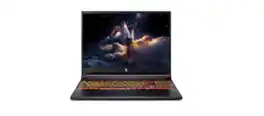
Acer - Nitro V – 16" WUXGA 165Hz Gaming Laptop - Intel Core 7 240H 2024 - NVIDIA GeForce RTX 5050 – 16GB Memory – 512GB Storage - Obsidian Black
4.6(22)

Elevate your gaming adventure with the Acer Nitro V 16, your gateway to an adrenaline-charged journey. This laptop is the perfect blend of power and style, pushing the boundaries of what’s possible on a laptop. Powered by the Intel® Core 7 processor 240H and NVIDIA® GeForce RTX 5050 Laptop GPU, the Acer Nitro V 16 unleashes exceptional speed and cinematic visuals for smooth, immersive gameplay and streaming.

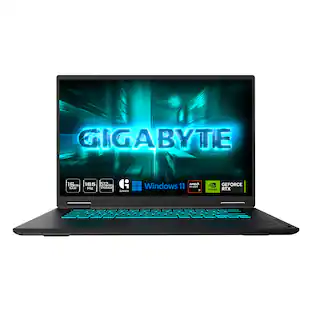
GIGABYTE - GAMING A16 - 16" 165Hz 1920x1200 WUXGA Intel Core i7-13620H - 1TB SSD - 32GB DDR5 RAM - GeForce RTX 5060 - Black Steel

The GIGABYTE GAMING A16 redefines accessible gaming with a perfect synergy of AI-powered performance and ergonomic design. Featuring an Intel Core i7-13620H Processor and up to a NVIDIA GeForce RTX 5060 GPU, the GAMING A16 is ideal for casual gamers, students, and professionals exploring generative AI. Equipped with GiMATE - an intelligent AI agent - this laptop, personalizes your computing experience by adapting system operations to your unique needs. With a focus on user comfort, the GIGABYTE GAMING A16 introduces the premium GIGABYTE Golden Curve Keyboard and a versatile 180-degree hinge design, accommodating various usage scenarios from gaming to productivity. Perceive every game winning moment on a panoramic 165Hz display with slim bezels and a 16:10 aspect ratio while Dolby Atmos creates an immersive audio experience.

HyperX - HP OMEN 16" 165Hz 2K Gaming Laptop - Intel Core Ultra 7 356H (2026) - 16GB Memory - NVIDIA GeForce RTX 5060 - 512GB SSD - Shadow Black
4.6(19)

Speed beyond power, victory beyond doubt. Our new HyperX OMEN 16, is engineered specifically to give gamers the competitive advantage. A new high polling rate keyboard and OMEN AI combined with a NVIDIA RTX GPU and the latest Intel processor for a perfect blend of speed and powe.

Pros for Acer - Nitro V – 16" WUXGA 165Hz Gaming Laptop - Intel Core 7 240H 2024 - NVIDIA GeForce RTX 5060 – 16GB Memory – 512GB Storage - Obsidian Black
Portability, Heat Dissipation, Build QualityOverall Performance, Heat Dissipation, Portability, Storage SpeedOverall Performance, Portability, Battery Life, Cooling System, Processor SpeedOverall Performance, Battery Life, Design, Port Selection, RTX 5060 Performance
Cons for Acer - Nitro V – 16" WUXGA 165Hz Gaming Laptop - Intel Core 7 240H 2024 - NVIDIA GeForce RTX 5060 – 16GB Memory – 512GB Storage - Obsidian Black
Battery Life, Noise LevelThere were no cons for this productFan Noise, Screen QualityWeight, RAM Capacity

Specs

Be the first to ask a question.

We’ll try to get your question answered within 24 hours by a Best Buy customer or brand representative.

No content

Customers often buy these together

Sponsored

Finance Options

My Best Buy® Credit Card
Choose a benefit:Or
Lease to own

Special Offers

Top Offers
Included with Purchase

Finance Options

My Best Buy® Credit Card
Choose a benefit:Or
Lease to own

Special Offers

Top Offers
Included with Purchase