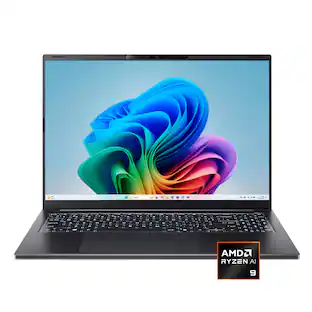
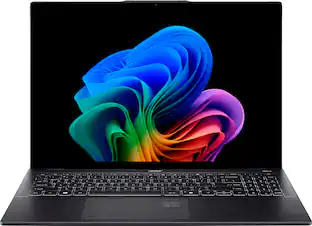
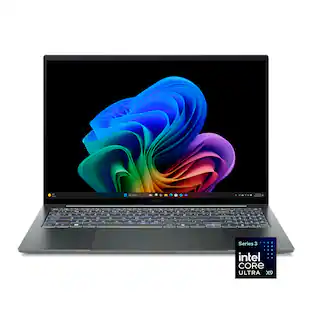
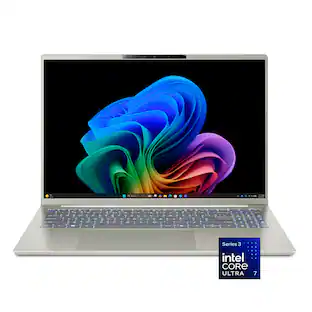
Screen Size: 16 inches (Size of the screen, measured diagonally from corner to corner.)
Screen Resolution: 2880 x 1800 (Screens come in a range of resolutions (measured in pixels, horizontal x vertical). The higher the resolution, the greater the picture quality.)
Touch Screen: true (Touch-screen devices make navigating more intuitive. Using a touch-screen display, you can do things such as tap to select, hold and drag to move items, swipe to scroll, and pinch to zoom.)
Refresh Rate: 120Hz (The number of frames per second the device can produce natively without enhancement. Higher rates help produce smooth, seamless pictures.)
Brightness: 340 nits (A measure of the total light output.)
Processor Model: Intel Core Ultra X7 Series 3 (Your computer's processor is like its brain. Working in combination with system memory, the power of the processor determines the complexity of software you can run, how many programs you can have open at the same time, and how fast those programs will run. Most computers feature an AMD, Intel or Snapdragon processor.)
CPU Base Clock Frequency: 1.9 gigahertz (Actual central processing unit (CPU) speed may vary by device configuration and design. The average rate at which the processor is able to execute tasks under normal operating conditions as asserted by the manufacturer.)
Storage Type: SSD
Total Storage Capacity: 1000 gigabytes
System Memory (RAM): 16 gigabytes (Random-access memory (RAM) is a computing device's short-term data storage, which allows active information to be accessed quickly. The size and type of RAM determines how efficiently the device can handle large amounts of information at one time. For example, gaming or video editing requires more RAM for optimal performance.)
Graphics: Intel Arc B390 (Often referred to as a "graphics processing unit" (GPU), this device is responsible for displaying image content and decoding/encoding video content in programs and games.)
Display Connector(s): 1 x HDMI 2.1, 2 x Thunderbolt (The number and type of connectors used to connect to an external display.)
Battery Life (up to): 24 hours (Battery life will vary depending on the product configuration, product model, applications loaded on the product, power management setting of the product and the product features used by the customer. As with all batteries, the maximum capacity of this battery will decrease with time and usage.)
Battery Chemistry: Lithium-ion
Backlit Keyboard: true (Integrated lights allow for visibility of the keys in low-light conditions.)
General
Brand: Acer
Model Number: SF16-71T-70PN
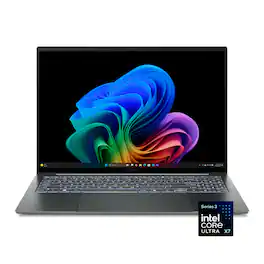
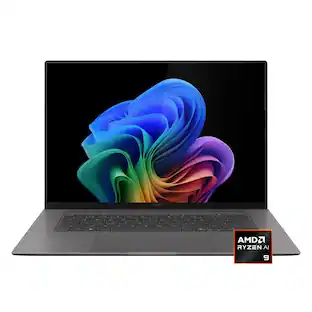
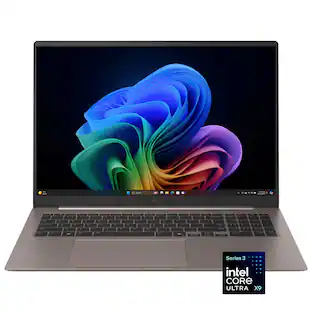
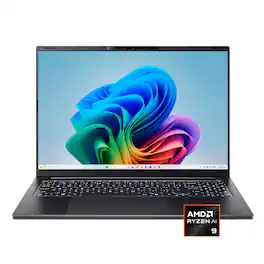
Product Name: Swift 16 AI - Copilot+ PC - 16" 3K OLED Touchscreen Laptop - Intel Core Ultra X7 358H 2026 - 16GB Memory - 1TB Storage
Color: Basalt Gray
Year of Release: 2026
Display
Display Type: OLED
Screen Size: 16 inches (Size of the screen, measured diagonally from corner to corner.)
Screen Resolution: 2880 x 1800 (Screens come in a range of resolutions (measured in pixels, horizontal x vertical). The higher the resolution, the greater the picture quality.)
Touch Screen: true (Touch-screen devices make navigating more intuitive. Using a touch-screen display, you can do things such as tap to select, hold and drag to move items, swipe to scroll, and pinch to zoom.)
Refresh Rate: 120Hz (The number of frames per second the device can produce natively without enhancement. Higher rates help produce smooth, seamless pictures.)
Brightness: 340 nits (A measure of the total light output.)
Processor
Processor Brand: Intel
Processor Model: Intel Core Ultra X7 Series 3 (Your computer's processor is like its brain. Working in combination with system memory, the power of the processor determines the complexity of software you can run, how many programs you can have open at the same time, and how fast those programs will run. Most computers feature an AMD, Intel or Snapdragon processor.)
Processor Model Number: Ultra X7 358H
Processor Model Year of Release: 2026 (The year the processor model was initially available for sale or built into a computer.)
CPU Base Clock Frequency: 1.9 gigahertz (Actual central processing unit (CPU) speed may vary by device configuration and design. The average rate at which the processor is able to execute tasks under normal operating conditions as asserted by the manufacturer.)
CPU Boost Clock Frequency: 4.8 gigahertz (Actual central processing unit (CPU) speed may vary by device configuration and design. The maximum rate at which the processor is able to execute tasks, typically only used for a short period of time as needed. This rate may temporarily boost the processor's performance, but may result in overheating, shutdown, or damage to equipment if sustained.)
Number of CPU Cores: 16-core (A core, or "brain" of a CPU, allows it to receive and execute instructions. Each core can work independently or together to perform parallel operations.)
Number of CPU Threads: 16 (Generally, the more threads, the faster and more responsive the operating system.)
Neural Processing Unit (NPU): true (Whether the product comes with an integrated neural processing unit (NPU) that performs computations for AI (artificial intelligence) functions to increase proficiency of the CPU and reduce power consumption.)
Maximum NPU Performance: 50 trillions operations per second (The maximum neural processing unit (NPU) computations performed. NPUs increase proficiency of the CPU and reduce power consumption for AI (artificial intelligence) functions.)
Storage
Storage Type: SSD
Total Storage Capacity: 1000 gigabytes
Solid State Drive Capacity: 1000 gigabytes (The amount of data that can be stored on the device's solid state drive (SSD). SSD is a flash-based storage with faster speeds than a hard disk drive (HDD).)
Memory
System Memory (RAM): 16 gigabytes (Random-access memory (RAM) is a computing device's short-term data storage, which allows active information to be accessed quickly. The size and type of RAM determines how efficiently the device can handle large amounts of information at one time. For example, gaming or video editing requires more RAM for optimal performance.)
Type of Memory (RAM): LPDDR5X (Each type of RAM delivers a different level of speed, bandwidth, energy efficiency and performance.)
Graphics
Graphics Type: Integrated (Dedicated graphics uses a separate graphics card for processing video images. Because it does not use memory from the system's RAM, there is no extra burden on the CPU and graphics are processed more efficiently. Integrated graphics shares system RAM to process video images.)
GPU Brand: Intel
Graphics: Intel Arc B390 (Often referred to as a "graphics processing unit" (GPU), this device is responsible for displaying image content and decoding/encoding video content in programs and games.)
Compatibility
Operating System: Windows 11 Home (The operating system manages all software and hardware, including files, memory and connected devices. Most importantly, it lets you interact with your device and your programs in a visual way; otherwise, you'd be typing computer code to get anything done.)
Connectivity
Display Connector(s): 1 x HDMI 2.1, 2 x Thunderbolt (The number and type of connectors used to connect to an external display.)
Number of HDMI Outputs (Total): 1
Number of Thunderbolt Ports (Total): 2
USB Ports: 2 x USB-A 3.2 (The number and type of USB ports the product has.)
Number of USB Ports (Total): 2
Number of USB-A Charging Ports: 1
Number of USB-C Charging Ports: 2
Headphone Jack: true (The device features an interface that allows for the connection of headphones.)
Wireless Connectivity: Wi-Fi, Bluetooth (The manner in which a device sends data to another device over a short distance without the use of wires or cables.)
Wireless Standard: BE (The wireless networking protocol used by the device. Each iteration of the protocol is based on the 802.11 standard developed by the Institute of Electrical and Electronics Engineers (IEEE) Standards Association. Denoted by letters following 802.11 (802.11a, 802.11ac, etc.), each version, published in alphabetical order, encompasses all previous versions.)
Wireless Networking Standard: Wi-Fi 7 (The wireless networking standard used by the device. Each iteration of the standard developed by the Wi-Fi Alliance corresponds to an existing IEEE 802.11 protocol; for example, standard 802.11ac (or AC) is termed Wi-Fi 5. Refers specifically to the standard the device is designed to use, but ultimately determines product interoperability and backward compatibility including previous versions.)
Cooling
CPU Cooling System: Air
Power
Battery Life (up to): 24 hours (Battery life will vary depending on the product configuration, product model, applications loaded on the product, power management setting of the product and the product features used by the customer. As with all batteries, the maximum capacity of this battery will decrease with time and usage.)
Battery Chemistry: Lithium-ion
Camera
Front-Facing Camera: true
Front Facing Camera Video Resolution: 1080p (Refers to the number of pixels, both horizontally and vertically, used by the camera facing the user to capture video. The higher the resolution the finer the video detail that can be seen.)
Built-In Microphone: true
Features
Backlit Keyboard: true (Integrated lights allow for visibility of the keys in low-light conditions.)
Touchpad Type: Haptic
Media Card Reader: true (A hardware device that allows for access to data on a memory card and enables the transfer of its files to a computer. These devices may have one or multiple slots for various types of memory cards, and may be integrated into the computer or available as an external device.)
Media Card Slot: microSD
Audio Technology: DTS®:X Ultra Audio
Security Features: Facial recognition
Dimensions
Product Height: 0.58 inches (The out of box height of the item. Height is measured as the vertical distance from the bottom of the item to the top as it would be primarily used or placed.)
Product Width: 13.99 inches (The out of box width of the item. Width is measured as the horizontal distance from one side of the item to the other as it would be primarily used or placed.)
Product Depth: 9.66 inches (The out of box depth of the item. Depth is measured as the distance from the front of the item to the back as it would be primarily used or placed.)
Product Weight: 3.42 pounds (The out of box weight of the item.)
Certifications Listings & Approvals
ENERGY STAR Certified: true (Devices carrying the ENERGY STAR service mark, such as computer products and peripherals, kitchen appliances, and other products, generally use 20% to 30% less energy than required by federal standards.)
EPEAT Qualified: true (The Electronic Product Environmental Assessment Tool (EPEAT) was designed to provide an environmental assessment tool for purchasers. In order to qualify for EPEAT, a product must meet all 23 required criteria.)
EPEAT Level: Gold (The Electronic Product Environmental Assessment Tool (EPEAT) was designed to provide an environmental assessment tool for purchasers. In order to qualify for EPEAT, a product must meet all 23 required criteria. Products are rated Bronze, Silver or Gold based on how many of 28 optional criteria they meet (below 50%, 50%, 75%).)
Included
Numeric Keypad: true
Stylus Included: true
Warranty
Warranty - Parts: 1 year
Warranty - Labor: 1 year
Other
UPC: 195133342612
Creativity needs room to breathe. With the world’s largest haptic touchpad and an included MPP 2.5 tilt‑enabled stylus, Acer Swift 16 AI transforms touch into an extension of your imagination. Its stunning OLED touch display and intelligent AI performance bring ideas to life with fluidity and precision. Powered by the Intel® Core™ Ultra X7 processor 358H with up to 50 TOPS NPU, it opens the door to AI experiences that elevate every creative moment.
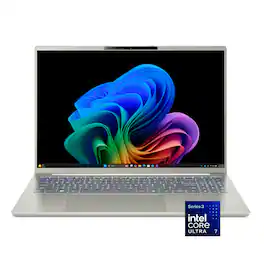
Windows 11 Operating System: With intuitive navigation, faster performance, and stronger security, Windows 11 is designed to elevate how you work and create. Its extensive ecosystem and continuous updates empower you to unlock your PC’s full potential.
The Fastest, Most Intelligent Windows PCs Ever: Transform your everyday workflow with natural, intuitive AI assistance built right in. As a Copilot+ PC*, it enhances your creativity with Cocreator, letting you generate captivating images with ease. Live Captions help break language barriers, and with Recall, you can quickly find documents, emails, photos, and more — simply by describing how you remember them.
16” 3K Multi-Touch OLED Display: A standout 16” 3K OLED touch display delivers cinema‑grade color with 100% DCI‑P3, VESA DisplayHDR™ True Black 500, brilliant 340nits peak brightness, up to 120Hz refresh rate, ultra‑fast 0.2ms response time and 16:10 aspect ratio.
Intel® Core Ultra X7 processor 358H with Intel AI Boost (Up to 50 NPU TOPS): Get more done with the Acer Swift 16 AI. Powered by the Intel® Core Ultra Series 3 processor with built-in Intel® Arc graphics, this thin and light laptop delivers fast, seamless performance for gaming, creating, and multitasking. With up to 24 hours of battery life and powerful on‑device AI (Up to 122 GPU TOPS), it helps you work smarter and stay productive all day.
Intel® Arc™ B390 Graphics (Up to 122 GPU TOPS): The built in Intel® Arc™ B390 graphics delivers smooth 1080p gaming with features like 12 Xe3 cores, XeSS upscaling, and AI based frame generation that can boost AAA titles from around 40 FPS to 70+ FPS. It also accelerates video editing and content creation through dedicated media engines, and its integrated SoC design provides superior power efficiency, leading to longer battery life, cooler temps, and quieter performance.
Smooth, High-Speed Multitasking with 16GB of LPDDR5X: Enjoy lightning fast responsiveness and seamless multitasking for gaming, editing, and everyday browsing, thanks to 16GB of ultra fast LPDDR5X memory clocked at 7467 MT/s.
1TB of PCIe 4.0 SSD Storage: Save files in an instant and store massive amounts of data with ease. PCIe 4.0 SSDs deliver high speed data throughput, making them ideal for intensive gaming, multi server environments, daily backups, and more.
World’s Largest Haptic Touchpad***: The Acer Swift 16 AI features the world’s largest haptic touchpad, giving creators ultra precise control. It works as a giant scrub wheel for smooth video timeline editing and doubles as a screenless drawing tablet with the included stylus—ideal for sketching, editing, signing documents, and digital creation.
Ultra-Light at 3.42 lbs. and as Thin as 0.43”: Embrace true portability with a sleek, lightweight all metal chassis, featuring an anodized, sandblasted finish that reflects meticulous craftsmanship you can feel.
Future-Ready Connections: Intel® Killer™ Wireless Wi Fi 7 delivers ultra fast, stable performance with multi link technology for smooth streaming, creation, and collaboration. Thunderbolt™ 4 adds rapid data transfer, fast charging, and easy access to high performance devices through a single port.
Full HD IR Webcam: Look your best with a 1080p Full HD IR webcam equipped with Windows Hello facial recognition, AI background blur, and auto framing. And with Acer PurifiedVoice™ and its AI noise reduction, distracting sounds are filtered out for you and your callers—even when using external headsets or mics.
Comprehensive Protection: Keep your information secure with multiple layers of hardware and software protection. Acer User Sensing application adds extra peace of mind by detecting when you step away—automatically locking your screen, dimming the display when you look aside, and waking up the moment you return.
Military-Grade Durability: Meeting MIL‑STD 810H durability standards, means it’s tested against everyday bumps, drops, and environmental stress. This is a laptop made to keep up with you, day after day.
The Ports You Need, Built In: Get connected with 2 x USB Type-C Ports - supporting USB4® (up to 40 Gbps), DisplayPort over USB Type-C, Thunderbolt™ 4 & USB Charging & Power Delivery (Up to 100W), 1 x USB 3.2 Gen 2 Port featuring power-off charging, 1 x USB 3.2 Gen 1 Port, 1 x HDMI™ 2.1 Port supporting 48 Gbps, 10K maximum resolution, Fixed Rate Link and 1 x Headphone/Speaker/Line-out Jack with Support for High Impedance Headsets (Up to 600ohms)
Acer Apps Included: IrisGo: Your on-device Digital Butler for Instant Answers, Acer AI Image Generator: Simply highlight text and instantly generate stunning images, Acer Display Lens: Enhance video conferences and productivity tasks, Acer QR Capture: Instantly detect and decode any QR code, Acer My Key: A customizable hotkey, Acer QuickPanel: Allows you to adjust Acer PurifiedView™ and PurifiedVoice™ AI-enhanced effects quickly and easily, Acer User Sensing
Additional System Features: Per Key LED Back-lit Keyboard, Flexible 180° Hinge, Dedicated Numeric Keypad, Protective Sleeve and Acer Active Stylus Included
Enjoy 2 months of Xbox Game Pass Premium: Play 200+ games on Acer Swift 16 AI with two months of XBOX Game Pass Premium and get access to a library of legendary, high-quality games, get exclusive in-game perks, partner discounts, and earn points annually with Xbox Rewards.
Whats Included
Laptop
100W USB Type-C Power Adapter
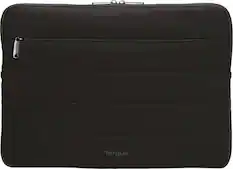
Protective Sleeve
Power Cord
Acer Active Stylus
Disclaimers
*Copilot+ PC experiences vary by device and market and may require updates continuing to roll out; timing varies. See aka.ms/copilotpluspcs
**Battery life measured under specific test settings pursuant to video playback scenarios - MobileMark® 2030 test results - Up to 14-hours battery life
***Touchpad claim based on Acer’s internal market analysis as of December 15, 2025, comparing Acer Swift 16 AI with 26 commercially available notebooks equipped with haptic touchpads from Asus, Apple, Dell, HP, Lenovo, Microsoft and MSI.
Intel, Pentium, Celeron, Core, Atom, Ultrabook, Intel Inside and the Inside logo are trademarks or registered trademarks of Intel Corporation or its subsidiaries in the United States and other countries
A: We suggest you post your question on the Acer community forum at community.acer.com. This is a very good peer-to-peer forum for gaming questions and answers on Acer products.
Sponsored
Compare similar products
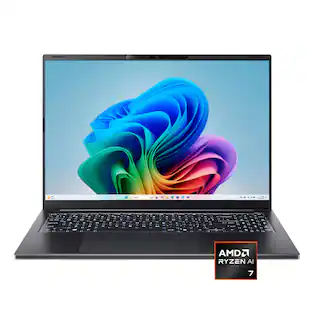
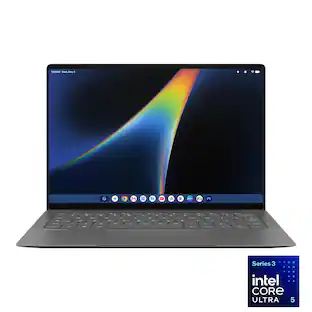
Acer - Swift 16 AI - Copilot+ PC - 16" 3K OLED Touchscreen Laptop - Intel Core Ultra X7 358H 2026 - 16GB Memory - 1TB Storage - Basalt Gray
Creativity needs room to breathe. With the world’s largest haptic touchpad and an included MPP 2.5 tilt‑enabled stylus, Acer Swift 16 AI transforms touch into an extension of your imagination. Its stunning OLED touch display and intelligent AI performance bring ideas to life with fluidity and precision. Powered by the Intel® Core™ Ultra X7 processor 358H with up to 50 TOPS NPU, it opens the door to AI experiences that elevate every creative moment.
AI-Powered Performance for Days - Embrace the next level of AI performance where productivity is boosted, and ideas transform into reality. Swift 16 AI is your gateway to a smarter, more efficient digital life, powered by the Intel Core Ultra processor, with an NPU delivering up to 47 TOPS. Tap into a vast ecosystem of AI experiences across various apps, elevating your workflow to new heights..
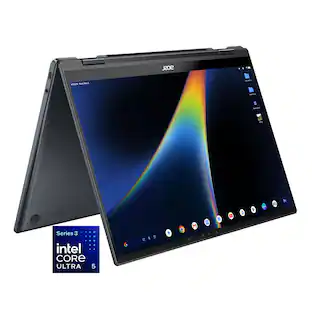
Wherever life takes you, the Acer Swift Go 16 AI is designed to move with you. Its slim, ultra‑thin design slips effortlessly into your day, while all‑day battery life and the powerful Intel® Core™ Ultra 7 processor 355 keeps everything running smoothly—whether you’re working or unwinding. A stunning OLED touch display makes every moment more immersive, while built‑in AI performance helps ideas take shape so you can stay one step ahead.
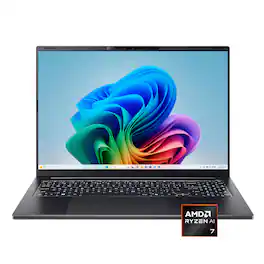
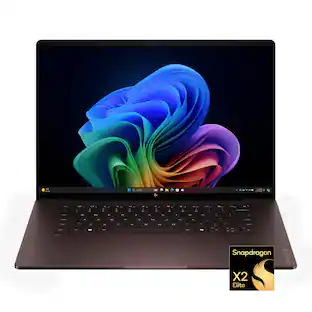
HP OmniBook X 16" Next Gen AI PC: Designed to empower, built to perform, engineered to last. Experience enhanced AI processing, smoother graphics, and seamless multitasking powered by an Intel Core Ultra processor with Intel AI Boost delivering 50 NPU TOPS. Plus, this device meets military-grade standards and undergoes rigorous testing to handle drops, shocks, and extreme environments, keeping up with your toughest challenges so you never have to slow down.
Pros for Acer - Swift 16 AI - Copilot+ PC - 16" 3K OLED Touchscreen Laptop - Intel Core Ultra X7 358H 2026 - 16GB Memory - 1TB Storage - Basalt Gray
The vast majority of our reviews come from verified purchases. Reviews from customers may include My Best Buy members, employees, and Tech Insider Network members (as tagged). Select reviewers may receive discounted products, promotional considerations or entries into drawings for honest, helpful reviews.
Rated 4 out of 5 stars
Slim and Powerful with a Gorgeous Screen
_____
*Pros:
-Powerful all-around performance from Intel’s latest mobile SOC (Panther Lake).
-Bright, gorgeous 3K OLED touchscreen.
-120Hz refresh rate smoothness.
-The Intel Arc B390 can run AAA games with good frame rates at 1080p.
-Nice selection of ports.
-Huge quality touchpad with great haptics.
-Has a number pad.
-Excellent battery life.
-Only 3.4 lbs and 0.39” thin.
-Very quiet, practically silent.
_____
*Neutral:
-The speakers are not very loud and sound thin.
-There should be another USB-C port on the right side.
-Too much bloatware out of the box.
-The memory is soldered and can’t be upgraded.
-Only one M.2 slot.
-The lid is a fingerprint magnet.
_____
*Cons:
-The pen only works on the touchpad, not the screen.
*** Design and Build Quality ***
The moment I lifted the Acer Swift 16 out of the box, I knew I was looking at a premium laptop. The Basalt Gray color scheme, which is like charcoal color, accented with shiny gold lines, gave the machine some personality and made it look refined with some elegance. The magnesium-aluminum chassis is smooth to the touch, and despite knowing it was made of metal, it sort of felt like high-quality plastic. Perhaps due to its lightness, and the way the lid flexes inward a bit, the Swift 16 didn't feel very tanky or durable. The bottom panel, the keyboard, and the area surrounding the touchpad fared better and felt solid. Acer states it meets MIL STD 810H durability standards but doesn't provide a list of which tests (out of 28) the Swift 16 passed. I'm hoping the Swift 16 passed the most common ones such as shock, vibration, humidity and rain, and protection against sand and dust.
Upon booting the Swift 16 to the desktop, the gorgeous 2880 x 1800 (16:10) 16" OLED display commands your attention and awe. It's bright, very crisp, and the colors are accurate and vibrant, offering 100% DCI-P3 color coverage, which is great for watching movies and TV shows in the way the director intended. The color accuracy will also be beneficial for those like me who do video editing and create digital art.
The display also supports 120Hz refresh rate, which enables smoother scrolling, snappier system animations, reduced eye strain, and a big improvement when watching videos or playing games.
Moving down to the keyboard area, I found the typing experience to be somewhere between okay and good but not very good. Probably due to the thinness of the laptop, the keys have a short travel distance, and they feel a bit too firm for my liking. I'm probably spoiled, though, by the better keyboards on my gaming laptops with a longer travel but quick response rates. With that said, the keys still feel premium and they operate quietly. A number pad is on offer, and I LOVE having it. I work on my finances and crunch numbers in Excel often, so having a numpad is pretty much a necessity for me. I wish the keys were a bit wider but it's nothing that muscle memory can't solve.
Traveling further down, there is that HUGE haptic feedback touchpad, and it's awesome. It feels very smooth to the touch, and my taps, drags, pinches, and multi-finger gestures all registered very quickly and accurately. Despite its large size, I experienced no issues with my hands unintentionally setting off random taps and scrolls while typing on the keyboard. I chalk that up to the way I hold up my hands while typing but I can understand why some people might experience unintentional taps and movements if they're the type that likes to rest their palms on the touchpad while typing.
When it comes to ports, the Swift 16 does a pretty job by offering two Thunderbolt 4 USB-C ports (both on the left side), two USB-A ports (one on each side), one 2.1 HDMI (on the left), and one microSD slot (on the right). There’s also a headphone jack on the right. This means I don't have to carry around any dongle adapters so that's fantastic. I do wish, however, that Acer had added at least one more USB-C port on the right side since there certainly is enough space on the chassis for it.
I also wish Acer made it so that the stylus could be used on the screen rather than on the touchpad. I like to do digital art, and it would’ve been nice to draw directly on the screen rather than on the touchpad which feels awkward and not as accurate. I guess I’ll be sticking to my tablet for my drawing.
So far, everything's been mostly good about the Swift 16 but when we reach the bottom panel where the speakers are, things start to go a bit off course. To put it simply, the speakers are just so-so. For a premium Ultrabook that is priced accordingly, Acer definitely could’ve done better in the audio department. The soundstage isn’t very wide, the bass is anemic even by laptop standards, and the sounds reaching my ears sound like they’re being stifled or muffled behind some spongy layer. Songs that are heavily vocal-oriented actually sound okay and good, but instrumentals, heavy metal, and rock sound distorted and not true to their source. It’s not horrible but the weak audio especially stands out because Acer did so well in the other departments like the screen, the touchpad, and the highly performant components inside the sleek and premium chassis.
To sum it up, Acer scored a win almost everywhere except for the audio which is a shame.
*** Performance ***
True to its moniker, the 2026 Acer Swift 16 is...very swift. Powered by the latest and greatest mobile SOC from Intel (Core Ultra Series 3 Panther Lake), 1TB Kingston NVME drive, 16GB LPDDR5X memory, and the surprisingly very performant Intel Arc B390 integrated graphics with 12 Xe3 cores that support ray tracing and multi-frame generation (MFG), the Swift 16 is a powerhouse for productivity, entertainment, and gaming (as long as you stick to 1080P and don’t max out all the eye candy settings).
In Geekbench 6, the Swift 16 did pretty well for itself, scoring 2829 single-core and 15,775 multi-core (performance mode, plugged in). On battery, it scored 2512 single-core and 13,923 multi-core, a reduction of 12.6% and 13.3% respectively, which is actually quite impressive. Despite having less power to draw upon, the Ultra X7 358H scored almost identically to the Core i9 14900HX (24 cores) and Core Ultra 9 275HX (24 cores) inside my gaming laptops (see table). When it comes to graphics, however, the Ultra X7 358H blew the other CPUs completely out of the water, foreshadowing its strong performance in games.
I put the Swift 16 to the test by playing some popular AAA games on it, such as the new Resident Evil Requiem as well as Cyberpunk 2077. To my great pleasant surprise, both games ran very, very well. RE Requiem was played at 1080P with ray tracing off, hair strands on, graphic quality set to Normal, frame generation enabled, and the frames consistently hovered between 55 to 60fps. In Cyberpunk 2077, it was also played in 1080P with ray tracing off, and the frames were also around 60fps. In anticipation of the new Tomb Raider game coming out later this year, I began replaying the “Survivor” trilogy, and because those games are older, I was able to set most graphic settings to High and still get good frame rates.
I’m truly amazed that a thin and light Ultrabook from Intel with “just” integrated graphics can play games so well and smoothly. The Swift 16 certainly isn’t a gaming laptop, and it doesn’t pretend or claim to be one, but the power is there when gaming beckons you.
The Swift 16 is great and fast at everything else as well, such as video and photo editing and multitasking multiple apps (e.g., running Chrome with 30 tabs, music playing in the background, and converting and compressing video files). The NVME SSD drive and 16GB of LPDDR5X memory keep everything running smooth and snappy.
*** Rest of the laptop ***
As expected, the Swift 16 arrived with Windows 11 Home installed, and the first thing I did was perform all the driver, firmware, and Windows updates followed by removing all the third-party apps I consider bloatware (there was quite a bit). Then, I installed ExplorerPatcher (by valinet on GitHub) to make Windows 11 look and act like Windows 10, bringing back the familiar Start Menu and Taskbar.
Everything else was also good and I experienced no issues with Wi-Fi speeds, Bluetooth connectivity, the stylus, and the touchpad. Except for the lackluster speakers, Acer did a pretty good job crafting the Swift 16 – thin and light, crisp and bright OLED screen with excellent color accuracy, a huge and responsive touchpad, quality keyboard with a numpad, and highly performant Core Ultra X7 358H with the Arc B390 integrated graphics that shatters and upends the idea that integrated graphics suck and you can’t play AAA games on such a thin and light Ultrabook.
All in all, I give the 2026 Swift 16 a 4.4 out of 5 Stars, which is a B+ in my scale. Unless you’re extra picky about audio quality, I think the Swift 16 will please most people out there and they’ll be very happy with the swift performance, beautiful display, and its thin and light form-factor.
Posted by optimummind
Rated 5 out of 5 stars
High-End Laptop at a Value Price
With computer components and RAM prices skyrocketing, it seems these days like most decently-specced laptops are priced at well over $2,000. Enter the Acer Swift 16 AI. I'll admit, Acer is not a brand that comes to mind when I think of high-end or premium laptops. But after using it for a couple of weeks, I'm extremely impressed. The design, build quality, display, and specifications are something I would have expected in a high-end gaming laptop -- not one from Acer. It's quickly moving towards the top of the list of the best Windows laptops I've used in the past 5 years. But there are a few minor quirks to consider.
=== PROS ===
- The design and build quality of the Swift 16 AI are excellent. The dark gray design with gold accents is very elegant. For a 16" laptop, it is incredibly thin and lightweight at under 3.5 pounds. The hinge feels strong and the display is easy to open with one hand. There is a little bit of flex to the keyboard when you push down hard enough, but it's nothing major.
- The display is one of the major highlights of this laptop. It's an OLED with a 2880×1800 resolution and 120Hz refresh rate -- and it's beautiful. Colors are rich and vivid. It gets very bright, though not as bright as some of the most premium laptops on the market. The 120Hz refresh rate makes scrolling through documents, webpages, and photographs feel seamless with no lag. I was not expecting such a great laptop display at this price point.
- The trackpad is, hands down, the best I have ever used on a Windows laptop. It's a haptic trackpad, which are hard to find on Windows laptops in general (even my high-end gaming laptop doesn't have a haptic trackpad). The trackpad is massive, so you have a very large area to move your fingers and scroll through content. You can click anywhere on the trackpad -- even at the very top or bottom -- and you will get the same satisfying haptic feedback "click" no matter where you press. It's incredibly satisfying to use, and it might even rival the trackpad of a MacBook Pro.
- The internal specs of this laptop are equally impressive. The Intel Core Ultra X7 358H is a very powerful 16-core CPU that allows for excellent efficiency and battery life. But where the chip really shines is with its integrated graphics. The integrated Intel Arc GPU is capable of running AAA games at low to medium settings and decent frame rates. Is it going to keep with with a high-end, dedicated gaming laptop? No, but it's pretty incredible that a chip like this is even capable of running such games. It's perfect for 3D modeling and video rendering tasks.
- The large 70 watt-hour battery paired with the Ultra X7 chip means this machine has some serious battery life. I used the machine on battery power for a full 8-hour workday (emails, Word documents, video calls) and I still had almost 30% battery remaining at the of the day. I could have easily gotten at least 12 hours out of the battery.
- The Acer Swift 16 AI has a decent selection of ports, with two USB-C ports, two USB-A ports, and an HDMI 2.1 port. There's also a microSD card reader. The laptop also supports Wi-Fi 7, so the connectivity here is relatively future-proof.
- The speakers are pretty good for such a thin laptop. They get very loud without any distortion, and the sound is mostly balanced without sounding tinny.
- The laptop charges via USB-C and not some proprietary barrel charger. So if you lose the included charger or simply want to carry around a second one when you travel, any 100W USB-C charger will do.
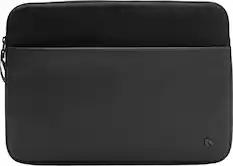
- This laptop comes with a very nice travel case/sleeve in the box, which is a nice premium touch. I don't recall any other laptop I've owned coming with a travel case in the box.
=== CONS ===
- My main gripe with this particular configuration is that it only has 16GB of RAM, which is basically the bare minimum for a decent Windows PC these days. If it weren't for the current RAM shortage, my guess is that Acer may have included 32GB of RAM in this base configuration. 16GB is fine for basic workloads, but if you do any kind of serious graphic design or video editing, you might need to look at a higher configuration.
- The OLED display is stunning, but it is very glossy. If you frequently work outdoors or in a bright room, the reflections could get annoying.
- I love that the laptop charges via USB-C, but only the left side of the laptop has USB-C ports. So depending on where your power outlet is located, you might have to reach the cord around to the opposite end of the laptop.
- The Acer Swift 16 AI comes with a stylus that can be used on the trackpad to draw, write notes, sign your name, etc. Since the trackpad is so large, this could be a nice feature for artists. But the stylus does not work on the laptop's display, even though it's a touchscreen. So I don't really see myself using the stylus very often.
- The keyboard is decent with a nice amount of travel to the keys. But I'm not a fan of number pads on keyboards. The number pad here just feels cramped and out of place, and it causes the space bar to not be centered over the trackpad. I guess it's a matter of personal preference, but I wish Acer would have just left off the number pad.
- The webcam is 1080p, but it seems to produce washed-out and somewhat pixelated video. It will be fine in a pinch, but don't use this as your primary webcam if you make a living on video calls or YouTube.
=== OVERALL ===
Minor shortcomings aside, I'm seriously impressed by this laptop. It's simply a joy to use, and it feels more premium than some more expensive laptops I've used. It's thin and light. It has a gorgeous display. It has arguably the best trackpad ever on a Windows laptop. It has incredible battery life and even better performance. Honestly, what more do most people need in a laptop? At this price point, I think Acer has delivered the laptop of the year with the Swift 16 AI. Highly recommended!
Posted by ryanmcv
Rated 5 out of 5 stars
Thin, cool running, and quietly very capable
My review focuses on the laptop’s 16 inch vivid OLED touch screen and new touchpad & pen combo, that may make it a good choice for creatives and content creators. I used various apps from Adobe CC suite, Affinity, as well as other apps to gauge performance. I also compared it to similar laptops that I’ve already reviewed that are close to specs and price. FLIR Thermal camera photos for idle and under load heat maps, audio quality, build quality, keyboard, cooling fans and more. Specs are only quoted when needed. The product’s overview covers all of that.
Windows Setup was easy and simple. A very basic quick guide tells you where to plug it in and where to turn it on, and Windows takes over from there. Typical PC setup after that. Especially if you already have a Microsoft account / other Windows PCs. Mine did some updates, and Windows asks the typical questions it does during setup.
The OLED touch screen is beautiful! The colors are vivid and the blacks are true black. The OLED panel is made by Samsung and is “VESA certified Display HDR, True Black 500”. That means it meets specific color and contrast standards for OLED panels. LCD panels have a different VESA HDR rating system. Google VESA for more. While researching this, I discovered that all my laptops with OLED panels, that the panels are made by Samsung and meet the same VESA True Black 500 certification. I think the 3K resolution is a better fit for the16 inch screen than 4K. I have a Dell with a 4K OLED screen, and the text is pretty small, even scaled up. It also requires more CPU and GPU power to push those pixels on a 4K screen. As for glare complaints, this laptop is no worse than the others I have with OLED screens. I agree that a slight matte texture would have made it perfect.
The Screen refresh can be set as high at 120hz or 60hz and can go as low as 40hz via dynamic refresh. It drops to 40 Hz for static web pages and ramps up to 120 Hz for fast‑moving games or other content. Specs state a P-3 color gamut and max brightness of 350 NITS. I verified that with my Datacolor Spyder X Pro and the latest 6.4.4 software. It stated 100% P3 and sRGB, and 97% Adobe RGB. Also, 6500K color temp, 2.2 gamma and 400 NITS peak brightness. See photos. Right click and open in new tab to make them bigger. I like that the Webcam has a physical shutter. It’s FHD and gets the job done. Windows Hello works very well. No fingerprint scanner.
The 16 core Intel Core Ultra X7 358H is a powerhouse that gives outstanding performance. Then add the onboard Arc B390 GPU that is almost on par with a discrete GPU+ RAM setup and NPU and you get good basic gaming performance and an excellent laptop for edit photos and videos. Especially if you get the 32GB version. The CPU, GPU and NPU all share the system RAM and 16GB is barely enough for that kind of work. Also, it’s soldered on the board and not upgradeable. The Kingston SSD performed well.
I ran several benchmarks on it and captured idle and full‑load heat maps (top & bottom) for thermal analysis with my FLIR One Pro thermal camera so you can see where the heat is and isn’t, and how warm it got under load. It handles heat dissipation very well, and the fans were much quieter than all my other laptops at full speed, or any speed.
Passmark overall score: 9145
GeekBench: Single Core: 2787 Multi: 15,353 Open GL:52,935
Cinebench R23: 15,704 multi core. Didn’t run single.
Puget Benchmark for Adobe: Photoshop 27.6: 7588 LRC15.3: 7337
Didn’t run Premiere Pro due to 16GB of RAM & large video files.
The closest thing I have to compare it to CPU wise, is my Acer Predator Helios (core i9-14900HX, 32GB, RTX 4060) that I reviewed in 2024 and Gigabyte A16 (core i7-13620H, 32GB, RTX 5060) last July. They are gaming laptops, but the CPU speed and specs are the closest to this laptop, and it sits middle ways but closer to the Predator Helios for general use and content editing. As for games, the Gigabyte with the newer RTX 5060 took the crown.
Using the pen on the “world’s Largest” touch pad / graphics tablet is a mixed bag. For note‑taking and sketching, it’s competent but not pro‑grade. The pen has potential if the software or firmware can be tweaked to make it better. It works like using a pencil on an iPad or Samsung phone or Tablet but isn’t as precise. Very small movements hardly register, if at all and there’s some lag to it once you move it enough to start leaving a mark. Pressure sensitivity must be fixed. In Photoshop using a brush tool and starting with light pressure you get a thin line, as expected, pushing harder makes it thick and it stays thick even when you lighten up. It only resets pressure when you pick it up from the pad. My Wacom tablet, iPad Air M3 and Pencil Pro don’t behave that way. Lighten up and the line thins back up. You must hover the tip close to the pad to see its position, and accidental touches are too easy to make. If you have other touch screen laptops, try using the pen on their screens, as the pen worked on my two Asus touch screen laptops. The pen runs on an included replaceable AAAA battery that can last from 1 year with heavy use to several years with occasional use. All Alkaline batteries will eventually leak, so take the battery out of the pen if you rarely use it.
Using the touch pad for intended use does a good job but has a couple of quirks. The haptic feel is pretty cool. It can be set to 4 different levels or turned off. Palm rejection is good, but not perfect. Sometimes it can relocate the cursor when you’re typing. When typing this review in MS Word basic online, I had to adjust the touch so the pad would acknowledge finger touches to relocate the cursor no matter where on the pad you touched it instead of the center only. I concluded that it is a browser text editing quirk in Word in Edge and Google Docs in Chrome only.
Audio quality is disappointing for a laptop of this caliber. It sounds boxy, with mids that sound harsh and highs that feel muffled. Using DTS didn’t help and no EQ options. The best audio I ever heard from a laptop is the Asus ZenBook S14 I reviewed last year with 4 H/K tuned speakers. Clean highs and even some bass response, from a smaller unit. Has a headphone out jack.
I like the feel of keyboard, that it has a small numpad and the per key lighting that doesn’t bleed as much as the usual back lit keyboard. Letters and numbers are very easy to read with or without back light. The keyboard backlight offers three levels—off, low, and high. There’s a 30 second time-out setting for the back light, but it’s only accessible in the BIOS. You get a choice of a 30 second time-out or always on.
It has a handy micro-SD slot, however, it’s USB-2 speed and I only got 29 MBs out of it compared to a couple of USB-3 card readers that were pushing around 100MBs with the same 128 GB SanDisk Extreme Plus card.
You can charge it with smaller USB C chargers but will take longer, use the100 watt power supply that’s included for best performance. Battery life can vary a lot depending on settings and use, and I got about 13 hours of light mixed use in light mode with brightness at 25% before it hit 10%. Dark mode would probably get you a little more. I think 24 hours is a stretch.
Build quality looks and feels very solid considering how thin it is.
Conclusion: I think the OLED screen and its resolution are perfect for the screen size. The Core Ultra X7 is a powerhouse. However, 16GB RAM can hold it back in some situations. Thin, light, and quietly capable. However, the new pen‑pad combo still feels experimental but shows promise.
Right click on photos, open in new tab will make them larger.
Posted by MrLowNotes
Rated 5 out of 5 stars
OLED screen quality and high performing processor.
Acer - Swift 16 AI - Copilot+ PC - 16" 3K OLED Touchscreen Laptop - Intel Core Ultra X7 358H 2026 - 16GB Memory - 1TB Storage - Basalt Gray
The Acer Swift is based on the very new Intel Core Ultra X7 358H processor and is at the upper end of the CPU Mark Laptop score chart as of April, 2026. This processor performs well in Gaming Score performance, but you will need to be reasonable about settings. I was impressed with this processor for both gaming and video editing. This Acer configuration uses Intel’s high performance chip architecture as well as the denser Xe3 graphics with its Arc Pro B390 GPU’s 12 X cores. This is true graphics competence despite not having a standalone “name” graphics card, and with significantly less of a weight and battery burden.
The Acer Swift 16 is power efficient. I’ve come to expect all day power no matter what features or resources that I’m using. I’m typically using spreadsheets and AI graphics creation, but I can top off my day with streaming various sporting events (a dense schedule of playoffs this week), and on exploring YouTube music videos.That OLED high resolution screen! is lush, colorful, almost 3D because of the deep blacks. More than adequate brightness (340 nits), Crisp (3K). Colorful (100% DCI‑P3, VESA DisplayHDR™)., and fast (0.2ms response). All these elements should be tough on battery life, but I haven’t witnessed limitations. Exceptional Screen resolution eliminates any softness in text, while the 16” screen opens up more visual space for work and play. And I’ve got that HDMI port to add a screen.
SETUP: I’m still digging out from under a variety of unhelpful helper programs from Acer and all their advertising partners. I volunteered to let Microsoft do all its updates upfront, while I watched playoff games …. on TV. I suppose you can let many of these updates take place in the background, but that has its own issues. I also checked out some customization features that allow the end user to extract more performance from the graphics processor, but I don’t know enough about what’s possible.
PERFORMANCE: Acer includes a simple slip cover to protect the attractive, etched casing. I connected to my 1 Gig Internet easily and achieved close to that speed all day. I was pleased to see Thunderbolt 4 ports (2@ 40GBps), a pair of USB 3.2 Gen 2 ports, an HDMI 2.1 port and a headphone/speaker/line-out jack. A quick check of the audio output with both desktop speakers and my favorite headphones was fun utilizing the several audio modes onboard. Using the built-in speakers was OK as far as clarity and volume, but not in any way musical or cinematic.
That huge touchpad will take some getting used to, but its role as a screenless drawing tablet to be used with the included stylus makes it all good. That is a feature that I can grow into. I spend time editing graphics and creating 3D models while designing simple construction projects, so this feature will make my life easier. I loved the feel of the keyboard and this is a touchpad that didn’t have me immediately looking to connect a mouse to the computer. The number pad serves my limited financial management activity within Excel nicely. The key action was so very natural that I quickly forgot I was on a new laptop.
The built-in 1TBSSD is a perfect size for most users, and the Thunderbolt USB-C ports make adding high performance external drives easy to do. That’s a good thing, ‘cause there is no other SSD slot, just like there is no other memory slot.
The OLED screen is a beauty, with infinitely deep blacks and sparkling whites. Colors look so real and rich against those blacks. I did notice that reflections were sometimes bothersome. Taking pictures off of the screen was an exercise in futility, because it is a great mirror, too.
SUMMARY: Acer’s Swift 16 AI is a series of choices. It will competently tear through business, data science, multi-tasking, video-editing, and are especially able to power AI applications and high end graphics. It is not a purpose-built for gaming, but it will manage many popular games. It’s also lighter, has a great screen, long battery life, and travels easily.
Posted by TECHBEENGOOD
Rated 5 out of 5 stars
Strong Performer with Excellent Screen
This laptop is a powerhouse. Equipped with an Intel Core Ultra X7 358 H chip, the laptop supports AI tasks, light gaming, and 8K video editing.
Design
The laptop features a slim profile and exhibits high-quality craftsmanship. Acer utilizes premium materials, contributing to the device's refined appearance. The generously sized touchpad enhances usability and offers a luxurious aesthetic. Despite its classification as a 16-inch laptop, the device maintains a lightweight feel.
The laptop comes with a soft case to carry the laptop around and it is a very useful accessory as not all backpacks or bags have laptop compartments.
There’s plenty of ports including USB 4, audio input and even a micro-SD slot. The laptop also supports WIFI 7.
Performance
This is where the laptop truly shines. The screen quality is just excellent. Texts are so crisp and images look vivid.
It has great amount of brightness and the colors are superb. The blacks are just excellent on this screen. This is an OLED touchscreen display with 100% DCI-P3 color gamut. It is also an HDR screen with VESA certification bearing True Black 500.
Watching videos on the laptop is a great experience, thanks not only to the beautiful screen quality. The laptop has above-average sound quality and DTS Ultra support, with a graphic equalizer for 10 frequency customizations.
The screen is touch capable and the touchpad supports stylus input. The laptop actually includes a stylus for touchpad input. There are several Acer apps that users can choose to download and one of them is for drawing.
The laptop is actually capable of some light AAA gaming. I play Crimson Desert at low setting and the game plays smoothly.
I edited 8K videos with DJI Studio easily, outputting both 8K panoramic video and 8K linear video.
Working with MS Office is a great experience as texts come out crisps and the keyboard gives great typing experience with full size keys.
Typical use for MS Office can last for more than 8 hours while playing videos with full volume can last for about 6 hours at 50% display brightness. Even at 25% brightness, it’s plenty bright and can push the laptop to last for about 9 hours playing videos at maximum volume.
As far as performance goes, this is a great laptop for work, light AAA gaming and entertainment.
Conclusion
This is a laptop that brings joy to use. This device offers powerful performance in a slim, lightweight design, complemented by outstanding screen quality.
It delivers reliable performance across different activities, such as working, light gaming, or watching movies. I will say again that the screen is just beautiful and the processor performance is excellent. The laptop is well suited for work, play and entertainment.
Pros:
Intel X7 358 H is both powerful and power-efficient
USB 4, Wifi 7 and Micro SD Slot
Beautiful 16” screen
Great thin and lightweight design
Comes with a soft case
Cons:
There are no particularly distinctive ones; however, while the sound quality is satisfactory and exceeds typical laptop standards, there remains room for improvement.