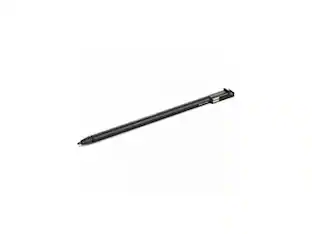
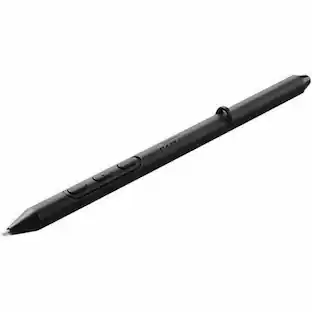
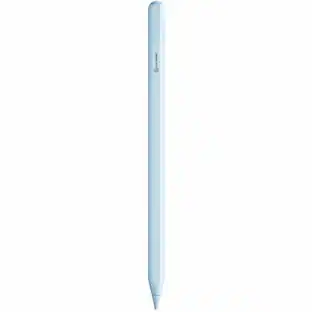
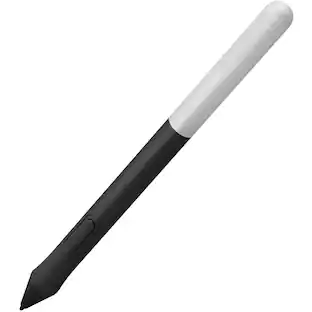
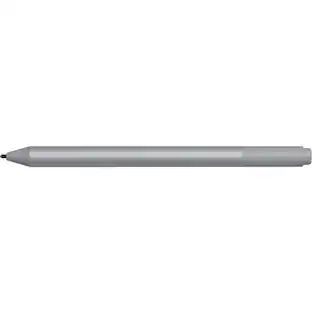
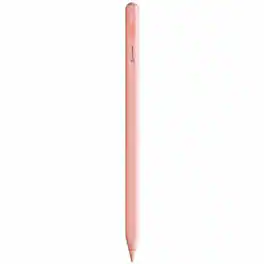
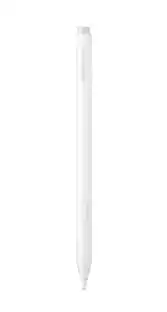
Alogic - iPad Stylus Pen with Wireless Charging stylus pen providing smooth and responsive use across tablets - Pink
Reviews coming soon
About this product
Alogic iPad Stylus Pen with Wireless Charging Pink - Pink stylus pen providing smooth and responsive use across tablets and smartphones.
ALOGIC iPad Stylus Pen with Wireless Charging
The ALOGIC iPad Stylus Pen provides the ultimate experience for writing, drawing, note taking and more on Apple iPad devices, A perfect aid to creativity, learning and productivity, the design sits perfectly in the hand and is ideal for everyday use, the stylus pens are available in 5 pastel colours to suit every taste and can be purchased in bulk multi-packs for education and corporate customers
Magnetic Charging and Storage
The iPad stylus attaches firmly to the side of all iPads released since 2018 meaning it's always on hand and ready for use. Dual mode charging allows this stylus to charge while magnetically docked to iPads that support this feature, or using a USB-C cable if necessary. the stylus charges in just one and a half hours and features a standby time of 30 days and working time of 8 - 10 hours before needing to be recharged.
Drawing Precision with Palm Rejection and Tilt Sensitivity
The iPad Stylus Pen is designed for incredible and accuracy, making it ideal for composing notes, drawing, marking documents, and more, Palm rejection technology and tilt sensitivity make this stylus even more versatile as a drawing and creative tool.
Ultra Build Quality
The ALOGIC iPad Stylus Pen is crafted from high quality materials guaranteeing a longer lifespan from daily wear and tear, The tip is replaceable and interchangeable with Apple genuine replacement tips.
- Model CompatibilityApple iPad mini (6th Generation) 2021
Reviews
This product doesn't have any reviews yet.

Compare similar products
Alogic iPad Stylus Pen with Wireless Charging Pink - Pink stylus pen providing smooth and responsive use across tablets and smartphones.

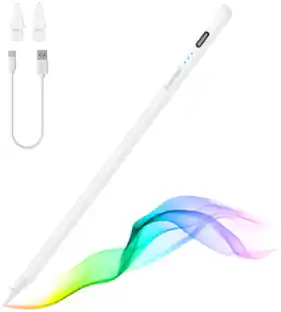
Maintain precise control over your iPad with the Insignia Active Stylus for iPad, iPad Pro, iPad Air and iPad mini. This stylus functions just like your Apple Pencil, using its precise tip to target individual pixels. Tilt to adjust your line thickness when drawing, just like an actual pencil. It also features magnetic support with compatible models, letting you easily locate your stylus each time. Double tap the tail end of the stylus to turn it on or off, helping you to conserve battery life. An included USB-C cable charges your stylus in as little as 30 minutes.

An affordable Apple Pencil with advanced features. Perfect for note-taking, sketching, annotating, journaling, and more. It magnetically attaches to your iPad for storage and pairs and charges with USB-C. Apple Pencil USB-C works with iPad Pro 13-inch with M5 chip; iPad Pro 13-inch with M4 chip; iPad Pro 12.9-inch (3rd, 4th, 5th, and 6th generation); iPad Pro 11-inch with M5 chip; iPad Pro 11-inch with M4 chip; iPad Pro 11-inch (1st, 2nd, 3rd, and 4th generation); iPad Air 13-inch and iPad Air 11-inch with M4 chip; iPad Air 13-inch and iPad Air 11-inch with M3 chip; iPad Air 13-inch and iPad Air 11-inch with M2 chip; iPad Air (4th and 5th generation); iPad mini (A17 Pro chip); iPad mini (6th generation); iPad (A16 chip); and iPad (10th generation).

Apple Pencil Pro adds even more magical capabilities to help bring your ideas to life. New advanced features make marking up, taking notes, and creating a masterpiece more intuitive than ever. Squeeze. Apple Pencil Pro can sense when you squeeze it and brings up a new palette so you can quickly switch tools, line weights, and colors, thanks to a new sensor. Barrel roll. A new gyroscope allows you to rotate the Apple Pencil Pro for precise control of shaped pen and brush tools. Haptic feedback. A custom haptic engine provides feedback that you can feel. When you squeeze or double-tap, a light pulse confirms the action. Apple Pencil hover. Preview exactly where your Apple Pencil will touch down on your display. So you can write, sketch, and illustrate with even greater precision. Double-tap.
| Pros for Alogic - iPad Stylus Pen with Wireless Charging stylus pen providing smooth and responsive use across tablets - Pink | |||
|---|---|---|---|
| There were no pros for this product— | Overall Performance, Ease of use, Battery Life, Connectivity, Price | Overall Performance, Ease of use, Battery Life, Connectivity, Charging Speed | Overall Performance, Battery Life, Connectivity, Ease of Use, Charging |
| Cons for Alogic - iPad Stylus Pen with Wireless Charging stylus pen providing smooth and responsive use across tablets - Pink | |||
| There were no cons for this product— | Pressure Sensitivity, Lag | Pressure Sensitivity, Price, Tip Quality | Price, Pressure Sensitivity, Compatibility, Tip Durability, Weight |
Specs
Be the first to ask a question.
We’ll try to get your question answered within 24 hours by a Best Buy customer or brand representative.
Find more like this











Customers ultimately bought
Explore tech essentials Sponsored

Keep exploring
 $70.09The price was $72.78