Everything for Back to School — and then someShop now

Skip to contentGo to Product Search
Main Content

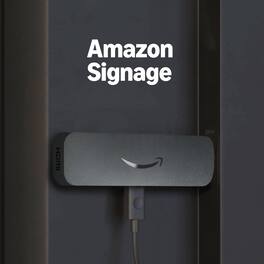
Amazon - Signage Stick – Pro 4K Signage – 16GB - Designed for Businesses, Easy Setup w/ free Mobile App/CMS Compatibility - Black

Model: B0D4FCG9MX
SKU: 6672251
Sold byBest Buy

Customers are saying

Customers admire the product's exceptional ease of use and straightforward setup, often noting it "works out of the box" and is "plug and play." Its strong performance, compatibility for converting old screens, and multiple CMS content management sources are also highly valued. Furthermore, users appreciate its remote management capabilities and compact size. The primary area for improvement mentioned by customers is the port type, with some suggesting to update from Micro USB cables.

Generated by AI based on customer reviews.
Features
  • Professional digital signage

    The Amazon Signage Stick auto-launches your CMS in kiosk mode for seamless, unattended operation.

  • Easy setup

    Setup one or multiple Signage Sticks with the free Amazon Signage app. No tech skills needed.

  • Works with CMS providers

    Seamless integration with the leading content management software. (CMS subscription required).

  • Secure by design

    Secure boot, encrypted storage, and regular updates keep your signage protected and running smoothly.

  • Manage on the go

    Create profiles, organize by location, and monitor real-time right from your phone.

  • Powerful yet affordable

    Delivers Wi-Fi 6E, brilliant 4K, plus a quad-core processor, all in one small device.

  • Always up to date

    Supports automatic CMS updates to keep your digital signage running smoothly.

  • Support

    Get 24/7 help in the mobile app with the Amazon Signage Assistant, or contact signage-support@amazon.com for advanced issues, Monday–Friday, 9 AM–5 PM PT.

See all features
Specifications
  • Maximum Supported Resolution
    2160p (4K)
    High Dynamic Range (HDR)
    Yes
    Operating System Compatibility
    Fire OS
    Remote Control Included
    Yes
    Storage Type
    Internal
    Storage Capacity
    16 gigabytes
Sponsored

Reviews

Rating 4.7 out of 5 stars with 29 reviews

100% would recommend to a friend
Customers are sayingCustomers admire the product's exceptional ease of use and straightforward setup, often noting it "works out of the box" and is "plug and play." Its strong performance, compatibility for converting old screens, and multiple CMS content management sources are also highly valued. Furthermore, users appreciate its remote management capabilities and compact size. The primary area for improvement mentioned by customers is the port type, with some suggesting to update from Micro USB cables.
This summary was generated by AI based on customer reviews.
  • Ease of Use (17)
  • CMS Compatibility (5)
  • Compatibility (5)
  • Performance (5)
  • Remote Management (5)
  • Port Type (5)

Customer Images

The vast majority of our reviews come from verified purchases. Reviews from customers may include My Best Buy members, employees, and Tech Insider Network members (as tagged). Select reviewers may receive discounted products, promotional considerations or entries into drawings for honest, helpful reviews.

  • Rated 4 out of 5 stars

    Good for what it is

    Its a bit indepth and it sucks you pay 100 dollars for this and still need a subscription in order to utilize it.

    Posted by Radmike

  • Rated 4 out of 5 stars

    Works great, just NOT for my Digital Movie Poster

    Amazon - Signage Stick Pro 4K Signage 16GB Physically this looks like the Amazon Fire TV stick, but has some obvious benefits right out of the box. First it’s truly plug-and-play. The intuitive app walks you through connecting it to your Wi-Fi network (if not already saved on AWS). It offers multiple CMS content management sources so you’re not forever locked into a single provider. There are several CMS to choose from, with various specialties and features. My experience with the one that I tested is that the Free tiers are severely crippled, with image watermarking, standard definition (pay $39/month for 4k), no access to background music playback, as well as requiring a verified phone number. My personal usage is / was intended for a home theater business, particularly digital movie posters in portrait mode with motion and animations (pictured statically). I’ve procured 4200+ posters over the years and was hoping that I could just offload favorites to the Amazon Signage Stick (16 GB), but I found a solution that works much better for my specific needs (but not near the $99 stick price) PROS +tiny footprint +stupidly inexpensive +works out of the box +various CMS choices +dark mode option +secure boot kiosk mode +enhanced contrast text +4k resolution choice platforms CONS -micro-USB vs USC-C -16 GB capacity, but 11.73 after OS -glitchy remote pairing process -device does NOT support portrait mode natively -watermarking on some/most CMS free tiers -PosterMarker subscription required for music playback -unsuccessful for my personal digital movie posters project CONCLUSION This digital display solution can easily and quickly transform any monitor or TV into instant digital signage for a mere $99 per stick. However huge catch is that to truly use the device, it requires a CMS subscription, not all of which look cleanly implemented. The one I tried felt clunky, PosterBoard is $39/month in order to get 4k res or do just about anything useful with it. Depending on your business, restaurant, coffee house, welcome signage, announcements, etc it might make more sense and ease the cost, but it’s tough to justify monthly subscription fees if you just have a single unit and minimal needs. The Amazon Signage stick does what it advertises,, however my use-case was more specialized so I will find another use for this. Recommend BUY, but research and select the proper CMS with the features you will utilize for your business.

    Posted by TechReviews

  • Rated 5 out of 5 stars

    A great way to bring more business

    First the packaged arrived well organized and it looked like my Amazon stick, yet it has plenty of features for our business. The setup is easy, plug and play just like the Amazon Stick, HDMI connected to our TV while the power can be plugged to an outlet using the plug or if available, we plugged in the TV using the USB A plug and done. Since the device looks and feels like the Amazon Stick, it also has an old micro-USB port instead of a USB C just like many other things, but no big deal here. The signage is compatible with many CMS content management sources, on the other hand I wish I did not have to setup something else, it would have been better if it was somehow built in or perhaps one place to setup and done. Regardless it was easy and fast. Many things can be done with the remote, and the remote is small yet useful to control the main devise. The signage can be customized to what you want to display, and it can help small businesses by displaying what we want our customers to know. I would have liked for the application to be included or a few months free to use since it is not free to use, either way it is a nice way to get our business out there. Overall, it is a great way to use our TVs that are either in the waiting are, or facing our customers in any space, there are some services that our customers did not know we offered until they saw it on the monitor, so great job.

    Posted by AngelM

  • Rated 5 out of 5 stars

    Easily Managed nearly bulletprood and Low Cost

    Unboxing and initial setup - This is essentially a "bulletproof" amazon fire stick for signage use only. It is a small form factor "stick" with a quad core CPU, 16GB of storage and Wifi 6E connectivity. I unboxed, plugged it into my test bench display and let it startup. The code to add it to the management account on Amazon was available in about 2 minutes. Remote management setup - Amazon's remote management is currently free to setup and use. Connect the end device to wifi, enter the code and it's online in seconds. You can then pair with your favorite CMS provider to setup and manage content. I use Ablesign (Free) for setup, evaluation and testing. Results- Of course I could not resist torture testing by creating a deck with tons of 4k Video clips, intensive website loads and a few static content pages thrown in. The sign stick handled it all without any glitches / display issues nor did it the device heat up on long 4K video plays. Overall - Great performance and tiny size will put this device into consideration for workplace use. What I love ! Survives repeated power pulls, full remote management, remote restore and reimage supported. Incredibly easy to manage, scan the code or enter the ID - Done ! High performance for 4k Video playback with huge local storage. Room for improvement - For commercial use - a wifi antenna port would be a nice addition to keep this secured with a display when surrounded mostly by steel versus having to "remote" the unit and run a cable to an enclosed display. I could not find a way to remotely "hard set" the display resolution. This can be done with the included remote but it requires a physical presence.

    Posted by James K

  • Rated 5 out of 5 stars

    An easy rock-solid way for professional signage

    PRODUCT REVIEWED Amazon - Signage Stick – Pro 4K Model: B0D4FCG9MX QUICK REVIEW An easy rock-solid way for professional signage on any TV – Plug in the Stick, follow the prompts REVIEW The Amazon Signage Stick is great for creating professional displays that are easy to setup and manage. For the price, it can’t be beat. The results are professional looking and turnkey / bullet-proof. You can also decide if you want to your content to be online or offline or a combination of both. I recommend having some “local content” as a backup in case your internet fails for example. In short it just works. SETUP Setup is pretty straight forward, just follow the prompts. The learning curve is not with the stick but with the CMS (Content Management Software) that you select. Plug in the stick to an HDMI port and power supply, then create an Amazon Signage account to manage the device. During the setup process you will be asked for which CMS you have chosen to use. Most of the CMS systems have a free option for you to experiment with, which I suggest you do before you setup the stick. CMS software is used to create the playlist / content for the stick. (like a slide show). NOTE: If you change your mind on CMS software you must complete a full factory reset on the stick and unauthorize the stick from your Amazon Signage Account. (both of which can be completed easily from the web based Amazon Signage Management Console. I could not figure out how to do with the remote control and the stick itself. After the reset, they you are starting over from scratch. PROS • Turnkey once setup • Seems like a more reliable solution than PC based signs • Support from Amazon • Works with all major CMS systems MINOR TOPICS • Wish it had USB-C instead of Micro-USB • Wish it had a USB input for easier use with touch screens • I could not get the CMS systems I tested to recognize it as 4K, so my screens were 1080 but that was probably a limit of my free CMS accounts, I’m sure there is a way to get 4K, I just did not spend a lot of time trying to figure it out. • Wish it was easier to have installed more than one CMS or toggle between them. • Seems crazy to me that you have to do a full factory reset on the stick to change CMS systems, but it works. SUMMARY If you want a bulletproof simple turnkey solution, this makes a great sign app for any TV. I do recommend it.

    Posted by TheOffice1234

From the Manufacturer

Compare similar products

Amazon - Signage Stick – Pro 4K Signage – 16GB - Designed for Businesses, Easy Setup w/ free Mobile App/CMS Compatibility - Black
4.7(29)

Professional digital signage: The Amazon Signage Stick auto-launches your CMS in kiosk mode for seamless, unattended operation.
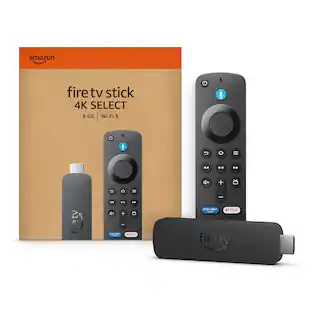
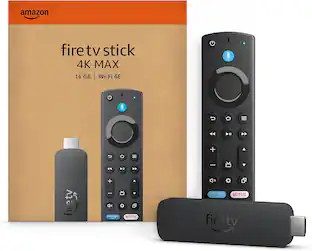
Amazon - Fire TV Stick 2nd Gen 4K Max streaming device, Wi-Fi 6E, Ambient Experience, 16 GB, free & live TV - Black

Our most powerful streaming stick - Elevate your entertainment experience with a powerful processor for lightning-fast app starts and fluid navigation.

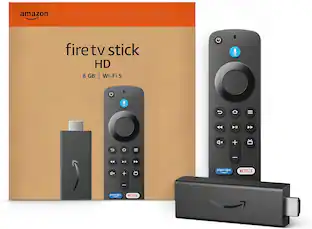
Amazon - Fire TV Stick 2nd Gen HD, free & live TV, Alexa Voice Remote, powered by the TV, effortless setup, 8 GB (2026) - Black
4.5(60)

Upgrade your TV, instantly – Fire TV Stick HD is our fastest HD streaming stick ever, with a streamlined navigation that jumps straight to your movies, shows, and live TV. Take your entertainment on the go with the new ultra-portable profile. And watch it all come to life with crisp Full HD and Wi-Fi 6 support.

Amazon - Fire TV Stick 1st Gen HD Streaming Device, free and live TV, Alexa Voice Remote, smart home controls, 8GB (2024) - Black

Stream in Full HD - Enjoy fast, affordable streaming in Full HD, and control it all with the Alexa Voice Remote.

Pros for Amazon - Signage Stick – Pro 4K Signage – 16GB - Designed for Businesses, Easy Setup w/ free Mobile App/CMS Compatibility - Black
Ease of Use, CMS Compatibility, Compatibility, Performance, Remote ManagementOverall Performance, Setup, Ease of use, Speed, StorageOverall PerformanceOverall Performance, Ease of Use, Setup, App Availability, Connectivity
Cons for Amazon - Signage Stick – Pro 4K Signage – 16GB - Designed for Businesses, Easy Setup w/ free Mobile App/CMS Compatibility - Black
Port TypeBuffering, Remote Control, LagThere were no cons for this productButton Layout, Storage Capacity

Specs

Questions & Answers
  • Does this signage stick support high dynamic range?

    Yes, this signage stick supports high dynamic range (HDR).

    This question and answer was generated by AI based on customer and product data.
  • What maximum resolution is supported by this signage stick?

    This signage stick supports a maximum resolution of 2160p (4K).

    This question and answer was generated by AI based on customer and product data.
  • Does this signage stick support high resolution audio?

    Yes, this signage stick supports high resolution audio.

    This question and answer was generated by AI based on customer and product data.
  • Is a remote control included with this signage stick?

    Yes, a remote control is included with this signage stick.

    This question and answer was generated by AI based on customer and product data.
  • What type of updates does this signage stick support?

    This signage stick supports automatic CMS updates.

    This question and answer was generated by AI based on customer and product data.
Ask a question
No content

Customers often buy these together

Sponsored

Finance Options

My Best Buy® Credit Card
Buy Now, Pay Later

Finance Options

My Best Buy® Credit Card
Buy Now, Pay Later