Apple - Thunderbolt 3 (USB-C) to Thunderbolt 2 Adapter - White - Open Box
- Works like new.
- May have larger dents or scratches.
- May be missing parts, accessories, or packaging.
More Buying Options
Related Item

About This Item
About Open Box
Reviews
Customer Images
Compare similar products

The Thunderbolt 3 (USB-C) to Thunderbolt 2 Adapter lets you connect Thunderbolt and Thunderbolt 2 devices - external hard drives and Thunderbolt displays, for example - to any of the Thunderbolt 3 (USB-C) ports on your MacBook Pro. As a bidirectional adapter, it can also connect new Thunderbolt 3 devices to a Mac with a Thunderbolt or Thunderbolt 2 port.*
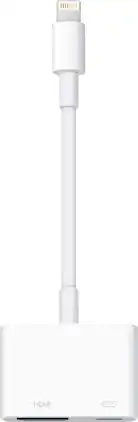
Display media from your Apple device on an HDTV or other HDMI-compatible screen using this Apple MD826ZM/A Lightning digital A/V adapter, which features video mirroring capability for enjoying content in up to 1080p resolution.

The USB Type-C digital AV multiport adapter lets you connect your USB Type-C enabled Mac or iPad Pro to an HDMI display, while also connecting a standard USB device and a USB Type-C charging cable.

This Best Buy Essentials Mini DisplayPort to HDMI Adapter can mirror or extend the display from your Mini DisplayPort device to an HDMI-supported monitor. It supports resolutions up to 1920 × 1080 for high-quality video (and audio is supported when provided by the source). It has 24K gold plating to help guard against corrosion and loss of quality.
| Pros for Apple - Thunderbolt 3 (USB-C) to Thunderbolt 2 Adapter - White | |||
|---|---|---|---|
| Compatibility, Overall Performance, Ease of use, Thunderbolt 2, USB-C | Ease of use, Compatibility, Overall Performance, HDMI, Streaming | Compatibility, Overall Performance, HDMI, Ease of use, Connectivity | Ease of use, Compatibility, HDMI, Price, Performance |
| Cons for Apple - Thunderbolt 3 (USB-C) to Thunderbolt 2 Adapter - White | |||
| Price, Size | Price, Cord Length | Price, Size, Ports, Heat | Resolution |