Apple - USB-C-to-USB Adapter - White - Open Box - fair
- Works like new.
- May have larger dents or scratches.
- May be missing parts, accessories, or packaging.
More Buying Options
Related Item

About This Item
About Open Box
Reviews
Customer Images
Compare similar products

The Apple USB-C-to-USB Adapter lets you connect iOS devices and many of your USB accessories to a MacBook with a USB-C port. Plug the USB-C end of the adapter into the USB-C port on your MacBook, and then connect your flash drive, camera or other standard USB device.

The USB-C to Lightning Adapter lets you connect your Lightning accessories to a USB-C-enabled iPhone or iPad to conveniently provide three key functions, charging, data and audio, with a single adapter. This adapter has a braided cable for added durability.

The USB Type-C digital AV multiport adapter lets you connect your USB Type-C enabled Mac or iPad Pro to an HDMI display, while also connecting a standard USB device and a USB Type-C charging cable.

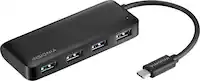
The Insignia USB-C to USB Adapter lets you connect standard USB products to your Mac, iPad and other USB-C enabled products. It supports up to 5 Gbps of high-speed data transfer between devices, saving you time. The attached, short, braided cable is durable with a compact design.
| Pros for Apple - USB-C-to-USB Adapter - White | |||
|---|---|---|---|
| Compatibility, USB, Ease of use, Quality, Size | Compatibility, Overall Performance, Ease of use, USB-C, Lightning | Compatibility, Overall Performance, Ease of use, HDMI, Connectivity | Compatibility, Quality, Ease of use, USB, Data Transfer |
| Cons for Apple - USB-C-to-USB Adapter - White | |||
| Cord Length | Price, Connectivity | Price, Ports, Heat, Size | Connection |