60th Anniversary SaleEnds Sunday. Exclusions, terms and conditions apply.Shop now

Skip to contentGo to Product Search
Main Content

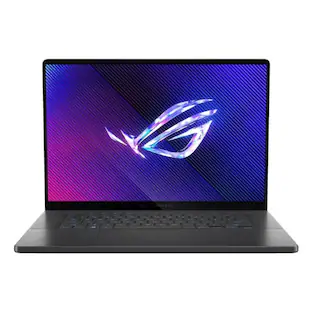
ASUS - ROG Zephyrus G16 16" OLED 3K Gaming Laptop- Intel Core Ultra 9 386H 2026- 16GB Memory - GeForce RTX 5070Ti - 1TB Storage - Eclipse Gray

Model: GU606AR-ZP/G16_97T
SKU: 6673586
Sold byBest Buy

About this product

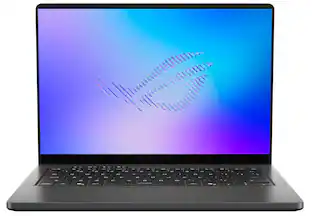
The ROG Zephyrus G16 features a premium aluminum CNC-machined chassis that delivers exceptional durability in a slim 0.7" profile and a lightweight 4.30 lbs build. Powered by the latest Intel Core Ultra 9 386H processor and an NVIDIA GeForce RTX 5070 Ti Laptop GPU, the Zephyrus G16 delivers the performance needed to play games, create content, and multitask. The 16" OLED ROG Nebula Display HDR brings gaming experience to life with a 240Hz refresh rate, ultra-fast 0.2ms response time, 1100 nits peak brightness in HDR, and VESA DisplayHDR TrueBlack 1000 for deeper contrast and richer colors. Dolby Atmos audio with dual woofers delivers immersive sound, while ROG Intelligent Cooling—paired with an upgraded exhaust vent design—improves airflow to help sustain performance during intense gaming sessions.

See it in-store: Roseville has a demo model on display.

Highlights

Features
  • Copilot+ on Windows 11 Brings AI into Your Gaming Flow

    Quickly find content, get smart suggestions, and access in-game tips, so you can spend less time searching and more time playing, streaming, and creating.

  • OLED ROG Nebula Display HDR, Elevated

    Transform your gaming experience with an OLED ROG Nebula Display HDR, featuring a 240Hz refresh rate, 0.2ms response time, upgraded 1100 nits peak brightness in HDR, VESA DisplayHDR 1000, and NVIDIA G-SYNC.

  • Unparalleled Performance

    Supercharge your productivity with an Intel Core Ultra 9 386H Processor, equipped with 16 cores, delivering 50 TOPS in AI performance. Experience the power and creativity of AI in a Copilot + PC.

  • Power Redefined

    Maximize your gaming potential with an NVIDIA GeForce RTX 5070 Ti Laptop GPU with NVIDIA Advanced Optimus.

  • Built for Multitasking

    With 16GB LPDDR5X 8533 MT/s memory and a 1TB PCIe 4.0 NVMe M.2 SSD, the Zephyrus G16 makes multitasking smooth whether you're gaming, creating, coding, or presenting.

  • ROG Intelligent Cooling

    ROG Intelligent Cooling keeps the Zephyrus G16 running fast and quiet. A vapor chamber, an advanced heatpipe design, liquid metal thermal compound, and a redesigned high-efficiency exhaust vent work together to improve airflow by up to 11.4%, helping maintain peak performance while reducing noise.

  • Expanded Slash Lighting Zone

    The upgraded slash lighting design expands the lighting control from 7 to 35 independently controlled zones, enabling smoother, more detailed animations that bring the Zephyrus to life.

  • Refined Craftsmanship

    The Zephyrus G16 features a CNC-milled aluminum chassis carved from a single solid piece of metal, giving it a lighter yet stronger build with a premium finish.

  • 2 Months of Game Pass Premium Included

    Includes two months of Xbox Game Pass Premium, so you can start playing new titles right away. Enjoy access to 200+ high-quality games across many genres. Terms apply*

  • Gaming PC

    Gaming PCs are built for high performance gaming, so you can stay fully in the action with the speed and graphics for modern, immersive gameplay.

See all features
Specifications
  • Screen Size
    16 inches
    Screen Resolution
    2560 x 1600
    Touch Screen
    No
    Refresh Rate
    240Hz
    Brightness
    1100 nits
Sponsored

Reviews

Rating 4.8 out of 5 stars with 17 reviews

5 star rating. 14 reviews4 star rating. 3 reviews
94% would recommend to a friend

Customer Images

The vast majority of our reviews come from verified purchases. Reviews from customers may include My Best Buy members, employees, and Tech Insider Network members (as tagged). Select reviewers may receive discounted products, promotional considerations or entries into drawings for honest, helpful reviews.


  • Rated 5 out of 5 stars

    2025 was great, 2026 is better (aside from price)

    This is a very premium laptop that was already pretty great in 2025, and now the 2026 version is mostly the same but with a tighter hinge, brighter screen, better CPU, more GPU power, and much longer battery life. The fans do get loud while you’re gaming, but you have quite a bit of control in Armoury Crate to bring them down to a lower level at the cost of higher temps, or bring the power levels down a bit to compensate. I’ve always liked that these laptops give you a pretty good amount of control over your temps/performance/fans, and third-party tools like G-Helper make it easier to adjust on the fly. I review just about every Zephyrus laptop every year, and this one is definitely their best yet. It really feels like the complete package now. Other than the price and high fan noise in Turbo mode (which is kinda expected anyway at this point), I have no major complaints.

    Posted by DrBob

  • Rated 5 out of 5 stars

    A near perfect gaming machine

    I’ve owned many laptops and gaming desktops over the year, and this year’s ASUS ROG G16 absolutely hits it out of the park. The specs are incredible, the design (which is always subjective) is on point, and it’s relatively thin and light given what’s on the inside. Honestly, there’s little to complain about - outside the price. The biggest knock for all gaming devices nowadays, is the price. But if you are in the market and have the budget, you really can’t beat this laptop. WHAT’S IN THE BOX Inside you’ll find the laptop itself - neatly wrapped in plastic - as well as the 240W power adapter. The laptop is remarkably thin (relatively speaking) but the charging brick is a beast (not quite Xbox 360 huge, but pretty bulky). That’s it. DESIGN AND BUILD QUALITY First, a few comments on the design and build quality. With this laptop, Asus has moved away from aggressive gaming designs, opting instead to use an aluminum chassis that fits into the office as easily as it does a gaming setup. It’s only 0.70 inches thick and 4.3 pounds. The laptop has virtually no flex. When you rest your hands on it and/or are typing, there’s no bend whatsoever. It just feels outright sturdy. The matte finish does a pretty decent job at hiding fingerprints and oily palms, but they will still show up (but they’re easy to wipe off). The back of the lid has what Asus calls, “slash lighting.” It’s a diagonal LED slash that you can customize (or turn off) with subtle lighting effects. As it’s on the back of the lid, you really can’t see it when using the laptop, so it’s really for the benefit of those around you. The keyboard has plenty of space with large keys and a generous - and very responsive - touchpad. I found the typing experience to be quite enjoyable and the touchpad was an absolute pleasure given how responsive it was. Part of me wishes Asus would have included a full number keypad, but that would mess up the symmetry of the keyboard and take up space for one of my favorite features - the sound. I normally play games with headsets, but when I tried out the speakers on this laptop (I was playing the new Halo Campaign Evolved), I was floored by the 6 speaker setup. Obviously it by no means touches true surround sound, but for a laptop, man did it get close, offering rich bass and clear dialogue. The OLED display is an absolute work of art - it’s the centerpiece of the laptop. It has the inky blacks you expect of OLED screens, 500 nits peak HDR brightness, and a 0.2 ms pixel response time. Games, photos, and text alike are all razor sharp with zero motion blur or smearing. UPGRADEABILITY I do want to mention upgradeability. The RAM is nonupgradeable, so whatever you get when you buy the device, that’s what you’re stuck with. Obviously I would recommend going for the 32 GB of DDR5 RAM if you can swing it. There are two full size M.2 PCIe Gen 4x4 SSD slots. One is reserved for the drive that comes with the device, but it’s nice to know you can easily expand your storage (something that wasn’t possible on older ROG devices). The WiFi 7 card is on a standard M.2 slot and is user replaceable, but I can’t imagine a scenario where anyone would want to do that anytime soon. PERFORMANCE This baby is rocking an Intel Core Ultra 9 386H with NVIDIA RTX 5070Ti laptop GPU. It has a generous amount (12GB of VRAM). And back to the monitor, it has 240Hz G-Sync panel to deliver fluid animation and eliminate screen tearing. The VRAM is helpful in getting rid of bottlenecks in some AAA games on higher graphical settings. I was able to play Cyberpunk 2077, Halo Campaign Evolved, and Wolfenstein at native 1600p with ultra settings and DLSS frame regeneration and consistently hitting over 75+ FPS. Frankly, it’s a beast in the gaming department. The high refresh rate on the OLED panel is just a treat and eliminates virtually all input lag. This laptop gets hot under stress - as you’d expect - but does a decent job of dissipating heat. It utilizes a vapor chamber colling plate and three fans to keep it cool. The area above the number row does get hot (near the hinge) and the fans do get pretty loud in turbo mode, I never felt any discomfort on the palm rest or using the WASD letters for movement. As a day-to-day work laptop - the Intel Ultra 9 handles everything you could throw at it. My work mostly consists of drafting documents, reviewing emails, looking at images, but I was also able to edit videos without any issues. And when putting the laptop in Silent mode (i.e. when not gaming) the system became virtually silent and cool to the touch. OTHER CONSIDERATIONS Asus comes with Armoury Crate software which is the program you can use to control the GPU operating modes, fan curves, and Slash lighting patterns. But it’s a resource hog with numerous background services. I’d recommend G-Helper, a lightweight open source alternative that controls all the things you’d want (power limits, screen refresh, lighting, etc.) without the extra background bloat. Asus does include OLED care utilities to help prevent screen burn in - which is a nice touch - which is pixel shift, screen saver dimming and taskbar transparency tools. These settings are found within the Armoury Crate app. In terms of battery life, it’s a Windows gaming laptop, so one cannot expect it to last as long as others. When switching to Eco Mode on battery (which turns off the GPU completely) and turning down the screen refresh rate, I think you can expect 7-9 hours of basic computing needs including media consumption. For fun, I played Halo on battery and after 20 minutes, I lost 25% of the battery. So don’t expect to be gaming on battery too long. Finally, the full 240W brick is pretty much necessary for gaming, know that you the laptop supports 100W USB-C power delivery which allows you to leave the charging brick behind when you just need the laptop for general use. CONCLUSION Gaming has become expensive recently. This laptop is no exception, but if you’re in the market, it really delivers in all aspects, from its sleek design, power, and features. I highly recommend it for anyone who wants to game or even edit videos on a laptop.

    Posted by callmeageeth

  • Rated 5 out of 5 stars

    Powerful and Lightweight, but only16GB.

    I’ve been using the ASUS ROG Zephyrus G16 for about a week now and I’m really happy with the performance. It was delivered quickly and arrived nicely protected in a well-constructed box to protect it. Everything was packaged securely and the laptop arrived in perfect condition. Setting it up was easy, although the full Windows setup and update process took around 30 minutes with my wifi connection. It went through several stages of updates, restarted, and then continued through the final Windows setup screens. Nothing went wrong, and I just let it do it’s thing until it was ready. The keyboard was one of the first things I noticed, the keys are incredibly smooth and almost feel like they have a glass-like surface. I don’t remember using another laptop where the keys themselves felt quite this smooth to the touch. The keyboard initially feels a little tighter or more condensed than I’m used to, possibly because of the speaker areas on each side, but I’ve been getting used to it. There isn’t a number pad, which is fine with me, and there are four separate M-keys above the function row for quick controls and for opening the Armoury Crate program. The RGB keyboard lighting is extremely bright and works really well. At first I thought it might already be turned all the way up, but then I increased it and discovered it could get even brighter, and I’ll never complain about that! It’s single-zone RGB rather than per-key lighting, but it’s still one of the better laptop keyboard backlights I’ve seen. The trackpad is huge, which I really like because I have large hands. The 16-inch OLED display gets extremely bright, much brighter at maximum brightness than I would use unless I were in a really bright room. The 2560 x 1600 resolution gives me plenty of room to work when I’m editing video. The colors also look great while gaming, and the 240Hz refresh rate helps fast movement look smoother and more fluid. This model has the Intel Core Ultra 9 processor and an NVIDIA GeForce RTX 5070 Ti GPU with 12GB of dedicated video memory. It also has an NPU for compatible AI features, which is useful for me. I create a lot of AI artwork and I work with AI video, using several different AI models to create different kinds of video projects for social media. Basically, I do a lot of video editing, and I usually have several applications and browser windows open while I’m working with 4 or more tools at one time. I installed Steam for gaming and have spent some time trying a few of my favorite games on it. When gaming I mainly want good color, smooth gameplay, a stable frame rate and responsive controls without lag, stuttering, dropped frames, screen tearing or choppy motion. Every game I tried ran smoothly and looked really good. I didn’t measure the exact frame rates, but I didn’t notice any of those obvious performance problems that normally stand out and I’ve been really happy with gaming on this laptop. Because of my video editing, AI work, multitasking and gaming, my biggest concern with this laptop is the 16GB of system memory. The computer has a powerful processor and graphics card, but 16GB seems low for an expensive, high-performance laptop that may be used for video editing, AI creation, heavy multitasking and newer games. The memory is soldered to the motherboard and cannot be upgraded later, which makes that decision more important. Gaming has worked great so far, but I also wonder how well 16GB will hold up as newer and more demanding games are released, especially if I have other programs running in the background. Even though I haven’t experienced a gaming problem yet, the amount of memory is still something I’d be really thinking about when buying this laptop. I haven’t experienced enough problems to say that the 16GB is definitely holding the laptop back, and I don’t want to judge it based only on the number. I still need more time to see how it performs when I’m working with large projects and using several programs at once. Still, I think 32GB would make more sense as the starting point for a laptop at this price. I would rather ASUS charge a little more and include enough memory to match the rest of the hardware. The laptop has a 1TB SSD, which should totally be enough to get started, and there is a second M.2 slot available if I need to add more storage later. It also has USB-A, USB-C, Thunderbolt 4, HDMI, a headphone jack and a full-size SD card reader. There isn’t a built-in Ethernet port, so a wired connection will require an adapter or dock. As for the overall design, I love it. The Eclipse Gray aluminum chassis looks modern and feels solid without being overly flashy, and it has that cool light strip running on the back of the lid. It has enough style to look like a gaming laptop, but it could still be used in an office or professional setting without looking out of place. It also feels durable while remaining surprisingly lightweight for a 16-inch gaming laptop. One design detail that’s small, but stands out, is the small lip along the front edge of the lid. You can feel exactly where to place your finger, making the laptop much easier to open. It seems like such a little thing, but it makes a difference every time I use it. The lid opens easily, the hinge feels solid, and the entire laptop feels well-constructed without being too heavy to carry around. Overall, I really love the ASUS ROG Zephyrus G16. The keyboard, extremely bright lighting, huge trackpad, OLED display, lightweight build and meaningful design details make it enjoyable to use daily. The gaming performance has also been great for me so far. My real concern is the 16GB of non-upgradeable memory, and I almost want to give it 4 stars because of that, but it’s not a surprise, it’s as advertised, so I don’t think I should, especially when everything else has made a very good impression on me and I’m really happy with it overall.

    Posted by Orion

  • Rated 5 out of 5 stars

    Light weight, superb build and high performance

    The Asus ROG Zephyrus is a premium laptop that solidly checks the boxes for Gaming, Content Creation and General-Purpose use. Build quality and performance are superb. I ran several benchmarks and used a FLIR Thermal camera to capture heat maps for idle and under load. I looked at audio quality, build quality, keyboard feel, cooling fans and more. Specs are only quoted when needed. Please see that in the product description and Asus’ website for deep details. I’ll be comparing it to 3 other laptops, and how well it performed on several benchmarks. Setup: After unboxing, I plugged it up and charged it, I proceeded to setup Windows 11. All was good until the updates started. It hung on me twice, requiring a hard power down and starting over. The third time was a charm. The cooling fans ran at low speed during setup, and they were so quiet I could barely hear them even in a quiet room with my head down over the top of the keyboard only a couple inches above it. You sure can hear them under a full load, but they are quieter than my Acer and Gigabyte gaming laptops. Display: The screen is a Pantone validated and VESA Certified Display HDR True Black 1000. It’s a Samsung SDC4226 OLED panel that delivers up to 240 hz refresh and a 100% DCI-P3 color gamut. The panel delivers the vivid and accurate colors you would expect from its pedigree, and my datacolor Spyder X Pro colorimeter agrees. 100% sRGB, 100% DCI-P3 and 98% Adobe RGB. The product description says the resolution is 3K but it’s really 2.5K. 3K is 2880 X 1800 and 2.5K is 2560 X 1600. Sound: The six-speaker sound system in it delivered the best sound quality I’ve ever heard come out of a laptop, and I have owned at least 20 since the late 1990s. No, it’s not going to rival a desktop setup with a 2.1 or better setup, but for a laptop, I’m impressed. It comes with Dolby Atmos and you can tweak it to suit you, but you will need a third-party app to make EQ changes. Performance: Performance wise, it doesn’t disappoint. I ran the benchmarks at out-of-the-box default settings and then tweaked the system for minimum background CPU usage and to make sure it stayed locked to the RTX-5070ti. That got me about a 3% to 5% boost at the most and varied slightly from benchmark app to app. The biggest thing that stands out is it only has 16GB of RAM vs 32GB. However, the RTX-5070ti has 12GB of VRAM and that should offset the lack of 32GB of RAM a bit in certain cases, and the Fast SSD should help speed up the swap file, too. If not for the RAM shortage, I’m sure this machine would have been shipped with 32GB of RAM, and you can get a version with 32GB. Because of the design of the Zephyrus, the RAM is soldered on the board and not upgradable. Same for the Acer Swift, but the Predator and the Gigabyte A16 Gaming are RAM upgradable. You can upgrade the SSD to a high capacity one or add another. Maybe. Asus’ site says there’s one slot in the FAQ section, but in the specs they say there’s 2 M.2 PCIe slots. Benchmarks: See Photos for Benchmarks and to see how it compares to 3 other similar laptops. Acer Predator Helios, 32 GB RAM, 1TB SSD, Intel Core i9 14900HX and RTX-4060 with 8GB, FHD LCD 165 hz (2024) Gigabyte A16 Gaming, 32 GB RAM, 1TB SSD, Intel Core i7 13620H and RTX-5060 with 8GB, FHD LCD 145 hzscreen (2025) Asus Zenbook 16 GB RAM, 1TB SSD, Intel Core X7 358H and Intel Arc B390 GPU, 3k OLED 120hz. (2026) Regardless of the close specs between the Zephyrus and the Predator, games performed better on the Zephyrus. I also ran them on Predator with it connected to an Alienware QD-OLED monitor at 240hz. Not a night and day difference, but noticeably smoother on the Zephyrus with higher frame rates. For content creators, it ought to scream. However, when I loaded up Adobe CC and went to run Puget to benchmark it, LRC wouldn’t run and Premiere Pro crashed. Ps version 27.9.0 ran and gave me a score of 8451. Battery: How long the battery lasts depends on what you’re doing, and what the computer’s settings are. Asus just says up to all day. Pretty vague. I set the battery to a maximum 80% charge to prolong the life of the battery, long term. But you can override that setting temporarily when needed. Build Quality: First rate! CNC machined aluminum alloy chassis, and you can feel it when you use it. No flex in the keyboard, no creaking when you open the lid and not flexing there either. The keyboard has a nice feel, and it’s a bit lighter feeling than the Acer Predator and Gigabyte A16 Gaming. Those keyboards require slightly more pressure to push the key before it gives and goes down. I prefer that, but you might like a lighter touch. Things to consider: It has a custom plug for power on the back left side for the highest wattage and peak gaming loads. Plus you can charge it via USB-C up to 100 watts. While it lacks an RJ45 ethernet port, it has an SD card reader slot that runs at peak USB‑2 speed, a corner most companies still cut. I also like the 4 macro keys they added. While the lighted “slash” on the lid might look cool to someone sitting in front of you, I think the cost of it would have been better spent on making the keyboard full RGB per key, or at least 4 or 6 zones. At least you can use it to display battery level and charging status. I also never figured out how to disable the annoying start up sound effect. Not in Armoury Crate or in the BIOS. Conclusion: It really comes down to your wants, needs, and budget. The Asus Zephyrus is built to higher standards than the other gaming laptops I compared it to. Even if some of the benchmarks aren’t far apart, its size, weight, build quality, display, and sound system are substantially better. If you can afford it, yes, I think so. Even with only 16 GB of RAM, Asus didn’t create the RAM‑ageddon problem. Highly recommended.

    Posted by MrLowNotes

  • Rated 5 out of 5 stars

    Feature packed gaming goodness.

    ASUS - ROG Zephyrus G16 16" OLED 3K Gaming Laptop- Intel Core Ultra 9 386H 2026- 16GB Summary: Feature packed gaming goodness. Use: This is a primary gaming laptop. We use it for games like Destiny 2, Hogwarts Legacy, and even World of Warcraft. This unit comes equipped with sufficient storage to install several AAA PC games. The CPU and the RAM allow this machine to handle any workload thrown against it: homework, business productivity, setting up container labs, and more casual stuff like gaming and streaming. If you do a lot of container stuff consider the 32GB RAM version. The GPU (5070 RTX) is great for a mobile form factor and delivers a premium experience when coupled with the... OLED SCREEN. The screen offers pitch blacks that make every scene feel so much more immersive. Though I've always understood the technology, I haven't had the pleasure of owning and working on an OLED screen until now. Why and how? Well, it is just the richness and contrast that the display is able to produce thanks to the LED control. I did put the unit through a couple of benchmark tests to try and see where it stands against various competition. I don't have any other comparable PCs to measure it against other than my ASUS ROG G7 desktop (Intel Core Ultra 5 225F/ RTX 5060) and the G16 easily bested my desktop. I've included the benchmark for the laptop. As for build, the unit is pretty standard for an ASUS ROG product. It looks nice and it feels nice. Given the feature packed form factor, it should be no surprise that it also feels dense. The beautiful light rounding of the corners and the lines and lighting of the unit make it all worth it. The unit performs great at maximum settings for a few of my favorite games (such as Destiny 2) and the colors... well, I've mentioned the deep blacks, but I haven't said how vibrant the screen is with its 240 Hz refresh rate, 0.2 ms response times, sharp 2.5K resolution, and HDR colors. Though we have the unit on a dedicated ventilated laptop stand, we did test the unit for a few hours with one. The unit's "ROG intelligent cooling" is okay and a bit quieter than we expected while playing games on max for moderate amounts of time (few hours?). Even so, we did notice that the keyboard can get warm after such an extended gaming session. This can tax the wrists after a while. This isn't so much an issue if playing longer sessions with it "docked" as the unit is provided additional cooling through the stand and our wrists don't make contact with the keyboard. I don't understand the need for a microSD storage card slot. I would have preferred an additional USB-C port, if anything. But it's there. The remaining connectivity options are pretty standard. We have a 3D printed concrete house so WiFi can be a problem. We have a WiFi7 mesh set up, but many older devices can experience occasional performance issues (in the form of dropped or hand-off connections). The WiFi 7 on this unit pairs well with our router and actually seems to keep reliable connectivity no matter where we move in the house. The unit's sound is decent for laptop speakers, but they really aren't anything to write home about. The ASUS ROG Software Utilities such as the Aura Sync and Armory Crate make easy to configure, customize, and maintained. Though they seem to work fine for what they do, they themselves require frequent updating (which sometimes requires a restart?) - and that can be a bit annoying if you just want to make a quick change. We use this not just for gaming, but also work and to do that we have a 4K Samsung Odyssey G8 32" Curved display attached via USB-C > DisplayPort cable (i.e. ALT MODE). Keyboard and mouse are connected via USB HUB for simplicity, and networking is wireless since it performs well enough not to have to use the USB HUB NIC. Given that we are using an external 4K display, I should add that we continue to play somed games on MAX while others require some tuning to get the right FPS (WoW ULTRA fine, for example, while Destiny 2 or DOOM, may need to adjust a setting or two depending on expectations). Price-wise it is on the higher-end, but we feel worth it given its feature packed form factor. This laptop is a fine addition to our households ASUS and PC gaming lineup. Pros: * Screen. The OLED HDR screen is amazing. Colors pop and the blacks are rich. * Svelte. Great design, looks and feels premium. * Cooling. The cooling seems well tuned and doesn't have problems with several games we've played on MAX for moderate gaming sessions (haven't tried super long sessions, yet). * Utilities. The software to manage the laptop and keep it updated works fine and is consistent across their portfolio. * Connectivity and storage. Typical and adequate particularly if you're using a docking station/ hub. * GPU. The graphics processor for this unit, the nvidia Geforce RTX 5070 is pretty great for gaming on the go. It drives the integrated display on MAX and even drikves 4K displays with relative ease. * Aura Lighting. ASUS ROG Aura Sync features allow for some customization and the unit's back LED strip kick things up a notch. Cons: * RAM. 16 GB is pretty much the minimum amount of RAM any PC should have nevermind a gaming PC. If you caan swing it, get the 32 GB unit as the Zephyrus line were not designed to be upgradable. * Pricey. No doubt, given some of the minor issues, this unit is a bit on the pricey side. One of the easiest ways to squeeze out longevity from a PC is to upgrade storage and memory. Well, you can't do that with this unit so that applies a bit of pressure on the price as you are stuck with this configuration. * Power Brick. Necessary to power the GPU, I just don't like proprietary bricks and certainly not ones that can't be easily stowed. Why not just USB-C PD? :D

    Posted by Rhostam

From the Manufacturer

Compare similar products

ASUS - ROG Zephyrus G16 16" OLED 3K Gaming Laptop- Intel Core Ultra 9 386H 2026- 16GB Memory - GeForce RTX 5070Ti - 1TB Storage - Eclipse Gray
4.8(17)

The ROG Zephyrus G16 features a premium aluminum CNC-machined chassis that delivers exceptional durability in a slim 0.7" profile and a lightweight 4.30 lbs build. Powered by the latest Intel Core Ultra 9 386H processor and an NVIDIA GeForce RTX 5070 Ti Laptop GPU, the Zephyrus G16 delivers the performance needed to play games, create content, and multitask. The 16" OLED ROG Nebula Display HDR brings gaming experience to life with a 240Hz refresh rate, ultra-fast 0.2ms response time, 1100 nits peak brightness in HDR, and VESA DisplayHDR TrueBlack 1000 for deeper contrast and richer colors. Dolby Atmos audio with dual woofers delivers immersive sound, while ROG Intelligent Cooling—paired with an upgraded exhaust vent design—improves airflow to help sustain performance during intense gaming sessions.

ASUS - ROG Zephyrus G16 16" 2.5K OLED 240Hz Gaming Laptop - Intel Core Ultra 9 285H - 16GB Memory - RTX 5070 - 1TB Storage - Eclipse Gray

Experience the height of gaming innovation with the ROG Zephyrus G16. Featuring an all-new premium aluminum chassis with customizable lighting, this laptop merges style and durability. Its ultra-slim 0.59” profile and lightweight 4.08lbs 16” chassis redefines portability, but does not compromise on performance. Powered by Windows 11, the latest Intel Core Ultra 9 285H processor, and an NVIDIA GeForce RTX 5070 GPU, the Zephyrus G16 seamlessly aligns with your lifestyle, meeting all your gaming and creative demands. ROG Intelligent Cooling features liquid metal for reduced CPU temperatures and upgraded Arc Flow Fans for improved airflow to sustain peak performance on the Zephyrus G16 no matter the task. Immerse yourself in the OLED Nebula Display and enjoy rapid 0.2ms response times, vivid 2.5K resolution, and a smooth 240Hz refresh rate.

ASUS - ROG Zephyrus G16 16" OLED 2.5K 240Hz Gaming Laptop - Intel Core Ultra 9 -32GB Memory - GeForce RTX 5090 - 2TB Storage - Eclipse Gray
4.8(14)

Experience the height of gaming innovation with the ROG Zephyrus G16. Featuring an all-new premium aluminum chassis with customizable lighting, this laptop merges style and durability. Its ultra-slim 0.59” profile and lightweight 4.30lbs 16” chassis redefines portability, but does not compromise on performance. Powered by Windows 11, the Intel Core Ultra 9 285H processor, and an NVIDIA GeForce RTX 5090 GPU, the Zephyrus G16 seamlessly aligns with your lifestyle, meeting all your gaming and creative demands. ROG Intelligent Cooling features liquid metal for reduced CPU temperatures and upgraded Arc Flow Fans for improved airflow to sustain peak performance on the Zephyrus G16 no matter the task. Immerse yourself in the OLED Nebula Display and enjoy rapid 0.2ms response times, vivid 2.5K resolution, and a smooth 240Hz refresh rate.

ASUS - ROG Zephyrus G16 16" OLED 2.5K 240Hz Gaming Laptop - Intel Core Ultra 9 -32GB Memory - GeForce RTX 5080 - 2TB Storage - Eclipse Gray

Experience the height of gaming innovation with the ROG Zephyrus G16. Featuring an all-new premium aluminum chassis with customizable lighting, this laptop merges style and durability. Its ultra-slim 0.59” profile and lightweight 4.30lbs 16” chassis redefines portability, but does not compromise on performance. Powered by Windows 11, Intel Core Ultra 9 285H processor, and an NVIDIA GeForce RTX 5080 GPU, the Zephyrus G16 seamlessly aligns with your lifestyle, meeting all your gaming and creative demands. ROG Intelligent Cooling features liquid metal for reduced CPU temperatures and upgraded Arc Flow Fans for improved airflow to sustain peak performance on the Zephyrus G16 no matter the task. Immerse yourself in the OLED Nebula Display and enjoy rapid 0.2ms response times, vivid 2.5K resolution, and a smooth 240Hz refresh rate.

Pros for ASUS - ROG Zephyrus G16 16" OLED 3K Gaming Laptop- Intel Core Ultra 9 386H 2026- 16GB Memory - GeForce RTX 5070Ti - 1TB Storage - Eclipse Gray
There were no pros for this productPortability, OLED Quality, Battery Life, Overall Performance, DesignBuild QualityBuild Quality, Portability, Battery Life, OLED Quality, Weight
Cons for ASUS - ROG Zephyrus G16 16" OLED 3K Gaming Laptop- Intel Core Ultra 9 386H 2026- 16GB Memory - GeForce RTX 5070Ti - 1TB Storage - Eclipse Gray
There were no cons for this productHeat Dissipation, Fan Noise, RAM, MemoryThere were no cons for this productHeat Dissipation, Fan Noise, Graphics Performance

Specs

Questions & Answers
  • The fact that you would even offer a 16gb RAM option, which is unupgradeable BTW, is absolutely insulting. Everyone involved in the inflation and unaffordability of new tech should be ashamed.

    Thank you for your comment. We appreciate your feedback. Information coming from valuable customers, like you, will continuously help us improve our future product offering and services.

    Answered by ASUS Answers
    ASUS Answers response
  • What's the ssd read and write speed?

    This GU606AR-ZP/G16_97T (ROG Zephyrus G16) laptop uses a PCIe 4.0 NVMe SSD. Standard PCIe 4.0 drives of this class max out at roughly 7,000 MB/s for read speeds and up to 5,000 MB/s for write speeds.

    Answered by ASUS Answers
    ASUS Answers response
  • Could you please confirm whether a 32GB RAM version will be available soon? If so, do you have an estimated timeline for when it might be released or listed for purchase?

    Yes, the 32GB RAM version of the ASUS ROG Zephyrus G16 (2026) GU606 (specifically models like the GU606AR) is currently available and actively rolling out in North America. For availability, contact your vendor, or you can also check current availability directly through the ASUS Store US.

    Answered by ASUS Answers
    ASUS Answers response
  • If you are looking to lower the entry price with this 16gb of ram maybe you should make it now soldered so people can upgrade or you know charge the lower price for the 32gb. Beyond ridiculous with these new prices.

    The ASUS GU606AR laptop with 16GB of RAM uses soldered memory close to the CPU to save space and run at faster speed.

    Answered by ASUS Answers
    ASUS Answers response
  • Why does this model come with 16 gigs of RAM instead of 32? Will there be a separate GU606 model with 32 gb ram and a 5070ti?

    The reason this laptop model comes with 16GB of RAM instead of 32GB is to lower the entry price and reduce the laptop's profile since the RAM is soldered on the motherboard and cannot be upgraded. Yes, there is a higher-tier GU606 variants configured with 32GB of RAM and the RTX 5070 Ti GPU.

    Answered by ASUS Answers
    ASUS Answers response
Ask a question
No content

Customers often buy these together

Sponsored

Finance Options

My Best Buy® Credit Card
Choose a benefit:Or
Lease to own

Special Offers

Top Offers
Included with Purchase

Finance Options

My Best Buy® Credit Card
Choose a benefit:Or
Lease to own

Special Offers

Top Offers
Included with Purchase