Skip to contentGo to Product Search
Main Content

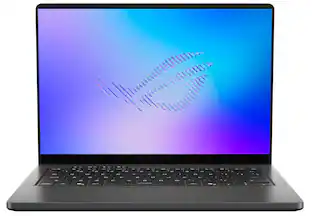
ASUS - ROG Zephyrus G16 16" OLED 3K Gaming Laptop- Intel Core Ultra 9 386H 2026- 32GB Memory - GeForce RTX 5080 - 1TB Storage - Eclipse Gray

Model: GU606AW-ZP/G16_98
SKU: 6673590
Sold byBest Buy

Customers are saying

Customers are enthusiastic about the exceptional build quality and the stunning 16-inch 3K OLED display that defines this device. Users also frequently praise the impressive heat dissipation, portability, and reliable battery life, noting that the processor delivers high performance with great efficiency. While the connectivity options are well-regarded, some users have noted that the fan can become loud under heavy loads and expressed a desire for more base storage capacity.

Generated by AI based on customer reviews.

Highlights

Features
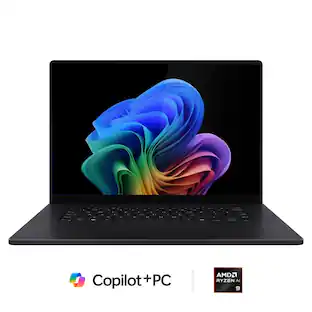
  • Copilot+ on Windows 11 Brings AI into Your Gaming Flow

    Quickly find content, get smart suggestions, and access in-game tips, so you can spend less time searching and more time playing, streaming, and creating.

  • OLED ROG Nebula Display HDR, Elevated

    Transform your gaming experience with an OLED ROG Nebula Display HDR, featuring a 240Hz refresh rate, 0.2ms response time, upgraded 1100 nits peak brightness in HDR, VESA DisplayHDR 1000, and NVIDIA G-SYNC.

  • Unparalleled Performance

    Supercharge your productivity with an Intel Core Ultra 9 386H Processor, equipped with 16 cores, delivering 50 TOPS in AI performance. Experience the power and creativity of AI in a Copilot + PC.

  • Power Redefined

    Maximize your gaming potential with an NVIDIA GeForce RTX 5080 Laptop GPU with NVIDIA Advanced Optimus.

  • Built for Multitasking

    With 32GB LPDDR5X 8533 MT/s memory and a 1TB PCIe 4.0 NVMe M.2 SSD, the Zephyrus G16 makes multitasking smooth whether you're gaming, creating, coding, or presenting.

  • ROG Intelligent Cooling

    ROG Intelligent Cooling keeps the Zephyrus G16 running fast and quiet. A vapor chamber, an advanced heatpipe design, liquid metal thermal compound, and a redesigned high-efficiency exhaust vent work together to improve airflow by up to 11.4%, helping maintain peak performance while reducing noise.

  • Expanded Slash Lighting Zone

    The upgraded slash lighting design expands the lighting control from 7 to 35 independently controlled zones, enabling smoother, more detailed animations that bring the Zephyrus to life.

  • Refined Craftsmanship

    The Zephyrus G16 features a CNC-milled aluminum chassis carved from a single solid piece of metal, giving it a lighter yet stronger build with a premium finish.

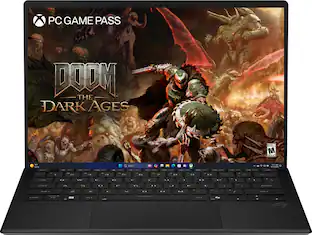
  • 2 Months of Game Pass Premium Included

    Includes two months of Xbox Game Pass Premium, so you can start playing new titles right away. Enjoy access to 200+ high-quality games across many genres.

  • Gaming PC

    Gaming PCs are built for high performance gaming, so you can stay fully in the action with the speed and graphics for modern, immersive gameplay.

Specifications
  • Screen Size
    16 inches
    Screen Resolution
    2560 x 1600
    Touch Screen
    No
    Refresh Rate
    240Hz
    Brightness
    1100 nits
Sponsored

Reviews

Rating 4.7 out of 5 stars with 38 reviews

95% would recommend to a friend
Customers are sayingCustomers are enthusiastic about the exceptional build quality and the stunning 16-inch 3K OLED display that defines this device. Users also frequently praise the impressive heat dissipation, portability, and reliable battery life, noting that the processor delivers high performance with great efficiency. While the connectivity options are well-regarded, some users have noted that the fan can become loud under heavy loads and expressed a desire for more base storage capacity.
This summary was generated by AI based on customer reviews.
  • Build Quality (27)
  • OLED Quality (20)
  • Heat Dissipation (17)
  • Portability (15)
  • Battery Life (12)
  • Noise Level (6)
  • Storage Capacity (5)

Customer Images

The vast majority of our reviews come from verified purchases. Reviews from customers may include My Best Buy members, employees, and Tech Insider Network members (as tagged). Select reviewers may receive discounted products, promotional considerations or entries into drawings for honest, helpful reviews.


  • Rated 5 out of 5 stars

    High-end laptop

    If you have some extra cash to invest, I’d say it’s totally worth it. I used to worry about the laptop's thermals, but since using it with a Stxnd laptop stand, the temperature stays around 75-80°C while gaming. The palm rest area barely gets hot; you only feel a very slight warmth. Maybe lifting the laptop up allows for better natural airflow. Anyway, spending a premium for high performance is a no-brainer. Just keep in mind that nothing is perfect; it’s just that these drawbacks are minimal and acceptable considering the heavy price tag.

    Posted by nhim

  • Rated 5 out of 5 stars

    Powerful Thin and Light with Great Battery Life

    There’s a lot to love with this laptop. I’ll list a few reasons why I think this laptop is a great buy, and then maybe some reasons that might deter you, depending on what’s important to you. ===Pros=== – Excellent OLED display. 3K Display at 240hz, with an advertised 1,100 nits, the screen gets very bright. I do not have a way to measure the brightness, but I find sitting in a well-lit room, I’m happy using around 80%. I turn down the brightness to around 40% when it’s late afternoon and I’m just browsing or watching videos. You get great contrasts, vivid colors, and all movement on the screen is butter smooth with the 240hz refresh rate. Using outside in the shade of my front porch, I do not have any issues seeing the screen, however, direct sunlight is a bit challenging, as it would be for any OLED screen. – Efficient Performance. The CPU is an Intel Panther Lake Core Ultra 9 386H. This generation, instead of improving performance, prioritized efficiency so that it could deliver excellent battery life. What you get is the same performance as last year’s 285H but much improved battery life. – Fantastic Gaming Performance. The NVIDIA 5080 easily handles games at high settings, even while gaming on a 3.5k at 240hz. Using NVIDIA’s app, I optimized both Battlefield 6 and Marvel Rivals for recommended settings. Battlefield 6 recommends high settings, and I can tell you, the game looks stunning. Because this is a thin laptop, the fans are putting in work to efficiently cool the system, but I did not experience any lag or stutter. Marvel Rivals has a bit of a different design than battlefield, however, I found the game play to be butter smooth on the 240hz screen, and while it can get busy on the screen, I didn’t notice any frame drops. I ran some synthetic benchmarks so you can see how it compares to other laptops. – Design and build quality are excellent and this truly looks and feels like a premium device. I can pick up by the corner with one hand, it doesn’t feel plasticky or fragile when doing so. The lid easily opens with one finger. The hinge is smooth. The lid is very thin, along with the chassis, making this one of the thinnest and powerful gaming laptops I’ve used. It’s comfortable to use in the lap for extended periods of time, and repositioning doesn’t feel like a chore because it is so easy to manipulate. I like the dark color and the feel of the finish. It’s fingerprint resistant but not fingerprint proof. When under stress, you do feel the heat on the bottom if in your lap, and it’s noticeable on the keyboard, but I didn’t find it uncomfortable and didn’t really notice it when I was “in the zone” on Battlefield 6. The slash lighting is a neat way to set this laptop apart. It looks great whether it’s on or off and has a neat feature where it fills in a certain percentage based upon remaining battery. – Sound, keyboard, and track pad are all great. The speakers are probably the best in a windows laptop that I’ve heard. I think ASUS is doing great work here as their Strix Scar line also sounds great. It doesn’t get distorted at high volumes, comes through clear, gets probably louder than you should have on a laptop and I love it. Keyboard is easy to type on. I find my hands are nicely centered on the keyboard and not weirdly offset. I’m able to hit my average 100-110 wpm at a comfortable typing pace. Track pad is nice and large with good palm rejection. – Excellent Battery Life. When I’m unplugged, and I know I do not need performance, I switch over to battery saver. This feature is useful when you’re just browsing around on the internet or doing some light office suite work. Just using the built-in windows estimated time remaining, at one point it was reporting over 9 hours of available battery life in settings while at 100% capacity. Now this bounces around a lot depending on power draw and windows power management, but I do not get charger anxiety when away from the wall. Only time I really want to plug this in is when I’m gaming. You can also use USB C charging up to 100W, which is very useful when not used for gaming. – Armory Crate and MyASUS. Armory Crate has improved over the years, and while still a bit clunky, is a great way to set up customizations and features on your laptop. There are various display, performance, and lighting features you can customize. Access Aura wallpapers that offer dynamic animated wallpapers. You can set up scenario profiles to custom settings depending on what applications you’re running. I believe it’s a very robust application with a lot of features. MyASUS has much of the same settings, however, it is a bit more simplified and built around general device settings rather than customization and gaming. – A few more things to love. You have both a USB type A and C on either side of the device. Along with an HDMI, SD Card Reader, and a headphone jack. The USB C on the left is also a Thunderbolt port for high-speed peripherals. Although it shipped with a Gen 4 SSD, I discovered it supports a PCIE Gen 5. Speaking of speedy memory, this is running super-fast 8533 mts RAM. Sports Wi-Fi 7, love to see it, along with Bluetooth 6.0. For login, this also uses windows Hello facial recognition, which is hands down the best way to login to your laptop. I also noticed a 2nd slot for another M.2 Drive for expandability. ===Cons=== – Single Zone RGB should not be the default for a flagship device. While the keys get plenty bright and the colors do look good, I feel like per key lighting wouldn’t have been too far of a stretch to include. – Ships with a PCIe Gen 4 SSD. I’m sure this decision was made to help keep costs down, it has the capability to support Gen 5 and does so wonderfully (see screenshot), however, you’ll have to have an extra one laying around or will need to buy your own. On the same subject of upgrades, I’d love to see similar toolless access as the Strix Scar series to get to the internals. I also feel like RAM doesn’t have to be soldered to the main board. I know there are speed and design benefits to this, however, I’d rather see innovation that lets us keep the ability to upgrade the RAM. – Webcam is just okay, it’s nothing special. If the lighting is good, it looks fine, however, in dim lighting, it does get a bit grainy. Should be fine for office use but I wouldn’t be using it to demo any products. – Less of a con but more of a tradeoff for performance, but the fans, if tuned to max speed, can get rather noisy. This is just a part of owning a high performing gaming laptop. At the cost of performance, you can use silent power setting. ===Final Thoughts=== This laptop does everything you want a laptop to do plugged in and unplugged. When plugged in, I want a powerful machine for gaming or creative work. When unplugged, I want to do everything else without having to worry about if I’m close to a power outlet. I like the idea that I can pack this into a sleeve with its power adapter and a mouse or controller and play visually demanding games on a beautiful OLED then take it to a coffee shop or park and spend a few hours doing productive work without worrying about having to charge it.

    Posted by TravisJ

  • Rated 5 out of 5 stars

    A Gaming Monster You Can Carry Around

    Overall Impressions I think I’m in love with another Asus laptop, but will it have issues later on down the line like my two other 14‑inch ROG Zephyrus laptops? There’s nothing I can do but wait and see, but so far it’s been a fantastic laptop that I’ve been gaming on for a solid week, and it’s as beautifully designed as it is powerful. This laptop could definitely serve as a desktop gaming PC replacement that fits comfortably on a lapdesk while you sit on the couch. Design & Build Quality The Asus design team really outdid themselves with the Zephyrus G16. It’s beautiful. When I say that, I mean it. The Eclipse Gray is stunning without going overboard, and the Slash Lighting now has 35 zones for more customization, but you can leave it off if that’s not your style. The aluminum body makes for a light and slim laptop, with strong hinges and a design that keeps the laptop cool where it counts, even when gaming. It does attract some fingerprints, but they’re easily wiped off with a microfiber cloth. The keyboard and trackpad aren’t the best I’ve used, but they’re very good. The key travel feels good, and typing on the keyboard feels nice and crisp. The trackpad is one of the better ones I’ve used, but all the Zephyrus laptops have had pretty stellar trackpads, so this was expected. Also, Asus didn’t do anything too weird with the keyboard layout, thankfully, because I loathe when keyboards have non‑standard length keys or oddly placed ones. Display Over a year ago I tested the Zephyrus G14 and thought a laptop screen couldn’t get better than that one. I was wrong. The 16‑inch 2.5K G‑Sync OLED display has a 240Hz refresh rate, a 0.2ms response time, and a crazy 1100 nits of peak brightness. Yes, that means you can use HDR effectively with this display, unlike many others that just aren’t bright enough to display HDR accurately. This display is not only absurdly bright, but it’s also very uniform, with no noticeable lighting abnormalities or other common display issues you’ll see in laptops. G‑Sync worked perfectly out of the box, and I didn’t have to tweak settings at all, as this screen just looked good and popped right out of the box. Performance The ROG Zephyrus G16 is an absolute beast when it comes to gaming, and I say that while owning a lot of very nice gaming desktops, other gaming laptops, and all the gaming consoles out there. The G16 upgrades the cooling in the RTX 5080 model to use a vapor chamber along with a new fan setup, and it works. Compared to the 14‑inch Zephyrus line, the unit stays significantly cooler, especially under the keyboard where it was noticeably hot to the touch on the G14. When plugged into power the G16 tears through just about any AAA game on high or ultra settings. You’ll even be able to turn ray tracing on in some titles without having it completely cripple your FPS. That’s not a small feat, but I believe the reason it performs so well is because of the bigger chassis, better cooling and the ability to have more power delivered to the RTX 5080. After playing games like Forza Horizon 6, Halo Campaign Evolved, Crimson Desert, and a bunch of smaller indie titles, I can honestly say that the G16 would be a very suitable gaming desktop replacement, even for a hardcore gamer. All of these games performed at over 60 FPS – some well above 100 FPS – sometimes even without DLSS. Once you turn on DLSS you’ll be able to squeeze out even more performance on supported titles, and if you’re playing something where higher FPS is the priority, you could also enable Frame Generation, but I prefer to not rely on that as it can introduce artifacting and other issues. Of course you can game on battery power as well, but you’ll be limited in battery runtime and performance when gaming, and you won’t be able to unlock the manual setting, which allows you to tap into the full power of the RTX 5080 by using Armoury Crate to enable manual mode and give you 160 watts of power. That’s 30 more watts than the G14 can muster, even with its 5080. Remember, even if the video cards are technically the same, max wattage dictates much of the performance you can get out of it. If you want to squeeze out even more performance, you can always toggle the MUX switch in Armoury Crate, which will turn off the integrated Intel GPU and only use the RTX 5080 for everything. I don’t really recommend this unless the only use of the laptop is for gaming, because the extra heat just can’t be healthy for components when you don’t need it. Battery Life Let’s be real, you’re going to plug this in when you’re gaming because you want all 160 watts of power, but if you don’t, expect a couple of hours max when playing anything graphically intensive. Office and productivity is a different story, as it drains much slower when you’re just shopping online or scrolling cat videos while avoiding making your credit card payments. If you’re buying a laptop for amazing battery life though, this one isn’t going to be the one. There are many thin and light alternatives that would suit that need much better. Storage & Memory The 1TB NVMe is plenty speedy, but it’s kind of small. Why only 1TB Asus? Well, probably because AI has caused a shortage of these components and putting a 2TB NVMe in here would make this already expensive laptop even pricier, so I can see the reasoning behind the 1TB choice. But with games reaching 200GB or more, 1TB just doesn’t go very far these days. You’re getting 32GB of DDR5X at a bajillion MHz (or 8533MHz) though, and it’s plenty to run any game, or any virtual machine, or a game and a virtual machine simultaneously. Really, RAM isn’t going to be an issue with this machine, so let’s just call it good here. Ports & Connectivity Unlike my fruit named work laptop that has about three USB‑C ports, the Zephyrus G16 provides you with all kinds of ports. There’s a full‑size HDMI 2.1 port on the left side, accompanied by the power jack, a USB 3.2 Type‑A port, and a TBT4 Type‑C port which supports DP 2.1 and PD 3.0 at 20V/5A. On the right‑hand side you have an SD card reader, a USB 3.2 Type‑C port that also supports DP 2.1 and PD 3.0, and a plain old USB 3.2 Type‑A port. If none of that means much to you, then just know that when it comes down to plugging something into this laptop, the port you need will most likely be there. Wi‑Fi 7 comes baked in and works very well, even though I’m only running Wi‑Fi 6 at my house. I had no issues with wireless while playing online games, with latency being relatively low and no noticeable disconnects to speak of. Bluetooth is also included, which is pretty much standard these days. I paired my headphones just fine, but I’d recommend getting a pair of headphones with a dedicated USB dongle because there will always be some latency with Bluetooth. Audio Six speakers power the audio system in the G16, and it shows in the clarity and volume this thin laptop can produce. It also has two woofers on either side, which help with the low end. Will this be enough to start a dance party between Battlefield 6 matches? Probably not, but it’ll be plenty loud for watching cat videos, movies, or gaming. Dolby Atmos helps widen the sound a bit as well, and I typically leave it on unless I’m listening to music. Software & Features Asus doesn’t bundle a whole lot of bloatware with the G16 line, because I think it knows how much gamers hate anything that can take up valuable RAM or waste precious CPU resources. You’ll want to get all the updates provided by the MyAsus app and Armoury Crate though. Asus makes it pretty easy to update everything from drivers to the BIOS with just those two apps. Of course you’ll want to update Windows 11 as well, so expect a couple of hours of initial updating and rebooting to get caught up. Armoury Crate is also slowly growing on me, as that’s where you can tinker with your performance settings, like activating the manual mode so you can get all 160 watts to the 5080, and adjust everything from battery charging settings to display settings. You can also toggle the MUX switch in there if you want to disable the onboard GPU altogether and always run the laptop with the RTX 5080 active. Price & Value Ah yes, the price part of the review. This thing is expensive, but so is anything that has memory in it these days. The starting price is over $3,000, so be prepared for a bit of sticker shock, but you’re paying for incredible gaming performance in a laptop that weighs 4.3 lbs and is 0.70 inches tall. Yes, you could get the same performance for maybe 30% less if you went with a desktop, but that’s not why you’re reading this. The value proposition with the G16 is still tough because it’s really built for gaming and portability, which narrows down its potential customers significantly, as people usually want one or the other. It’s not quite as portable as its smaller 14‑inch siblings, but it offers a whole lot more performance than they do. So it’ll be up to you whether having a mobile RTX 5080 gaming powerhouse is worth the premium over a standard gaming desktop. Final Verdict The Asus ROG Zephyrus G16 is a beautiful laptop that delivers incredible gaming performance in a thin and light package. It excels at just about everything you throw at it, has the brightest and most vibrant display I’ve ever seen on a laptop, and has great I/O connectivity and all the latest AI features that you’ll probably never use. If everything mentioned checks your boxes and you don’t mind the price, the G16 is one of the best high‑end gaming laptops you can carry around in a regular bag without back pain.

    Posted by KMed

  • Rated 4 out of 5 stars

    Thin, powerful, feature-packed, but expensive

    This ASUS Zephyrus G16 is a gaming powerhouse. The sleek metal chassis is attractively styled and feels solidly constructed. And yet, despite being packed with AAA quality gaming hardware components, it remains impressively thin. Total thickness measures less than ¾-inch with the lid closed. That’s comparable to my spouse’s everyday laptop that has an i5 and integrated graphics. Weight is also comparable to her machine. The Zephyrus does not feel heavy or cumbersome. The power brick is sizeable (6.5” length, 3” width, 1” thickness), but like the laptop, is not too heavy. It’s actually smaller and lighter than the power brick on a significantly lower spec’d gaming machine I own. Like previous Zephyrus models, the metal lid of the G16 is adorned with a diagonal slash of customizable lighting and a laser etched logo. External ports are positioned in a user-friendly manner with each side containing one USB 3.2 type A and one USB 3.2 type C port. There is no cramming of all USB ports of a specific type on one side. The left side also has a full-sized HDMI port and 3.5mm combo audio port and the right side has a full-sized SD card reader. The only thing missing compared to similarly spec’d gaming laptops is an ethernet port. The exhaust vents allow sufficient cooling without being unsightly. The slash lighting on the lid and the backlit keyboard lighting are both customizable through ASUS’s preinstalled Armory Crate app. The 16-inch HDR and G-sync compatible OLED WQXGA panel is uniform and has excellent brightness and viewing angles. Color accuracy and contrast are great and saturation isn’t overwhelming. The 240Hz screen easily keeps up with fast-paced gaming and has excellent highlights, reflections and shadows. All of this is thanks to the GeForce 5080 GPU, Intel Ultra 9 processor, and 32GB of DDR5 RAM. They combine to make gaming and content creation an enjoyable and stress-free experience. The keyboard keys are on the smaller side but it doesn’t negatively affect my gaming. There are several useful quick access keys along the top row with the function buttons. The quick access keys offer convenient instant access to controls for volume, lighting, airplane mode, and more. I’d like to say good things about the touchpad too, but I loathe it. Measuring at 6x4 inches, it’s generously sized, but swipe gestures are too sensitive for my liking. After several unintended swipes started becoming annoying, I quickly switched to an external wireless mouse. The Zephyrus handles newer releases in my Steam and Xbox libraries with ease. Forza Horizon 4 and 5 both run beautifully. In FH5 I’m averaging between 120-140fps in active gameplay under extreme preset. Cyberpunk and Flight Simulator 2020 both also run well, although I’m not surprised since they’re slightly older titles. The only gaming problem I encountered was with Forza Horizon 6. It crashes at the loading screen every time and won’t launch. The problem is due to a known driver and/or permission issue, not the laptop. I would have tinkered around with it more but the title also has a devastating cloud save wiping bug as well. I decided to leave it alone since it crashes right before the cloud sync. I don’t want to keep tempting fate and possibly wipe my cloud save. I will just keep playing FH6 on console and on my working machine. Motorfest and Cyberpunk both run smoothly at good framerates on higher quality presets without issue. Ray tracing and other effects work great and provide stunning lighting and reflections. I haven’t encountered any screen tearing or artifacts. Gameplay flows smoothly with no noticeable stuttering or frame drops. Fan noise even at full blast is never overwhelming and the machine runs adequately cool during my normal gaming sessions of one to three hours. The machine hasn’t froze or crashed due to heat. I do take precautions like taking a break every 30 minutes if possible and always use the machine in an adequate temperature environment on a smooth hard surface. All of the vents are on the bottom, so resting the laptop on soft pliable surfaces like a mattress, cushion, or pillow is definitely not advised. The G16 also easily handles desktop and content creation applications. I have no issues using Adobe Creative Suite applications or creating/editing documents in Office. The machine also has helpful features like an ambient light sensor and adaptive color sensor that adjust brightness and color temperatures respectively based on current lighting. The camera is okay but not particularly great for stills and video. It really struggles with moderate to strong backlighting. However, it is acceptable in bright even lighting with a front-lit subject. The speakers have good clarity and volume. The microphone array records reliably utilizing beamforming and suppressing background noise. Battery life is solid for a gaming laptop. The G16 is a capable gaming laptop that crams top notch components into a svelte lightweight form factor. It runs cool and reliably. It easily handles current AAA titles without breaking a sweat. It’s a solid piece of technology. My only complaint isn’t even related to performance and that’s the price. It’s an eye watering price tag. I realize this is not necessarily the fault of the manufacturer as tech prices have skyrocketed recently due to the one ubiquitous feature that I excluded from my review because I personally refuse to use it, despite it being included in the OS of nearly all new machines. The fact that similarly spec’d previous models of this machine were selling for nearly half this price is one of numerous reasons why I refuse to jump on the bandwagon.

    Posted by JMan

  • Rated 4 out of 5 stars

    A Beauty with Better Cooling for 2026!

    I’ve been using the ASUS ROG Zephyrus G16 for a while now, long enough to get a real feel for it beyond the first few days of excitement. There’s a lot to say about this laptop, and most of it is positive. A few things surprised me, and a couple things weren’t what I expected, but overall it’s been a great experience. The first thing that stood out to me is the screen. I knew the OLED display would be good, but seeing it in person is something else. Colors look rich and natural, and the contrast makes everything pop in a way that’s hard to describe until you see it. Even simple stuff like browsing or watching videos looks better than on any laptop I’ve owned before. The 3K resolution feels just right. Text is sharp, games look amazing, and it doesn’t feel like the system is wasting power trying to push a resolution that’s too high for the hardware. Performance has been excellent. The Intel Ultra 9 and the RTX 5080 handle everything I’ve thrown at them. I’ve played Cyberpunk, Baldur’s Gate 3, Helldivers 2, and a handful of older games, and everything runs smoothly. Load times are quick, and I haven’t run into any stuttering or weird slowdowns. The fans do get loud when the laptop is working hard, but that’s normal for a gaming machine, and various people at home have noticed this during my gaming sessions. I never notice because I’ve got headphones on. The important thing is that the heat stays under control. It is worth noting that when compared to last years’ models, Asus has been able to amp up the TGP from a measly 115W to 165W and this is due to their latest cooling design. This alone was the Achilles’ heel of owning such a high end thin gaming laptop. This is not a problem anymore. Portability is another thing I appreciate. This laptop is lighter than most gaming laptops I’ve owned, and it feels solid without being bulky. Carrying it around in a backpack is easy. Battery life has also been better than I expected. For regular daily use like browsing, watching videos, doing work and attending meetings, I can get a full day’s work out of it without plugging in. Gaming will drain it quickly on battery, and best suited when plugged in. The keyboard is actually really nice. It’s not a mechanical desktop keyboard, but it feels good for a laptop this thin. The keys have a nice balance between softness and responsiveness, and typing on it feels natural. I didn’t have to adjust much, and I haven’t had issues with missed presses or awkward spacing. The trackpad is huge and smooth, and while I’ve had a couple accidental touches, it’s accurate and easy to use overall. The speakers were another pleasant surprise. I wasn’t expecting much because thin laptops usually struggle with sound, but these speakers are genuinely good. They’re clear, they get loud without sounding harsh, and they have more depth than I expected: it has bass! Movies and music sound full, and even games have a nice punch to them. I still use headphones for gaming, but for everyday use, the built‑in speakers are more than enough. The fans can get noisy when the laptop is under load. It’s not unbearable, but you’ll definitely hear it during heavy gaming or demanding tasks. The cooling system seems to do its job well and I haven’t run into any performance drops from heat. I will say that I can comfortably set this on my lap during normal productivity use and simple browsing without any hiccups, and set this on a table when I start a gaming session. Upgradeability on this laptop is pretty limited. The only part you can actually replace is the SSD, and getting to it is simple once you open the bottom panel. Everything else, including the RAM, is fixed. So if you’re thinking about buying this laptop, it’s worth considering what you won’t be able to add later. This is my only gripe with the laptop really, and I must take a star off for this. Make sure the configuration you choose is something you’ll be happy with down the road. Which leads me to the price – the one thing that might make people hesitate. This is an expensive laptop. You’re paying for the OLED screen, the thin design, and the high‑end hardware. I knew that going in, but it still hits you a little. If you’re on a budget or don’t need top‑tier performance, there are cheaper options. But if you want a powerful gaming laptop that doesn’t feel like a brick and has one of the best displays you can get, this one is worth looking at. I’m not going to penalize this laptop due its pricing as it is affecting all hardware today. Overall, I’m really happy with it. It’s gaming fast, it’s portable, the screen is incredible and the speakers are better than I expected. It’s not perfect, and the price is definitely high, but the combination of performance and display quality makes it stand out. The bottom line is that this laptop does everything I want and need. If you want a gaming laptop that can also handle everyday work without feeling heavy or clunky, this is a great choice.

    Posted by softwareEngineer

Compare similar products

ASUS - ROG Zephyrus G16 16" OLED 3K Gaming Laptop- Intel Core Ultra 9 386H 2026- 32GB Memory - GeForce RTX 5080 - 1TB Storage - Eclipse Gray
4.7(38)

The ROG Zephyrus G16 features a premium aluminum CNC-machined chassis that delivers exceptional durability in a slim 0.7" profile and a lightweight 4.30 lbs build. Powered by the latest Intel Core Ultra 9 386H processor and an NVIDIA GeForce RTX 5080 Laptop GPU, the Zephyrus G16 delivers the performance needed to play games, create content, and multitask. The 16" OLED ROG Nebula Display HDR brings gaming experience to life with a 240Hz refresh rate, ultra-fast 0.2ms response time, 1100 nits peak brightness in HDR, and VESA DisplayHDR TrueBlack 1000 for deeper contrast and richer colors. Dolby Atmos audio with dual woofers delivers immersive sound, while ROG Intelligent Cooling—paired with an upgraded exhaust vent design—improves airflow to help sustain performance during intense gaming sessions.

ASUS - ROG Zephyrus G16 16" OLED 3K Gaming Laptop- Intel Core Ultra 9 386H 2026- 16GB Memory - GeForce RTX 5070Ti - 1TB Storage - Eclipse Gray
4.7(27)

The ROG Zephyrus G16 features a premium aluminum CNC-machined chassis that delivers exceptional durability in a slim 0.7" profile and a lightweight 4.30 lbs build. Powered by the latest Intel Core Ultra 9 386H processor and an NVIDIA GeForce RTX 5070 Ti Laptop GPU, the Zephyrus G16 delivers the performance needed to play games, create content, and multitask. The 16" OLED ROG Nebula Display HDR brings gaming experience to life with a 240Hz refresh rate, ultra-fast 0.2ms response time, 1100 nits peak brightness in HDR, and VESA DisplayHDR TrueBlack 1000 for deeper contrast and richer colors. Dolby Atmos audio with dual woofers delivers immersive sound, while ROG Intelligent Cooling—paired with an upgraded exhaust vent design—improves airflow to help sustain performance during intense gaming sessions.
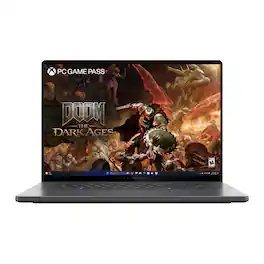
ASUS - ROG Zephyrus G16 16" OLED 2.5K 240Hz Gaming Laptop - Intel Core Ultra 9 -32GB Memory - GeForce RTX 5080 - 2TB Storage - Eclipse Gray

Experience the height of gaming innovation with the ROG Zephyrus G16. Featuring an all-new premium aluminum chassis with customizable lighting, this laptop merges style and durability. Its ultra-slim 0.59” profile and lightweight 4.30lbs 16” chassis redefines portability, but does not compromise on performance. Powered by Windows 11, Intel Core Ultra 9 285H processor, and an NVIDIA GeForce RTX 5080 GPU, the Zephyrus G16 seamlessly aligns with your lifestyle, meeting all your gaming and creative demands. ROG Intelligent Cooling features liquid metal for reduced CPU temperatures and upgraded Arc Flow Fans for improved airflow to sustain peak performance on the Zephyrus G16 no matter the task. Immerse yourself in the OLED Nebula Display and enjoy rapid 0.2ms response times, vivid 2.5K resolution, and a smooth 240Hz refresh rate.

ASUS - ROG Zephyrus G16 16" OLED 2.5K 240Hz Gaming Laptop - Intel Core Ultra 9 -32GB Memory - GeForce RTX 5090 - 2TB Storage - Eclipse Gray
4.7(15)

Experience the height of gaming innovation with the ROG Zephyrus G16. Featuring an all-new premium aluminum chassis with customizable lighting, this laptop merges style and durability. Its ultra-slim 0.59” profile and lightweight 4.30lbs 16” chassis redefines portability, but does not compromise on performance. Powered by Windows 11, the Intel Core Ultra 9 285H processor, and an NVIDIA GeForce RTX 5090 GPU, the Zephyrus G16 seamlessly aligns with your lifestyle, meeting all your gaming and creative demands. ROG Intelligent Cooling features liquid metal for reduced CPU temperatures and upgraded Arc Flow Fans for improved airflow to sustain peak performance on the Zephyrus G16 no matter the task. Immerse yourself in the OLED Nebula Display and enjoy rapid 0.2ms response times, vivid 2.5K resolution, and a smooth 240Hz refresh rate.

Pros for ASUS - ROG Zephyrus G16 16" OLED 3K Gaming Laptop- Intel Core Ultra 9 386H 2026- 32GB Memory - GeForce RTX 5080 - 1TB Storage - Eclipse Gray
Build Quality, OLED Quality, Portability, Battery Life, Heat DissipationBuild Quality, OLED Quality, Portability, Battery Life, PerformanceBuild Quality, Portability, Battery Life, OLED Quality, WeightPortability, Overall Performance
Cons for ASUS - ROG Zephyrus G16 16" OLED 3K Gaming Laptop- Intel Core Ultra 9 386H 2026- 32GB Memory - GeForce RTX 5080 - 1TB Storage - Eclipse Gray
Noise Level, Storage CapacityNoise Level, Heat Dissipation, Memory CapacityHeat Dissipation, Fan Noise, Graphics PerformanceThere were no cons for this product—

Specs

Questions & Answers
  • Does this have international warranty?

    No, this specific ROG Zephyrus G16 (GU606AW-ZP/G16_98) laptop has a one-year local warranty.

    Answered by ASUS Answers
    ASUS Answers response
  • Why are all the build options only 16gb or 32 gb of ram... and why is the g16 only avaialble in a 5080 variant what happened to the 5090? Also 1tb nvme seems a little low for this price point

    This ROG Zephyrus G16 (GU606) limits RAM to 16GB or 32GB to save battery and reduce heat in its slim chassis. The 5090 is missing because of severe thermal limits, making the 5080 the maximum supported GPU. The 1TB NVMe SSD is used to keep the steep starting price somewhat under control.

    Answered by ASUS Answers
    ASUS Answers response
  • Is there an additional nvme m.2 ssd slot? what is the maximum ssd capacity if the oritinal ssd is replaced or a 2nd ssd can be added? can additional ssd be double sided (chips on both sides) or only single sided as limited by the 2025 rog zephyrus gu505?

    Yes, this ROG Zephyrus G16 GU606 laptop features an additional, empty M.2 2280 NVMe SSD slot for expansion. The original drive can be replaced, or a second SSD can be added to the free slot. Yes, double-sided SSDs (memory chips on both sides of the board) can be used for expansion.

    Answered by ASUS Answers
    ASUS Answers response
  • isn't it the core ultra 9x? the 18A process node?

    The ASUS ROG Zephyrus G16 GU606AW does not feature Intel’s upcoming “Core Ultra 9X” built on the 18A process node. Instead, it comes with the Intel® Core™ Ultra 9 386H processor, manufactured on the Intel 4 process, offering 16 cores, 16 threads, and boost speeds up to 4.9 GHz.

    Answered by ASUS Answers
    ASUS Answers response
  • Who's going to buy this at this price. 2025 was $3399 with a 2TB SSD.

    No one.

    Answered by MRFXXR
Ask a question
No content

Customers often buy these together

Sponsored

Special Offers

Top Offers
Included with Purchase