ASUS - RT-BE58 Go BE3600 Dual-Band Wi-Fi 7 Travel Router - White
Wireless Networking Standard
Wi-Fi 7Color
WhiteKey Accessories:
- Insignia™ - 8 ft. Cat 6A Ethernet Cable - Gray$14.99
More Buying Options
Related Item

Highlights
- Key Specs
- Wi-Fi Mesh System: false (A single wireless network consisting of a main router (connected directly to a modem) that connects to a series of satellite modules or nodes placed around the home. Routers with this capability promote stronger, faster wireless signals as well as increase Wi-Fi coverage by reducing interference and eliminating dead zones.)
- Number Of LAN Ports: 1 (Number of devices able to be connected to the Local Area Network (LAN). LAN ports allow wired connections to other networking devices (wireless access points, range extenders, etc.) in order to share the internet connection received through a WAN port.)
- Wi-Fi Speed: 3.6 gigabits per second (The maximum rate at which data is transferred between a network device and wireless router.)
- General
- Brand: ASUS
- Model Number: RT-BE58 Go
- Product Name: RT-BE58 Go BE3600 Dual-Band Wi-Fi 7 Travel Router
- Color: White
- Security
- Data Encryption: true
- Encryption Type: WPA-Personal, WPA2-Personal, WPA3-Personal, WPA-Enterprise, WPA2-Enterprise (The security protocols or certification programs that protect the Wi-Fi network.)
- Firewall Type: NAT (The method the firewall uses to filter and process data to increase network security, primarily by blocking malicious traffic requests while allowing legitimate traffic through.)
- Security Features: AiProtection network security / Instant Guard
- Parental Controls: true (Allows user to block unwanted content, signals, channels, networks, etc. from being received or accessed.)
- Network
- Quality Of Service (QoS) Traffic Prioritization: true (Allows a user to manage a device's network performance by configuring the types of traffic that receive top priority for transmission. High priority functions and applications receive maximum network performance, while low priority traffic receives minimum performance.)
- Band Technology: Dual (Refers to the number of frequency bands used to wirelessly transmit an internet signal. For example, dual-band devices may use one 2.4 and one 5 GHz band, while tri-band devices may use one 2.4 and two 5 GHz bands. Multiple bands also provide more flexibility for designating connected devices to specific band use.)
- Ethernet Standard: 10/100/1000/2500 (Each standard is a variation of the IEEE 802.3 set of computer networking technologies known as Ethernet. New versions evolved to include higher bandwidth, different physical media, and other new and improved features. Standards are often denoted by speeds (in Megabits per second). For example, a 10/100/1000 Ethernet port transmits at 10 Mbps, 100 Mbps, and 1000 Mbps (1 Gbps).)
- Number of Antennas: 2
- Frequency Band: 2.4 GHz, 5.0 GHz (Bands may be grouped into categories such as low- and high-band VHF (Very High Frequency), low- and high-band UHF (Ultra High Frequency), or certain frequency channels (measured in MHz or GHz). Generally, higher frequencies transmit information faster but have shorter range than lower frequencies.)
- Wireless Networking Standard: Wi-Fi 7 (The wireless networking standard used by the device. Each iteration of the standard developed by the Wi-Fi Alliance corresponds to an existing IEEE 802.11 protocol; for example, standard 802.11ac (or AC) is termed Wi-Fi 5. Refers specifically to the standard the device is designed to use, but ultimately determines product interoperability and backward compatibility including previous versions.)
- Wireless Standard: BE, AX, AC, N (The wireless networking protocol used by the device. Each iteration of the protocol is based on the 802.11 standard developed by the Institute of Electrical and Electronics Engineers (IEEE) Standards Association. Denoted by letters following 802.11 (802.11a, 802.11ac, etc.), each version, published in alphabetical order, encompasses all previous versions.)
- Input/Output Technology: MU-MIMO (Multi-user Multiple-Input Multiple Output) (Generally, multiple-input multiple-output communication technologies allow for more signals to be transmitted at a single time, which can improve the device's overall performance.)
- Number of 2.4Ghz Streams: 2 (A router's streams are like lanes on a highway. The more streams a router has, the less traffic congestion. Because the 2.4 GHz band is used to transmit wireless signals to a wide variety of devices, there is often high amounts of traffic on that stream. But with multiple streams, each can be designated to a specific device for optimal performance. For example, if one 2.4 GHz stream is assigned to one device, such as a desktop computer, it leaves the remaining streams open for guest users, devices that use more data, or devices with specific band compatibility.)
- Number of 5.0Ghz Streams: 2 (A router's streams are like lanes on a highway. The more streams a router has, the less traffic congestion. The 5.0 GHz band provides high speed, short-range data transmission and typically has less traffic than the 2.4 GHz band. With multiple streams, each can be designated to a specific device for optimal performance. For example, if one 5.0 GHz stream is assigned to one device, such as a streaming media player, it leaves the remaining streams open for guest users, devices that need less data, or devices with specific band compatibility.)
- Wi-Fi Mesh System: false (A single wireless network consisting of a main router (connected directly to a modem) that connects to a series of satellite modules or nodes placed around the home. Routers with this capability promote stronger, faster wireless signals as well as increase Wi-Fi coverage by reducing interference and eliminating dead zones.)
- Ethernet Switch: true (Connects multiple devices to expand the Local Area Network (LAN).)
- Certifications Listings & Approvals
- ENERGY STAR Certified: false (Devices carrying the ENERGY STAR service mark, such as computer products and peripherals, kitchen appliances, and other products, generally use 20% to 30% less energy than required by federal standards.)
- Features
- App Compatible: true (The product can be connected to a program or software application on a mobile device, which then receives collected data from the product.)
- App Name: ASUS Router APP
- Beamforming: true (A signal processing technique that enables a router to focus a Wi-Fi signal in a specific direction. The router determines where a connected device in the network is located and projects a stronger signal in that specific direction. This can result in faster and higher quality data transfer as well as reduced signal interference.)
- Integrated Modem: false
- Wireless: true
- Ports
- Number Of WAN Ports: 1 (Number of devices able to be connected to the Wide Area Network (WAN). This type of port may simply be labeled "Internet," and it allows the device to share its internet connection with all devices connected to it via LAN ports.)
- Port Type(s): RJ-45, USB (USB 2.0 connects external drives, gaming controllers, smartphones, MP3 players and other accessories.USB 3.0 transfers data faster than USB 2.0, but only when used with USB 3.0 devices.USB Type-C provides fast speeds and versatile power, featuring connectors with identical ends that plug in upside down or right side up. Adapters allow for video as well as backward compatibility.Thunderbolt provides ultra-high bandwidth for fast data transfer between devices featuring a Thunderbolt or MiniDisplayPort connection.HDMI allows you to connect a projector or display HD media on your HDTV or monitor.Media card slots allow you to transfer photos from your digital camera or camcorder.)
- Number Of LAN Ports: 1 (Number of devices able to be connected to the Local Area Network (LAN). LAN ports allow wired connections to other networking devices (wireless access points, range extenders, etc.) in order to share the internet connection received through a WAN port.)
- Speed
- Wired Speed: 2500 megabits per second (The maximum rate at which data is transferred between a network device and router using an Ethernet cable.)
- Wi-Fi Speed: 3.6 gigabits per second (The maximum rate at which data is transferred between a network device and wireless router.)
- Gigabit Ethernet Speed: true (Supports the gigabit Ethernet networking standard, which has a data rate of at least one gigabit per second, or 1,000 Mbps.)
- Compatibility
- Bluetooth Enabled: false (The device is capable of communicating with another device via Bluetooth, provided they are within the required range of each other. A Bluetooth-enabled device must also be the same Bluetooth version or higher than the accessory it is intended to pair with.)
- Dimensions
- Product Height: 1.42 inches (The out of box height of the item. Height is measured as the vertical distance from the bottom of the item to the top as it would be primarily used or placed.)
- Product Length: 3.9 inches (The out of box length of the item. Length is measured as the longest dimension of the item.)
- Product Width: 4.37 inches (The out of box width of the item. Width is measured as the horizontal distance from one side of the item to the other as it would be primarily used or placed.)
- Product Weight: 0.51 pounds (The out of box weight of the item.)
- Warranty
- Warranty - Parts: 3 years
- Warranty - Labor: 3 years
- Other
- UPC: 197105841093
Power up your on-the-go Wi-Fi with ASUS RT-BE58 Go — the ultimate Wi-Fi 7 travel router! Whether you're backpacking through a city, cruising on the open sea or working remotely in the airport, its versatile connectivity options, commercial-grade security, advanced VPN support and multi-SSID settings keep you and your crew connected anytime, anywhere!
- Blazing-Fast: Dual-band Wi-Fi 7 speeds of up to 3600 Mbps with Multi-Link Operation (MLO) and 4K-QAM
- Tri-mode Connectivity: For travel, work and home with 4G LTE and 5G mobile tethering and a private hotspot over public Wi-Fi (WISP mode), with an easy toggle switch for quick connection mode switching, and USB-C 18W Power Delivery (PD) easy power
- Comprehensive VPN: Features with one-touch activation, supporting multiple protocols, and working with up to 30 service providers, and site-to-site VPN
- Commercial-Grade Triple-Level Network Security: Powered by AiProtection through DNS over TLS for encrypted online privacy, plus a one-tap security scan and Safe Browsing
- Guest Network Pro: Makes it easy to set up a functional subnetwork (up to 5 SSIDs) or VLANs for IoT devices, VPNs and a convenient guest portal
- Wi-Fi 7-Enhanced AiMesh: Enables a more reliable extendable mesh network with rich security and network features
Whats Included
- RT-BE58 Go
- Network Cable (RJ-45)
- Power Adapter
- Quick Start Guide
- Warranty Card
Product Manuals
Q: Are there ethernet ports on this router?
A: Yes, this router has one LAN port and one WAN port.
Q: Is this router capable of wired speed?
A: Yes, this router offers wired speed at 2500 megabits per second.
Q: What kind of security features does this router have?
A: This router has AiProtection network security and Instant Guard.
Q: Does this travel router have parental controls?
A: Yes, this travel router has parental controls.
Q: Does this router support VPN?
A: Yes, this router supports comprehensive VPN features.
Q: How fast is the Wi-Fi speed of this router?
A: The Wi-Fi speed of this router is 3.6 gigabits per second.
Q: Does this router support a guest network?
A: Yes, this router supports Guest Network Pro for subnetworks.
Q: Will this router work with a starlink mini
A: Yes, this router work with a Starlink Mini.
Compare similar products

Power up your on-the-go Wi-Fi with ASUS RT-BE58 Go — the ultimate Wi-Fi 7 travel router! Whether you're backpacking through a city, cruising on the open sea or working remotely in the airport, its versatile connectivity options, commercial-grade security, advanced VPN support and multi-SSID settings keep you and your crew connected anytime, anywhere!

Stay connected on-the-road with the RT-AX57 Go’s versatile connectivity options, and enjoy secure Wi-Fi and convenient VPN wherever your journey takes you.
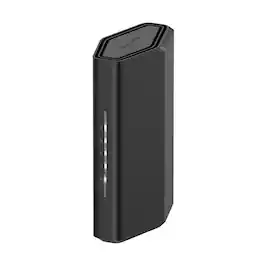
Leverage the power of Wi-Fi 7 for speeds up to 3.6 Gbps at 1.2x faster than Wi-Fi 6. The Nighthawk RS100 Wi-Fi 7 Dual-band Router provides up to 2,000 sq. ft. Wi-Fi coverage and capacity for up to 50 devices. Experience stunning streaming, video conferencing and reliably connect smart home devices. NETGEAR Armor protects your family’s Wi-Fi by creating an automatic shield for all connected devices.

Experience fast, reliable Wi-Fi 6 for your connected home. eero 6 uses the power of Wi-Fi 6 to support faster speeds to every corner of your space, increase your internet’s efficiency, and reduce network congestion compared to prior Wi-Fi standards. eero makes it easy to expand your system as your needs change. With cross-compatible hardware, you can easily add eero products in minutes. Best of all, you can say goodbye to dead spots and buffering. eero’s mesh wifi technology optimizes for your space—so you can confidently stream 4K video, game, and video conference across your home.
| Pros for ASUS - RT-BE58 Go BE3600 Dual-Band Wi-Fi 7 Travel Router - White | |||
|---|---|---|---|
| Portability, Connectivity, Overall Performance, Speed, Security | Portability | Overall Performance, Connectivity, Speed, Coverage, Signal Strength | Overall Performance, Speed, Ease of use, Wi-Fi Coverage, Setup |
| Cons for ASUS - RT-BE58 Go BE3600 Dual-Band Wi-Fi 7 Travel Router - White | |||
| Reboot Time | There were no cons for this product— | Setup Process | There were no cons for this product— |
Specs
Reviews
Customers are saying
Customers admire the RT-BE58 Go BE3600 Dual-Band Wi-Fi 7 Travel Router for its portability due to its compact design and folding antennas, as well as its reliable connectivity. Users also appreciate the overall performance and added layer of security it provides, with some noting its impressive speed. However, a few customers have mentioned the relatively long reboot time as a drawback.
- Portability (29)
- Connectivity (15)
- Overall Performance (10)
- Reboot Time (4)
Customer Images
The vast majority of our reviews come from verified purchases. Reviews from customers may include My Best Buy members, employees, and Tech Insider Network members (as tagged). Select reviewers may receive discounted products, promotional considerations or entries into drawings for honest, helpful reviews.
- Rated 5 out of 5 stars
Portable and ready to go
I wouldn’t use this as a complete home device, but more of what it is built for is a couple devices while connected to another network. As with anything technology, speeds may vary depending on how something is used. For instance, wired to a WAN connection, and wired to the device often gets more reliable speeds. But, using this router in Wireless Internet Service Provider (WISP) mode might not give you the full ISP connection as you are sharing the wireless bandwidth. Meanwhile, using the 4G/5G tether mode will limit speeds to that of your phone. With that said though, this thing is perfect for either a distant access point that is meant for a couple devices to extend the range of your home router or as I see it more reliable as your own personal safety router. Using public WiFi is always risky, but with this, you can put it in WISP mode and now be behind your own IPS with AI protection. There are several ways to get the WAN connection. You can use the 1Gbps ethernet port, you can use the WISP mode mentioned where you can connect to a 2.4Ghz or 5Ghz wireless connection and there is 4G/5G tether where you can connect your phone via USB. You have to enable tethering through USB on your device and it will take other methods as priority if they are available. But, if there are no other methods, then you can enable it under the WAN settings on the app and it will fall back to it. This is a full blown router through and through though. With all the features you expect of a router plus some. You have family controls to help restrict content and protect from ads. You have time scheduling, even with a reward system to give extra time to specific devices. You have Trend Micro AI protection to stop so much more. You even have VPN options where you can connect direct to a VPN from the router or use your router as a VPN back to your network. One unique feature is a small switch on the side of the router. It’s not so obvious how to use this switch from the directions or even in the device. By default, it has no function, till you set it via a web browser connection or the Asus router app. In the app the only place to find it is to click the router information at the top of the main page. Here it shows connected devices, router information, the toggle for the LED and the switch options. In a web browser by IP, it is under Administration > Multi-Function Button tab at the top. The switch can be configured to turn the LED on/off, enable/disable the guest network, turn on/off the WiFi network, turn the VPN connection on/off or switch between profiles like WISP or ethernet. To make things even more portable, you can also power the router with any USB-C power source, like straight from your laptop or other device charger, so no need to carry the extra charging cable if you have other means. Overall, if you travel a lot and want an added layer of security and personalization, this is the way to go. You have multiple ways to get a WAN connection and then keep your own personal WiFi or wired connection wherever you go.
DavidJr Posted
- Rated 4 out of 5 stars
Tiny Router, Huge Features (and a Few Flaws)
Primary Goal: Extending my home network to improve connection for smart cameras at the back of the house without having to run an ethernet cord. Secondary Goal: Creating a secure, private network for multiple devices while traveling in hotels. Verdict: It does a great job at both of these tasks. SPEEDS: I’ve attached pictures. CRITICAL CONTEXT: I tested this on an iPad Pro M4 (WiFi 6E). This device is limited to 160 MHz Channel Width, not the full speed 320 MHz Channel Width available on Wi-Fi 7. I hit the speed limit of my iPad, not necessarily the router. As you must have both a WiFi 7 card and WiFi 7 router to get full speeds. Wired (AP Mode): I pay for 2500 Mbps. I’m getting ~1500 Mbps. This is actually a fantastic speed. Repeater Mode: I’m getting about 500–700 Mbps with a strong connection in my house. Range Test: At the edge of my property, through a wall (20–30 feet away), I get 100–300 Mbps. PROS: - Good performance. - Easy setup (though specific features have a learning curve). - Mobile App works well. - Automatically creates its own IoT network (isolates smart devices from your main data). - Supports VPN (though not tested personally). - Small, compact, USB-C power (can run off a laptop). MEH: - Takes about three minutes to reboot. - WiFi 7 speeds are incredibly fast (hit 1.6 Gbps on my iPad), but be aware that many current devices cannot yet utilize the full max speed of this router due to hardware limitations. - Small/medium coverage size. But to be expected with something so small. CONS: - The settings to switch networks in travel mode are buried. It should be on the launch page. - The user interface Looks dated and uses technical jargon that laymen may not understand. - The LAN port is only 1 Gbps, creating a bottleneck (max of 1,000 Mbps) for wired devices if you have fast internet. But wireless is up to 2.5 Gbps WAN (IN port). - The menus in the software do not explain the modes well; requires prior networking knowledge. Or researching yourself. - No 6 GHz Band: This is a dual-band router (2.4 GHz / 5 GHz). It lacks the 6 GHz band required for "True" ultra-wide Wi-Fi 7 speeds (320 MHz channel width). REVIEW: This device is essentially a wireless router but comes with more features than your normal wireless router. You have 5 specific options. Using one or multiple of these is why you would buy this product: 1. Wireless Router Mode: This is your typical router. The device acts as the boss of the network. It takes the internet from a wire (WAN port), creates a firewall, assigns addresses (DHCP) to your phone/laptop, and broadcasts Wi-Fi. Used when you have access to a wire in a hotel/dorm/home. Should be full speed. 2. Access Point (AP) Mode: Acts as a radio tower. It takes a wired internet connection and converts it to Wi-Fi, but lets the main router upstream handle the IP addresses. Best use case: if you already have a main router, but Wi-Fi doesn’t reach someone in your home. You’d run a long cable to it and plug it in. Then that specific area would have high-speed Wi-Fi. Should be full speed. 3. Repeater Mode: The device connects to an existing Wi-Fi network wirelessly and rebroadcasts the signal further. You do NOT need an ethernet cable connected. Use case: you need Wi-Fi in the corner of your house and don’t want to (or cannot) run a cable. - Note: This will cut speeds in half or more. This is because the radio operates in Half-Duplex (it has to listen to the main network first, stop, and then relay that message to your device). This "double step" slows the throughput. 4. Media Bridge: Reverse of an Access Point. The device connects to a Wi-Fi network wirelessly and sends the internet out through the Ethernet port. This is best for a legacy device (desktop PC, older game console, camera system) that doesn’t have a Wi-Fi card. - Note: The WAN (Input) port is 2.5 Gbps, but the LAN (Output) port is only 1 Gbps. This means your wired device will be capped at 1000 Mbps. 5. Public WiFi Mode / WISP: This is the mode they mainly market. The device connects to a public Wi-Fi hotspot (like at a hotel) wirelessly (without a physical ethernet cable), but then creates its own private, secure Wi-Fi network for your devices. Best Use Case: Hotel Wi-Fi. All your devices use the hotel’s network but are shielded by a firewall between you and other guests. It also handles Captive Portals (login screens) automatically.
SirGalahad Posted
- Rated 5 out of 5 stars
Travel Router
Works well for hotels. I would recommend for anyone that travels a significant amount.
Tony Posted