Explore the latest Back to School techShop now

Skip to contentGo to Product Search
Main Content

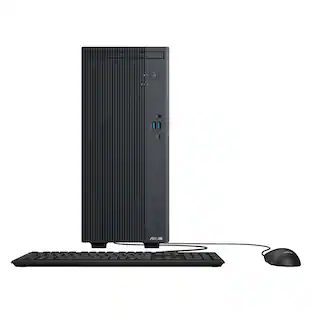
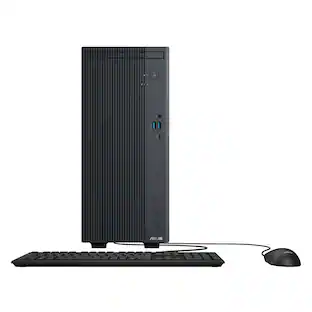
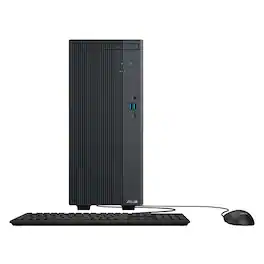
ASUS - VM501 Desktop - AMD Ryzen 5 220 (2025) - 16GB Memory - 512GB Storage - Black

Model: VM501MHC-R5.16.512GB
SKU: 6673397
Sold byBest Buy

Customers are saying

Customers are pleased with the overall performance, quiet operation, and simple design of this product. Users also appreciate the fast processor, lightweight build, compact size, and the potential for future upgrades. While the device is highly regarded, some customers noted that the storage capacity is somewhat limited and that essential accessories like video cables and monitors are not included.

Generated by AI based on customer reviews.
See it in-store: Roseville has a demo model on display.

Highlights

Features
  • Windows 11 Home — Modern Productivity Made Simple

    Enjoy a clean, intuitive experience designed for productivity, entertainment, and seamless everyday use

  • AMD Ryzen 5 Performance for Everyday Computing

    Power through multitasking, work applications, and daily entertainment with responsive AMD Ryzen processing

  • Integrated AMD Radeon Graphics

    Enjoy sharp visuals, smooth media playback, and reliable graphics performance for daily computing tasks

  • High-Speed DDR5 Memory for Smooth Multitasking

    Run multiple applications with responsive system performance and improved efficiency

  • Fast PCIe Gen 4 SSD Storage

    Experience quick boot times, faster file access, and responsive application loading with high-speed solid-state storage

  • Reliable Wi-Fi 6 Connectivity

    Stay connected with fast, stable wireless performance for streaming, video conferencing, and online productivity

  • Versatile Connectivity for Your Setup

    Easily connect monitors, accessories, and peripherals with USB-C, HDMI, DisplayPort, and multiple USB ports

  • Advanced Cooling for Consistent Performance

    Intelligent thermal engineering helps maintain reliable operation during demanding workloads

  • Quiet and Efficient Operation

    Designed to minimize noise for a focused and distraction-free workspace

  • Compact Tower Design

    Space-saving small 15L chassis fits comfortably into home offices, workstations, or entertainment setups

  • High-Definition 7.1 Channel Audio

    Enjoy immersive sound quality for media, video calls, and everyday entertainment

  • Keyboard and Mouse Included

    Get started right out of the box with the included wired USB keyboard and optical mouse

See all features
Specifications
  • Processor Model
    AMD Ryzen 200 Series
    Storage Type
    SSD
    Total Storage Capacity
    512 gigabytes
    System Memory (RAM)
    16 gigabytes
    Graphics Type
    Integrated
Sponsored

Reviews

Rating 4.6 out of 5 stars with 27 reviews

93% would recommend to a friend
Customers are sayingCustomers are pleased with the overall performance, quiet operation, and simple design of this product. Users also appreciate the fast processor, lightweight build, compact size, and the potential for future upgrades. While the device is highly regarded, some customers noted that the storage capacity is somewhat limited and that essential accessories like video cables and monitors are not included.
This summary was generated by AI based on customer reviews.
  • Overall Performance (14)
  • Noise Level (10)
  • Design (9)
  • Processor Speed (5)
  • Size (3)
  • Storage Capacity (5)
  • Included Accessories (4)

Customer Images

The vast majority of our reviews come from verified purchases. Reviews from customers may include My Best Buy members, employees, and Tech Insider Network members (as tagged). Select reviewers may receive discounted products, promotional considerations or entries into drawings for honest, helpful reviews.

  • Rated 5 out of 5 stars

    Quick, Stylish, Daily PC

    If you are looking for a non-gaming PC that is reliable, quick and great at multitasking, look no further than this Ryzen 5 ASUS mini tower. It’s a nice looking machine that looks tasteful and elegant (i.e. no bright lights - although I do like those). However, it comes with some performance trade-offs and limits to upgradeabiliity. IN THE BOX You get the PC, a power cable, and a basic (i.e. replace immediately) keyboard and mouse. No video cables, no monitor. The keyboard and mouse are fine to get it setup and running, but is not something I would use on a daily basis - I’m kind of a keyboard and mouse snob. SETUP I always like mentioning setup, even though as a Windows PC, it’s a pretty standard affair. It’s like every other Windows PC setup. It takes about an hour when you factor in the updates and logging in, etc. But I ran into no issues. I was up and running relatively quickly and I really liked the one-click registration process through ASUS (I’m not sure why I do it, I’ve never had to call support or anything, but it makes me feel good in case I need to). DESIGN AND AESTHETICS The tower is somewhat bland, it’s more of a dark brown color, but there’s a fake wood grain on the front that gives it a contemporary modern look. I find it attractive while understated. In the front you get a headphone jack, two USB-A ports (the rectangle kind) and USB-C. On the back it has 3 additional USB ports, Gigabit ethernet, 7.1 channel audio jacks, and a HDMI 2.1b port and DisplayPort 1.4. It runs really quiet, I don’t know the decibels, but you can’t hear it and it’s designed that way. It’s not distracting in any way. SPEED AND PERFORMANCE It’s powered by an AMD Ryzen 5 processor and 16GB of DDR5 RAM. It feels really quick for everyday tasks. Booting up or waking it up from sleep is extremely quick. You can easily run dozens of browser tabs, stream videos, and manage your workspace tools simultaneously without any sacrifice to its performance. Using it as a home office computer designed to handle basic tasks, it’s more than adequate. We use it as a family computer for everyone to have access and it switches profiles, loads programs, etc. extremely fast. The performance in that regard is superb. GAMING PERFORMANCE This is where this computer lags, and that’s honestly by design. But if you’re like me, and your kids might use it for some gaming, it’s important to know its limitations. It has an integrated Radeon 740M graphics chip. It handles light titles, like Minecraft, Roblox or casual games without any problems at 1080p (we are using a 1080p monitor with it). I downloaded a few other games, like Bioshock Infinite and Lego Builder’s Journey. Bioshock crashed, I couldn’t get it to open, while I could play Builder’s Journey at the lowest graphics settings pretty seamlessly. Point being, your mileage will vary, but you will most certainly have to lower the graphics settings (pretty low) to be able to get smooth performance. The same rationale will apply to video editing. While I did not install any video editing software like Adobe, please know that there will be extreme limitations to anything requiring a lot of GPU power. UPGRADEABILITY It comes with a standard 500GB in the form of M.2 storage. The SSD is extremely quick (see the boot times mentioned above). It’s plenty of storage for most people, but you might need additional storage. Luckily, there’s an additional M.2 slot in the motherboard. You can also install a standard 3.5 inch HDD as there’s enough space in the chassis for it. Taking off the cover is easy and doesn’t require any tools. When you open it, you’ll find a LOT of open space. This helps with cooling and sound. But the only things I would recommend upgrading would be the storage space (swapping out the included 500 GB M.2 or adding a second). You can also swap out the RAM sticks (assuming you get new ones at a decent price) as the system can handle up to 64 GB of DDR5 RAM. While the motherboard does feature a standard PCI expansion slot for dedicated GPUs, I don’t believe this PC was intended for that purpose. The power supply is very modest at only 180W, so any GPU would need to be low powered or you’d have to swap that out. Plus, while there is space in the chassis for a GPU, technically, I would imagine it would get pretty hot and potentially overheat the unit. Bottomline, you could upgrade the storage and RAM now or down the road, but don’t expect to add a GPU - if that’s your plan, I’d look at other options. CONCLUSION If you’re looking for an elegant machine with snappy performance for everyday tasks such as work, web browsing, media consumption, look no further than this ASUS mini tower. It runs really quiet with upgradeable storage and RAM. But don’t treat it as a blank canvas to really push its capabilities beyond its intended use case of everyday type computing needs.

    Posted by callmeageeth

  • Rated 5 out of 5 stars

    Compact, works well, runs cool and silent

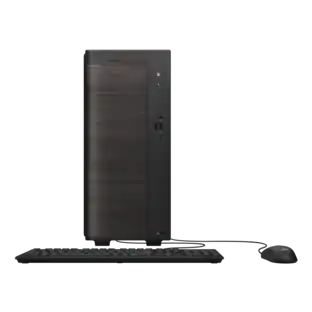
    This is my first non-gaming desktop PC from ASUS. It is compact, lightweight, and surprisingly powerful for an entry-level mini tower. It comes with a USB keyboard and mouse, but doesn’t include a monitor, so you will need to supply your own. The exterior of the rig is all metal with a faux wood faceplate that wraps around the front left-hand side. This not only looks modern and sleek, it also doubles as ventilation for the tower, as there is an air gap and vents behind it. The power button and status LED are located on the front towards the top-right corner and below it are the mic/headphone combo port and 2x USB-A 3.2 and 1x USB-C 3.2 port. At the rear, there are an HDMI 2.1, DisplayPort 1.4, USB-A 3.2, 2x USB-A 2.0, Ethernet jack, and audio I/O jacks. The left-hand panel of the tower is removable by loosening the two thumbscrews securing it, and they do not have to be fully removed. The panel can be further secured with a padlock, and the tower has a Kensington lock slot as well. Inside, you'll find one 16 GB DDR5 5600MHz RAM chip with an additional slot free, which is upgradable to up to 64 GB. A 512 GB PCIe Gen 4 m.2 SSD is pre-installed with a second m.2 slot available for additional storage. There is also one PCIe 5.0 slot open on the board, though you may be limited in your options due to its low powered 180-Watt power supply. The PC supports WiFi-AX (WiFi 6) and Bluetooth 5.4 connections for fast stable and reliable wireless connections to your home network and peripheral devices. The machine runs on the AMD Ryzen 5 220 CPU with 3.2 GHz base clock, 4.9 GHz boost max and 6 cores over 12 threads. It has Radeon 740M integrated graphics which is suitable for casual gaming though doesn’t have enough power to render contemporary AAA titles at max video settings. I was able to play Counterstrike 2 at medium-high graphics with smooth motion at 60 fps. I also played Warframe at medium graphics and experienced framerates above 100, although visuals were blurry and smeary at times, with numerous dropped frames and stutters during fast-paced action. Unfortunately, I was unable to launch Halo Infinite due to the unsupported GPU. I found the bootup time for this PC a bit slow, but once it’s on, I didn’t experience any slowdowns or lag during use, even while using multiple applications and background processes running for everyday tasks. I can comfortably browse the Internet, check email, use word processing and spreadsheets, and even consume streaming content like music and video without any performance issues. The tower is basically silent, even when under heavy load, for example, while gaming or exporting video. There’s virtually no fan noise from the unit, and there’s plenty of ventilation on the bottom and sides, although the tower itself seems to generate very little heat. The included optical mouse is basic, as is the full-size keyboard with 10-key numpad. The keyboard should be plugged into the left-hand USB 2.0 port at the back, as this port lets it wake the computer up from sleep mode. That also leaves the other high-speed ports free to power or charge devices that can utilize the extra bandwidth, like USB storage drives. Note that the keyboard is not backlit, though it does have a dedicated Co-Pilot launch key as well as one that I couldn’t identify next to the mute key. It looks like a waveform and pressing it simply brought up a message on screen that the “feature was not supported on the current device,” though I couldn’t figure out what it was meant to do. Overall, the VM501 is a decent basic desktop computer that would work well for work, school, and even light gaming. It’s lightweight with a small footprint and focuses on productivity and efficiency, prioritizing cool, silent operation while delivering enough power to multi-task and run more intensive processes like generative AI.

    Posted by ReviewedByPhil

  • Rated 5 out of 5 stars

    Great desktop for the cost and purpose

    I picked up this desktop as a media server for my entertainment room and I think it will do a pretty good job. It's a very simple design and the tower itself is mostly empty which makes for easy cleaning and hopefully simple leads to long lasting. The processor is plenty fast and has a remote heat sink on the back of the case which should keep it cool enough. There is a video card slot for adding a card but I'm still trying to figure out how much power the board can send through the slot. There is a port on the motherboard labeled 'VGA power' but it's a proprietary plug and I can't seem to find a cable for it online. So if you intend on adding a video card to this your options will be limited. The power supply is only 180w but that should leave well over 100w for a future card. The performance of this as it comes is plenty for any office work or light video browsing. It's not great for newer games but no computer at this price point would be. For my purpose of watching videos on a TV or possibly playing lighter games I think it will do just fine. The system does come with power cord, keyboard and mouse. It has built in WIFI and Bluetooth with internal antenna which will limit range a little but I had no problem connecting to everything and I like the clean look of not seeing antenna exposed. The front of the case is also a very nice classical finish that will look good sitting on the shelf in my entertainment center. Overall I think this is a great option that comes with a nice SSD (easily upgraded later if desired), 16GB in 1 stick which is great for upgrading when DDR5 prices come back to earth in the future. I'm very happy with this computer and would recommend it to anyone who needs a good solid workhouse or good looking computer in a smaller size.

    Posted by Josh454

  • Rated 5 out of 5 stars

    Great desktop with upgrade compatibility.

    This ASUS VM501 Desktop with AMD Ryzen 5 220, 16GB Memory and 512GB Storage is great for home and everyday use. It is best for all the things a lot of users do today, including web browsing, email, streaming, mild gaming, office applications like word processing, spreadsheets, presentations, and scanning/pdf files. Graphics software runs pretty good on this desktop too. This desktop has a built in graphics card, but paired with the AMD processor, the graphics card in this desktop is more powerful than if it was paired with another type of processor, so it’s not so bad. In the box: Asus VM501 Desktop, power cord, wired keyboard, wired mouse, paperwork. Setup: All that had to be done to set the desktop up was plug in the keyboard, mouse, and power cord. Once plugged up, connect the monitor and turn it on. It’s ready to go. Ports/Outputs/Connectors: 1 Display Port 1.4 1 HDMI 2.1 I USB C 3.2 3 USB A 3.2 2 USB A 2.0 Microphone Input WiFi 6 Bluetooth 1 Ethernet Port 2 Memory Slots The desktop has a small footprint. I really like that it’s small and not too heavy. The case looks really nice, neat, and not complicated. The keyboard has a number pad on it. That is plus on the keyboard. The mouse is a standard wheel mouse. Summary: This ASUS VM501 is a really great middle range system. It lacks only in the video card being integrated and not stand alone. This system will run most all software that home users and students use. It boots up fast, and seems to have it all that any home office, school just general home use.

    Posted by MoniMouse

  • Rated 5 out of 5 stars

    Great basic desktop with room for small upgrades

    The Asus VM501 is a small desktop footprint. It is a 15L tower design and it is lightweight. Moving it around my home office is easy, trying to find a good spot for it. It has a tool-less design, meaning you do not need a screwdriver to open it up. The thumb screws are easily turned and they stay on so you cannot lose them. I was curious as to what upgrades this tower can offer. The power supply is a Huntkey HK280-75PP. Googling it tells me it has an output of 180W. Not much to work with if you want to upgrade the GPU. Also looks like this a proprietary connector so you cannot swap it out with something larger. This is a compact size, not standard PSU size. If you want to upgrade to a discrete GPU card, make sure you don’t get one that needs power, you cannot power it. You can probably try an Intel Arc A310 or maybe nVidia RTX3050. I would just leave it alone or look elsewhere if you are going to want to game with this. You cannot install a large/long card anyway so selection is limited plus additional costs. With that said, I tried to play Marvel Rivals on Steam. The results were not that great. You may be able to play less demanding games. This is not marketed for gaming anyway but I was curious and wanted to share what I found. What's great is the NVMe storage is a fairly good one. It comes with a WD SN5000S 512GB drive. It can boot up fast and onto your desktop. I removed unnecessary software and was able to get back just under 5GB of storage. I was able to regain just under 1GB of ram under idle usage. This has an integrated GPU so your system RAM is shared with it. This has two slots for SO-DIMM RAM (laptop). One is occupied by a 16GB Samsung DDR5 5600. You can get a matching RAM stick so it runs in dual channel but RAM cost are a bit high at the moment. But you have the option since it comes with an available slot. This is not common but welcomed option. As for performance with the hardware I mentioned, it's not bad. For daily tasks like web browsing and emails, this computer can handle those easily. Nowadays, you do not need to install software since many run as web applications. All you need is an internet connection which this has 1GB ethernet port and Wifi6 with bluetooth (AW-XB547NF). There is an additional 2280 NVME slot if you want to add more storage. I wouldn’t add or improve the internal components. I would spend the money on a nicer keyboard and mouse. With bluetooth capability, get yourself a nicer wireless keyboard and mouse to reduce desk clutter. This desktop is already small and would compliment with nicer keyboard/mouse setup. For basic use, this is a nice computer. It has HDMI and Display Port for monitor.

    Posted by sherwinmdev

Compare similar products

ASUS - VM501 Desktop - AMD Ryzen 5 220 (2025) - 16GB Memory - 512GB Storage - Black
4.6(27)

The ASUS VM501MHC delivers dependable everyday performance in a small 15L tower design built for productivity, multitasking, and home entertainment. Powered by an AMD Ryzen 5 processor and high-speed DDR5 memory, it handles daily workflows smoothly while keeping your workspace clean and efficient. Fast PCIe Gen 4 SSD storage helps applications load quickly, while Wi-Fi 6 connectivity ensures stable online performance for work, streaming, and video calls. An advanced thermal design keeps the system cool and quiet under pressure, and versatile connectivity makes it easy to connect displays, peripherals, and accessories. Complete with a wired keyboard and mouse, the VM501MHC is designed to provide reliable performance, expandability, and convenience for modern users.
ASUS - VM501 Desktop - AMD Ryzen 5 220 - 16GB Memory - 1TB Storage - Black
4.6(5)

The ASUS VM501MHC delivers dependable everyday performance in a small 15L tower design built for productivity, multitasking, and home entertainment. Powered by an AMD Ryzen 5 processor and high-speed DDR5 memory, it handles daily workflows smoothly while keeping your workspace clean and efficient. Fast PCIe Gen 4 SSD storage helps applications load quickly, while Wi-Fi 6 connectivity ensures stable online performance for work, streaming, and video calls. An advanced thermal design keeps the system cool and quiet under pressure, and versatile connectivity makes it easy to connect displays, peripherals, and accessories. Complete with a wired keyboard and mouse, the VM501MHC is designed to provide reliable performance, expandability, and convenience for modern users.

ASUS - VM501 Desktop - AMD Ryzen 7 260 - 16GB Memory - 1TB Storage - Black
5.0(5)

The ASUS VM501MHC delivers dependable everyday performance in a small 15L tower design built for productivity, multitasking, and home entertainment. Powered by an AMD Ryzen 7 processor and high-speed DDR5 memory, it handles daily workflows smoothly while keeping your workspace clean and efficient. Fast PCIe Gen 4 SSD storage helps applications load quickly, while Wi-Fi 6 connectivity ensures stable online performance for work, streaming, and video calls. An advanced thermal design keeps the system cool and quiet under pressure, and versatile connectivity makes it easy to connect displays, peripherals, and accessories. Complete with a wired keyboard and mouse, the VM501MHC is designed to provide reliable performance, expandability, and convenience for modern users.

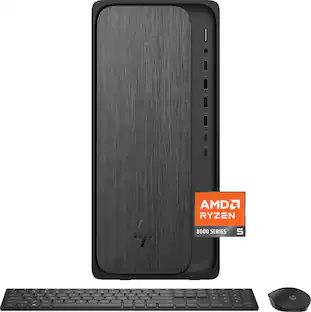
HP - OmniDesk Desktop - AMD Ryzen 5 8500G - 8GB DDR5 Memory - 512GB SSD - Gray Wood
4.4(19)

Powerful performance and modern design for daily productivity. The HP OmniDesk PC combines powerful performance and trusted technology to tackle even the most demanding daily tasks with ease. It features the latest ports, a powerful AMD Ryzen processor, DDR5 memory support for fast loading times and responsive multitasking, and graphics for immersive visuals.

Pros for ASUS - VM501 Desktop - AMD Ryzen 5 220 (2025) - 16GB Memory - 512GB Storage - Black
Overall Performance, Noise Level, Design, Processor Speed, SizeThere were no pros for this productOverall PerformanceOverall Performance
Cons for ASUS - VM501 Desktop - AMD Ryzen 5 220 (2025) - 16GB Memory - 512GB Storage - Black
Storage Capacity, Included AccessoriesThere were no cons for this productThere were no cons for this productThere were no cons for this product

Specs

Be the first to ask a question.

We’ll try to get your question answered within 24 hours by a Best Buy customer or brand representative.

No content

Customers often buy these together

Sponsored

Finance Options

My Best Buy® Credit Card
Choose a benefit:Or
Buy Now, Pay Later
Lease to own

Special Offers

Top Offers
Included with Purchase

Finance Options

My Best Buy® Credit Card
Choose a benefit:Or
Buy Now, Pay Later
Lease to own

Special Offers

Top Offers
Included with Purchase