Black Friday in JulyEnds Sunday. Limited quantities. No rainchecks.Shop now

Skip to contentGo to Product Search
Main Content

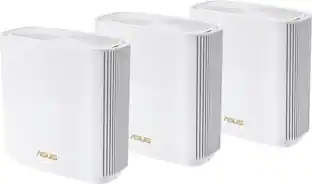
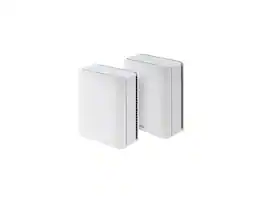
ASUS - ZenWiFi BE5000 PRO Dual-Band Mesh Wi-Fi 7 System (3-pack) - White

Model: ZenWiFi BE5000 PRO 3PK
SKU: 6669980
Sold byBest Buy

Customers are saying

Customers often highlight the product's exceptional ease of setup, noting that connecting it takes only a few minutes. They frequently praise its extensive coverage, providing a strong signal throughout the entire house, and its overall robust performance. Additionally, its compact size, being among the smallest Wifi 7 devices, is a valued feature.

Generated by AI based on customer reviews.

Highlights

Features
  • Next‑Gen Wi-Fi 7 Performance

    Dual-band Wi-Fi 7 speeds up to 5000 Mbps with MLO and 4K-QAM

  • Seamless Whole‑Home AiMesh

    ASUS AiMesh technology boosts coverage up to 6800 sq. ft. (3-pack) and easy extendibility with compatible ASUS routers for seamless and secure whole home Wi-Fi

  • Dead‑Zone‑Free Signal

    Four internal antennas and four high-power front-end modules eliminate Wi-Fi dead zones

  • Premium Security, Always On

    24/7 end-to-end protection with commercial-grade AiProtection Pro and advanced VPNs

  • Smarter Controls

    IoT Network, parental controls & VPN easy setup on multiple devices with Smart Home Master SSIDs

  • Dual 2.5G Wired Speed

    Dual 2.5G Ethernet ports with auto detection

  • High‑Performance Processing

    Quad-core 1.5 GHz CPU and robust cooling

See all features
Specifications
  • Wi-Fi Mesh System
    Yes
    Number of Wi-Fi Satellites Included
    3
    Number Of LAN Ports
    2
Sponsored

Reviews

Customers are sayingCustomers often highlight the product's exceptional ease of setup, noting that connecting it takes only a few minutes. They frequently praise its extensive coverage, providing a strong signal throughout the entire house, and its overall robust performance. Additionally, its compact size, being among the smallest Wifi 7 devices, is a valued feature.
This summary was generated by AI based on customer reviews.
  • Setup Ease (11)
  • Coverage (8)
  • Signal Strength (4)
  • Performance (3)
  • Size (3)

Customer Images

The vast majority of our reviews come from verified purchases. Reviews from customers may include My Best Buy members, employees, and Tech Insider Network members (as tagged). Select reviewers may receive discounted products, promotional considerations or entries into drawings for honest, helpful reviews.

  • Rated 5 out of 5 stars

    Easiest Setup and Best Performance

    So far, over the last 10 years or so, I've owned 3 mid-range mesh systems - an Orbi, and two Linksys Velop systems. Setting up the Zen was by far the simplest of the lot. Take it out of the box, plug it in, download the app, plug it into your existing router and off she goes. No fuddling with IP or Mac addresses, it's all self contained. Place the other two units within 10-15 feet of each other, and your mesh system communicates itself into existence. 10 or so minutes later, you can place the devices in their final destinations. Once you do that, there's a button on the app to "optimize" your system for its best performance. As I said before, my prior systems worked well to keep 40 or so devices scattered around the home will connected. It's a busy place, and gets busier all the time. Besides phones, laptops, and tablets, just about everything you buy has an app nowadays. There's cameras, thermostats, robot vacs, air cleaners, etc, etc. This is a home on 2 levels, 1000 square feet on each. So the triad systems can pretty much handle the load. However, last year, I purchased a robot lawn mower, and that's where the weaknesses started to show. To set it up, you need to walk it around the perimeter of the property, That's when I started to notice the gaps in coverage. Luckily, the bot works on a combination of GPS, Wifi, and internal cameras to position itself. The bot's app also gives you a first person view of where the bot is at any given time as well as progress towards the task. With my previous mesh systems, these functions would consistently drop out on me. However, with the Asus Zen, coverage was consistently strong throughout my property limits. I never really give much credence to quoted performance specs, as I've learned the hard way they're mostly overly optimistic. The robot was my real-world performance test. However, I also had another way of checking performance. I have Verizon Fios internet & tv, and with my package I have the Fios extender. The Fios and Zen are named separately, as I use the Fios basically for streaming content. But as such, I can easily compare the two at any given location, and the Zen just knocks the heck out of the Fios performance wise. If you're in the market for a mesh system, the Asus is definitely worth a look on your shopping list.

    Posted by ferrari

  • Rated 4 out of 5 stars

    Wifi 7 with Dual-band AI Mesh for the whole house

    I recently upgraded my home Internet connection to 2 Gb Fiber and couldn’t wait to test my Asus ROG tower 2.5 Gbs NIC but my old router only had 1 Gbps interfaces. So I got the ASUS - ZenWifi BE5000 3 PRO Dual-band WiFi 7 Mesh 3-pack Router a few days ago and put it through its paces this weekend. This Asus system is pretty much 3 identical Mesh routers packed with the latest future-proof network technology. These units are not as big as some of the competitors, so they’ll blend in nicely. They include 2x 2.5 Gbps Ethernet ports. Moreover each unit has 4 internal antennas and 4 high power front-end modules that guarantee the multi-band 2.4 GHz, 5 GHz signals penetrate through walls and other obstacles. The setup is pretty straight forward, just plug the main unit in, then use the Asus Router App from your smart phone. It will automatically detect your WAN connection type, using AI and prompt you to create your Wi-Fi SSID. I ended up using the same Wi-Fi name and passphrase as my old router so I wouldn’t have to reconfigure over 30 devices on my new network, just make sure to power off your old router first so you don’t cause Wi-Fi conflicts. Next, the setup prompted me to plug in the additional satellites at about 3 feet away from the main unit. The status LED blinked for a few minutes until they connected and autoconfigured, then turned solid white at which point you can unplug them and move them at strategic locations in your house to maximize coverage and speed. The backhaul features MLO link over both 2.4 GHz and 5 GHz bands. Just be patient during the initial setup and also perform a firmware upgrade if available. The only missing feature is a USB 3 port that could transform this router into a NAS, but I guess that would probably increase the price, and this is not meant to be a high-end setup like the bigger tri-band units. The AsusWRT software platform is very well developed, intuitive, feature rich and offers tons of information such as network info, hardware status of all ports, CPU/RAM utilization, AIMesh and security reports, etc. There are also additional security and parental control features that are included for free, unlike the competitors. I ran most of the speed tests from multiple wired Windows 11 PCs, one being an ASUS ROG tower with 2.5 GbE and Wi-Fi 7 connectivity and a Samsung Galaxy S25 Ultra Android phone that also supports Wi-Fi 7. The range coverage and signal strength is unbelievably good. With my 2 gigabit fiber ISP, I max out at around 2.3 Gbps with my wired gaming PC. With this ASUS ZenWiFi BE5000 PRO Wi-Fi 7 Mesh system I could not believe it when I got Wi-Fi downloads/uploads in the 1.9 - 2.1Gbps just like being plugged into Ethernet. Ping times were below 5ms which is quite good for Wi-Fi as well. In order to get those crazy WiFi speeds, I did have to be in the same room with the router, but still got around 1Gbps throughout the rest of the house. In conclusion I would recommend this ASUS ZenWiFi 7 Mesh system over its direct TP-Link competitors that are comparable in price and performance, for two important reasons - ASUS includes additional/advanced security features for free, and is not at risk of being banned in the US. ASUS also stands behind their products with a 3-year warranty.

    Posted by SUHD

  • Rated 5 out of 5 stars

    Great value and performance for 3x Mesh

    Verdict: The ASUS ZenWiFi BE5000 Pro mesh system provides ample coverage at high speeds for a good price. The app is easy to use and the features are abundant. So far, we love it. Initial impressions. The three satellites are fairly small and will integrate nicely on shelves, tables, and décor. The quick start guide is really just a QR code. Instructions should be a tad better. Setup. I followed the instructions: reset the modem, plug the routers with all three being 3-feet apart, use the app to connect, and then setup the network. Zero issues with network setup; done in about 15 minutes. Updates were clunky though… for some reason, I had to update each mesh individually, instead of selecting “update” just once. App. The app is good: lots of features (maybe too many… a little hard to find things), strong management, security, and parental tools. You can manage devices individually, you can establish profiles for each user and manage them that way, or you can establish network-wide controls such as a “disconnected” schedule, which we are now using at night (10pm to 6am). It doesn’t look like the security features require a subscription, in which case, this is a strong selling point; we are using the Malicious and Infected Device Blocking. Speed & range. To maximize range, we have the wired station in the middle of the house, and the other two on opposite ends of the house, connected wirelessly (no wired backbone). WiFi speeds on the ASUS mesh were faster than an older mesh network we have (similarly priced when purchased), but slower than another older mesh network (purchased for three times the price)… so probably as expected. Range is good, with reach on the both floors and the basement, and into the yard. Again, range was better than one mesh, but not as good as the high-end mesh. Things I love: - WiFi 7 - Separate IoT network - Powerful app to manage devices, users, and the whole network - Fast speeds and great range, that are reliable thus far (but too soon to confirm) - It looks like you can grow this network by adding more mesh devices, which is fantastic given that the system is on the more affordable side - You can manage the priority of your bandwidth (streaming, or gaming, or productivity) Things I don’t like: - The speed test in the app was misleading… It showed me 800Mbps, implying that it is the speed of the WiFi signal, but really it’s the speed of the wired connection. I use two other apps to test the WiFi and both showed at 300Mbps, which is consistent with other observations. - Updates should be seamless for all the mesh devices, not having to manually click on an update for the first mesh, wait, and then click on the update for the second mesh, wait, and then click on the last mesh update, and wait. - Is AiMesh just branding? I don’t know where is the AI in this router. It works like any other mesh network!! Overall, this is a solid WiFi mesh system at a good price. I love ASUS computers, so I had high expectations, and this has not disappointed thus far.

    Posted by AllAboutTech

  • Rated 1 out of 5 stars

    Remarkably Disappointing

    I have had my fair share of mesh WiFi systems over the years. I live in a relatively large home (~3,400 finished square feet + 1,700 unfinished square feet). The ASUS ZenWiFi BE5000 seemed like such an appropriate upgrade, I was happy to try the system. This system is remarkably disappointing. Speed is mediocre compared to my previous mesh system by another company. My previous mesh system provided close to the gigabit internet speed (1Gbps) I subscribe to for my home and home office service. The Asus ZenWifi BE5000 maxed out at about 560Mbps. Very disappointing. Even my ISP was kind of surprised given how popular ASUS devices are. But, the real problem ... Connectivity is horrendous - not exaggerating. The setup of the Asus Mesh system was relatively straightforward and the app is reasonably easy to use. It took several tries to get the nodes connected ... and that's when the problems (lots of them started). I installed according to ASUS's best methods for placement, etc.. The two additional nodes were problematic from the start. They connect, disconnect, connect, disconnect, etc. They show a white light some of the time, a blinking blue light *most of the time* and I am constantly bombarded with warnings from my security system, Google Home devices, and other WiFi devices that have either lost connection or show connected with "No Internet Access." Profoundly disappointed, especially how much I generally like ASUS products. I wouldn't recommend this to my worst enemy.

    Posted by Winger81

  • Rated 4 out of 5 stars

    Excellent mesh router in default router mode

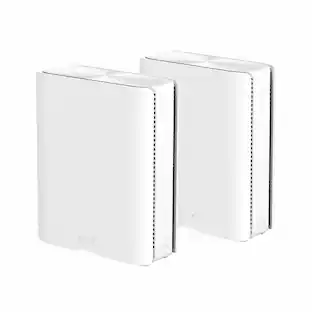
    In its current state, the Asus BE5000 Pro Mesh Wifi product is easy to set up, has excellent performance, and will fill the needs of most users right out of the box. However, I needed to use what many would consider an “advanced setting” and I just could not get it working the way that I expected it to. It was still usable and I’m sure there’s nothing wrong that can’t be fixed by a firmware update, so it’s likely that within a short time the router will be fully compatible for all usage scenarios. The version that I tested was a “3-pack” of a router and two satellite nodes, although I believe that they are actually identical and any one of them could be installed as the main router. Compared to the conventional routers that I’m used to having with all the antennae and row of LEDs, these are just small, plain white boxes with a single multi-color LED to indicate status. On the back are two Ethernet ports and a power button. There is also a reset button on the bottom that I ended up using a couple of times, and a button to support WPS. I also installed the Asus Router app on my smartphone. This app makes the setup process very easy compared to setting a router up in the “old days”. After connecting the router to my cable modem and powering it on, the app was able to identify it and start the setup procedure. One of the first steps is to assign your own network name (SSID) and connection password. If you are replacing an existing router, you would assign the same name and password as for that router so that all your devices can find it and connect without having to make any changes to them. In my case, I wanted it to operate for now as a separate network so gave it a unique name that I can always change later after gaining enough confidence in it. Also early on you assign a name (default: “admin”) and password for logging into the router to control it at a later time. At some point early on it is time to connect the router with the satellite mesh nodes. They do not have to be in their final locations, and in fact it’s better to have them reasonably close by so you can watch the LEDs. After powering them on, it’s necessary to wait until they discover the mesh network and make the connection to it. As with some other setup operations, this took a surprising amount of time so be patient. I was waiting for the LEDs to turn blue and had just about given up when first one then the other finally did so. From there it is just a matter of time when various things are being set up and optimized, as well as a reboot of the router, and everything was up and running and connected to the Internet. I repositioned the nodes to get what I thought was full coverage of the house (one on each floor plus the basement) and went around running some basic speed tests in each area. The throughput was very impressive, and in at least one area was better than I’d ever seen from our old router. We are an older couple who have relatively modest performance requirements, although we do have a surprising number of devices that may be connected at various times (e.g. thermostat, garage opener, tablets, watches, smartplugs, security cameras, video doorbell, etc.) and I’m sure this router can handle the traffic. There is no online gaming going on here but I do have one important streaming requirement and the router performs well for that. Also, on the subject of smart household devices, some of the older ones may not be compatible with the WiFi 7 protocols that the router uses, and for those it can provide a secondary network with its own SSID that maintains the older standards. By default this uses your same SSID name with “_IoT” appended to it (“Internet of Things”). Of course, in order to use it, you’ll have to know how to reconfigure the devices in question. So far I’ve had no need for this feature. For most people, this is all that would have been necessary and would be worth a 5-star review. However, due to the specifics of my network infrastructure, I’ve always preferred to configure my WiFi routers as “Access Points” (AP mode) instead of operating as true routers. Although this is supported according to the documentation, I was unable to get it operating successfully in that mode and have opted to leave it in its default mode of operation. This is probably something that will be fixed in a future firmware update, and overall this will serve the needs of 99% of users right out of the box.

    Posted by Doug G

Compare similar products

ASUS - ZenWiFi BE5000 PRO Dual-Band Mesh Wi-Fi 7 System (3-pack) - White
4.2(26)

ASUS ZenWiFi BE5000 Pro is built for the next generation of smart homes, delivering seamless connectivity for entertainment, work, and connected devices. Powered by Wi-Fi 7, it unlocks dual-band speeds up to 5 Gbps with enhanced efficiency for smoother streaming, gaming, and cloud applications. With next-gen AiMesh technology and dual 2.5G ports, the ZenWiFi BE5000 Pro provides reliable whole-home coverage and high-speed performance in every corner of your space.
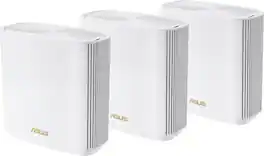
ASUS - ZenWiFi BT6 Tri-Band 7 Mesh WiFi System - ZenWiFi BT6 2PK - White

Worry-Free Smart Home Mesh. The ASUS ZenWiFi series advances your ever-evolving smart home with worry-free WiFi. The ASUS ZenWiFi BT6 raises the bar for whole-home mesh with WiFi 7 and next-gen Smart AiMesh technology. It delivers blazing-fast tri-band speeds up to 9.4 Gbps and unleashes superior 6 GHz WiFi. Along with an ultra-high-speed 2.5-gigabit Ethernet port and a suite of advanced network and security technologies; this mesh WiFi system is ready for the future of your smart home network today. Design. The Pinnacle of Wi-Fi: ASUS ZenWiFi BT6 embodies our unwavering commitment to developing incredible in-house WiFi and network technologies. Seamlessly connect to your family and friends within a worry-free connected experience. IEEE 802.11BE. Wi-Fi 7 Powering Premium Mesh: The ZenWiFi BT6 boasts cutting-edge WiFi 7 technology. This superior tri-band mesh system unleashes the full potential of WiFi 7 with wired backhaul options. Enjoy a next-generation connected experience for home entertainment and cloud computing; including 8K streaming; HDR gaming; content creation and AI. Superior 6 GHz Wi-Fi: Boasting a superior 6 GHz band; ZenWiFi BT6 unleashes blazing-fast tri-band WiFi 7 speeds up to 9.4 Gbps. It ensures comprehensive WiFi compatibility for a wide range of devices; from cutting-edge WiFi 6E mobile devices to legacy IoT devices. Comprehensive MLO Support: Multi-Link Operation (MLO) enables buffering-free connection by intelligently combining and switching between the 2.4 GHz; 5 GHz; and 6 GHz bands. ZenWiFi BT6 is built to be future-proof with all WiFi 7 devices; regardless of the MLO mode they use. Ultrawide 320 MHz Channels: WiFi 7 introduces ultrawide 320 MHz channel bandwidth in the 6 GHz band; doubling data transmission capacity. This allows for significantly more simultaneous transmissions at the fastest possible speeds. Efficient 4K-QAM Transmission: Compared to 1024-QAM with WiFi 6/6E; 4096-QAM allows each signal to more densely incorporate larger amounts of data; delivering up to 20% more efficient data transmission.

ASUS - ZenWiFi AXE7800 Tri-Band Mesh Wi-Fi 6E System (3-Pack) - White
4.0(87)

Explore ultimate technology with the ASUS RT-AXE7800 tri-band Wi-Fi 6E router. Its breakthrough performance of up to 7800 Mbps Wi-Fi speed can meet and exceed your internet needs, with comprehensive network protection provided by advanced ASUS security tech. Gear up for ultrafast connectivity!
ASUS - ZenWiFi BQ16 Pro WiFi 7 Mesh Router, 4000 sqft, 10G Ports, Smart Home, Security, AiMesh - White

ASUS ZenWiFi BQ16 Pro Quad-band WiFi 7 Mesh Router (1 Pack), up to 4000 sqft, 2x 10G ports each, Smart Home Master with multi-SSID, VPN & parental controls, Subscription-free security, AiMesh

Pros for ASUS - ZenWiFi BE5000 PRO Dual-Band Mesh Wi-Fi 7 System (3-pack) - White
Coverage, Signal Strength, Setup Ease, Performance, SizeThere were no pros for this productCoverage, Signal Strength, Speed, Setup, RangeThere were no pros for this product
Cons for ASUS - ZenWiFi BE5000 PRO Dual-Band Mesh Wi-Fi 7 System (3-pack) - White
There were no cons for this productThere were no cons for this productConnectivity, PerformanceThere were no cons for this product

Specs

Questions & Answers
  • PRO vs non-PRO: there is another product listed that seems identical at a glance, but doesn't have PRO in the name. What are the differences between the two products? ASUS - ZenWiFi BE5000 Dual-Band Mesh Wi-Fi 7 System (3-Pack)

    The difference between the PRO and non-PRO on the ASUS - ZenWiFi BE5000 router are: The non-Pro model features a more robust processor (2.0 GHz) and double the RAM (1 GB), which handles heavy traffic, multiple connected smart home devices, and advanced VPN routing slightly better. It also features an extra antenna for 3x3 MIMO on the 5 GHz band. The Pro model steps back slightly on raw internal hardware specs (1.5 GHz CPU and 512 MB RAM) but retains the exact same software-level mesh features and throughput speeds.

    Answered by ASUS Answers
    ASUS Answers response
No content

Customers often buy these together

Sponsored

Similar products from outside of Best Buy

sponsored
Ask BlueAI

Finance Options

My Best Buy® Credit Card
Choose a benefit:Or
Buy Now, Pay Later
Lease to own

Finance Options

My Best Buy® Credit Card
Choose a benefit:Or
Buy Now, Pay Later
Lease to own

Special Offers

Top Offers

Special Offers

Top Offers