Belkin - Connect USB-C to 4-Port USB-C Hub, Multiport Adapter Dongle with 4 USB-C 3.2 Gen2 Ports & 100W PD with Max 10Gbps High - Black - Open Box - fair
Belkin - Connect USB-C to 4-Port USB-C Hub, Multiport Adapter Dongle with 4 USB-C 3.2 Gen2 Ports & 100W PD with Max 10Gbps High - Black - Open Box - fair
- Works like new.
- May have larger dents or scratches.
- May be missing parts, accessories, or packaging.
About This Item
About Open Box
Reviews
Customers are saying
Customers are positive about the Connect USB-C to 4-Port USB-C Hub's overall performance, connectivity, and the addition of extra USB-C ports, which contribute to a seamless workflow. Many appreciate its compatibility and portability. However, some customers have expressed concerns regarding power delivery capabilities and the cable length.
Customer Images
The vast majority of our reviews come from verified purchases. Reviews from customers may include My Best Buy members, employees, and Tech Insider Network members (as tagged). Select reviewers may receive discounted products, promotional considerations or entries into drawings for honest, helpful reviews.
Compare similar products

Connect USB-C peripherals — including cameras/webcams, keyboards, mice, audio interfaces, and external SSD PCIE hard drives — quickly and painlessly. Whether you’re in the office creating content, at home gaming, or setting up a workstation for remote use, this 4-port hub will keep you up to speed. With a max of 10Gbps high speed data transfer, it won’t flinch when you’re editing videos or trying to level up in-game. Compatible with MacBook, iPhone 17, 17 Pro Max & 17 Pro, iPad, Chromebook, or PC, when you need to expand, this hub is at your command.

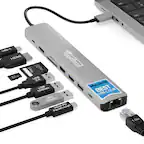
If you’re like many busy people, you have a dozen things going on at once, and working on the computer is no different. There’s a good chance you’re already using all your computer’s ports and wish you had extras to connect new devices. Thankfully, this hub helps optimize your workspace by adding two extra USB ports, an ethernet port, an HDMI port, a USB-C Power Delivery port, and SD and Micro SD slots. Simply plug it into your computer’s USB-C port and start connecting your mouse, keyboard and other accessories. Transfer speeds up to 5 Gbps move files quickly and efficiently and its compact size makes it perfect for slipping into a purse or backpack. Don’t limit your connected devices – enjoy more options with the Insignia 7-Port USB-C Hub.

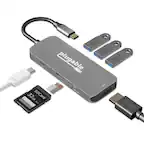
Connect your laptop to a 4K monitor, projector, and other devices with our USB-C 4-in-1 Multiport Adapter. This compact USB-C adapter is the perfect solution for home, the office, or in-between workstations. It features two USB-A ports to charge and connect your smartphone, tablet, keyboard, thumb drive, mouse, or other high consumption device while its HDMI port connects your MacBook Pro, Chromebook, or other USB-C laptop to a display with up to 4K resolutions. This Belkin USB-C Hub supports pass-through charging up to 100W so you don’t have to choose between port expansion and power. Gain up to 5 Gbps of bandwidth between connected devices, for quick data transfer between computer and peripheral devices. This computer docking station also supports high-definition display resolutions up to 4K through the HDMI Port. Encased in a sleek aluminum finishing that matches popular devices, this compact USB port hub is a stylish addition for your work, study, or play setup.
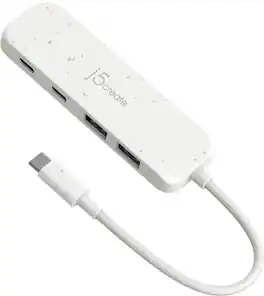
The Eco-Friendly USB-C to 4-Port Type-C & Type-A Gen 2 Hub provides extra connectivity for your computer with a fast transfer speed of up to 10Gbps. This hub is great for computer that lack USB ports, it is perfect for MacBook , Chromebook, and other laptop/desktop computers with a USB-C port. Eco-friendly, fast and portable, this unique hub gives you USB connections in one compact hub.
| Pros for Belkin - Connect USB-C to 4-Port USB-C Hub, Multiport Adapter Dongle with 4 USB-C 3.2 Gen2 Ports & 100W PD with Max 10Gbps High - Black | |||
|---|---|---|---|
| Overall Performance, Connectivity, Compatibility, Portability, USB-C Ports | Ease of use, USB-C, Overall Performance, Compatibility, Connectivity | Overall Performance, Ease of use, Connectivity, HDMI, Size | Overall Performance, USB-C, Portability, Connectivity, Port Availability |
| Cons for Belkin - Connect USB-C to 4-Port USB-C Hub, Multiport Adapter Dongle with 4 USB-C 3.2 Gen2 Ports & 100W PD with Max 10Gbps High - Black | |||
| Cable Length, Power Delivery | There were no cons for this product— | Cable Length, Price, Heat | There were no cons for this product— |