Everything for Back to School — and then someShop now

Skip to contentGo to Product Search
Main Content

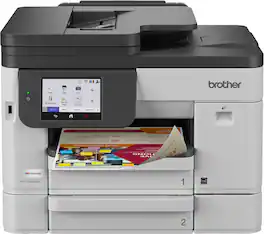
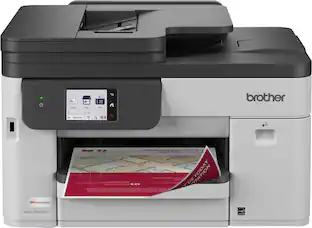
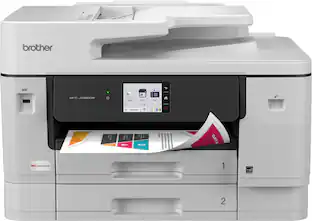
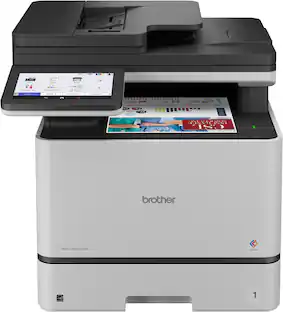
Brother - INKvestment 5110 Wireless Color Inkjet All-in-One Printer with 500-sheet paper tray/4.3” Color Touchscreen (MFC-J5110DW) - Gray

Model: MFCJ5110DW
SKU: 6679210
Sold byBest Buy

Customers are saying

Customers are delighted by the product's impressive print speed and straightforward setup process. Many users have praised its phenomenal print speed and found the setup to be super easy.

Generated by AI based on customer reviews.
Features
  • All-in-One Printer

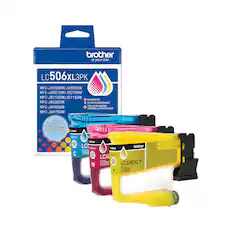
    This multifunction printer makes it easy to print, copy, scan, and fax —all in one powerful device, and includes one 1,800-page yield black ink cartridge and one 750-page yield cartridge for each color in cyan, yellow and magenta in the box(6).

  • Productivity-Focused Printing Features

    A 500-sheet paper capacity between two trays(1), a 100-sheet multipurpose tray(1), single-pass duplex (2-sided) copy and scan capabilities for up to 50 pages via the automatic document feeder (ADF)(1), and automatic duplex printing provide advanced media-handling capabilities.

  • Superior Printing

    Engineered with MAXIDRIVE Technology with impressive print speeds of up to 28 pages per minute (ppm) in black and up to 26 ppm in color(7). Plus, our PerfectPrint Auto Detection System helps ensure reliable, consistent print quality for results you can be proud of.

  • Advanced Security Features

    Your business stays your business. Included security features safeguard your data and create secure connections.

  • Innovative Technology

    Enhance your workflow with Wi-Fi Direct, which allows you to print wirelessly even without an external network connection.

  • Cloud App Connections

    Print from and scan to popular Cloud apps(3), including Google Drive, Dropbox, Box, OneDrive, and more, from an impressive 4.3” color touchscreen that enhances clarity and ensures effortless operation.

  • Wireless, Gigabit Ethernet, and USB Connectivity

    Connect your way. Multiple users can interface with your printer on your wireless network(2), or you can connect directly via Gigabit Ethernet or USB.

  • The Brother Mobile Connect app

    Put the power of printing at your fingertips. Go mobile with the simple-to-use Brother Mobile Connect app(5) that delivers easy onscreen menu navigation for printing, copying, scanning, and device management from your mobile device.

  • Customer Support

    For customer service, visit us at

  • Brother Genuine Ink

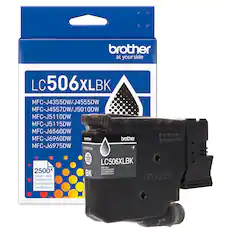
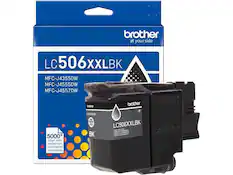
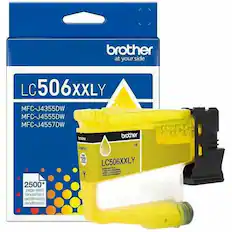
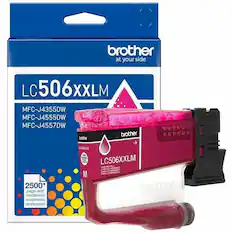
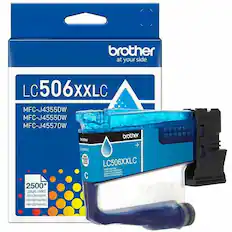
    Reliable performance you can count on. Brother Genuine Ink is quality-tested to work seamlessly with your Brother printer. Choose Brother Genuine LC506 Ink, the only brand we recommend for use with your printer.

See all features
Specifications
  • Networking
    Wireless, Wired
    ENERGY STAR Certified
    Yes
    Printer Type
    All In One, Printer, Copier, Scanner
    ISO Color Print Speed
    26 pages per minute
    ISO Mono Print Speed
    28 pages per minute
    Output Tray Capacity
    150
Sponsored

Reviews

Rating 4.6 out of 5 stars with 11 reviews

5 star rating. 8 reviews4 star rating. 2 reviews3 star rating. 1 review
91% would recommend to a friend
Customers are sayingCustomers are delighted by the product's impressive print speed and straightforward setup process. Many users have praised its phenomenal print speed and found the setup to be super easy.
This summary was generated by AI based on customer reviews.
  • Print Speed (6)
  • Setup Ease (4)

Customer Images

The vast majority of our reviews come from verified purchases. Reviews from customers may include My Best Buy members, employees, and Tech Insider Network members (as tagged). Select reviewers may receive discounted products, promotional considerations or entries into drawings for honest, helpful reviews.


  • Rated 4 out of 5 stars

    Feels like a solid machine

    I've spent way too many years using HP printers and I'm incredibly excited to put those years behind me. HP's ink subscription service pretty much started feeling forced on you after a while and it just left a really sour taste in my mouth and I'm happy to be anywhere else. Brother also has an ink subscription service, but they brought it up once and it was easy to skip and refill cartridges are readily available so it's just refreshing for me. Setup was pretty easy. The QR code pops up and you're directed to install their app. The app then guides you really gently through the whole process. It took maybe 5-10 minutes start to finish and I was printing the test pages and ready to go. The most difficult part of the whole process was maybe installing the ink cartridges just because the screen tells you to press in until you hear the click but there really isn't a click. The app works pretty well. It does make you create an account (optional accounts are always preferred by me) but that account links your printer so you can print from away from home if you'd like. The biggest use case for the app for me is just to check on the status of the printer without being physically at the printer. One baffling thing for me is the existence of so many "tabs" on the printer's screen. You have "Basic 1" and "Basic 2" which have a variety of "basic" functions you can do with your printer. Then you have six more blank "Custom" tabs. Each tab can contain eight shortcuts. But aside from the basic 5 printer function shortcuts, there are only an extra seven "apps" that allow you to mostly scan to various file formats. The only thing I can think of is they're planning on releasing a lot more apps in the future. Otherwise it just feels like really silly UI/UX design. Print quality is outstanding. I decided to print a photo straight from my phone without anything special. Just plain paper. Normal print quality. Basically all default settings. It didn't print crazy fast, but the resulting image shocked me when it was edge to edge and looked really good. It wasn't crazy slow or anything either, it just didn't rocket the print out in a few seconds or anything. I can wait 20 or 30 seconds for a really good quality print that stretches edge to edge. Thinking the color image would obviously take longer to print, I found some black and white images and tried to print them and noticed they also printed a little slow. Then I tried again with borderless printing off (a settings I could only find on my desktop, sadly), and the prints started going much, much faster. So if you're printing anything you don't need to be edge-to-edge, make sure you turn that off to make things go a little quicker. It has a lot more features that will probably get limited use in my home/home office but they're worth mentioning. You can auto-feed up to 50 pages for really easy copying of stacks of documents. The tray for the auto-feeder also collapses in so it's not always sticking out when not in use. The main paper tray can hold up to 500 sheets of paper which is great when you have children that choose to open up the paper tray when they want some drawing paper. There's also a second tray where you can hold some card stock or any other special paper you want to print on. I can't quite vouch for the "high yield" nature of the ink cartridges, but they're supposed to support a lot of pages before needing to be replaced. This will probably make the Brother printer more cost efficient in the long run over the forced HP subscription fees. Bottom line, I'm happy to have a printer that I feel is going to work hard for me without trying to nickle and dime me every step of the way. I feel like I'm more in control of things than I have in a very long time. If you're looking for a great home office printer and this is in your budget, you might want to give Brother a look.

    Posted by swemoney

  • Rated 5 out of 5 stars

    Small printer that doesn't force subscription

    Unboxing the printer, it does seem pretty large at first. Setting it up isn't too hard, just make sure to find the tape and turn it on then add the ink. Now I say it seems pretty large, but when you look at all it has, it's actually pretty small. You have two trays, a scanner, and then a way to feed things from the side. When you're not using them, they fold in and take very little space. It is also a inkjet but looks more like what I'm used to in an office. The touch screen in the front is OK for a printer, and big enough that you can actually use it when you need. With that said, it is a bit large if you want a small printer in a room to print here and there and not doing anything. Setup was super easy too, I used the iPhone app that got it connected to the internet, but typing on the screen would be fine. Windows and Mac both also see the printer and you can connect it. One thing I really liked is being able to setup the scanner to scan to email without needing to have an email server, yes you need to sign in and it saves it but it's much easier then any other printer I've used. Most printers make you manually enter everything, this just lets you sign in with something like outlook and it works. I would say that the admin interface when you connect to the printer website is very basic looking but it works. It's not fancy, and there are a few things that you need to setup there that can be done but its basic. What about the way it prints? So far everything I've done is nice. I did some photo on photo paper and it looks great. And some documents also look good. I don't print hundreds of pages so the time isn't important though this is a bit slower then the laser printer I've used which is fine for most cases. Important to me too is that after install I'm not constantly being asked to buy a subscription. They offer one if you want, but its not pushed in your face every time. And you also don't need to get their cartridges. Its nice that it lets you use it as a printer and scanner and not much like other brands do. If you're looking for a printer I would recommend this as one that works and doesn't force you into a subscription.

    Posted by blahnika

  • Rated 4 out of 5 stars

    Fast and Reliable Printing but with Scan issues

    I was hesitant to get a new all-in-one after my previous printer started having issues printing wirelessly. The reason to be hesitant was that I loved how great my old machine would handle specific printing functions and I only had to purchase ink 3 or 4 times over a period of 4+ years because it had a ‘tank’ ink system. Now that I have been using the Brother J5110 for a few days, I am more confident in the change of machines. First, for home use, the print speed is phenomenal. I tested out a few borderless letter-size photo/color pages and the amount of time it took to print was night/day from what I had been used to. As a family of 4, it only took a few minutes to set up all of our iPhone and Android phones and were able to print instantly. However, for the PC, I had to do a few extra steps to get the full software suite to scan from the J5110 to the computer. Coming from a ‘tank’ to a ‘cartridge’ ink system, I realize it is going to be more expensive now since I will have to buy ink more often. However, if you ignore the cost of the ink, there is an advantage to going with a cartridge system if you print sporadically. The ink is less prone to drying out or causing print-head clogs versus the ‘tank’ systems. I can’t recall how many times I had to do a deep cleaning and nozzle check on the previously ‘tank’ system because I would sometimes go weeks without printing. Also, I am not very satisfied with the color copy/scan quality. I included some comparison photos. The J5110 seems to have trouble translating some lighter colors and you can see where it basically ignores those colors entirely in certain sections. For a printer advertised as being for a ‘small business’, you would expect it to handle situations like this a bit better. Although I mentioned a few negative points, I am satisfied overall with the speed and print quality.

    Posted by NateN

  • Rated 5 out of 5 stars

    Great for a busy HomeOffice or SmallBusiness

    First impression: ✅ At this price point, Brother MFC-J5110DW All in on Colored Inkjet printer's largest vantage point is that has the capability to print in 11x17 tabloid format. A feature that you get usually with more expensive printers.For menus, flyers, charts, or real‑estate‑style layouts, the extra size is a huge advantage. 🖨️ Print quality is solid for office work — text is sharp, and color graphics look clean and professional. It’s not a photo printer, but for business documents it does a great job. Speeds are better than expected for an inkjet, and duplex printing works smoothly. The ADF scanner is convenient for multi‑page documents, and setup over Wi‑Fi was quick. 💸 Ink costs are about average for a cartridge‑based inkjet. If you print a lot of color pages, you’ll notice the cost, but the separate cartridges help keep things reasonable. I also appreciate that Brother doesn’t lock out third‑party ink, which gives you more flexibility. Conclusion: 🤔 If you need a reliable all‑in‑one that can handle wide‑format printing without spending a fortune, the MFC‑J5110DW is a great value. It’s perfect for small businesses, home offices, and anyone who needs larger prints without stepping up to a much more expensive model.

    Posted by Denisik91

  • Rated 5 out of 5 stars

    Always Choose a Brother Printer

    I needed a bigger printer with multiple trays as I was getting tired of swapping paper out between prints and refilling it multiple times per week. My go to printer brand is Brother, as I already have 2 of them and rarely have issues. I saw the Brother INKvestment 5110 Wireless Color Inkjet All-in-One with a 500-sheet capacity with 2 trays, so decided to pick it up! Pros: - Easy to Setup and Connect. - 500 sheet paper capacity across 2 trays. - Inkvestment provides longer lasting Ink. Cons: - Wireless setup can have issues, but manual setup works great. Setup: I’ve worked in IT for years, so to say I’m familiar with setting up printers is an understatement. Brother printers rarely give me any issues during setup, but this time mobile connect just didn’t want to work as intended. For whatever reason I could not connect to the printer with my phone during the initial setup, even after multiple attempts. Luckily, Brother allows you to setup the printer via the printers touch screen without any app or connections. That worked with no issues. I setup the printer using the 4.3in touch screen, which was straightforward as printer setup goes. Setup guides you through connecting to Wi-Fi, inserting the printer cartridges, printer calibration which includes a printer color and print head test along with a page calibration, and then finally checking for updates. Once I was able to confirm the printer worked, I set it up on a shelf near my other printers and plugged it into my local network via Ethernet so all my local devices could access the printer without having to connect each individually. One thing to take into account is the size and weight of the Brother 5110 printer. The footprint without the trays extended are 17.1in by 17.3in with a height of 13.4in. With the trays fully extended that increases the depth to 27.2in and the height to 16.3in. The printer requires significantly more space with the trays fully extended, which did require some rearranging on my shelves. Software: Brother has multiple software tools, the main ones being Mobile Connect for mobile devices and the Brother Utilities for PC’s. After manual setup, I was quickly able to add the printer to my phone and even print a sample image from my gallery, though I didn’t have the photo paper in yet to make it look good. Mobile Connect simply allows you to have the printer option on your device, you might need to enable another software to print from different apps such as Samsung Phones requiring the Samsung Print Service Plugin. Once activated, printing is as simple as selecting print. On the PC, I was able to easily add the printer via the standard “Add Device” on the Windows Printers & Scanner page as I already had the Brother printer drivers installed. Once added, I tried a test page print, which was spat out quickly without any issues. One of the main reasons I like Brother printers is they usually just work, which is what I expect of a printer. Connectivity: The Brother 5110 Wireless Printer can connect via Wi-Fi, Ethernet, Phone (Fax), and USB-A. Wireless is by far the easiest, though performance will depend on your wireless network. I prefer plugging in the printer to my local network via Ethernet, as then I can share it more securely across my network and reduce concerns with connectivity via the printer and network. One issue I’ve had in the past with connecting the printers via my wireless network is after waking from sleep, the printer would not automatically connect to my wireless network. I’d have to turn the printer off than back on for it to connect to the wireless network again. I’m 100% sure this is due to the security settings I’ve got on my network, but to avoid the hassle I plug the printers in via Ethernet when available and never have the issue. Printing & Scanning: By far, my favorite thing is that the printer has 2 trays that can fit all standard paper sizes from Letter to Legal! I can have 2 different types of paper ready to go at the same time, which is amazing as I’m often switching between standard letter and card stock for print jobs. Whenever you pull out the paper trays, the printer will ask you to confirm what type and size of paper the tray now has, which then will display as options for printing. This made alternating printer paper much easier, as I could load both types of paper at once. There is also a multi-purpose tray that can support an extra 100 sheets of normal paper or a single longer size sheet for special prints. The printer can print 28 pages per minute in black and white, and 26 pages per minute in color. I found this was faster than my older inkjet printer, which averaged 20 pages per minute. Even with dual sided printing enabled, the printer was able to keep pace. Color and photo quality wise, the printer did a decent job. I didn’t have anymore photo paper on hand, but test printed an image from my phone on standard paper which turned out much better than I expected for the settings I chose. Text pages print beautifully, with the double-sided function working without any issues. Scanning worked just fine as well, once you have the drivers installed you can access all the features from standard feature within Windows and Mobile device. Part of the initial setup includes a calibration step that prints then scans and adjusts the page alignment based on the scan. INkvestment: INKvestment, is a newer Brother technology that uses an internal ink storage tank within the printer to offload the ink from an ink cartridge/refillable bottle for longer lasting ink and a more cost-effective ink solution compared to traditional ink cartridges. There is more ink in each container and the ink lasts longer as there’s less exposure to air. Brother claims this provides a year worth of printing for the standard sized and 2 years’ worth for the larger cartridge sizes. We will have to print to see how that claim holds up. I checked online to see if there were any external refillable bottles, but could only find the cartridges on Brothers website, but from prior experience with other printers with internal tanks there are often ways to provide ink to the internal tank through other methods such as a continuous feed system. I’m not at that volume of printing, at least yet, but I will look for alternative refilling for both cost-effectiveness and environmental concerns. Conclusion: If you’re considering a new printer, I would always recommend a Brother printer without hesitation. I’ve used them for years and continue to recommend them as they provide quality and cost-efficient home printing without much fuss. Even when you do encounter an issue, there is an easy workaround or fix that gets you back to working. If you’re looking for a large capacity printer that can handle printing in color or black & white, while keeping different paper on the ready, the Brother INKvestment 5110 Wireless Color Inkjet All-in-One is a solid choice!

    Posted by BradfordBT

  • Customer reviews from brother-usa.com

    Syndicated rating, 4.6666665 out of 5 stars with 6 reviews on brother-usa.com.

    See all brother-usa.com reviews
    brother-usa.com
From the Manufacturer

Compare similar products

Brother - INKvestment 5110 Wireless Color Inkjet All-in-One Printer with 500-sheet paper tray/4.3” Color Touchscreen (MFC-J5110DW) - Gray
4.6(11)

The INKvestment 5110 Wireless Color Inkjet All-in-One Printer optimizes your workflow with business-minded features and a small footprint that fits within your space. The INKvestment 5110 keeps small businesses in mind, with productivity-enhancing capabilities including single-pass duplex (2-sided) copy and scan capabilities up to 50 sheets via the automatic document feeder (ADF)(1), a 500-sheet paper capacity between two trays, and a 100-sheet multipurpose tray(1). Convenient dual-band wireless(2), Gigabit Ethernet, and Cloud connectivity options(3) are available on the 4.3” color touchscreen. This color inkjet printer reliably outputs vibrant colors and bold, rich blacks, and Page Gauge(4) monitors your ink usage, so you know when you’re running low. When paired with the Brother Mobile Connect app you can get started quickly with an intuitive step-by-step guided setup – plus, you’ll gain the ability to print from virtually anywhere on your mobile device(5). Produce beautiful prints in vibrant color and bold blacks at fast print speeds with Brother Genuine LC506 Ink cartridges – the only brand we recommend for your Brother printer.
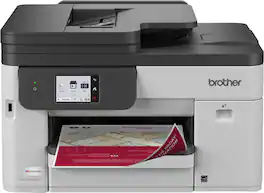
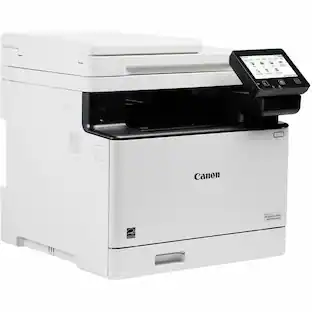
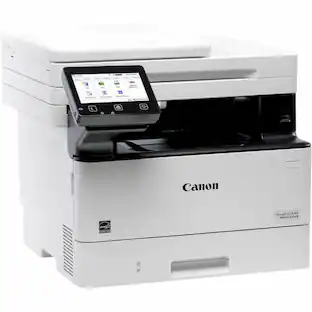
Canon - imageCLASS MF663Cdw Wireless Duplex Color Laser All-In-One Printer with 50-Sheet ADF - White

Designed for small / home offices and hybrid work environments, the imageCLASS MF663Cdw model balances speedy performance and minimal maintenance. The MF663Cdw is easy to set up and has a customizable, 5" color touchscreen that delivers an intuitive user experience. Produce crisp, colorful documents with fast print speeds of up to 26 pages per minute ¹, using high quality Canon Genuine Toner 075 / 075 H. Use Poster Artist Online to create professional-posters, banners and signage. The MF663Cdw offers a plain paper capacity of up to 250 sheets, 1-sheet multipurpose tray, and 50-sheet simplex (1-sided) automatic document feeder. Easily connect wirelessly ² from computers or mobile devices. Print using a variety of mobile apps, including the Canon PRINT app &179; using your compatible mobile device. The MF663Cdw comes with a 3-year limited warranty ⁴ and is backed by Canon's Service and Support network.

Brother - INKvestment 6560 Wireless Color All-in-One Inkjet Printer with 11”x17” capabilities (MFCJ6560DW) - Gray
4.8(22)

With advanced features designed to improve your productivity, the INKvestment 6560 Wireless Color Inkjet All-in-One Printer means business. Handle your toughest tasks with print, copy, scan, and fax capabilities up to 11” x 17”, automatic duplex (2-sided) printing on standard or ledger/tabloid sized paper, a 250-sheet paper tray, 1-sheet manual feed slot, and a 50-page single-sided automatic document feeder(1). Convenient dual band wireless(2) and Cloud connectivity options(3) are available on the generously sized 2.7” color touchscreen. Maintain superior productivity from day one with fast print speeds and the right amount of ink in-box. This color inkjet printer reliably outputs vibrant colors and bold, rich blacks, and Page Gauge(4) monitors your ink usage so you know when you’re running low. When paired with the Brother Mobile Connect app, setup is quick and easy – plus, you’ll gain the ability to print from virtually anywhere on your mobile device(5). Engineered with MAXIDRIVE Technology with impressive print speeds of up to 31 pages per minute (ppm) in black and up to 30 ppm in color(7), you can produce beautiful prints in vibrant color and bold blacks with Brother Genuine LC506 Ink cartridges – the only brand we recommend for your Brother printer.
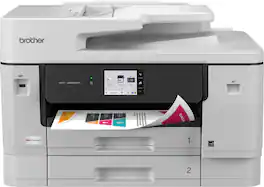
Brother - INKvestment 5010 Wireless Color Inkjet All-in-One Printer with 2-sided Copy/Scan & 2.7” Color Touchscreen (MFC-J5010DW) - Gray
4.5(10)

The INKvestment 5010 Wireless Color Inkjet All-in-One Printer delivers maximum productivity with minimal space impact, making it a powerful workplace companion that doesn’t overwhelm your workspace. With power-driven all-in-one capabilities, you can print, copy, scan, and fax from a single convenient printer. Deliver your best work with a 250-sheet paper tray(1), 1-sheet manual feed slot(1), and a 50-page 2-sided automatic document feeder (ADF)(1). Plus, connect with convenient dual-band wireless(2), Gigabit Ethernet, and cloud connectivity(3), all navigable from a generously sized, easy-to-operate 2.7” color touchscreen. This color inkjet printer reliably outputs vibrant colors and bold, rich blacks, and Page Gauge(4) monitors your ink usage, so you know when you’re running low. When paired with the Brother Mobile Connect app, you can get started quickly with an intuitive step-by-step guided setup – plus, you’ll gain the ability to print from virtually anywhere on your mobile device(6). Produce beautiful prints in vibrant color and bold blacks at fast print speeds with Brother Genuine LC506 Ink cartridges – the only brand we recommend for your Brother printer.
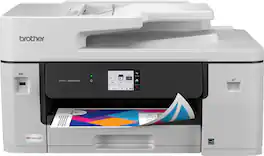
Pros for Brother - INKvestment 5110 Wireless Color Inkjet All-in-One Printer with 500-sheet paper tray/4.3” Color Touchscreen (MFC-J5110DW) - Gray
Print Speed, Setup EaseSetup Ease, Print Quality, Noise Level, SoftwarePrinting Speed, Connectivity, Overall PerformancePrint Speed, Ease of Setup, Touchscreen Responsiveness
Cons for Brother - INKvestment 5110 Wireless Color Inkjet All-in-One Printer with 500-sheet paper tray/4.3” Color Touchscreen (MFC-J5110DW) - Gray
There were no cons for this productSize, Connectivity, WeightSizeThere were no cons for this product

Specs

Questions & Answers
  • What is the paper capacity of this printer?

    This printer has a 500-sheet paper capacity between two trays and an additional 100-sheet multipurpose tray.

    This question and answer was generated by AI based on customer and product data.
  • Does this printer support wireless connections without an external network?

    Yes, the printer includes Wi-Fi Direct technology, which allows you to print wirelessly even without an external network connection.

    This question and answer was generated by AI based on customer and product data.

  • Does this printer support automatic two-sided printing?

    Yes, this printer features automatic two-sided printing capabilities.

    This question and answer was generated by AI based on customer and product data.
  • Can I print from my mobile device using this printer?

    Yes, you can print from your mobile device by using the Brother Mobile Connect app.

    This question and answer was generated by AI based on customer and product data.
  • Is this printer capable of sending faxes?

    Yes, this is an all-in-one printer that includes integrated fax capabilities.

    This question and answer was generated by AI based on customer and product data.
Ask a question
No content

Customers often buy these together

Sponsored

Similar products from outside of Best Buy

sponsored
Ask BlueAI

Finance Options

My Best Buy® Credit Card
Choose a benefit:Or
Buy Now, Pay Later
Lease to own

Finance Options

My Best Buy® Credit Card
Choose a benefit:Or
Buy Now, Pay Later
Lease to own