Everything for Back to School — and then someShop now

Skip to contentGo to Product Search
Main Content

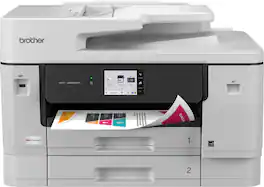
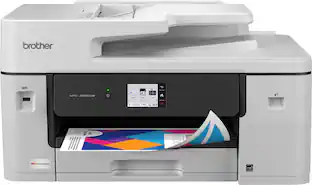
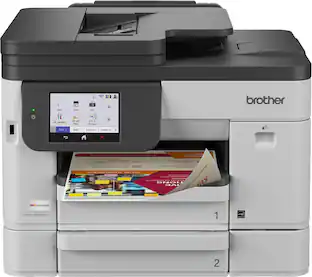
Brother - INKvestment 6960 Wireless Color All-in-One Inkjet Printer with 11”x17” capabilities/2 Paper Trays (MFCJ6960DW) - Gray

Model: MFCJ6960DW
SKU: 12304685
Sold & shipped by

Customers are saying

Customers frequently mention the excellent print quality, reliability, and ease of setup. They also note that the noise level is not an issue. However, some customers have concerns regarding the size of the product.

Generated by AI based on customer reviews.
Features
  • All-in-One Printer

    This multifunction printer makes it easy to print, copy, scan, and fax on up to 11”x17” paper —all in one impressive device, and includes one 1,800-page yield black ink cartridge and one 750-page yield ink cartridge for each color in cyan, magenta, and yellow(6).

  • Productivity-Focused Features

    A 500-sheet capacity between two trays(1), 100-sheet multipurpose tray(1), single-pass duplex (2-sided) copy and scan for up to 50-pages via the automatic document feeder (ADF)(1), and automatic duplex (2-sided) printing with media-handling capabilities up to 11”x17”.

  • Superior Print Speeds

    Engineered with MAXIDRIVE Technology with impressive print speeds of up to 31 pages per minute (ppm) in black and up to 30 ppm in color(7).

  • Print Quality

    Crisp, efficient printing. Our PerfectPrint Auto Detection System helps support reliable and consistent print quality for results you can be proud of.

  • Innovative Technology

    Enhance your workflow with Wi-Fi Direct, which allows you to print wirelessly even without an external network connection.

  • Cloud App Connections

    Print from and scan to popular Cloud apps(3), including Google Drive, Dropbox, Box, OneDrive, and more, from an impressive 3.5” color touchscreen that enhances clarity and ensures effortless operation.

  • Wireless, Ethernet and USB Connectivity

    Connect your way. Multiple users can interface with your printer on your wireless network, or you can connect directly via Ethernet or USB.

  • The Brother Mobile Connect app

    Put the power of printing at your fingertips. Go mobile with the simple-to-use Brother Mobile Connect app(5) that delivers easy onscreen menu navigation for printing, copying, scanning, and device management from your mobile device.

  • Brother Customer Support

    For customer service, visit us at

  • Brother Genuine Ink

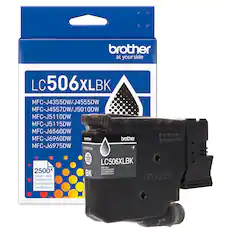
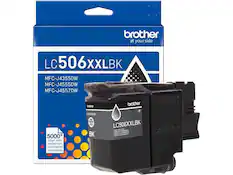
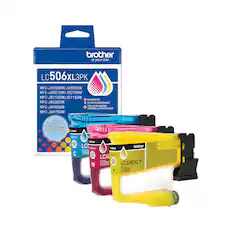
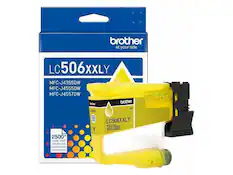
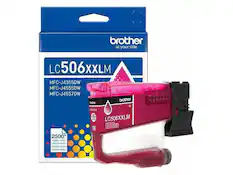
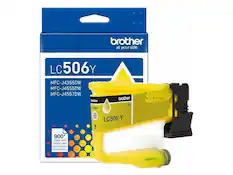
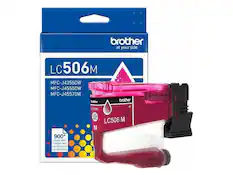
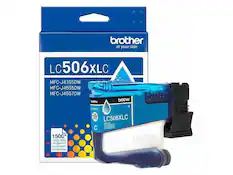
    Reliable performance you can count on. Brother Genuine Ink is quality-tested to work seamlessly with your Brother printer. Choose Brother Genuine LC506 Ink, the only brand we recommend for use with your printer.

See all features
Specifications
  • Networking
    Wireless, Wired
    ENERGY STAR Certified
    Yes
    Printer Type
    All In One, Printer, Copier, Scanner
    ISO Color Print Speed
    30 pages per minute
    ISO Mono Print Speed
    31 pages per minute
    Output Tray Capacity
    100
Sponsored

Reviews

Rating 4.9 out of 5 stars with 22 reviews

5 star rating. 20 reviews4 star rating. 1 review3 star rating. 1 review
100% would recommend to a friend
Customers are sayingCustomers frequently mention the excellent print quality, reliability, and ease of setup. They also note that the noise level is not an issue. However, some customers have concerns regarding the size of the product.
This summary was generated by AI based on customer reviews.
  • Print Quality (14)
  • Reliability (5)
  • Setup Ease (5)
  • Noise Level (4)
  • Size (3)

Customer Images

The vast majority of our reviews come from verified purchases. Reviews from customers may include My Best Buy members, employees, and Tech Insider Network members (as tagged). Select reviewers may receive discounted products, promotional considerations or entries into drawings for honest, helpful reviews.

  • Rated 5 out of 5 stars

    Easy set up

    I was looking for a printer/scanner/copier that specifically had two paper tray sizes: 11x17 and 8.5x11. Additionally, since the intended main use of this product is to print architectural drawings and graphics, I wanted something that would print clearly and crisply, and that didn't have very expensive ink cartridge refills. This machine checked all the boxes. I haven't had a chance to use the scanner yet, but if it's anyting like printing it ought to be a piece of cake. Getting this machine connected and up and running took only a few minutes - piece of cake!

    This review is from Brother - INKvestment 6960 Wireless Color All-in-One Inkjet Printer with 11”x17” capabilities/2 Paper Trays (MFCJ6960DW) - Gray

    Posted by COLLEENR

  • Rated 5 out of 5 stars

    A Very Capable Device

    I have had this Brother 6960 inkjet printer for about 2 months. I selected this because it was an all-in-one color inkjet that had significant 11"x17" paper capabilities for printing and scanning. I use Tray 1 for letter, Tray 2 for legal and the rear feed (which can accommodate around 30 sheets) for 11"x17" paper. I used the screen menu to assign these 3 paper types to each of the paper input options. Once you select paper size in the software you are using - Word, Excel, etc. - it auto feeds from the proper tray. I use hardwire rather than WiFi and the setup was a nonevent. The setup software found the printer on my home network. Since I only print a handful of copies at a time, I've not used the printer for large jobs yet. I have not encountered any paper jamming. I have not encountered any problems that people report with inkjet printers. But then I am one of those who reviews the detailed User Guide before installation and use - many problems can be prevented if you do. The only criticism I have is the exit tray design. Sometimes the paper can "escape" or be injected into the middle of the finished stack. Check your output in case it is not in the order you expect. This is not a significant issue. This is my first experience with a Brother printer. It is a great value for the capabilities.

    This review is from Brother - INKvestment 6960 Wireless Color All-in-One Inkjet Printer with 11”x17” capabilities/2 Paper Trays (MFCJ6960DW) - Gray

    Posted by CharlesA

  • Rated 5 out of 5 stars

    A flawless behemoth built for everything

    To start, this printer has been the easiest, fastest printer to set up that I've ever used. I have used several before, and there was always some kind of hiccup with 2.4 GHz issues, bugs that needed firmware updates, etc. Here, I turned on the printer, scanned the barcode, and I was up and running within three minutes. So easy and headache-free. That alone is worth mentioning. Now, the other surprising factor is the size. On the side of the box it says “print, scan, fax all-in-one compact printer.” This is not a compact printer unless you are comparing it to a full-scale office printer. In that case, yes. Compared to typical home printer sizes, it's huge. I put a picture of it next to my past HP OfficeJet, and it's at least 25% bigger. This is not a negative per se—just pointing it out if you're wondering about the form factor. With that size comes an amazing machine. It's able to handle all types of paper, from 11x17 all the way down to envelopes and photo printing. So far, nothing has jammed. Everything has moved smoothly and printed quickly and efficiently. And this printer is fast! The print quality is on par with the best I've used—vibrant, true to life, and a good representation. Like many printers, blacks and grays in headers can fade over time, but I expect that with any copy machine. The touchscreen is very responsive, easy to read, and extremely bright. My wife had an issue with our last printer because she wears readers and constantly had to call me over to read what the text said. No issue here. With a larger printer came a larger screen, and with its adjustable angles, it's very easy for anyone to use. One feature in a printer that we have grown attached to is the top-feed scanner. Unfortunately, with my last printer, depending on the document size, you would constantly get jams and/or pages not separating correctly. So far, I've had no issues here. I loaded a stack of documents, and they went through smoothly, copied, and printed with no problems. This also included small brochure cards that I needed to scan. Because this printer is large, the huge flatbed scanner comes in handy when scanning larger documents that my daughter may need for school. With the ease of the PC connection, scanning to a computer is very simple, whether using Windows built-in software or the Brother software. Another small note I would like to mention is the cable management. The power cable is right-angled, and the Ethernet and fax ports are underneath the scanner bed, so they're out of the way. This means I can place it against the wall without having to reach behind the printer to attach cables, while still having easy access if they need to be connected or disconnected. A simple feature, but well thought out. The free software that comes with this printer has plenty of options. If you are creative, have someone in school, or run a business looking for good templates, there are lots of things to choose from. With so many possibilities, it creates its own workstation in one. One thing I haven't set up is the inkjet refill service. My preference is to stay away from this based on past experiences, but if you use it, it seems pretty easy to set up. I'm really glad they allow you to register your printer without having to sign up for the service. My last printer made it a necessity and made changing out ink cartridges very tedious. I think I've covered everything. After using this printer, I don't see myself changing it out or switching anytime soon. It has been excellent in all its executions and adds features that I never thought I would use in a printer. It is huge, but with that size comes excellent capability.

    This review is from Brother - INKvestment 6960 Wireless Color All-in-One Inkjet Printer with 11”x17” capabilities/2 Paper Trays (MFCJ6960DW) - Gray

    Posted by JKhan

  • Rated 5 out of 5 stars

    Large Format Mutifunction Printer

    I’ve been putting the Brother MFC-J6960DW through its daily paces, and for a busy office, it’s a serious workhorse. If your workflow involves a lot of 11x17 documents, the value here is hard to beat. Right out of the box, the size is the first thing you notice. It’s a large machine, but it has to be to handle the bigger paper sizes. Setup was actually pretty painless using the mobile app, though I hit a small snag trying to connect to an open Wi-Fi network. I ended up just finishing the connection on the printer’s touchscreen, which was easy enough and got me up and running quickly. In terms of speed, this thing is fast. Whether it's standard black-and-white forms or full-color charts, it doesn't lag. The text is sharp, and the color fidelity—especially on photo paper—is impressive. I haven't run into any of the usual annoyances like streaks or misaligned pages so far. The best feature for me is how it handles 11x17. The duplex scanning and copying on the larger format are great. The document feeder is reliable, too—I’ve run multi-page jobs through it without a single jam or skewed page. Having two trays (500 sheets in the main and 100 in the multipurpose) is a huge convenience; I can keep my standard letter paper in one and 11x17 or photo paper in the other without constantly having to get up and swap them out. Software and Connectivity The Mobile Connect app is actually well-designed and reliable, which isn't always the case with printer software. I can print straight from my phone without any issues. It also works with Google Drive and OneDrive for scanning. The connection has been rock solid using my laptop, desktop, or phone—no "printer not found" errors or random disconnects. The Bottom Line It’s a quiet, efficient that Mutifunction Printer/Scanner/Fax that just works. The ink usage seems low so far, and the cost per page is very reasonable for a business setting. If you need a printer that can handle larger formats and high-volume duplexing without constant hand-holding, this is a great investment.

    This review is from Brother - INKvestment 6960 Wireless Color All-in-One Inkjet Printer with 11”x17” capabilities/2 Paper Trays (MFCJ6960DW) - Gray

    Posted by Idoc

  • Rated 5 out of 5 stars

    Extremely Capable, Many Options, Large Footprint

    The Brother INKvestment 6960 Wireless Color All-in-One Inkjet Printer is one of Brother’s latest offerings. This is a powerhouse of a printer with features that make it suitable for both residential or commercial applications. These include dual paper trays, multipurpose tray, single-pass duplex copy and scan, automatic duplex printing, and paper capabilities up to 11 x 17”; this printer is a standout option. IN THE BOX: Brother MFC-J6960DW Printer Starter Ink Cartridges Power Cable Product Safety Guide,Quick Setup Guide SETUP: Upon unboxing, you’ll immediately notice the size of this machine. It measures approximately 18” deep and 24” wide. Make sure you have enough room to fit this machine comfortably including the multipurpose tray in the rear. This can be closed to sit flush against the wall but it will need an additional 2” or so of space if you plan on using it. Once plugged in, the printer boots up to a screen with a QR code that allows setup via mobile device or you can select the traditional method of setting it up manually on the screen, connecting it to Wi-Fi (or ethernet), and finding the machine on your computer or connected device. I chose to set it up via the latter method and it worked flawlessly. Once connected to my Wi-fi with the ink installed, it prompted for a software update which took about 2-3 minutes. It will ask you to calibrate the print head by placing a specific printed sheet onto the scanner during setup. USAGE: It is recommended to download the desktop and/or mobile app to use this printer although it is not necessary. I installed the Brother application on my computer which allowed for control of the printer, settings adjustments, and additional features. Typically I am only printing on a regular 8.5 x 11” printer/copy paper so it’s nice to have two trays. One that holds the normal paper and one that holds other sizes that I may want to use. All of the trays have labels for the adjustable paper holders so you know that you are installing the paper correctly. One of the things I noticed right away was the fact the printed paper comes out sideways vs other printers that print vertically. This is likely due to the fact this printer can handle 11 x 17” paper. The print quality looks great. Of course this is a brand new machine and it should look good but the colors are vibrant and lines are crisp. The scanner is massive and allows for duplex scanning via the feeder tray on the top. This is a great time saver as you aren’t having to manually flip the page over each time. The multifunction tray is also very nice for printing items you may only do once in a while so you don’t need to change out the paper tray. OVERALL: The Brother INKvestment 6960 Wireless Color All-in-One Inkjet Printer has been a pleasure to use. Given the features it has to offer the only real downside is the size. If you are planning to put this in a home office or smaller desk space, I would highly recommend measuring first to make sure you have a comfortable amount of space. The second paper tray makes it sit up taller than most printers as well. Even with this slight negative, I would recommend this printer to anyone looking for a high end and capable printer that should last for many years with great flexibility.

    This review is from Brother - INKvestment 6960 Wireless Color All-in-One Inkjet Printer with 11”x17” capabilities/2 Paper Trays (MFCJ6960DW) - Gray

    Posted by Justin

From the Manufacturer

Compare similar products

Brother - INKvestment 6960 Wireless Color All-in-One Inkjet Printer with 11”x17” capabilities/2 Paper Trays (MFCJ6960DW) - Gray
4.9(22)

The INKvestment 6960 Wireless Color Inkjet All-in-One Printer was designed with impressive business-minded features to tackle your most robust day-to-day tasks. Optimize your productivity with print, copy, scan, and fax capabilities up to 11” x 17”, single-pass duplex (2-sided) copy and scan capabilities for up to 50-sheets via the automatic document feeder (ADF)(1), a 500-sheet paper capacity between two trays, and 100-sheet multi-purpose tray(1). Convenient dual band wireless(2) and Cloud connectivity options(3) are available on the 3.5” color touchscreen. Maintain superior productivity from day one with fast print speeds and the right amount of ink in-box. This color inkjet printer reliably outputs vibrant colors and bold, rich blacks, and Page Gauge(4) monitors your ink usage so you know when you’re running low. When paired with the Brother Mobile Connect app, setup is quick and easy – plus, you’ll gain the ability to print from virtually anywhere on your mobile device(5). Engineered with MAXIDRIVE Technology with impressive print speeds of up to 31 pages per minute (ppm) in black and up to 30 ppm in color(7), you can produce beautiful prints in vibrant color and bold blacks with Brother Genuine LC506 Ink cartridges – the only brand we recommend for your Brother printer.
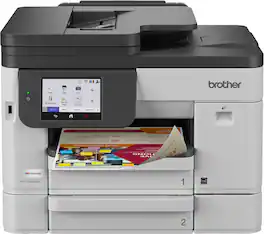
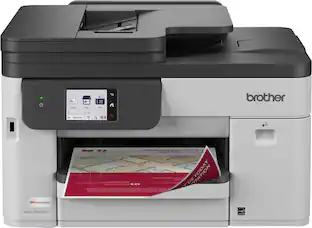
Brother - INKvestment 5110 Wireless Color Inkjet All-in-One Printer with 500-sheet paper tray/4.3” Color Touchscreen (MFC-J5110DW) - Gray
4.6(11)

The INKvestment 5110 Wireless Color Inkjet All-in-One Printer optimizes your workflow with business-minded features and a small footprint that fits within your space. The INKvestment 5110 keeps small businesses in mind, with productivity-enhancing capabilities including single-pass duplex (2-sided) copy and scan capabilities up to 50 sheets via the automatic document feeder (ADF)(1), a 500-sheet paper capacity between two trays, and a 100-sheet multipurpose tray(1). Convenient dual-band wireless(2), Gigabit Ethernet, and Cloud connectivity options(3) are available on the 4.3” color touchscreen. This color inkjet printer reliably outputs vibrant colors and bold, rich blacks, and Page Gauge(4) monitors your ink usage, so you know when you’re running low. When paired with the Brother Mobile Connect app you can get started quickly with an intuitive step-by-step guided setup – plus, you’ll gain the ability to print from virtually anywhere on your mobile device(5). Produce beautiful prints in vibrant color and bold blacks at fast print speeds with Brother Genuine LC506 Ink cartridges – the only brand we recommend for your Brother printer.

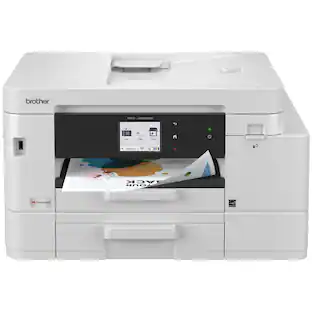
Brother - INKvestment 6560 Wireless Color All-in-One Inkjet Printer with 11”x17” capabilities (MFCJ6560DW) - Gray
4.8(24)

With advanced features designed to improve your productivity, the INKvestment 6560 Wireless Color Inkjet All-in-One Printer means business. Handle your toughest tasks with print, copy, scan, and fax capabilities up to 11” x 17”, automatic duplex (2-sided) printing on standard or ledger/tabloid sized paper, a 250-sheet paper tray, 1-sheet manual feed slot, and a 50-page single-sided automatic document feeder(1). Convenient dual band wireless(2) and Cloud connectivity options(3) are available on the generously sized 2.7” color touchscreen. Maintain superior productivity from day one with fast print speeds and the right amount of ink in-box. This color inkjet printer reliably outputs vibrant colors and bold, rich blacks, and Page Gauge(4) monitors your ink usage so you know when you’re running low. When paired with the Brother Mobile Connect app, setup is quick and easy – plus, you’ll gain the ability to print from virtually anywhere on your mobile device(5). Engineered with MAXIDRIVE Technology with impressive print speeds of up to 31 pages per minute (ppm) in black and up to 30 ppm in color(7), you can produce beautiful prints in vibrant color and bold blacks with Brother Genuine LC506 Ink cartridges – the only brand we recommend for your Brother printer.

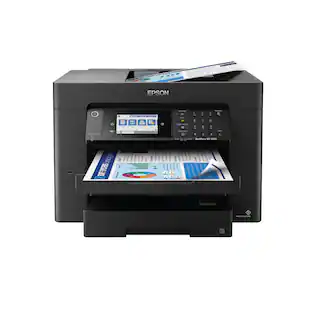
Epson - WorkForce Pro WF-7840 Wireless Wide-format All-in-One Inkjet Printer - Black

Supercharge workplace efficiency and productivity with the ultra fast WorkForce Pro WF-7840. Offering high-speed wide-format printing, this reliable all-in-one consistently delivers sharp, professional-quality, prints using innovative PrecisionCore Heat-Free Technology and vivid DURABrite Ultra inks. Built from the ground up to meet the demands of fast-paced businesses, the WF-7840 tackles a variety of tasks with wide-format printing up to 13" x 19", auto 2-sided print, copy, scan and fax, a 50-sheet rear tray, and a large, 500-sheet paper capacity. Convenient and easy-to-use, this complete duplex solution offers an abundance of features for simplified operation and navigation, including a 4.3" color touchscreen and wireless setup using mobile devices

Pros for Brother - INKvestment 6960 Wireless Color All-in-One Inkjet Printer with 11”x17” capabilities/2 Paper Trays (MFCJ6960DW) - Gray
Print Quality, Setup Ease, Reliability, Noise LevelSetup Ease, Print Speed, Paper Tray VersatilityOverall Performance, Printing Speed, ConnectivityPrint Quality, Overall Performance, Ease of use, Paper Tray, Setup
Cons for Brother - INKvestment 6960 Wireless Color All-in-One Inkjet Printer with 11”x17” capabilities/2 Paper Trays (MFCJ6960DW) - Gray
SizeThere were no cons for this productSizeSize, Connectivity, Weight

Specs

Questions & Answers
  • Can the 6960 copy both sides of a document?

    Yes, the Brother MFCJ6960DW has the capability to copy on both sides. https://www.brother-usa.com/products/mfcj6960dw#specification

    Answered by Brother
    Brother response
  • How many ink waste containers are there, and are they user replaceable?

    There is one ink absorber pad (waste box). Replacement is done by a Brother Authorized service Center technician. help.brother-usa.com/AgentWeb/api/contextmanager/v.32605150002/workspaceContext/workspace/processedPrint/Answer/183181

    Answered by Brother
    Brother response
  • Scan to email?

    Yes, the Brother MFCJ6960DW has the capability to scan to email.

    Answered by Brother
    Brother response
  • Does this printer have wireless connectivity?

    Yes, this printer has wireless connectivity.

    This question and answer was generated by AI based on customer and product data.
  • How many sheets can the output tray hold?

    The output tray capacity is 100 sheets.

    This question and answer was generated by AI based on customer and product data.

Ask a question
No content

Customers often buy these together

Sponsored

Finance Options

My Best Buy® Credit Card
Choose a benefit:Or
Buy Now, Pay Later
Lease to own

Finance Options

My Best Buy® Credit Card
Choose a benefit:Or
Buy Now, Pay Later
Lease to own