Brother - QL-600 Economic Desktop Label Printer - Black
About this product
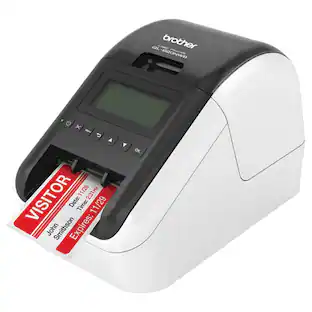
The Brother QL-600 Label Printer is an affordable, cost-effective way to print a virtually endless variety of paper or film labels up to 2.4 inches (62mm) wide for your home, home office or small office. The Brother QL-600 Label Printer fits today’s contemporary spaces, fitting easily into tight areas, delivering high-res printing and big power to print paper and film labels. The Brother QL-600 Label Printer with built-in auto cutter provides a clean, accurate edge so you can easily create custom labels to handle almost any organizing task in your home, home office or small office. It connects to both PC and Mac(R) computers with the included USB cable and can print up to 44 labels per minute(1). It prints crisp, high-res labels at up to 300 x 600 dpi so it’s great for creating professional labels including mailing and shipping labels, small signage and banners, filing tags, and other identification labels. At home users will appreciate the ability to print one, a few or hundreds of labels at a time along with banners up to 3 feet long without ever needing to worry about ink or toner. Available MS Office add-ins and Excel database connectivity enable easy printing of address, gift and mailing list labels. Small office and home office users will be able to easily print barcodes, images and logos along with being able to print signage labels. P-touch Editor software lets you choose from pre-installed label templates, built-in fonts, symbols and styles or create your own labels using a robust library of frames, fonts and images. The software integrates with Microsoft applications such as Excel and Word, helping you create labels using information stored on your computer. The Brother QL-600 is Windows, Linux and Mac(R) compatible. (1) Based on using standard address labels, black text only, at 300 x 300 dpi. All trademarks and registered trademarks referenced herein are the property of their respective companies. Mac is a registered trademark of Apple Inc.
Features
Affordable up-front price
The affordable up-front price enables you to create cost-effective, high-quality paper and film labels for packages, envelopes, file folders, name badges, asset management and more.
Fast label printing
Tackle big labeling jobs in a short amount of time with print speed of up to 44 labels per minute(1) to quickly create cost-effective paper and film labels for all your labeling needs.
Create labels in seconds
Choose from pre-installed label templates, built-in fonts, symbols and styles or make your own labels using a robust library of frames, fonts and images.
Included P-touch Editor Software lets you easily create custom labels
Software seamlessly integrates with Microsoft Office Applications such as Word, Excel and Outlook helping you quickly create labels using information stored on your computer(2). Compatible with both Linux and Mac.
Built-in auto cutter
The built-in auto cutter provides, quick, clean cuts for all your labeling needs. You can even print banners and sign up to 3 ft. long.
Comes with virtually everything you need to get started
The Brother QL-600 comes with a roll of 2.4” (62mm) wide Continuous Length Black on White Paper Tape 26.2’ (8m) long (DK-2205) plus a USB cable so you can begin printing labels right away.
The ultimate in convenience
The Brother QL-600 uses convenient, drop-in replacement rolls so you can quickly change your labels. Plus, there’s never any ink or toner to replace so you’re always ready to print.
Delivers high-resolution printing
The Brother QL-600 Label Printer features up to 300 x 600 dpi, for crisp text, graphics and barcodes.
At Your Side Support
The Brother QL-600 Label Printer comes a 2-year Limited Warranty and Exchange Service along with Brother At Your Side support offering FREE technical support via online, live chat or phone for the life of your label Printer.
(1) Based on using standard address labels, black text only, at 300 x 300 dpi.
(2) Windows label design software and drivers are found on included CD-ROM. Mac label design software and drivers available for download at solutions.brother
Specifications
- BrandBrotherModel NumberQL600Product NameQL-600 Economic Desktop Label PrinterColorBlackWarranty - Parts2 yearsWarranty - Labor2 years
Reviews
Rating 4.1 out of 5 stars with 25 reviews
Customer Images
The vast majority of our reviews come from verified purchases. Reviews from customers may include My Best Buy members, employees, and Tech Insider Network members (as tagged). Select reviewers may receive discounted products, promotional considerations or entries into drawings for honest, helpful reviews.
Compare similar products

The Brother QL-600 Label Printer is an affordable, cost-effective way to print a virtually endless variety of paper or film labels up to 2.4 inches (62mm) wide for your home, home office or small office. The Brother QL-600 Label Printer fits today’s contemporary spaces, fitting easily into tight areas, delivering high-res printing and big power to print paper and film labels. The Brother QL-600 Label Printer with built-in auto cutter provides a clean, accurate edge so you can easily create custom labels to handle almost any organizing task in your home, home office or small office. It connects to both PC and Mac(R) computers with the included USB cable and can print up to 44 labels per minute(1). It prints crisp, high-res labels at up to 300 x 600 dpi so it’s great for creating professional labels including mailing and shipping labels, small signage and banners, filing tags, and other identification labels. At home users will appreciate the ability to print one, a few or hundreds of labels at a time along with banners up to 3 feet long without ever needing to worry about ink or toner. Available MS Office add-ins and Excel database connectivity enable easy printing of address, gift and mailing list labels. Small office and home office users will be able to easily print barcodes, images and logos along with being able to print signage labels. P-touch Editor software lets you choose from pre-installed label templates, built-in fonts, symbols and styles or create your own labels using a robust library of frames, fonts and images. The software integrates with Microsoft applications such as Excel and Word, helping you create labels using information stored on your computer. The Brother QL-600 is Windows, Linux and Mac(R) compatible. (1) Based on using standard address labels, black text only, at 300 x 300 dpi. All trademarks and registered trademarks referenced herein are the property of their respective companies. Mac is a registered trademark of Apple Inc.
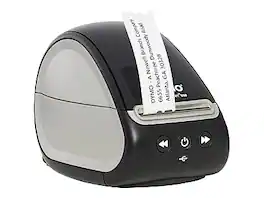
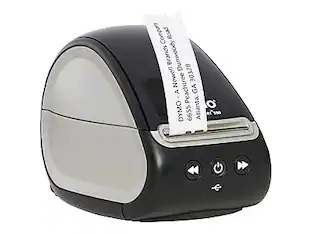
The Dymo LabelWriter 550 label printer comes with the unique automatic label recognition feature, so you always know the size, type, and number of labels remaining. The direct thermal label printer replaces the need to buy costly ink or toner, while the portable size helps it fit into any modern workspace.
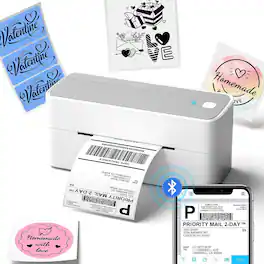
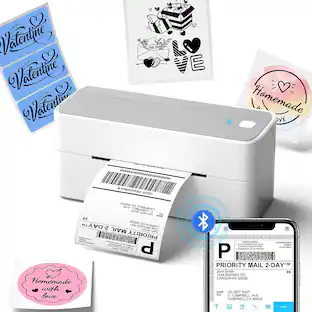
The Phomemo PM-241BT is a compact, wireless label maker designed for effortless printing of shipping labels, package labels, logos, and stickers. Featuring Bluetooth connectivity, it allows you to create professional-grade business labels directly from your smartphone. Its sleek, space-saving design fits seamlessly on any desktop, while Phomemo’s advanced quick-print technology ensures fast, efficient handling of high-volume label printing with ease.

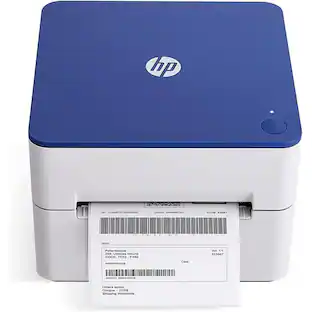
Complete your workspace by adding the HP Label Printer for Shipping Packages. This innovative thermal printer is the perfect addition to group with your office supplies. Connect this 203 dpi thermal shipping label printer to your Mac or PC and print out easy-to-read labels without needing to load your compact printer with ink, thanks to direct thermal technology. Create barcodes, gift tags, shipping labels, address stickers, and more at home in no time with a printing speed of 7 ips. Whether it is for yourself or a small business, you can create a variety of labels for shipping packages with ease. Purchase reliable HP printer shipping labels or use other major brand thermal labels with a compatible printer and you’re ready to begin. Take full advantage of a desktop label printer that works as hard as you do from HP.
Specs
Questions & Answers
Can this label printer print USPS Shipping labels?
Answered by BrotherThe Brother QL600 will not print USPS shipping labels, however it will print address labels.

Can I connect this via Bluetooth to an Android? I sell clothing on poshmark & need a Bluetooth printer to print out preferably 4x6" label addresses with USPS barcodes. Will this printer do that, & if not, which competitively priced printer will?
Answered by BrotherThe Brother QL-600 does not offer wireless printing capabilities and the maximum label width is 2-3/7" (62mm). You may consider the Brother QL-1110NWB which supports 4" labels and offers WiFi and Bluetooth connections.
Does this label printer come with any software?
Yes, it includes P-touch Editor software for designing and printing your labels.
This question and answer was generated by AI based on customer and product data.Does this label printer require ink or toner?
No, the Brother QL-600 does not require ink or toner cartridges.
This question and answer was generated by AI based on customer and product data.What operating systems is this printer compatible with?
The Brother QL-600 is compatible with Windows, Linux, and Mac operating systems.
This question and answer was generated by AI based on customer and product data.
Customers often buy these together
 Our 365-day lowest price$59.99The price was $99.99
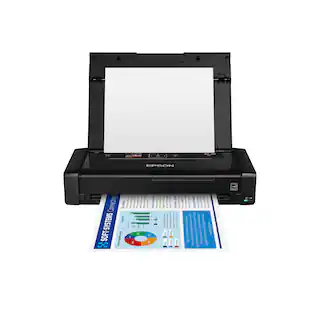 Our 365-day lowest price$199.99The price was $349.99
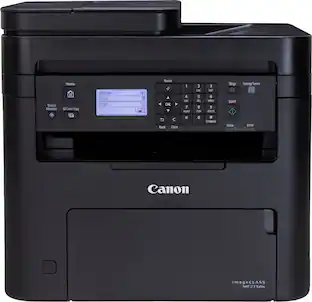 $139.99The price was $262.99
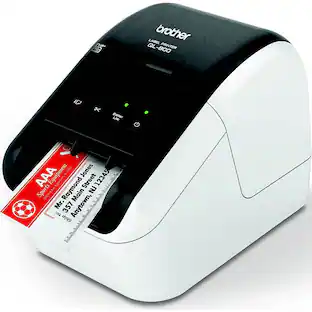


More to consider
 $79.99The price was $88.88
 $239.98The price was $259.99
 $79.99The price was $88.88
Explore tech essentials Sponsored
 Our 365-day lowest price$129.99The price was $249.99
 Techtober Deal$369.99The price was $499.99
 Techtober Deal$329.99The price was $399.99


Discover related products
 Techtober Deal$10.99The price was $13.99













Keep exploring
 $18.99The price was $19.99
 $119.99The price was $149.99
 $154.98The price was $181.80