Cyber Monday is hereEnds Today.Shop now

Main Content

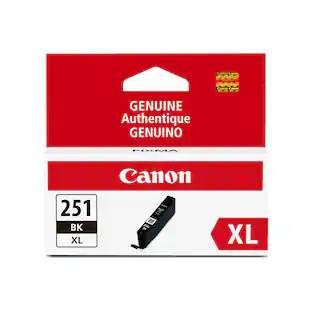
Canon - 251 Standard Capacity Ink Cartridge - Gray

Model: 6517B001
SKU: 10952922
$20.33
Availability
Fulfillment Options

FREE shipping to

Sold & shipped by
Staples, Inc.
(273)

More Buying Options

About This Item

Designed for use with select Canon printers, this Canon 6517B001 251 gray ink tank lets you create professional-looking prints with ChromaLife100+ technology, which delivers long-lasting ink that resists smudging.
  • General
    • Brand: Canon
    • Model Number: 6517B001
    • Product Name: 251 Standard Capacity Ink Cartridge
    • Color: Gray
  • Features
    • Package Type: Single
    • Ink Type: Dye
    • Cartridge Color(s): Gray
    • High Yield: false (Contains more ink or toner than a comparable standard-size unit and is capable of producing a higher page yield.)
    • Photo Compatible: true
    • Water Resistant: false (Resists some degree of water penetration.)
    • Ink Code: Canon 251 (The manufacturer’s alpha-numeric code that identifies a printer ink cartridge or bottle. The code is used to connect compatible ink cartridges or bottles to compatible printers. The code format is as follows: Brand, 2-3 letters, dash or space, 2-3 figure number. Vendors do not always use all these elements. Color and capacity are not included because this information is not needed to connect printers and cartridges.)
  • Included
    • Ink Cartridges Included: 1 x Gray (The quantity and color of ink cartridges included.)
  • Warranty
    • Warranty - Parts: None
    • Warranty - Labor: None
  • Other
    • UPC: 013803151626

Designed for use with select Canon printers, this Canon 6517B001 251 gray ink tank lets you create professional-looking prints with ChromaLife100+ technology, which delivers long-lasting ink that resists smudging.

  • Compatible with select Canon printers: Including MG6320 wireless inkjet photo all-in-one models.
  • Gray ink: Helps produce professional-looking prints that dry quickly to resist smudging.
  • ChromaLife100+ technology: Provides long-lasting color.
  • Compatible with select Canon printers: Including MG6320 wireless inkjet photo all-in-one models.
  • Gray ink: Helps produce professional-looking prints that dry quickly to resist smudging.
  • ChromaLife100+ technology: Provides long-lasting color.

Q: Is this cartridge re fill-able?

A: For over three years I've been refilling my 251 C, M, Y, BlK cartridges with dye based pixma ink from large bottles for canon ink tank printers, and a bottle of pigment based pixma black ink for the one 250-Blk cartridge my printer also uses. just punch a hole in the center letter "n" in the word Canon on the top of the cartridge then use a syringe to inject the ink into the cartridge through the hole. just insert it about 1/4 inch or so. if you top it off be sure to let it sit for a few minutes before installing. do not cover the hole you made as it needs it for a vent hole after you likely just obstructed the original vent channel that you can see if you pull off the label that hides it. I've never had a leak or a dried out cartridge. I've heard that each cartridge is ok for 5 to 8 refills each, or until you get smears. I've gone through about 15,000 printed pages since i started refilling I'm just now having to do bimonthly cleaning cycles, but more likely from the 19,741 total pages my MG5420 has printed, and not from the refilled ink, she is getting worn out. personally I would avoid using cheap ink and stick with the original canon pixma ink as my source. I did use a bottle of Epson Black dye based ink without any issue. lastly, be sure to NEVER mix up your dye based ink with your pigment, if you do just toss it out or you will either make a mess or clog you printhead. CLI is dye based and beginning with a P_ _ _ is pigment, PFI- , PGI- , PGBK, PG- and GI- as well. I've likely saved thousands of dollars in ink costs by refilling. good luck to you

Q: Have a Canon PIXMA TS9020 printer.Will Pixma 251 Gray Ink Cartridge work in it? Have been using Pixma 271 ink Cartridge - Gray

A: No, I do not believe it will work. I've seen posts from people who have tried it and even though it fits, the printer firmware rejects it. To be sure you can call 1-800-OK-Canon.

Q: I cant find ink for my canonMX922 ink 255

A: You may want to check your requirements. My MX922 is a few years old but it uses 251 ink for all except PGBK, which uses 250.

Sponsored

Reviews

The vast majority of our reviews come from verified purchases. Reviews from customers may include My Best Buy members, employees, and Tech Insider Network members (as tagged). Select reviewers may receive discounted products, promotional considerations or entries into drawings for honest, helpful reviews.

Compare similar products

Canon - 251 Standard Capacity Ink Cartridge - Gray

Designed for use with select Canon printers, this Canon 6517B001 251 gray ink tank lets you create professional-looking prints with ChromaLife100+ technology, which delivers long-lasting ink that resists smudging.
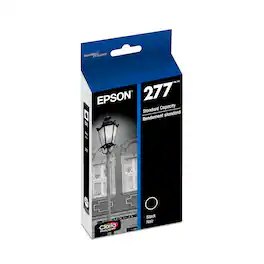
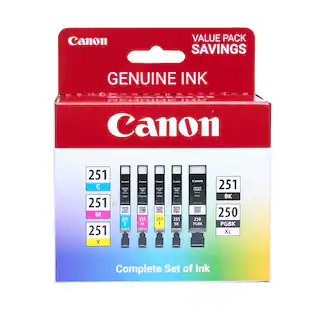
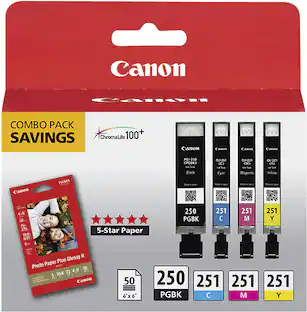
Canon - 250 XL/CLI-251 5-Pack Special Edition Ink Cartridges - Black/Cyan/Magenta/Yellow

Start printing with this five-count Canon ink package. It includes three standard color cartridges, a standard black cartridge and one high-yield black cartridge, letting you can print hundreds of text documents and plenty of color images. This Canon ink package lets you stock up for future printing needs or fill your new printer for immediate use.
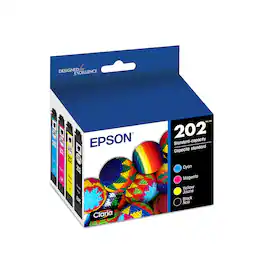
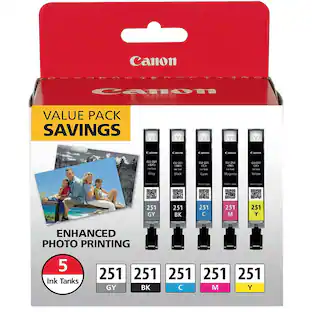
Canon - CLI- 251 4-Pack Standard Capacity Ink Cartridges - Photo Black/Cyan/Magenta/Yellow

Create documents and photos with vivid, rich colors with these Canon 251 CLI-251 ink tanks that are compatible with select Canon printers and feature quick-drying ink to help prevent smudges.

Canon - 251XL High-Yield Ink Cartridge - Black

Create professional-looking prints with this Canon 6448B001 251XL ink tank that is compatible with select Canon printers. ChromaLife100+ technology provides long-lasting, smudge-resistant black ink.

Pros for Canon - 251 Standard Capacity Ink Cartridge - Gray
There were no pros for this productInk Quality, Price, Ease of use, CompatibilityInk Quality, Price, Ease of use, Compatibility, Overall PerformanceThere were no pros for this product

Specs

No content
Sponsored

Similar products from outside of Best Buy

sponsored