Converter - HDMI to USB-C for Wacom Movink - Black
Related Item

About This Item
- Key Specs
- Connector Type (End 1): USB-C
- Gender (End 1): Female
- Connector Type (End 2): HDMI Type A, USB-C, USB-C
- Gender (End 2): Female
- General
- Brand: Wacom
- Model Number: ACK45219Z
- Product Name: Converter - HDMI to USB-C for Wacom Movink
- Color: Black
- Connectivity
- Cable Type: USB, HDMI
- Product Type: Adapter, Adapter
- Connector Type (End 1): USB-C
- Gender (End 1): Female
- Connector Type (End 2): HDMI Type A, USB-C, USB-C
- Gender (End 2): Female
- Warranty
- Warranty - Parts: 1-year
- Warranty - Labor: 1 year
- Other
- UPC: 753218983961
For creatives who want to use Movink but have a computer that doesn’t have a Thunderbolt or DisplayPort Alt compatible USB-C port, the Wacom Converter for Movink allows you to connect via HDMI. This converter has ports for your HDMI, USB, and power cables, enabling you to get full 10-bit color on your Wacom Movink with an HDMI connection to your computer. The converter does not come with cables or an AC adapter - use your own cables and AC adapter or purchase these necessary accessories.
- Converter: Connect your Wacom Movink to a computer using the Wacom Converter and your HDMI and USB cables along with an AC power cable & adapter (cables & adapter sold separately).
- HD Resolution: The Wacom Converter for Movink supports HD resolution and delivers vibrant 10-bit color, enhancing the visual quality of your creative work.
- Supports: The HDMI converter supports 3810 x 2160 60Hz.
- Compatibility: Compatible with Wacom Movink (DTH135K0A).
Whats Included
- Wacom HDMI Converter
- Quick start guide and IPI sheet
Reviews
This product doesn't have any reviews yet.
Compare similar products

For creatives who want to use Movink but have a computer that doesn’t have a Thunderbolt or DisplayPort Alt compatible USB-C port, the Wacom Converter for Movink allows you to connect via HDMI. This converter has ports for your HDMI, USB, and power cables, enabling you to get full 10-bit color on your Wacom Movink with an HDMI connection to your computer. The converter does not come with cables or an AC adapter - use your own cables and AC adapter or purchase these necessary accessories.

Six-foot cable for Wacom One 12 (DTC121W) and Wacom One 13 touch (DTH134W). Used to connect display to computer via HDMI and to AC power for operation. This is only necessary if your computer does not have a USB-C port or it cannot power the display on its own. One USB-C connection plugs into the display, one plugs into the AC power adapter, while the HDMI and USB-A connects to computer. Requires AC power adapter, sold separately.

Transmit audio and video with this j5create HDMI over wireless extender. Wi-Fi connectivity enables high-speed data transmission to your HDMI-enabled TV set, HDTV or projector up to 200 feet away with low latency. This j5create HDMI over wireless extender is compatible with macOS, iOS, Windows and Android devices for versatility.

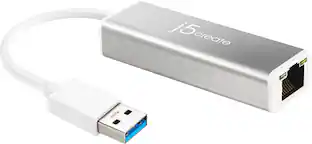
The USB 3.0 Gigabit Ethernet Adapter gives you the ability to add a Gigabit Ethernet port to your laptop or MacBook though a single USB 3.0 Type-A port, supporting 10/100/1000 Mbps Ethernet and is fully compatible with IEEE 802.3/az/u/ab/x standards. This ethernet adapter provides full gigabit bandwidth and offers backward compatibility with USB 2.0. It also supports features such as IPv4/IPv6/TCP/UDP packet Checksum Offload Engine (COE) and TCP Large Send Offload to reduce the load on your CPU. Jumbo Frames, full-duplex operation, VLAN tagging and 2 VLAN ID filtering are also supported, making this an ideal replacement LAN adapter or laptop accessory in areas without Wi-Fi or if you just want to increase your Internet speed.
| Pros for Converter - HDMI to USB-C for Wacom Movink - Black | |||
|---|---|---|---|
| There were no pros for this product— | There were no pros for this product— | Picture Quality, Ease of use, HDMI, Setup, Distance | There were no pros for this product— |
| Cons for Converter - HDMI to USB-C for Wacom Movink - Black | |||
| There were no cons for this product— | There were no cons for this product— | Lag, Performance, Range, Connection, Heat | There were no cons for this product— |