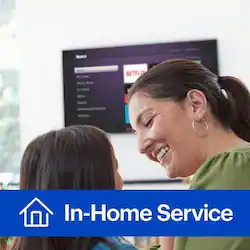
Cord-Cutting Service (Streaming Device)
- General
- Brand: Geek Squad®
- Product Name: Cord-Cutting Service (Streaming Device)
- Other
- Estimated Time to Complete Service: 70 minutes
- Required for Service: Customer supplied cables or connections required for setup. An existing, functional network if network services are desired.
- Workmanship Warranty: We stand behind our services and repairs with a 90-day workmanship warranty.
- UPC: 400058091003
Sit back and let a professional installer set up your online streaming device so you can watch broadcast television anywhere.
- Before we begin: When we arrive at the site, we'll discuss the scope of work to ensure that services purchased meet your needs and expectations. If they don't, we'll recommend solutions.
- Getting started: We'll unbox and connect 1 online streaming device (like Roku, Apple TV, Chromecast, and more).
- Connecting to your network: We'll ensure that the online streaming device is in a prime spot for internet signal and connect it to your existing network.
- Configuring the device: We’ll perform software and firmware updates for the online streaming device, as needed. We'll also configure up to 2 online streaming services at your request (like Netflix, Hulu, Sling TV, and more).
- Final steps: We can download and configure 1 OS or Android app for content sharing or mirroring. We'll also demonstrate how to use the new system and components, and let you know how to contact us for future support.
Q: I don’t understand what “cutting the cord” service includes
A: Hey, Gary! Cutting the Cord refers to moving away from the traditional cable services and going to an antenna and streaming device approach to enjoying television entertainment. So, with this service, we'll come out and connect a new indoor TV antenna and one online streaming device. Streaming devices are things like the Apple TV, Chromecast, Fire TV Stick, or Roku, just to name a few. We'll connect that streaming device to your existing network and update the software or firmware if needed. Then, we'll configure up to two online streaming services at your request. These are services like but not limited to Netflix, Hulu, or SlingTV. Along with all of that, we'll also make sure that antenna we spoke about earlier is pointed toward your nearest TV tower and scan for over the air TV channels. If you have any further questions, please feel free to give us a call at (800) GEEK SQUAD which is (800) 433-5778.
A: Contact Best Buy's Geek Squad and ask for an in home assessment to make sure what will work best in your home. They did that for me (it was free at least in my area) and that allowed me to make an informed decision.
Q: How much does it cost to install a Roku on my television?
A: Just the cost of the Roku Streaming Stick. I paid $49 and the remote is voice activated if you ever want to use it. It’s extremely simple and takes two minutes. You’ll need to log on to Roku.com to setup a new account. They give you a code to type into your tv after you plug in the stick to an HDMI port on the back of your tv. Don’t pay someone to do it. It’s super easy and I’m not techie and I did it. Good luck!
A: I had a smart tv, and 2 others that were not , just flat screen. So the new roku stick works with the tv’s that aren’t smart tv’s. Smart tv doesn’t need anything extra. I installed YouTube tv as it offered the channels I wanted, Hulu did not. So I have You Tube Tv, Netflix , and Prime Tv now. I love it! . Cable bill was outrageous before now I pay for internet only , at $67 a month!! I can take a nice vacation with the yearly savings!!
A: Ralph, I would recommend you purchase a Marathon HDTV antenna by Free Signal TV (www.FreeSignal.TV) - and keep your Internet service provider. The Marathon connects to your existing coaxial wiring in your home and delivers signals to 4 or more TVs (I know you only have 1 TV - but it's incredible). Best Buy Geek Squad can help you install your Marathon and set up a dedicated line to your internet modem. It's fairly simple and the Tech Support Team at Free Signal TV can also assist. Good luck!
A: Don’t pay the Geek Squad. It’s super easy. I cut the cord two weeks ago and wish I hadn’t paid them $150 to do what they did in two minutes. I bought the Roku streaming stick because I don’t have a smart tv. If you have an HDMI outlet on your tv (look at the back of your tv) just plug in the Roku stick and it will walk you through the steps. It was super easy and Roku walks you through it. As long as you have a laptop or smart phone you can do it yourself in two minutes. (You need that to setup an account on www.Roku.com and then they’ll give you an access code which you’ll type in on your tv) Roku Streaming Device cost between $30 to $60. I paid $49. Make sure you have the fastest internet connection first with your carrier. Good luck!
A: undefined
Today's top picks
 $199.99The price was $249.99
 $479.99The price was $729.99
 $789.99The price was $1,049.99
 $799.99The price was $1,199.99










