
Crucial - T710 1TB Internal SSD PCIe Gen 5 x4 NVMe M.2 with 3D NAND Memory
Storage Capacity
2000GBSpecifications
- Storage Capacity2000 gigabytesStorage Drive TypeSSD, SSDMaximum Read Speed14500 megabytes per secondMaximum Write Speed13800 megabytes per secondForm FactorM.2 2280Interface(s)PCIe Gen 5 x4
- Key Specs
- Storage Capacity: 2000 gigabytes (Measured in megabytes (MB), gigabytes (GB) and terabytes (TB), this is the amount available for storing files, music, movies, photos and more. The total includes the capacity of the hard disk drive and solid state drive if both are included on the computer.)
- Storage Drive Type: SSD, SSD (Traditional, mechanical hard disk drives are the most common type of storage because they're relatively inexpensive and offer huge capacities. However, they also generate both noise and heat. Solid state drives, also known as SSDs, are many times faster than hard disk drives and have no moving parts to wear out, but typically offer less capacity for the same price.)
- Maximum Read Speed: 14500 megabytes per second (The greatest speed at which the device can read information; for example, opening files.)
- Maximum Write Speed: 13800 megabytes per second (The greatest speed at which the device can write information; for example, saving files.)
- Form Factor: M.2 2280
- Interface(s): PCIe Gen 5 x4 (Refers to the types of connections that devices use to interact and communicate with each other.)
- General
- Brand: Crucial
- Model Number: CT2000T710SSD8
- Product Name: Crucial - T710 1TB Internal SSD PCIe Gen 5 x4 NVMe M.2 with 3D NAND Memory
- Capacity
- Storage Capacity: 2000 gigabytes (Measured in megabytes (MB), gigabytes (GB) and terabytes (TB), this is the amount available for storing files, music, movies, photos and more. The total includes the capacity of the hard disk drive and solid state drive if both are included on the computer.)
- Performance
- Storage Drive Type: SSD, SSD (Traditional, mechanical hard disk drives are the most common type of storage because they're relatively inexpensive and offer huge capacities. However, they also generate both noise and heat. Solid state drives, also known as SSDs, are many times faster than hard disk drives and have no moving parts to wear out, but typically offer less capacity for the same price.)
- Maximum Read Speed: 14500 megabytes per second (The greatest speed at which the device can read information; for example, opening files.)
- Maximum Write Speed: 13800 megabytes per second (The greatest speed at which the device can write information; for example, saving files.)
- SSD Endurance: 1200 terabytes (The total amount of data that the solid-state drive (SSD) is able to write before it wears out, as specified by the manufacturer. Endurance is limited because the flash on a SSD has a finite number of cycles that it can complete.)
- Heatsink: false (Dissipates heat during intense operation for sustained peak performance.)
- Compatibility
- Internal Or External: Internal
- Product Compatibility: Desktop computers, Laptop computers
- Form Factor: M.2 2280
- Interface(s): PCIe Gen 5 x4 (Refers to the types of connections that devices use to interact and communicate with each other.)
- Operating System Compatibility: Windows, Linux
- Features
- Security Features: None
- Data Encryption: false
- Usage: Gaming, Everyday computing, Performance computing
- Lighting Type: None
- Memory
- NAND Flash Memory Type: 3D NAND (Single Level Cell (SLC) stores 1 bit of data per memory cell; Multi Level Cell (MLC) stores 2 bits per cell, Triple Level Cell (TLC) 3 bits, and Quad Level Cell (QLC) 4 bits. Vertical NAND (V-NAND) or 3D NAND stores more data by layering cells vertically. Similarly, there are 3D MLC, 3D TLC and 3D QLC stacked cells.)
- Dimensions
- Product Height: 3.14961 inches (The out of box height of the item. Height is measured as the vertical distance from the bottom of the item to the top as it would be primarily used or placed.)
- Product Width: 0.866142 inches (The out of box width of the item. Width is measured as the horizontal distance from one side of the item to the other as it would be primarily used or placed.)
- Product Weight: 0.2363355451 ounces (The out of box weight of the item.)
- Included
- Included Software: Microsoft DirectStorage
- Warranty
- Warranty - Parts: 5 years
- Warranty - Labor: Not available
- Other
- UPC: 649528945945
Make every microsecond count with the Crucial T710 Gen5 NVMe SSD. Built for serious gaming and professional creative applications, the T710 speeds up your experience with up to 14,900/13,800MB/s sequential and 2.2M/2.3M random reads/writes. The T710 is based on Micron G9 TLC NAND and features an optional integrated heatsink for unthrottled use. Its single-sided and low-power design makes it ideal for use on PCs and laptops.
- Win bigger: Experience Gen5 gameplay at the speed of thought. With up to 14,900/13,800 sequential read/write speeds, you’ll be faster out of the gate.
- Enhance your gaming experience: Don’t miss out on the detailed atmospheres of your favorite games. Activate advanced ray tracing in applicable games to see all the reflections, fog and lighting to improve your gameplay.
- Point. Click. Done.: Spend more time being creative and less time waiting on your latest renders. Included DirectStorage speeds up your creative process and allows you to create as fast as you can imagine.
- Streamline your system with a premium heatsink: The T710 offers an integrated heatsink to maximize heat dissipation for optimal performance without noisy fans or liquid cooling. A non-heatsink option is also available.
- Leading Gen5 technology: Crucial is a pioneer in blazing-fast Gen5 storage, built for maximum performance. The T710 showcases Crucial’s innovation and pushes the boundaries of what’s possible in gaming, creativity, and beyond.
Q: What kind of memory does this SSD use?
A: This SSD uses 3D NAND flash memory.
Q: What is the storage capacity of this crucial SSD?
A: The storage capacity of this crucial SSD is 2000 gigabytes.
Q: Does this solid state drive come with a heatsink?
A: No, this solid state drive does not come with a heatsink.
Q: What is the maximum read speed this solid state drive supports?
A: This solid state drive supports a maximum read speed of 14500 megabytes per second.
Q: Is this drive intended for internal or external use?
A: This drive is intended for internal use.
Q: What is the maximum write speed of this SSD?
A: The maximum write speed of this SSD is 13800 megabytes per second.
Q: Does this SSD have data encryption?
A: No, this SSD does not have data encryption.
Compare similar products
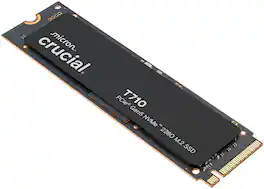
Make every microsecond count with the Crucial T710 Gen5 NVMe SSD. Built for serious gaming and professional creative applications, the T710 speeds up your experience with up to 14,900/13,800MB/s sequential and 2.2M/2.3M random reads/writes. The T710 is based on Micron G9 TLC NAND and features an optional integrated heatsink for unthrottled use. Its single-sided and low-power design makes it ideal for use on PCs and laptops.

Blazing speed meets massive capacity built for AI and beyond. The Samsung 9100 PRO SSD delivers up to twice the speed of the 990 PRO SSD and up to an 8TB storage option, ensuring you have lightning fast speed and ample space for AI projects, 4K/8K video editing, gaming marathons, and more. Designed for next gen performance, it's the ultimate storage solution for your digital life.
Make every microsecond count with the Crucial T710 Gen5 NVMe SSD. Built for serious gaming and professional creative applications, the T710 speeds up your experience with up to 14,900/13,800MB/s sequential and 2.2M/2.3M random reads/writes. The T710 is based on Micron G9 TLC NAND and features an optional integrated heatsink for unthrottled use. Its single-sided and low-power design makes it ideal for use on PCs and laptops.
Make every microsecond count with the Crucial T710 Gen5 NVMe SSD. Built for serious gaming and professional creative applications, the T710 speeds up your experience with up to 14,900/13,800MB/s sequential and 2.2M/2.3M random reads/writes. The T710 is based on Micron G9 TLC NAND and features an optional integrated heatsink for unthrottled use. Its single-sided and low-power design makes it ideal for use on PCs and laptops.
| Pros for Crucial - T710 1TB Internal SSD PCIe Gen 5 x4 NVMe M.2 with 3D NAND Memory | |||
|---|---|---|---|
| Speed, Overall Performance, Heat Dissipation, Installation, Storage Capacity | There were no pros for this product— | There were no pros for this product— | There were no pros for this product— |
Specs
Reviews
Customer Images
The vast majority of our reviews come from verified purchases. Reviews from customers may include My Best Buy members, employees, and Tech Insider Network members (as tagged). Select reviewers may receive discounted products, promotional considerations or entries into drawings for honest, helpful reviews.
- Rated 5 out of 5 stars
Worthy upgrade to existing internal SSD
I recently got a new gaming laptop and was looking at upgrading the storage to allow for more game installs along with potentially speeding up load times. That’s when I came across the latest generation of the Crucial T710 2TB internal Gen 5 M.2 SSD. Immediately what caught my eye was the claim for sequential read/write speeds of over 50% faster than what I was currently using… a whopping read speed of 14,900MB per second and write speed of 13,800MB per second! After doing a little extra research, I also learned that one of the specs that set the T710 aside was its temperature management, which was also a selling point for me, especially in a high-end laptop build where heat can be an issue. I have previously upgraded some of my other build with Crucial products, including SSDs and RAM, and have never had any issues with their products therefore I was sold in going with their SSD in a crowded market. Installation of the SSD was better and faster than expected using their software you can download off their website. I simply placed the SSD in one of the extra storage slots under the chassis and rebooted the system. The Crucial software automatically recognized the drive, walked me through a few simple steps and took it from there. The cloning for my initial drive took less than 20 minutes to transfer a little less than 1TB. After powering the system down and installing the new Crucial T710 in the original SSD slot, I was back up and running in no time. Since I already owned software that manages performance, I immediately noticed faster boot times reflected on my system. Of note, I ran SSD benchmarks on my previous drive for comparison once I got the T710 up and running. After running several benchmarks to compare specs, the T710 clearly beat my previous Gen5 SSD in every aspect including read/write speed, gaming and temperature. It’s also designed to handle hardcore AI tasks which seem to be what everyone is focusing on nowadays along with gaming. After using the drive as my OS and also where my high-end AAA games are installed, I have been impressed overall and would recommend the T710 to anyone in the market for a new or upgraded storage option as, in my opinion and as the benchmark reflected, it’s worth the extra investment.
This review is from Crucial - T710 1TB Internal SSD PCIe Gen 5 x4 NVMe M.2 with 3D NAND Memory
Grouticus Posted
- Rated 5 out of 5 stars
Well performing drive
This is a well performing drive that will work well in any high demand application such as gaming, photo editing, or video editing. I actually only have PCIe 4.0 slots on my computer, so I'm not even able to get the full performance out of this SSD, but it still is able to perform at the top end of the PCIe Gen4 spec. But this also means I'm future proofed for when I do upgrade my computer, I can get the blistering speeds of Gen5. However, in practicality, most people might not even notice the speed difference except in the most demanding applications. Like every new SSD, after installing you will need to initialize the disk. In Windows this means using the Disk Management utility. But installation and setup went off without a hitch and this SSD is ready to go with no hassle. Disk benchmarks show that this drive is among the best you can buy, even if it's just installed in a Gen4 slot. I got read speeds of about 7000mb/s and write speeds of about 5600mb/s which is about what I would expect in this configuration. Overall, I'm very happy with this drive.
This review is from Crucial - T710 1TB Internal SSD PCIe Gen 5 x4 NVMe M.2 with 3D NAND Memory
- Rated 5 out of 5 stars
Super Fast SSD Memory for Gaming
It’s pretty wild how fast this SSD is. Just during the initial setup to get my games transferred to this new drive, I saw peaks of nearly 3 GB/s transfer speeds. Depending on the file size, it ranged between 0.8-2.5 GB/s, and to transfer 1.3TB of data, took just under 15 minutes. One of the largest benefits you’ll see out of a super fast SSD such as this one is if you move large files around often such as a video or photo editor, or if you play games that have load times between matches or areas of the game. I was able to quickly copy a game file that was 126 GB in size in just a couple of minutes. I don’t really time loading screens in games I play, but I can tell you, I load into games very quickly. It’ll be night and day if you’re upgrading from an HDD, but SSDs are already very fast and while there will likely be a measurable difference between Gen4 and Gen5, my Gen4 SSD was already very fast in regards to gaming. No SSD review goes without a crystal diskmark synthetic benchmark. Using a 2025 ASUS Strix Scar 16 with an Intel 275HX and NVIDIA 5080, I scored 11,896 MB/s Reads and 8,463 MB/s writes. This means in some scenarios, you could read nearly 12 GB/s. That’s crazy fast. 3Dmark also comes with a storage benchmark, so I ran it too. The T710 scored above average at 2,585 with the average coming in closer to 2,271. Do with that data what you will, but the screenshot shows bandwidth and average access times which may be closer to real world, but you can compare with other scores to see if the speed difference is worth it to you. This SSD didn’t come with any type of heatsink or thermal padding. This makes it great for laptop installs or if you’re looking to put in an external NVME enclosure or if your motherboard comes with pre-installed heatsinks. There’s a limited 5 year warrant from Micron as well so you know they stand behind their product and it’s up there with other top SSD manufacturers. One buying tip I would have is to make sure your device can support Gen5 PCIE for SSD. This is fairly new technology at the time of this review so you won’t get the full benefit without your motherboard supporting the interface. I have read that Gen5 PCIE is backwards compatible, but I was not able to test this. If true, it’d be useful if Crucial put it on the box as some folks may be looking to upgrade their motherboards at a later date and would want to know if this works now.
This review is from Crucial - T710 1TB Internal SSD PCIe Gen 5 x4 NVMe M.2 with 3D NAND Memory
TravisJ Posted