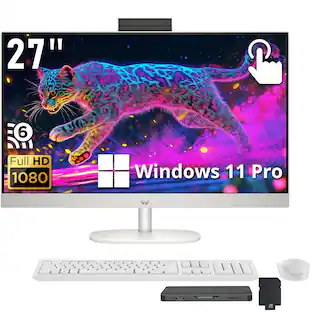
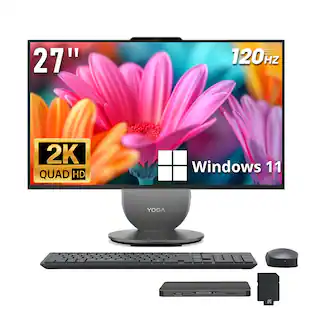
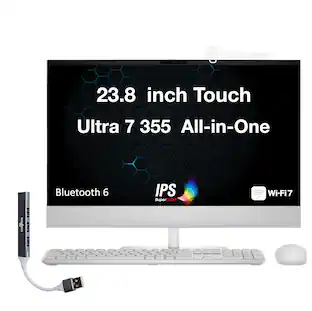
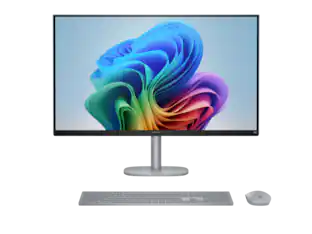
Dell - 27" Full HD IPS Touchscreen All-in-One - Intel Core Ultra 7 Series 3 355 2026 - 16GB Memory - 1TB Storage - Copilot+ PC - Light Ash
Customers are saying
Customers are positive about the high-quality speaker and screen performance, which users find both impressive and visually appealing. Many appreciate the intuitive touchscreen responsiveness and the straightforward setup process that makes the device easy to use. Additionally, the attractive, simple design and the generous screen size are frequently highlighted as standout features.
Highlights
Features
Capture and display brilliantly
Experience crisp, immersive visuals on a 27" IPS display in (QHD/FHD) resolution, designed to elevate every interaction with smooth, reliable performance.
Performance
Power through demanding applications with up to Intel Core Ultra 7 processors (Series 3), delivering smooth performance and reliable multitasking.
Memory
Equip your system with 16GB DDR5 RAM for the high bandwidth and speed required to handle intensive workloads and large datasets smoothly.
Copilot+ PC features
Unlock smarter productivity with NPU‑powered features that accelerate workflows, enhance efficiency, and streamline daily tasks.
Graphics
Count on Intel Graphics for sharp images and fluid playback, offering reliable visual performance for creative work and everyday tasks.
Specifications
- Screen Size27 inchesProcessor ModelIntel Core Ultra 7 Series 3CPU Base Clock Frequency2.3 gigahertzStorage TypeSSDTotal Storage Capacity1000 gigabytes
Reviews
Rating 4.5 out of 5 stars with 84 reviews
- Speaker Quality (29)
- Touchscreen Responsiveness (18)
- Ease of Use (16)
- Design (15)
- Screen Size (13)
Customer Images
The vast majority of our reviews come from verified purchases. Reviews from customers may include My Best Buy members, employees, and Tech Insider Network members (as tagged). Select reviewers may receive discounted products, promotional considerations or entries into drawings for honest, helpful reviews.

- HP - OmniDesk Mini PC - Intel Core 3 304 - 8GB Memory - 128GB UFS - Cashmere White$499.99The price was $589.99
- HP - OmniDesk Mini PC with Quad Display Support - Intel Core Ultra 5 325 - 16GB Memory - 512GB SSD - Smoke Silver$1,049.99The price was $1,269.99
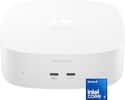
Compare similar products
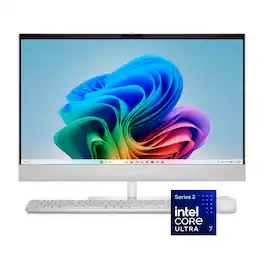
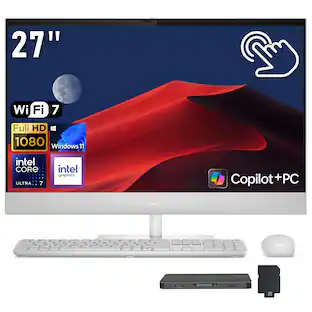
Experience effortless multitasking and immersive entertainment with Dell All-in-One. Powered by the latest Intel Core processors (Series 3) with Intel Graphics for high-speed performance in any task, including on-device Copilot+ PC experiences.
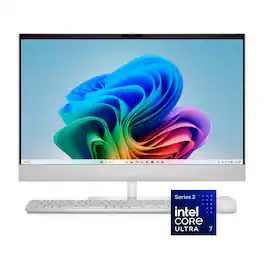
Experience effortless multitasking and immersive entertainment with Dell All-in-One. Powered by the latest Intel Core processors (Series 3) with Intel Graphics for high-speed performance in any task, including on-device Copilot+ PC experiences.

Experience effortless multitasking and immersive entertainment with Dell All-in-One. Powered by the latest Intel Core processors (Series 3) with Intel Graphics for high-speed performance in any task, including on-device Copilot+ PC experiences.
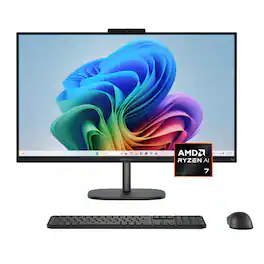
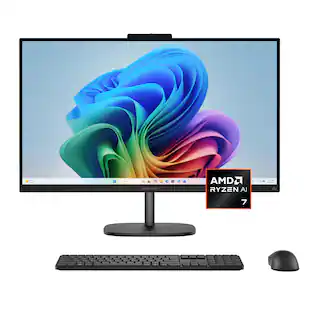
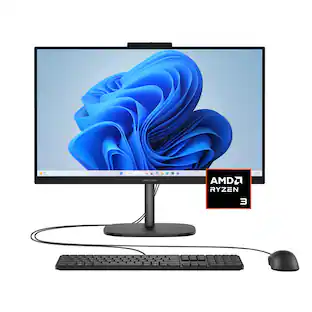
Peak performer by day, entertainer by night. Power through the day with an AMD Ryzen processor, delivering reliable performance for everything. With fast memory and spacious storage, apps load quickly and multitasking stays smooth. Enjoy more space to create and the comfort to keep going. The 27" display delivers sharp, vivid visuals. With an adjustable stand that adapts to your style, you can stay focused and comfortable from morning to night.
| Pros for Dell - 27" Full HD IPS Touchscreen All-in-One - Intel Core Ultra 7 Series 3 355 2026 - 16GB Memory - 1TB Storage - Copilot+ PC - Light Ash | |||
|---|---|---|---|
| Touchscreen Responsiveness, Ease of Use, Design, Screen Size, Speaker Quality | Display Quality | Ease of Use, Overall Performance, Screen Size | Overall Performance, Design, Touchscreen Responsiveness, Display Size, Noise Level |
| Cons for Dell - 27" Full HD IPS Touchscreen All-in-One - Intel Core Ultra 7 Series 3 355 2026 - 16GB Memory - 1TB Storage - Copilot+ PC - Light Ash | |||
| There were no cons for this product— | There were no cons for this product— | There were no cons for this product— | Webcam Quality |
Specs
Questions & Answers
I just got computer. Power cable is plugged in. Nothing works
Answered by YourDellTeamWe appreciate your efforts in trying to resolve the issue. Kindly perform the steps shared in the following official troubleshooting link: https://url.dell.com/275173. We recommend contacting Dell Tech Support team if you need assistance in performing the steps.
Does this include Outlook Office and Excel?
Answered by YourDellTeamNo, Microsoft Office package has to be purchased separately.
Can ram be added
Answered by YourDellTeamYes, the maximum Memory configuration supported is 32 GB.
Can I get this system with two monitors
Answered by YourDellTeamYou will need to buy an external monitor additionally if you wish to configure a dual display setup.
does this have in-built speakers
Answered by YourDellTeamYes, the All-in-one includes a dual speaker and one headset (headphone and microphone combo) port.

Customers often buy these together
Office Software








Inkjet Printers








More recommended items
![esc F1 F2 F3 F4 F5 F6 F7 F8 F9 F10 F11 F12 1 2 3 4 5 6 7 8 9 0 - = backspace tab Q W E R T Y U I O P [ ] \ caps lock A S D F G H J K L ; ' shift Z X C V B N M , . / shift ctrl alt logi](https://pisces.bbystatic.com/image2/BestBuy_US/images/products/6411/6411501_sd.jpg?format=webp) Computer Keyboards
Computer Keyboards Antivirus and Internet Security Software
 Laser Printers
 External Hard Drives
 Mouse Pads
 USB Drives
More to consider
 $1,899.99The price was $2,499.99
 Top Deal$1,469.99The price was $1,709.99
 $2,039.99The price was $2,119.99
 $1,499.00The price was $2,099.00
 $699.99The price was $969.99
 $799.99The price was $1,089.99

Explore tech essentials Sponsored
 $949.99The price was $1,359.99
 $669.99The price was $899.99
 $1,999.00The price was $2,699.00


Discover related products





Keep exploring
 $1,599.00The price was $2,099.99