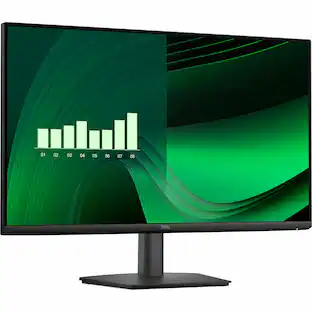
Dell - Pro 24 24" IPS Monitor, 5ms Response Time, Anti-Glare, VESA Mount, VGA, HDMI & DKZ Hub, (E2425HM) 2 Pack - Black
Reviews coming soon
About this product
This 24-inch monitor features a 16:9 aspect ratio, Full HD (1920 × 1080) resolution, IPS panel, 100Hz refresh rate, and 5ms response time for smooth and responsive performance. It offers a 1,000:1 contrast ratio, 250-nit brightness, 16.7 million colors, and 72% NTSC color gamut. The flat, anti-glare display has a 0.274mm × 0.274mm pixel pitch, 93 PPI, and 178-degree vertical and horizontal viewing angles. The monitor includes HDMI 1.4, DisplayPort 1.2, and VGA ports, along with a 100 × 100mm VESA mount and tilt adjustment. Finished in black, it measures 21.21 × 6.73 × 16.23 inches and weighs 7.94 lb. It also includes a special-edition Dockztorm USB Hub with SuperSpeed data transfer rates of up to 5 Gbps.
Highlights
Features
23.8" IPS (1920 x 1080), 5ms Response Time, 1 x HDMI, 1 x DisplayPort, 1 x VGA, VESA Mount, Adjustable Tilt, Anti-Glare, Brightness 250 nits, Refresh Rate 100 Hz
IPS Panel Display
Enjoy consistent colors and wide viewing angles with IPS technology, while the anti-glare surface reduces reflections for a clearer, more comfortable viewing experience.
Versatile Connectivity
HDMI 1.4, DisplayPort 1.2, and VGA ports let you connect laptops, desktops, and legacy systems with ease, making it a flexible fit for any workstation.
Sleek, Space-Saving Design
A slim-bezel flat-panel build with 100 x 100mm VESA mount compatibility fits seamlessly into any home office or professional workspace.
Includes
Dockztorm Dock (Special Edition Portable Dockztorm Data Hub; Super Speedy Data Sync Rate upto 5Gbps)
- Refresh Rate100HzMaximum Resolution1920 x 1080Response Time5 millisecondsPanel TypeIPSScreen Size24 inches
Reviews
This product doesn't have any reviews yet.

Compare similar products
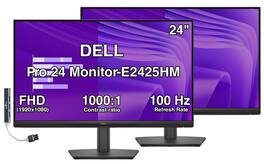
This 24-inch monitor features a 16:9 aspect ratio, Full HD (1920 × 1080) resolution, IPS panel, 100Hz refresh rate, and 5ms response time for smooth and responsive performance. It offers a 1,000:1 contrast ratio, 250-nit brightness, 16.7 million colors, and 72% NTSC color gamut. The flat, anti-glare display has a 0.274mm × 0.274mm pixel pitch, 93 PPI, and 178-degree vertical and horizontal viewing angles. The monitor includes HDMI 1.4, DisplayPort 1.2, and VGA ports, along with a 100 × 100mm VESA mount and tilt adjustment. Finished in black, it measures 21.21 × 6.73 × 16.23 inches and weighs 7.94 lb. It also includes a special-edition Dockztorm USB Hub with SuperSpeed data transfer rates of up to 5 Gbps.
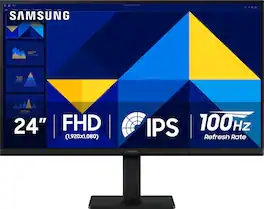
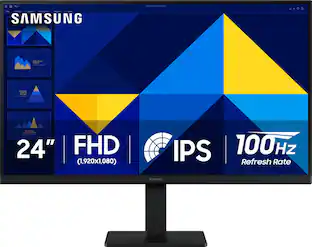
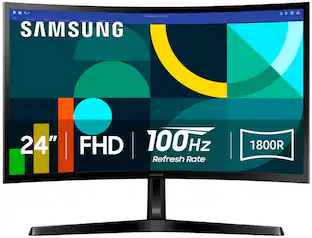
Samsung’s 24" S3 Monitor enables smooth performance, heightened productivity, and greater comfort. The IPS Panel delivers a stunning color experience across the entire display with less color washing, offering clarity from any viewpoint so tones stay consistent and accurate. The 100Hz refresh rate reduces lag and motion blur while playing games, watching videos, or working. Game Picture Mode with optimizable game settings enables instant adjustment of color and image contrast. Eye Saver Mode protects vision, reduces blue light and screen flicker, and extends comfort even during long sessions. The ergonomic super-slim design is a stylish addition to any environment, while ultra-thin border bezels make the most of screen space. Multiple connectivity enables devices to be plugged straight into the monitor for increased flexibility.

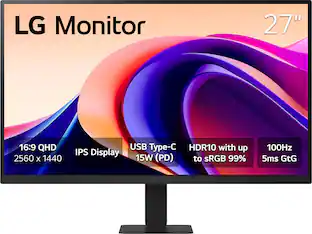
Smart Display. Serious Performance. Seamless Entertainment. Upgrade your desktop with the 27-inch LG UHD 4K Smart Monitor. The UHD (3840 x 2160) IPS display with up to 90% DCI-P3 color coverage and HDR support brings sharp detail and brilliant color to everything from spreadsheets to content streaming, video calls and cloud gaming. With built-in webOS24 and a dedicated remote, you get easy, instant access to your favorite streaming platforms like Netflix, Prime Video, Disney+, and more—plus 300+ free LG Channels. Game directly in the cloud with NVIDIA GeForce NOW, Amazon Luna, or Blacknut¹—no console or PC required. Need to get stuff done? The Switch app makes multitasking easy. Divide the screen into up to six sections, customize layouts, or launch video calls with a hotkey—all while switching effortlessly between your PC and the built-in smart features². Built-in stereo speakers deliver bold, immersive sound. The ergonomic stand tilt adjusts to your ideal viewing angle, while USB Type-C with 65W power delivery, two HDMI ports, and two USB inputs make it easy to connect everything you need. Whether you're working, creating, or kicking back—this monitor does it all.
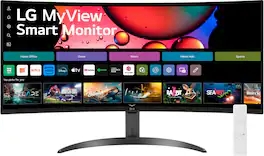
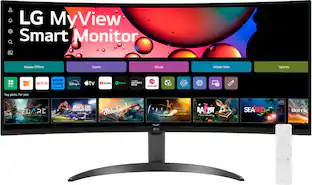
One screen. Endless possibilities. The 21:9 ultra-wide 34” curved Smart monitor offers stunning widescreen visuals and a sleek design that's perfect for work, play, cinematic viewing, and everything in between. Experience vivid color with up to sRGB 99% coverage, HDR10 support and impeccable clarity with the 21:9 WQHD (3440x1440) screen, bringing every detail to life. Thanks to LG’s streaming platform webOS23¹, find your favorites fast with built-in access to Netflix, Prime Video, the Apple TV app, Disney+, HBO Max and instant access to over 300+ free LG Channels with everything from comedy to movies to sports. Apple AirPlay 2 & HomeKit compatibility² allow you to wirelessly control your monitor plus cast and mirror content from iOS or MacOS devices, no Apple TV necessary. Gaming on the monitor’s wide screen with the 100Hz refresh rate assures ultra-smooth action.
| Pros for Dell - Pro 24 24" IPS Monitor, 5ms Response Time, Anti-Glare, VESA Mount, VGA, HDMI & DKZ Hub, (E2425HM) 2 Pack - Black | |||
|---|---|---|---|
| There were no pros for this product— | Overall Performance, Screen Size, Resolution, Refresh Rate, Connectivity | Overall Performance, Refresh Rate, Design, Size | Screen Size, Overall Performance, Resolution, Refresh Rate, Smart Features |
| Cons for Dell - Pro 24 24" IPS Monitor, 5ms Response Time, Anti-Glare, VESA Mount, VGA, HDMI & DKZ Hub, (E2425HM) 2 Pack - Black | |||
| There were no cons for this product— | Adjustability, Speakers, Port Count | Connectivity | Connectivity, Controls |
Specs
Be the first to ask a question.
We’ll try to get your question answered within 24 hours by a Best Buy customer or brand representative.
Customers often buy these together




![Sure, here is the corrected and grouped text from the image:
---
**Top Row:**
- Esc
- F1 F2 F3 F4 F5 F6 F7 F8 F9 F10 F11 F12
**Second Row:**
- 1 ! 2 @ 3 # 4 $ 5 % 6 ^ 7 & 8 * 9 ( 0 ) - _ + =
**Third Row:**
- Tab Q W E R T Y U I O P [ { ] } \
**Fourth Row:**
- Caps Lock A S D F G H J K L ; ' Enter
**Fifth Row:**
- Shift Z X C V B N M , . / Shift
**Function Keys:**
- F1 F2 F3 F4 F5 F6 F7 F8 F9 F10 F11 F12
**Right Side:**
- Insert Home Page Up Delete End Page Down
**Bottom Row:**
- Ctrl Alt Spacebar Alt Ctrl
**Additional Keys:**
- Logi
- Scroll Lock
- Pause Break
---
This should match the layout of the keyboard in the image.](https://pisces.bbystatic.com/image2/BestBuy_US/images/products/0ce0f170-380c-41e4-8d6a-fa0aadbd534c.jpg;maxHeight=232;maxWidth=233?format=webp)


More to consider

Explore tech essentials Sponsored
 Top Deal$299.99The price was $369.99
 $189.99The price was $299.99
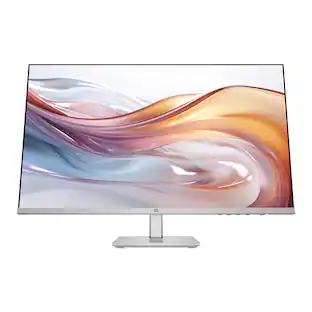 Top Deal$149.99The price was $229.99

Keep exploring
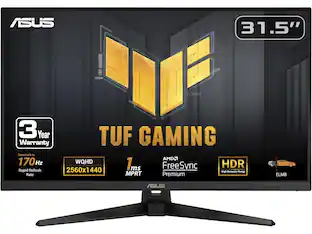
 $189.99The price was $299.99
 $204.99The price was $221.49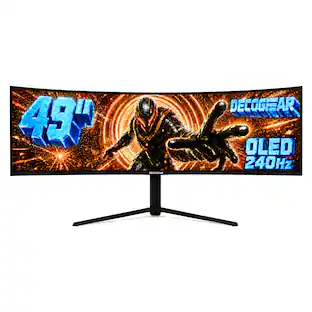
Deco Gear - 49" QD-OLED 240Hz Curved Super Ultrawide Gaming Monitor 5K DQHD 0.03 ms HDR400 90W USB-C
$739.99The price was $1,539.99