Bundle - Dell - SD25TB4 Pro Thunderbolt 4 Smart Dock
Reviews coming soon
About this product
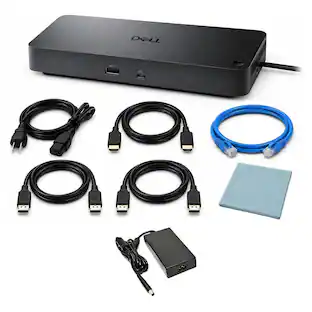
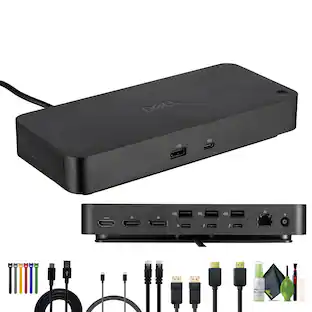
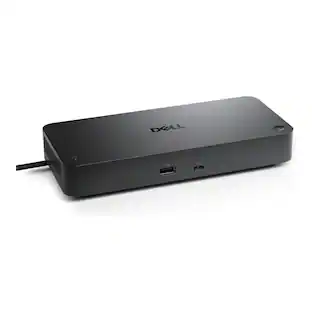
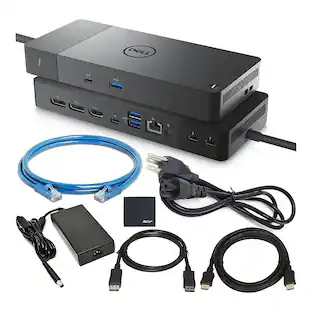
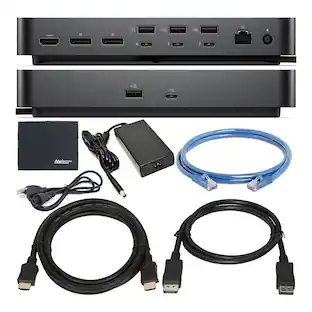
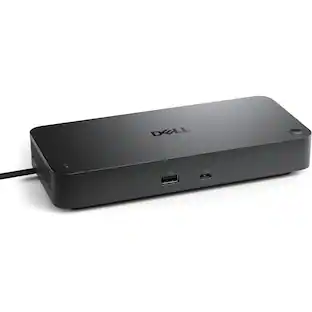
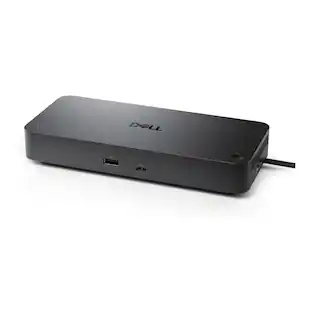
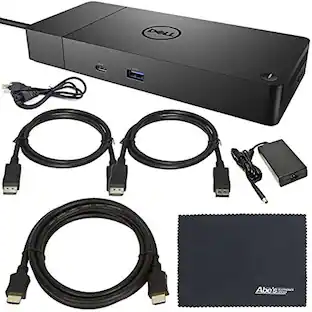
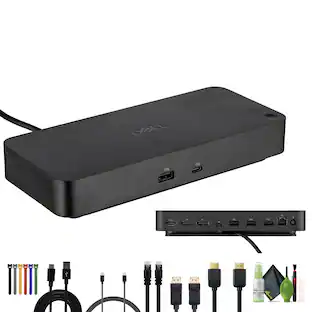
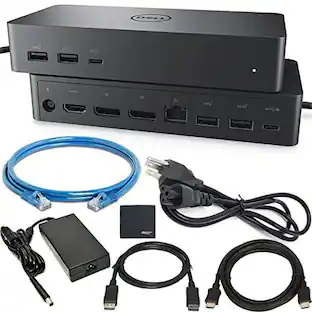
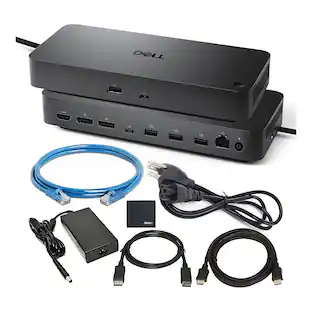
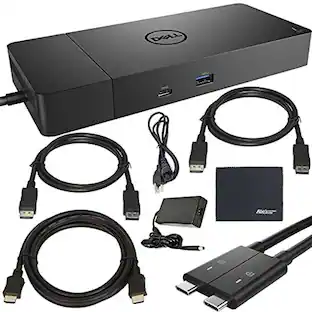
Maximize your workspace efficiency with the Dell SD25TB4 Pro Thunderbolt 4 Smart Dock station designed for professionals who demand high performance with ultra-fast connectivity, security, and flexibility. With dual Thunderbolt 4, dual DisplayPort 1.4, HDMI 2.1, USB‑C multi‑mode, and a 2.5 GbE RJ45 port, SD25TB4 Pro Thunderbolt 4 Smart docking station supports up to 4 external display (one 8K, two 6K, or four WQHD) while delivering fast data transfer and full 130 W power delivery to your laptop. Its ambidextrous USB‑C cable ensures easy routing in any desk setup. Four USB‑A and one USB‑C port deliver 10 Gb/s speeds for rapid backups, peripherals, and charging, making it a hub for intensive tasks. Built for enterprise deployment, it features hardware‑based encryption, WPA‑3 Wi‑Fi, and remote management via Dell’s Device Management Console, ideal for IT fleets. A Kensington lock slot adds physical security for shared or open spaces. Dell SD25TB4 Pro smart Thunderbolt Docking station Compatible with Windows, macOS, Linux, ChromeOS, Ubuntu, and RHEL, it fits virtually any ecosystem. Plus, Sustainability is also core, with a build of 65% recycled materials and eco-conscious packaging. The Dell SD25TB4 Pro Smart Dock isn’t just a hub it’s an all‑in‑one workstation solution for power users, professionals, and IT teams who need security, performance, and flexibility in a single device. Bundle Includes: Dell SD25TB4 Pro Thunderbolt 4 Smart Dock- USB-C Docking Station 2x Gold Plated Premium DisplayPort to DisplayPort Male to Male Cable with Latches 2x USB-A To USB-C Cable 2x USBC to USBC Cable 1x Ethernet Patch Cable Adjustable Cord Straps 1x HDMI Cable Cleaning kit USB Type C to HDMI 3.1 Cable MK540 Advanced Wireless Keyboard And Mouse Combo High Speed USB Printer Cable
Features
Feature 1
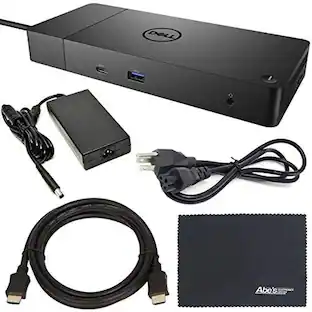
Bundle Includes: Dell SD25TB4 Pro Thunderbolt 4 Smart Dock – USB-C Docking Station + 2x Gold Plated Premium DisplayPort to DisplayPort Male to Male Cable with Latches + 2x USB-A To USB-C Cable + 2x USBC to USBC Cable + 1x Ethernet Patch Cable + Adjustable Cord Straps + 1x HDMI Cable + Diginerds Cleaning kit + USB Type C to HDMI 3.1 Cable + MK540 Advanced Wireless Keyboard And Mouse Combo + High Speed USB Printer Cable
Feature 2
Ultimate Connectivity & Next-Gen Display Power Support: Plug in your entire setup with SD25TB4 Pro Thunderbolt 4 Smart Dock Station, dual Thunderbolt 4 ports, dual DisplayPort 1.4, HDMI 2.1, plus USB-C multi‑mode all at once. Support up to 4 display (one 8K Monitor, two 6K Monitors, or four WQHD) simultaneously with zero compromise. Ideal for power users, creative professionals, and hybrid teams who demand seamless multi‑monitor
Feature 3
130 W Power Delivery + 10 Gb/s USB Speeds: Delivers up to 130W charging to compatible laptop at full power while transferring data at blazing USB-C/USB-A 3.2 Gen 2 (10 Gb/s) speeds. 4 x USB-A 3.2 Gen 2 Ports and 1 x USB-C 3.2 Gen port offer rapid file syncing, external storage backups, and high-speed peripheral connections—perfect for content creators and IT professionals on tight deadlines.
Feature 4
Secure Wired Networking & Physical Theft Protection: Built‑in 2.5 GbE RJ45 ensures low‑latency, reliable network performance ideal for streaming, video conferencing, or large data transfers. Integrated Kensington lock slot allows secure workstation setups in shared offices or open‑workspace environments, addressing enterprise security requirements. Built using 65% post-consumer recycled materials and packaged with 100% recycled or
Feature 5
Management & Enterprise‑Grade Encryption: Supported by Dell Device Management Console, ly configure, update firmware, and deploy Wi‑Fi settings across fleets no user interaction required. Hardware‑based encryption and WPA‑3 Wi‑Fi security keep business data protected, making this dock ideal for IT teams and corporate deployment at scale. Works seamlessly with Windows, macOS, Linux, ChromeOS, Ubuntu, and Red Hat. Ambidextrous USB‑C
Specifications
- Maximum Number of Displays Supported4Number of DisplayPort Outputs (Total)2
Reviews
This product doesn't have any reviews yet.





Compare similar products
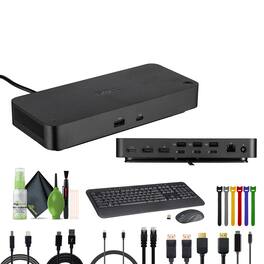
Maximize your workspace efficiency with the Dell SD25TB4 Pro Thunderbolt 4 Smart Dock station designed for professionals who demand high performance with ultra-fast connectivity, security, and flexibility. With dual Thunderbolt 4, dual DisplayPort 1.4, HDMI 2.1, USB‑C multi‑mode, and a 2.5 GbE RJ45 port, SD25TB4 Pro Thunderbolt 4 Smart docking station supports up to 4 external display (one 8K, two 6K, or four WQHD) while delivering fast data transfer and full 130 W power delivery to your laptop. Its ambidextrous USB‑C cable ensures easy routing in any desk setup. Four USB‑A and one USB‑C port deliver 10 Gb/s speeds for rapid backups, peripherals, and charging, making it a hub for intensive tasks. Built for enterprise deployment, it features hardware‑based encryption, WPA‑3 Wi‑Fi, and remote management via Dell’s Device Management Console, ideal for IT fleets. A Kensington lock slot adds physical security for shared or open spaces. Dell SD25TB4 Pro smart Thunderbolt Docking station Compatible with Windows, macOS, Linux, ChromeOS, Ubuntu, and RHEL, it fits virtually any ecosystem. Plus, Sustainability is also core, with a build of 65% recycled materials and eco-conscious packaging. The Dell SD25TB4 Pro Smart Dock isn’t just a hub it’s an all‑in‑one workstation solution for power users, professionals, and IT teams who need security, performance, and flexibility in a single device. Bundle Includes: Dell SD25TB4 Pro Thunderbolt 4 Smart Dock- USB-C Docking Station 2x Gold Plated Premium DisplayPort to DisplayPort Male to Male Cable with Latches 2x USB-A To USB-C Cable 2x USBC to USBC Cable 1x Ethernet Patch Cable Adjustable Cord Straps 1x HDMI Cable Cleaning kit USB Type C to HDMI 3.1 Cable MK540 Advanced Wireless Keyboard And Mouse Combo High Speed USB Printer Cable
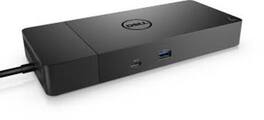
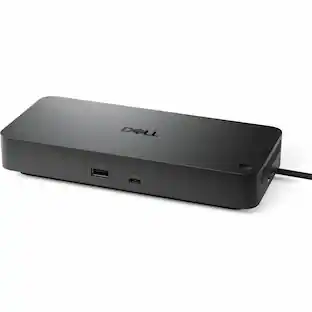
If you're looking for a versatile, reliable and easy-to-use dock for your USB Type-C workspace, the Dell WD19S is the perfect choice! The Dell WD19S USB Type-C Dock is the perfect way to keep your devices powered and ready to go. With the Dell ExpressCharge system, you can get up to 80% charge in just one hour, so you'll never be caught without power when you need it most. And if you need a quick charge to get from one point to the next, the ExpressCharge Boost feature provides up to 35% charge in just 20 minutes. Plus, with its 130W power adapter, you can experience up to 90W power delivery, which charges various devices from smart phones to notebooks when connected. With its modular design, you can easily swap out modules for field replacements or upgrades, and with the optional mount, you can secure it in any location that suits your workstation. For fast data transfer speeds up to 10Gb/s, the Dell WD19S is ideal for quickly transferring important files. Plus, its compact and sleek design takes up minimal desk space, making it a great choice for any workspace. The Dell WD19S USB Type-C Dock is a great way to keep your information safe and secure. With MAC Address pass-thru and remote port-disablement, you can limit the information that goes through the dock, making it a great choice for those who want to keep their data safe. Additionally, the PXE Boost and Wake-on-LAN features give you additional systems management options, making it easy to keep your devices up and running. So whether you're at the office or on the go, the Dell WD19S USB Type-C Dock has you covered. Specifications: USB Ports: 3 x USB 3.1 / USB 3.2 Gen 1 Type-A 2 x USB 3.1 / USB 3.2 Gen 2 Type-C Ethernet: 1 x RJ45 (10/100/1000 Mb/s) Display: 2 x DisplayPort 1 x HDMI Audio: 1 x 1/8" / 3.5 mm Headphone/Microphone Combo 1 x 1/8" / 3
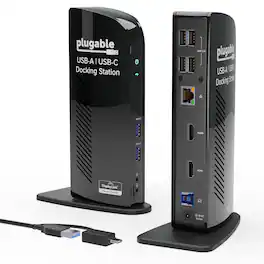
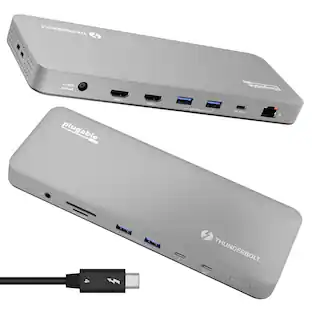
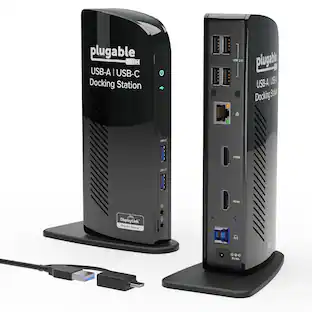
The TAA-compliant Plugable UD-3900 docking station is designed to expand your laptop or desktop’s capabilities by connecting up to ten accessories through a single cable. Whether you’re working with a Windows, Mac, or Chromebook system, the UD-3900 offers a convenient way to connect multiple displays, peripherals, and network access in one hub. It features two HDMI video output ports, to support dual HDMI displays. This setup allows you to mirror or extend your desktop with resolutions up to 1920×1200 @ 60Hz for dual displays, or up to 2560×1440 @ 50Hz on a single native HDMI display. Please note that 4K resolution is not supported. In addition to video outputs, the UD-3900 provides a wired Gigabit Ethernet port with full-duplex support, audio input and output jacks, two USB 3.0 ports for high-speed devices, and four USB 2.0 ports for peripherals like keyboards and mice. The dock is powered by a robust 20W UL-certified power supply to ensure reliable performance for connected devices, though it does not provide charging to the host laptop. Users should keep their laptop charger connected if charging is required. Compatibility is broad but requires specific setup steps for certain systems. Windows 11, 10, 8.x, and 7 support plug and play driver installation via Windows Update, while macOS 10.14 or later requires a manual DisplayLink driver installation, with instructions provided. ChromeOS 100 or later works without additional setup. The dock is not compatible with Linux/Unix systems, DisplayPort outputs, or mixed USB graphics chipsets. HDCP-protected content, such as Blu-ray playback, is not supported, and this dock is not intended for gaming or other graphics-intensive applications. For best results, use the UD-3900 for web browsing, office work, and productivity applications. If you encounter issues such as the dock not powering on or stopping after a short period, try the following steps: confirm the power adapter is securely connected to both the dock and a working outlet, check the power indicator light, reseat all cable connections, update your DisplayLink drivers from Plugable.com, and, if possible, test with another computer. These quick checks resolve most issues, but our U.S.-based support team is ready to help if you need further assistance. In the Box, you will find a UD-3900 docking station, a hybrid USB 3.0 and USB-C cable, a 20W UL-certified power adapter with a AC wall plug, and a quick install guide to get you set up right away. With its combination of connectivity, compatibility, and dedicated customer support, the UD-3900 is built to help you create a more efficient and reliable workspace.
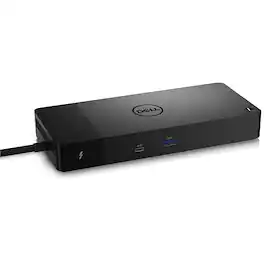
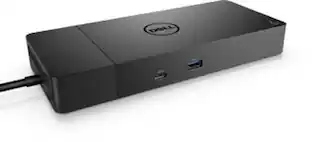
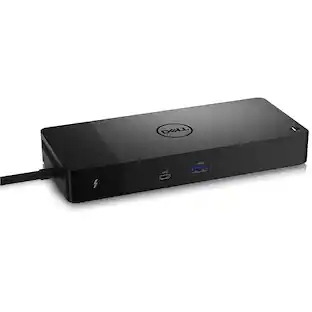
Connect displays and peripherals to your system with a single cable for ultimate productivity with the Dell WD22TB4 Thunderbolt Dock. This Thunderbolt 4 dock has ports to connect multiple 4K displays and Thunderbolt peripherals allowing you to not compromise with your work setup. Get the maximum from your peripherals with data transfer of 40 GB/s.
Specs
Be the first to ask a question.
We’ll try to get your question answered within 24 hours by a Best Buy customer or brand representative.
Customers often buy these together
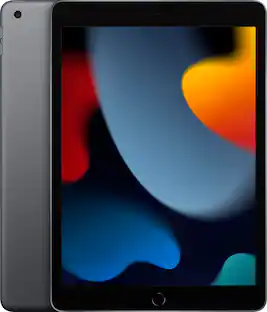
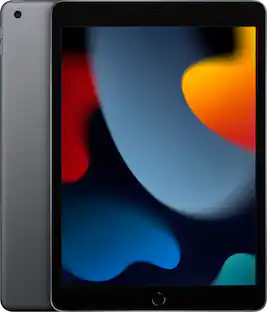
Apple Geek Squad Certified Refurbished 10.2-Inch iPad with Wi-Fi - 256GB
$399.99The price was $479.99

More to consider

Explore tech essentials Sponsored

Keep exploring
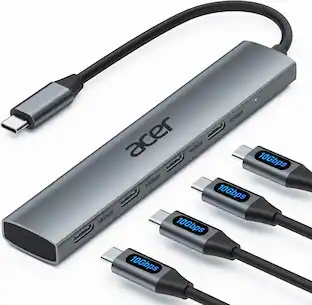
Acer USB C Hub, 10Gbps Type C Splitter with 4 USBC 3.2 Port, High Speed Type C Multiport Adapter
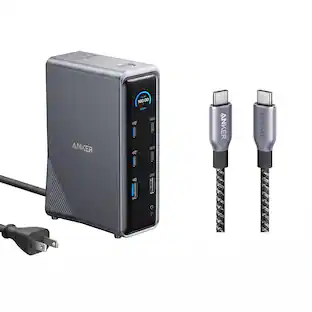
$19.99The price was $22.99Anker Prime Docking Station (14-Port, 160W Max Output) + Prime Thunderbolt 4 USB-C Cable (3.3 ft, 240W)
$192.48The price was $299.98Minisforum DEG1 eGPU Dock, OCuLink 4i PCIe 4.0x4, ATX/SFX PSU, PCIe x16 GPU, Signal Amplifier, Follow Startup
$111.00The price was $119.99