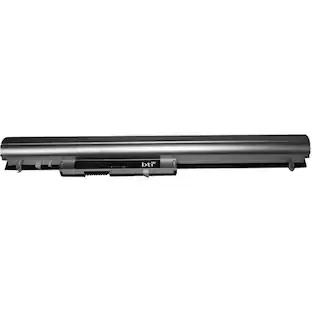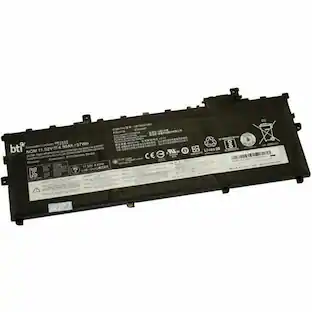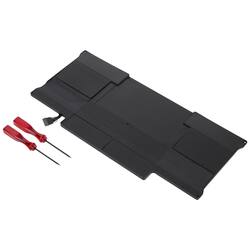
DENAQ - Lithium-Polymer Battery for Apple® MacBook Air® 13.3" Laptops
- General
- Brand: DENAQ
- Model Number: NM-A1377
- Product Name: Lithium-Polymer Battery for Apple® MacBook Air® 13.3" Laptops
- Color: Black
- Power
- Battery Chemistry: Lithium-polymer
- Number Of Batteries Included: 1
- Voltage: 7.3 volts (Amount of power needed to support an electrical current.)
- Rechargeable: true
- Battery Type: Laptop Batteries
- Internal Or External: Internal
- Compatibility
- Replaces Battery Type(s): Other
- Brand Compatibility: Apple
- Model Compatibility: Apple MacBook Air 13.3" (Late 2010, Mid 2011)
- Warranty
- Warranty - Parts: 6 months
- Warranty - Labor: Not available
- Other
- UPC: 814352061707
Refresh your 13.3-inch 2010 Apple MacBook Air with this Denaq replacement battery. The 6800 mAh power supply delivers hours of reliable use when you aren't near an outlet, while the slim design matches OEM batteries for a seamless fit. This Denaq replacement battery boasts lithium-polymer chemistry for a dependable source of power.
- Compatible with Apple MacBook Air 13.3" laptops: Including Late 2010 and Mid 2011 models.
- 7.3V of power: Provides a steady stream of power to your laptop.
- Lithium-polymer battery: For long-lasting use.
Whats Included
- Denaq Lithium-Polymer Battery for Apple MacBook Air 13.3" Laptops
Q: How long is the warranty for parts on this battery?
A: The warranty for parts on this battery is 6 months.
Q: Is this battery rechargeable?
A: Yes, this battery is rechargeable.
Q: What kind of battery chemistry does this replacement battery use?
A: This replacement battery uses lithium-polymer chemistry.
Q: Does this battery replace other battery types?
A: Yes, this battery replaces other battery types.
Q: Is this battery designed for internal or external use?
A: This battery is designed for internal use.
Q: What voltage does this laptop battery provide?
A: This laptop battery provides 7.3 volts of power.
Q: Is this battery compatible with the 2011 Macbook Air?
A: Yes, this battery is compatible with the Mid 2011 Macbook Air.
Q: Is this compatible with MacBook Air Model A1466? Are the screwdrivers included?
A: Yes, it is compatible with the MacBook Air Model A1466.
People also viewed
 $139.99The price was $150.99