Everything for Back to School — and then someShop now

Skip to contentGo to Product Search
Main Content

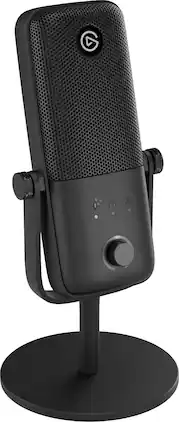
Elgato - Wave:3 MK.2 – USB Condenser Microphone for Streaming & Podcasting w/Wave FX Processor - Works on PC and Mac

Model: 10MAO9901
SKU: 6670791
Sold byBest Buy

Customers are saying

Customers are satisfied with the product's clean audio quality and its straightforward setup process. Users also appreciate the effective software noise reduction and the convenience of the silent, touch-sensitive mute button. Additionally, the reliable digital connectivity provided by the included long USB-C cable is frequently highlighted as a positive feature.

Generated by AI based on customer reviews.
Features
  • Premium Condenser Capsule

    Delivers focused, studio-quality vocals

  • USB-C Connection

    Plug in and start streaming or recording right away

  • Onboard DSP

    Shape your voice and hear the results in real time

  • Clipguard 2.0

    Multi-stage protection makes clipping virtually impossible

  • VST inserts

    Apply plugins effortlessly with ultra-low monitoring lag

  • Wave Link Integration

    Configure and enhance your mic in the free app

  • Instant Control

    Multifunction dial and tap-to-mute at your fingertips

  • Visual Feedback

    LED ring shows your levels and status in real time

  • Convenient monitoring

    Plug headphones directly into your mic

  • Auto Gain

    Takes the guesswork out of calibrating audio levels

  • Iconic design

    Looks great mounted on your desk or mic arm

See all features
Specifications
  • Polar Pattern
    Cardioid
    Output(s)
    3.5mm audio
    Microphone Type
    Condenser microphones
    Wireless
    No
Sponsored

Reviews

Rating 4.8 out of 5 stars with 28 reviews

96% would recommend to a friend
Customers are sayingCustomers are satisfied with the product's clean audio quality and its straightforward setup process. Users also appreciate the effective software noise reduction and the convenience of the silent, touch-sensitive mute button. Additionally, the reliable digital connectivity provided by the included long USB-C cable is frequently highlighted as a positive feature.
This summary was generated by AI based on customer reviews.
  • Audio Quality (23)
  • Ease of Use (9)
  • Noise Reduction (5)
  • Mute Button (4)
  • Connectivity (3)

Customer Images

The vast majority of our reviews come from verified purchases. Reviews from customers may include My Best Buy members, employees, and Tech Insider Network members (as tagged). Select reviewers may receive discounted products, promotional considerations or entries into drawings for honest, helpful reviews.

  • Rated 5 out of 5 stars

    Enhances your Vocals and is So Easy to Use

    The Wave:3 MK.2 is a plug-and-play microphone that uses built-in hardware to produce top-notch audio that can be further refined with Elgato’s downloadable software. The mic is robust, sleek, and built intuitively. It provides a push-and-turn button that can toggle through settings, has an LED light to show changes in setting without the need for software, and has a highly responsive tap-to-mute touch button at the top of the mic. The mic comes with built-in DSP that can be controlled directly from the mic itself, no software needed. This means I can plug it in basically to any device and use it right away, including my phone (it will use the phone for power though). I tested it out on my phone and the mic managed to keep my voice steady and level despite my rapid voice fluctuations between high and low plus distance changes. The only downside to having used it without the software was that background noise was captured too. The Elgato Wave Link software is simple and streamlined, while easy beginners to grasp. As someone who is not versed in the technical aspects of using a mic, Elgato makes it very easy to learn the terms and how effects are applied. The app includes quick-info pop-ups plus links to their articles that explain very clearly what purpose each effect is for, and I feel a lot more confident tinkering and finding the right adjustments with the knowledge I gained from them. For reference, I downloaded the app onto my iMac with 26.3.1 OS. Installation was quick and simple. I had to disconnect and reconnect the mic after I installed the app for it to find it but once I did that, it took me swiftly through the mic set-up process. You can easily re-do the “Setup Tour” at any time afterwards under the device’s setting tab. On of the main benefits of using the mic with the software is the Voice Focus feature, an AI-powered effect that can omit background noise. I did a sound check with and without this effect on and the difference was palpable. I recorded in a noisy environment – kids loudly chattering close by, fan blowing, water cooler loudly humming – and without it, I can hear everything, but with it – nothing but my voice. I tested this mic’s abilities in several environments and with a variety of vocal highs and lows. It will capture even nearly inaudible whispers and bring them up to par with loud, exited, boisterous exclamations. It’s perfect for any creative from ASMR to sport’s commentator. That said, I did notice clipping when using the Voice Focus on the strongest setting. It may be user error, and perhaps I have to figure out how to tweak my settings better, but this happened when I rapidly changed my vocal tone and did not happen when I tested it on my phone under similar circumstances, so it definitely was something to do with the software. The mic has an audio jack in the back for plugging in headphones and hearing one’s voice without notable latency. This monitors the input in real time, allowing me to gauge just how well sound is getting picked up and ensuring the gain is just right for my desired volume. One downside is that, if the input gain is high, every sound will be heightened. I can even hear my mouse swipe on the mousepad which can be distracting when I know voice focus is on and this will not be heard in what is actually being produced. Secondly, since it involves a wired headphone, some may find the extra wire hanging around them to be bothersome. I personally have no issue with it though. Overall, this is a great mic that will even out your vocals and add a professional quality to your creative work. It is immensely fun to play around with, and I know it will boost the quality of the videos I help a creator record and produce, whilst giving me less work during the editing process. It is highly intuitive and easy on beginners while requiring very little set-up time.

    Posted by Akire

  • Rated 5 out of 5 stars

    I Love My Corsair Elgato Wave:3 MK.2 Microphone!

    I was thrilled to get my hands on the Elgato Wave 3 MK.2 microphone, especially since I enjoy singing on the Singsnap platform and was eager to try it out. Although I own several mixers, I often struggle to configure the settings correctly for my iMac Mini and Singsnap. This microphone simplifies the process with its built-in, on-board features, including Clipguard 2.0 for improved distortion prevention, integrated DSP allowing EQ, compression, and effects, a dedicated Wave FX Processor chip for real-time processing, Auto Gain that automatically calibrates levels, and the ability to save settings directly on the mic with Settings Storage. It also includes LED Feedback through an enhanced LED ring to display levels, supports sample rates up to 96 kHz, has an integrated pop filter, and offers a dynamic range of 110 decibels ~ making the setup for singing straightforward and hassle-free. The mic features a tilt adjustment and a mute button on top, which turns the circular LED red when activated. To adjust the controls, you press the knob once to change Gain, twice to toggle Voice Tune from weak to strong, a third time for headphone audio, and a fourth press lets you control the PC/MAC audio level. Connectivity options include a USB-C port on the back and a 3.5mm headphone jack. One aspect I particularly appreciate is the green LED ring indicator that shows my voice levels, making it easy to monitor my singing or speaking. It also reacts to ambient sounds in the room by lighting up around the control knob. Since I prefer standing when I sing, I attached the microphone to a floor-standing mount using the provided adapter. Alternatively, there’s a sturdy circular stand included which is ideal for sitting at a desk or table and works well too. For setup, I downloaded the free Wave Length 3.0 app from Elgato’s website, though using it remains optional. The download process was smooth, and I even installed an available update. This app allows you to manage input and monitoring, toggle effects settings, adjust input gain manually or automatically, control headphone output volume, and balance the PC/mic mix. There’s also a Direct Monitoring option that filters out software effects during self-monitoring to eliminate latency. The Effects section encompasses Hardware Effects like Clipguard, Enhanced Lowcut, Expander, Voice Tune, Compressor, and an adjustable Equalizer, as well as Software Effects such as Voice Focus ~ an AI-powered acoustic effect adjustable from subtle to strong. Within the Settings menu, you can customize the mute LED color and brightness or start a setup tour. The app also supports creating up to five different channels. I’m truly amazed! This microphone’s outstanding construction and superior sound quality surpass even my $400 microphone. The free software available for download, combined with its user-friendly design, makes it an unbeatable deal. Among all the microphones I own, the Wave:3 MK.2 has quickly become my top choice. My vocal recordings are coming out wonderfully ~ smooth and full-bodied! I really enjoy using it, especially considering its excellent price. Definitely a win-win purchase!

    Posted by Mizshutterbug

  • Rated 5 out of 5 stars

    This thing performs better than its asking price

    Having a good microphone is important for anyone who streams, podcasts, games, or joins online meetings. Bad sound can really hurt the experience, and laptop microphones often don't provide good quality. Investing in better audio can significantly improve communication. I know this is true for me. Online meetings can be brutal when audio is disrupted or sounds poor. The Elgato Wave:3 MK.2 is a high-quality USB microphone made for streaming, podcasting, gaming, and recording. It connects to your computer via USB-C and delivers clear audio at 24-bit/48 kHz. A key feature is the 3.5mm headphone jack, which lets you hear your voice and computer sounds together, ensuring a smooth experience. You can easily adjust sound levels with knobs and LED lights that let you control microphone gain, headphone volume, and mix your voice with computer audio. It also has a mute button that lets you silence quickly when needed. Elgato offers the Wave Link app, which helps you manage up to 9 audio input channels on Mac and Windows. This app lets you combine game audio, voice chat, music, and alerts into a single audio stream, making everything easier to control. The microphone comes with a sturdy desktop stand that can be adjusted for optimal audio capture while reducing background noise. The stand's padded base reduces vibrations, and you can detach it to use with boom arms or suspension systems if you want. A durable steel grille protects the microphone and minimizes breath and popping sounds. There are additional accessories and stands specifically built for the MK.2 that you can purchase, depending on your needs. For example, there's a Wave Pop Filter or a tripod stand for studio use. I'm an amateur musician who loves the idea of recording at home, so the tripod may be something I'll consider in the future. For $170, I'd say this microphone performs well beyond its price. Sure, there are more expensive "premium" mics you can purchase. Still, if you're starting out streaming or recording, or want to upgrade the sound for your online meetings, this mic will do all that and more.

    Posted by Bryan

  • Rated 5 out of 5 stars

    Perfect Streaming and Chat Mic

    I’ve been looking for another stream friendly USB Microphone, mainly needing it to just work and sound great. I’ve always wanted to try out the Elgato Wave microphones, so when I saw the Wave:3 MK.2 was just releasing I decided to pick one up. Pros: - Easy to use. - Multi-function dial control. - Easy to see Mute Light. - Comes with adapter for monitor arms. Cons: - None. Out of the Box: I always appreciate when an accessory for the PC is simply Plug-&-Play, which the Wave:3 Mk.2 does just that. I was able to plug it in and start using it without any extra downloads, the multi-function dials on the front allows for complete control and calibration without the need for additional software. But to get the most out of the microphone, and because I’ve used it before with great success, I installed the Wave Link to manage the audio output channels. Software: Wave Link is a powerful tool that helps you configure the Wave 3 Mk.2, setting up virtual audio channels that helps make managing audio output simple and easy. On the device page for the Wave:3 Mk.2 there are 3 tabs: Input & Monitoring, Effects, and Settings. On Input & Monitoring, the gain and monitoring levels can be set through the app, but also can be adjust on the front of the microphone with the dial. The Gain Lock prevents other applications from taking control of the gain levels. The Clipguard tames loud bursts, think of an over excited reaction or scream, so that the audio doesn’t distort. Direct self-monitoring can be enabled, which removes all post processing effects from the feed to reduce latency, so you can catch and adjust your input sound immediately. Effects offers voice effects from both Hardware and Software enhancements. For Hardware effects there is a Lowcut Filter (cuts low-end noise like typing & rumbling but can impact depth of voice), Expander (Reduces ambient noise without impacting your voice), Voice Tune (Adds Analog Compression based), Compressor (Smooths out the highs and lows), and Equalizer (Add’s EQ effect). There is only one Software Effect, Voice Focus which uses AI to remove background noise and echoes. Each effect is easily managed with a toggle on button, if there are additional options then a little settings option will display to the right which can be clicked to bring up an additional settings page with more options. Additionally, at the bottom of the device page, you can perform a sound check with the built-in recording tool to check out the impact of each of the related sound effects. On the Mixes tab by default, Wave Link by default will have a System Audio (first column), Personal Mix, Stream Mix, and Chat Mix. These can all be customized to your specific uses and setup, allowing for endless customization. The best part is you can configure all these audio mixes then manage them in OBS or even switch between them with a hot key or additional stream deck. It can easily become the most powerful tool on your stream, without any hardware needed. Build: One of my favorite features of the Elgato hardware is their simplicity and build quality, they just feel premium. The Wave:3 Mk.2 is no different, the microphone is well built and sturdy, you don’t have to worry about where you grab it. The stand is heavy enough to keep it in place on most surfaces, even Solid and quality build. Base stand is heavy enough that it will not easily fall over, though you might want to attach it to a mic arm for better positioning. Included with the microphone is a thread adapter for most microphone mounts. Buttons: There are only 2 buttons on the Wave:3 Mk.2: on top there is a touch to mute button and the Dial on the front is a push button to select different effects. The simplified buttons help make using the microphone easy. The effects that can be changed on the multi-function dial are Microphone Gain, Voice Tune, Monitoring Output Volume, and Self-Monitoring mix. You can check each of these by selecting the icon on the microphone and turning the dial while checking in Wave Link to see the corresponding option change. This doesn’t cover all the features, but most of the settings you’d want to quickly check during a stream. Quality: I found the Wave:3 Mk.2 was great for streaming and general vocal recording. Clear, crisp, and easy to adjust. The default settings were good enough to get started, though I did need to tweak the effects to help clean up the background sounds like HVAC and cars from outside. There is an obvious difference between the Wave:3 Mk.2 and say a headset microphone, the volume of sound and clarity is obvious. When you start to compare two similar USB condenser style microphones, the differences will become more nuanced. I was very impressed by the depth and range of sound I was able to capture, one of my biggest comments while using a headset microphone is that I’m too quiet, so being able to up to gain and capture everything I say clearly was a huge improvement. I did need to up the Microphone Gain quite a bit, though with the noise filtering effects on like Voice Focus, I was able to filter out all the background noises. One trick I did find helpful for fixing any audio quality issues was to disable all other audio software while recording, using only the Wave Link to make the adjustments. This made it easier to just open up OBS or the recording tool and just use it without having to adjust microphone settings in the recording tool as well. Conclusion: If you’re looking for an easy to use yet great quality USB microphone for Streaming or recording, Elgato has you covered with the Wave:3 Mk.2. It’s a great step up in quality and features from a headset microphone while keeping all of it simple to use. I’m very glad I picked it up and look forward to using it!

    Posted by BradfordBT

  • Rated 5 out of 5 stars

    Easy to Use, High Quality Mic

    The Wave 3 Mk 2 is a great microphone that’s a noticeable step up in quality compared to even the best headset mics I’ve used. It’s very easy to use and setup and while I’ve had some problems with the software crashing this is one of the most plug and play microphones I’ve used. The Wave 3 is around the same general size and envelope as the Yeti Nano that I’ve had for a while, meaning it’s relatively compact and doesn’t take up a lot of space. A weighted base is included, but it can also be mounted to a mic arm via the ¼” threaded mount or ⅝” / ⅜” with the included adapter. The front of the microphone has a control knob surrounded by an LED ring for monitoring. The knob is just a touch too shallow for me and I have a hard time getting my fingers around it - if it was just a little bigger or had some type of grippier material around the edges it would help it a lot. At the back is a USB-C connection and headphone port. Up top there is a capacitive mute switch. The build quality feels good and without the base it’s fairly lightweight and shouldn't put much stress on whatever it’s mounted to. The cable included is USB-C to USB-C and is made of a nice flexible braided material at a total length of 2.5 meters, which should be enough to feed down most mic arms with length left to connect to a PC. Setting up the Wave 3 via the Wave Link software was about straightforward as it gets. The initial setup guides you through the the on-device controls and has a step to help auto-set the gain. The auto-gain function was extremely helpful to me as I do have an ideal setup for a condenser mic and have struggled to find the sweet spot for this in the past. With the mic positioned at around 15-18 inches from my mouth, it set my gain at 30 dB. Getting to the actual quality of the Wave 3, it’s fantastic. My voice sounds full and clear in a way that you just can’t get on a headset mic, even positioned farther away. The software gives you a lot of options for tuning the sound from this microphone and they’re presented in a way that makes them easy to use and understand. The Sound Check is handy as well as it lets you play back something you’ve recorded and add or take away effects in real time to understand how they’re affecting your sound. Most of the effects reside on the microphone itself too and don’t require anything running in the background to use them once they’re set. The one software effect I did use was voice focus which is an AI tool that is supposed to help reduce echo and background noise and it made a noticeable difference for me in my space where the microphone is farther away and I do get some echo with it turned off. The only problem I’ve had with the Wave 3 wasn’t with the Wave 3 itself, but the Wave Link software. Version 3.1 that I was using crashed a lot on me in the course of enabling/disabling and adjusting various settings. It was hard to pin down any one thing I did that would cause it - it felt almost cumulative. It was never a show stopper and once I got my settings dialed in it was fine. Something to be aware of, but fortunately software can be updated, so I’m hopeful it won’t be an issue for long. Overall I’ve been impressed with the Wave 3. It’s a great-sounding microphone that doesn’t require a lot of setup to get there.

    Posted by SamG

Compare similar products

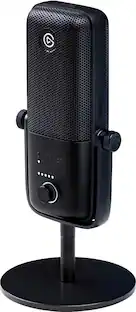
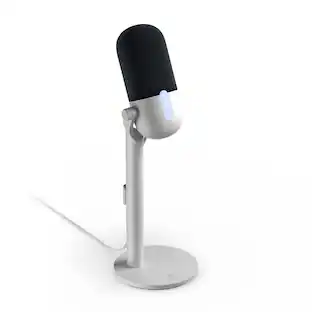
Elgato - Wave:3 MK.2 – USB Condenser Microphone for Streaming & Podcasting w/Wave FX Processor - Works on PC and Mac
4.8(28)

Wave:3 delivers studio-quality audio in a compact USB microphone. At its core, a Wave FX Processor powers onboard DSP that shapes your voice, while you hear the results in real time. Clipguard stops distortion before it starts, as VST plugins run right on your mic—letting you use effects without complex routing. Adjust on the fly with intuitive controls like tap-to-mute, then dial in your levels with visual feedback and Auto Gain. Configure device settings and command your entire audio setup directly in Wave Link, or using any Stream Deck device. Wave:3 proves professional sound doesn’t require complexity.
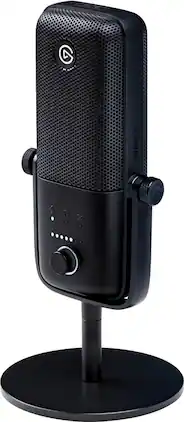
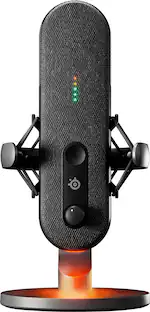
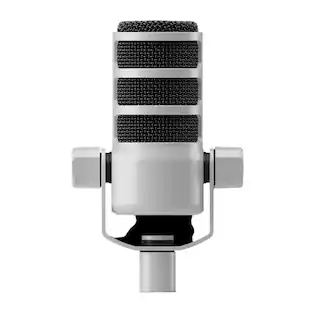
Elgato - Wave:3 Wired Cardioid Condenser USB Microphone - Black

Enjoy clear audio recordings with this Elgato Wave:3 USB condenser microphone. The 70-20,000Hz frequency response ensures efficient sound delivery, while the cardioid polar pattern helps capture speech clearly. This Elgato Wave:3 USB condenser microphone has an included adjustable desktop stand for flexible placement, and the multifunctional control dial allows for easy operation.

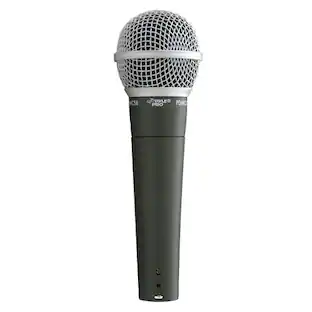
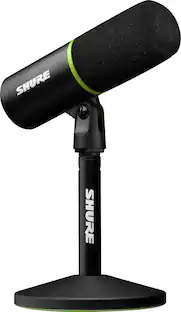
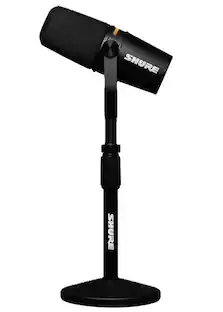
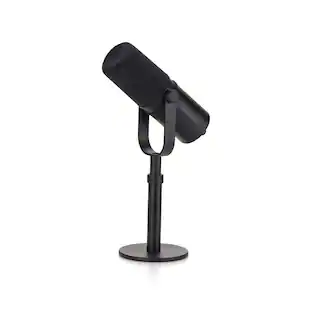
Shure - MV6 Gaming & Streaming USB Microphone - Plug & Play No drivers. No delays. Real-time Denoiser for Professional Sound - Black
4.7(75)

The MV6 USB Gaming Microphone features everything gamers and streamers need to get professional sound right out of the box. Combining iconic design, Voice Isolation Technology and advanced DSP features such as Auto Level Mode, Digital Popper StopperTM, and Real- time Denoiser, the MV6 makes it pro-level sound even more accessible. The MV6 features a USB-C output for connectivity to any PC or Mac, and a 3.5mm headphone output for real-time monitoring of your sound. Configure your sound using the free Shure MOTIV MixTM app on desktop.
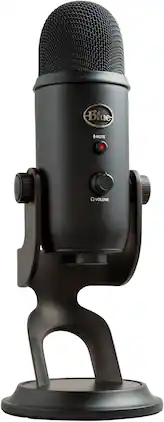
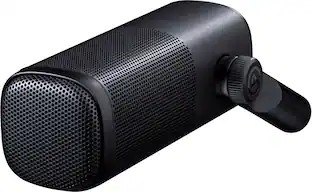
Elgato - Wave DX Dynamic Microphone - Black
4.8(22)

A dynamic microphone that picks up detail like a condenser, Wave DX captures luscious highs and accurate lows while rejecting room noise. It’s hard to find a mic that can do both. Connect any XLR audio interface, no signal booster necessary. A wide, forgiving cardioid polar pattern gives you permission to veer off-axis and still be heard. An optimized proximity effect lets you shape your sound on a whim. And the finely tuned frequency response range reproduces precise vocals without coloration, perfect for adding effects or EQ-ing. Broadcast-ready right out of the box, Wave DX is a remarkable feat of audio engineering. A mic made for professional creators, podcasters, speakers, and commentators.

Pros for Elgato - Wave:3 MK.2 – USB Condenser Microphone for Streaming & Podcasting w/Wave FX Processor - Works on PC and Mac
Ease of Use, Mute Button, Audio Quality, Noise Reduction, ConnectivitySound Quality, Mute Button, Ease of use, Software, PriceSound Quality, Ease of UseSound Quality
Cons for Elgato - Wave:3 MK.2 – USB Condenser Microphone for Streaming & Podcasting w/Wave FX Processor - Works on PC and Mac
There were no cons for this productSizeThere were no cons for this productThere were no cons for this product

Specs

Questions & Answers
  • Will this work on a ps5

    Great question — and an important one to get right before you buy. The honest answer is no: the Wave:3 MK.2 is a USB microphone designed and supported for Windows and Mac, and consoles like the PS5 don't support the USB audio class it uses, so it won't be recognized on a PlayStation. If console use is your goal, there are two paths worth knowing about. The earlier Wave:3 (MK.1) generation uses the USB audio class that consoles do support, so that's the direction to look for a plug-and-play USB mic on PS5. Alternatively, the Wave XLR Pro can work with a PS5 via its USB connection, though it should be set up and configured on a PC first. Our team at help.elgato.com can confirm the exact right fit for your setup before you commit — well worth a quick message so you get the result you're after.

    Answered by Customer Care
No content
Sponsored

Finance Options

My Best Buy® Credit Card
Choose a benefit:Or
Buy Now, Pay Later

Special Offers

Included with Purchase

Finance Options

My Best Buy® Credit Card
Choose a benefit:Or
Buy Now, Pay Later

Special Offers

Included with Purchase