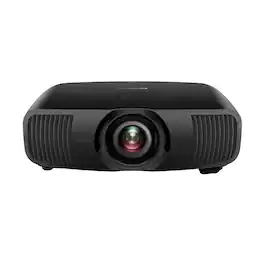
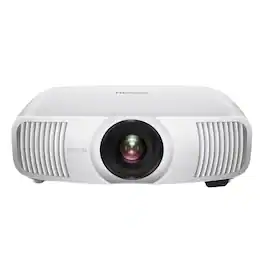
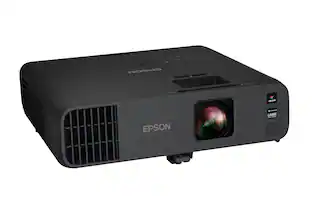
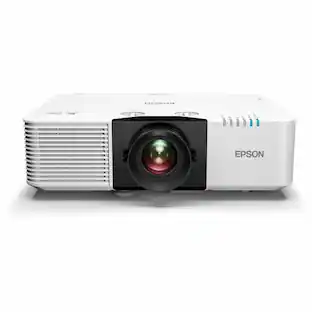
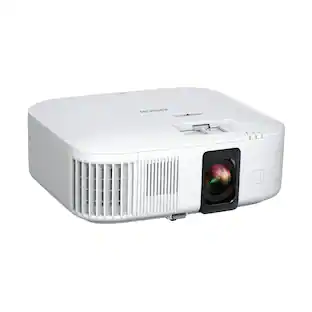
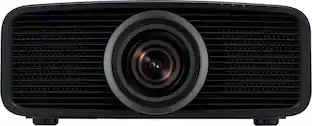
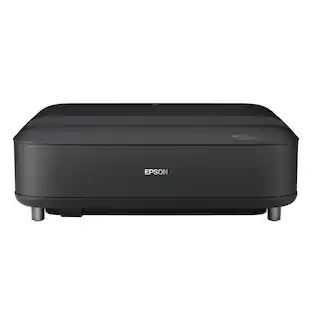
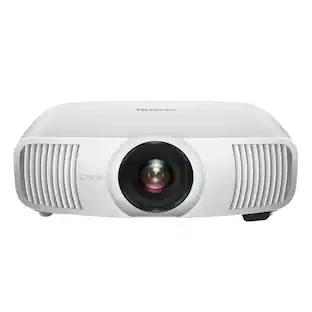
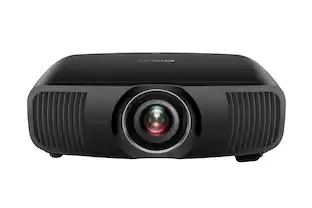
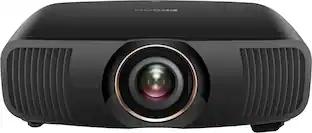
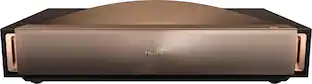
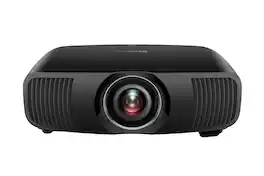
Engineered for excellence, the Epson Pro Cinema LS9000 with 4K Display Technology¹ delivers an elevated home theater experience. Its advanced laser light engine ensures precise color accuracy and detail while delivering an impressive 2,200 lumens of both color (IDMS Rated) and white (ISO Rated) brightness² for an unparalleled HDR experience. Powered by Epson’s proprietary ZX processors—designed for frame interpolation for smooth motion, detail enhancement, and seamless gaming performance—the Pro Cinema LS9000 processes content with exceptional precision, preserving color fidelity and image detail to display your favorites exactly as they were meant to be seen. Incorporating our most advanced projection technologies to date, the Pro Cinema LS9000 combines proprietary 4K Display Technology1 with HDR10+³ and our true 3-chip 3LCD thermal-controlled engine to produce a full 8.29 million pixels on-screen—resulting in a picture with stunning clarity and color brightness. Equipped with a 3-axis motorized lens, this projector enables precise horizontal shifts up to ±24% and vertical shifts up to ±96%, offering flexible installation and picture adjustment via remote control. The Pro Cinema LS9000 supports professional-grade IP control systems like Control4, Crestron, and PJLink, enabling seamless smart home integration for an intuitive entertainment experience. When only the extraordinary will do, our 4K home theater experience delivers beyond expectation. Now that’s projection, perfected.

Engineered for excellence, the Epson Pro Cinema LS9000 with 4K Display Technology¹ delivers an elevated home theater experience. Its advanced laser light engine ensures precise color accuracy and detail while delivering an impressive 2,200 lumens of both color (IDMS Rated) and white (ISO Rated) brightness² for an unparalleled HDR experience. Powered by Epson’s proprietary ZX processors—designed for frame interpolation for smooth motion, detail enhancement, and seamless gaming performance—the Pro Cinema LS9000 processes content with exceptional precision, preserving color fidelity and image detail to display your favorites exactly as they were meant to be seen. Incorporating our most advanced projection technologies to date, the Pro Cinema LS9000 combines proprietary 4K Display Technology1 with HDR10+³ and our true 3-chip 3LCD thermal-controlled engine to produce a full 8.29 million pixels on-screen—resulting in a picture with stunning clarity and color brightness. Equipped with a 3-axis motorized lens, this projector enables precise horizontal shifts up to ±24% and vertical shifts up to ±96%, offering flexible installation and picture adjustment via remote control. The Pro Cinema LS9000 supports professional-grade IP control systems like Control4, Crestron, and PJLink, enabling seamless smart home integration for an intuitive entertainment experience. When only the extraordinary will do, our 4K home theater experience delivers beyond expectation. Now that’s projection, perfected.

Welcome to the next generation of Home Cinema Projection. Introducing the Epson Home Cinema LS11000 4K PRO-UHD1 Laser Projector. Featuring cutting-edge technology, the Home Cinema LS11000 uses proprietary 4K PRO-UHD1 technology and a proprietary Epson Picture Processor to produce a full 3,840 x 2,160-pixel, on-screen image to faithfully display your movies, TV shows and gaming sessions the way they were meant to be seen—with incredible picture sharpness, brightness and color accuracy. Perfect for gamers, the Home Cinema LS11000 works alongside the latest generation of consoles and PCs to deliver an incredibly immersive gaming experience up to 4K HDR2 at 120 frames per second and with input lag times below 20 milliseconds, this could be the best gaming projector we’ve ever made. The Epson Home Cinema LS11000 transforms virtually any room into the ultimate 4K DIY home theater experience. Projection Perfected.
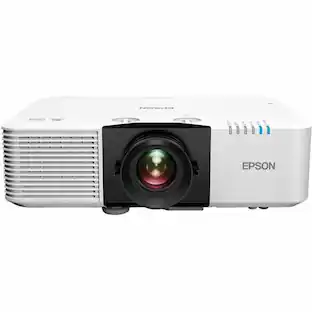
Theater. Redefined. Epson Pro Cinema Projectors have one goal – to faithfully reproduce the source material the way the artist intended. This single thought is what guided our Engineering Teams to develop a next-generation home theater projector. And what they came up with, could possibly be our best Pro Cinema Projector ever. Introducing the Epson Pro Cinema LS12000 4K PRO-UHD1 3-Chip 3LCD Laser Projector. Utilizing an all-new Laser Array Light Source, the Pro Cinema LS12000 is capable of displaying a 4K picture on screen up to an astonishing 2,700 lumens for both color and white brightness2. And, when driven by a proprietary Epson ZX Picture Processor for powerful picture processing, the Pro Cinema LS12000 produces incredible brightness, color accuracy, and image detail to faithfully display all your content the way it was meant to be seen.

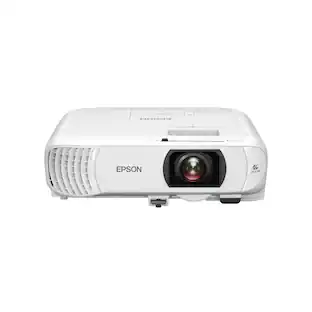
Create an immersive entertainment system with this Epson Home Cinema 4K PRO-UHD projector. Full HDR color processing and 4K PRO-UHD projection technologies ensure accurate reproduction of premium, cinematic content for immersive viewing. The pixel-shift processor of this 2600-lumen Epson Home Cinema 4K PRO-UHD projector enhances the quality of lower-resolution videos.
| Pros for Epson - Pro Cinema LS9000 4K HDR 3LCD Laser Projector - Black | |||
|---|---|---|---|
| Cons for Epson - Pro Cinema LS9000 4K HDR 3LCD Laser Projector - Black | |||
| There were no cons for this product— | There were no cons for this product— |
The vast majority of our reviews come from verified purchases. Reviews from customers may include My Best Buy members, employees, and Tech Insider Network members (as tagged). Select reviewers may receive discounted products, promotional considerations or entries into drawings for honest, helpful reviews.
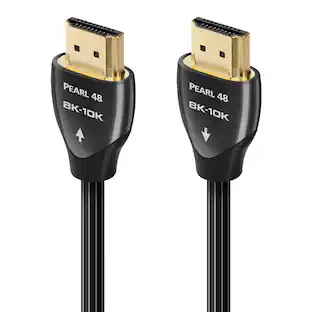
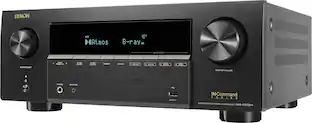
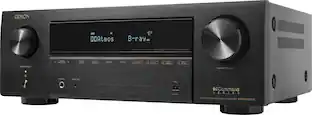
This is my 3rd projector in 27 years, and my first laser projector. My projector is the one gadget I don’t serial upgrade simply because I don’t enjoy their setup demands and I’m too cheap to hire an installer to do it. I mention this for the context of this review. Many projector enthusiasts live for the latest and greatest. That is not me. I look for a great picture with some extras but still “affordable”. And that is what the Epson EH-LS9000 (LS9000) represents. To paraphrase The Rolling Stones, it doesn’t have everything I want, but it does have what’s needed for a satisfying projector experience, even in ambient daylight. Absolutely there are better, but more expensive, projectors. I’m assuming you are considering the LS9000 because, like me, you won’t notice the difference except the extra cash in your wallet. I think the LS9000 offers a lot for the price. “NOT INCLUDED” BUT MAYBE NOT NECESSARY EITHER I’ll get into my experience with the LS9000 but for those starting their research and process of elimination, I’ll start with what Epson omitted in case any of it is a personal deal breaker. Most notable is the absence of dynamic tone mapping. It does have HDR10+ which is similar but must also be supported by your media output equipment and the media source/channel. This one hurts a little, but not a “must have” for me. Next, there is no ALLM support. This is for serious gamers. I don’t think casual gamers will miss it. The LS9000 is capable of 4K/120Hz and 48 Gbps data transfer. That’s enough to keep me happy for a long time. In fact, my A/V receiver is “only” HDMI 2.0, capable of 4K/60 so I’d need upgrade it to even take advantage of the LS9000’s top frame rates and data speeds. Unlike TVs and some projectors, the LS9000 is wonderfully “dumb.” It’s just a projector. No Wi-Fi, no app, no built-in streaming channels cluttering up the screen and siphoning personal data. To some this may be a negative, but I love it and view as a huge plus. It does have Ethernet for local network control though. Finally, there is the sensor. While it is effectively 4K, it’s not native 4K. The LS9000 pixel shifts a full HD sensor horizontally and vertically to achieve 4K resolution. Videophiles find this is less than ideal, but my eyes think it looks fantastic. I could tell the difference between the two if I had a native 4K projector playing right next to the LS9000, but that’s the only way. UNBOXING AND SETUP With that out of the way, here’s my LS9000 experience so far. I’ll start with setup because, if you’ve ever installed a projector before it’s no quick and easy job. In fact, if you’ve never mounted and set one up before you might consider getting help. As for unboxing, there isn’t much to talk about. The most useful info I can give here is don’t do it alone. It’s possible, I did it, but it’s awkward due to its size. It’s well wrapped so it’s helpful to have one person hold it while another removes the wrappers. Inside is the LS9000, a power cable, and remote with two AA batteries. The LS9000’s remote is wonderfully “old school” with quick access buttons for key functions & settings. It even has transports controls for media players and streamers. It controlled my Apple TV with zero configuration. It’s also backlit, a huge frustration saver when using in a dark room. Build quality looks solid. Nothing about it puts doubts in my mind, though I’m not thrilled that the cover filter is secured by thumb screws rather than a pinch lever. I have a feeling that’s going to make for an awkward filter change when the time comes. (My projector is ceiling mounted). That’s the worse of it though. The motorized internal lens cover retracts when the unit is powered on and moves back on the lens at power off. So, the lens is always protected and there is no lens cover to lose. Win-Win. The LS9000 has a useful set of inputs for a home theatre or media room. I’ll forgo listing them all since they are listed in the product description. But I will note it does have a USB-A port to supply power to active HDMI cables, if needed. This is a nice convenience if an especially long HDMI cable run is required. For me, projector installation is slightly more enjoyable than taking out the trash. The LS9000 made the experience much more pleasant thanks to its broad set of built-in tools to get the geometry right. With my past projectors I struggled to achieve straight grid lines, even with a motorized lens and some keystone correction ability. The LS9000 has a motorized lens too, keystone correction and horizontal and vertical lens shifting to center the picture. But the LS9000 improves on process with the addition of “quick corner” and “point correction”. Where keystone correction affects the entire picture, these latter two let you target smaller areas, leaving the rest of the image alone. These are not features I’d expect in an “entry level” model and I greatly appreciate them. Ironically, since the LS9000 uses a laser rated for 20K hours, rather than a replaceable 2K hour bulb, I probably won’t have to do much geometry tweaking going forward. For table or shelf installation the front feet are independently height adjustable while sitting so you can see the effect on geometry as you make changes. As with other long throw projectors, the LS9000 is ceiling mountable too. This is where mine lives. Five mounting screw holes are provided on the bottom of the projector so many universal mounts should work. I reused my existing one. The option to flip the picture for ceiling instals is in the main menu. You can also use the LS9000 as a rear projector. PERFORMANCE PREAMBLE The nature of a projector, throwing light onto a screen means real-life performance varies more than a TV. My experience is mine alone, and yours may be similar but ultimately depends on your supporting A/V equipment, screen type, size and quality, projector-to-screen distance, and room paint and flooring color, and lighting. So, for more context, my LS9000 is 10 ft from the 92” Stewart Firehawk G3 screen (1.3 gain) it projects on to. This was the top gray screen in 2008 and designed to resolve 4K, so it’s retained its relevance. I can’t say that about my 5-year-old Denon X8500H A/V receiver. It was also top notch, but less so today with only HDMI 2.0b, which maxes at 4K/60. The one upgrade I had to make was to a HDMI 2.1 cable to get a 4K signal. That cable is 33ft long and HDMI certified. My media room is not a traditional darkened home theater arrangement; there are a few windows, one with a blackout shade but three with louvered shades where ambient light creeps in. And only the front wall is black. The rest is dark medium blue or crème. I tend to watch with several 60w table lamps dimmed 50% rather than completely in the dark. PERFORMANCE One of the beauties of a laser projector is the reduced warmup time compared to bulb-based projectors. Similarly, they don’t need a cool down time either so if you need to immediately turn it back on you can. This makes for a more TV-like user experience. The LS9000 is ready in about a minute. The LS900 is eerily quiet too. Even after hours of viewing I never noticed fan noise, even when muting the audio. Five color mode “presets” are selectable directly from the remote. These shape the look of the video being viewed to give it a natural look – or a saturated one if that’s what you want. Out of the box I found the presets a mixed bag, some looked acceptable, other less so. I expected this since, as I noted, every installation is unique. After calibration the LS9000 shined. I was able to get close to true black and white is unblemished. Pretty impressive. Next, I sampled various media, both live and on-demand TV, recent 4K movies and classic mid-20th century ones too. And, of course, baseball, football, and soccer. I also varied the lighting conditions of my room from all lights on to all off. My biggest surprise was how great sports looks in normal room light. I found the LS9000 plenty bright and viewable with several 60w lamps on (ceiling lights off). I attached a photo of the screen while three 60w lamps were on for reference. As you can see the LS9000’s lamp is only at 85%. In this environment, football, baseball, and soccer games all looked smooth and contrasty from my seating area. Less of surprise, and more of an expectation, was that recent 4K movies almost mimic the appearance in an actual cinema, albeit on a smaller screen. The picture is sharp and detailed and action scenes show no visible jitter. Even older movies upscaled to 4K appeared sharper, though they still showed their age. TV shows go into two buckets: 1) news and shows recorded as TV shows, and 2) TV shows that are movie-like. I find TV sets do a better job at displaying category one. However, the LS9000 is a great way to watch the later because these shows are written and produced to have a cinematic feel. My media room has always been my place to watch sports and movies. I’ve refrained watching TV shows there because bulbs are expensive and a pain to replace and TV shows, generally, look better on TVs. The LS9000 changes my calculation a bit since it doesn’t use bulbs and looks good in room light. Since there are increasingly more TV shows like The Crown and Yellowstone, plus 4K nature documentaries, produced with a movie presence I’ll try watching these genres more on the LS9000 rather than my TVs. But I still regard the LS9000 as a traditional “home theater” projector, not an alternative to a good TV. So, if using the LS9000 like a TV is your intent, it can be done, but it’s not its best use case. Each has their strengths and the LS9000’s is displaying movies and sports. I think it’s going to give me lots of viewing pleasure for a decade or longer.
Posted by TechO
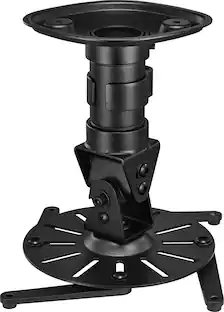
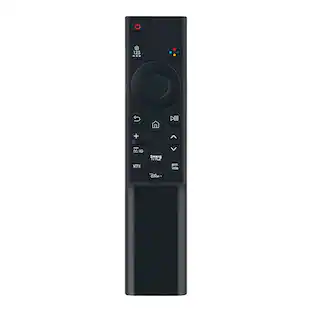
📦 UNBOXING: Inside the box, you’ll find the projector, a remote control and pair of AA batteries, a power cable, and a manual to help you get started. 💪 BUILD: The projector itself is undoubtedly sizable at 28lbs and measuring in at 20.5" x 17.6" 7.6". I am changing from a 2017 Epson Home Cinema 4000 3LCD, which has very similar dimensions, but this new Pro Cinema LS9000 weighs 4 lbs more. The front of the projector has the motorized lens system and exhaust fans, the rear has the inputs and outputs, the top has the status indicator lights, and the sides intake cool air, while the right side also has the power button and source button. The remote control gives you access to everything you need without ever needing to press a button on the projector itself. The buttons and text are fairly large, are easy to read, and I appreciate that there’s a backlight button so you can read the remote in the dark. I especially appreciate that with HDMI CEC, I can control my audio receiver’s volume from Epson’s remote, and navigate the menus of connected Blu-Ray players, and set-top boxes. No need to fumble with different remotes. 🔌 PORTS: On the rear, you’ll find a 5V2A USB Type-A port which can be used for saving/uploading your settings and performing firmware updates, a service port for diagnostics, a trigger out port for sending a 12V signal to a motorized projector projector screen, a LAN port for controlling the projector via web interface, a “Opt.HDMI” port which is really a 300mA USB port for powering notably long optical HDMI cables, 2x HDMI 2.1 ports (one of which supports ARC/eARC), and a RS-232C port which can be used for controlling the projector. 🛠️ SETUP: You can opt to front-mount or rear-mount depending on the space you have, as well as ceiling-mount or shelf-mount the LS9000. I used the Epson V12H808001 which is a universal ceiling mount. I previously used this mount for my Home Cinema 4000 3LCD, and while it’s UL rated for 25 lbs, I did not have any issues using it with the 28lb Pro Cinema LS9000. If you do opt to ceiling mount it, you may have to navigate an upside-down user interface until you change the Projection Mode to be Front/Ceiling. I’d recommend at least changing this Projection Mode while on a table against a blank wall before you ceiling mount. Regardless of whether you ceiling mount or shelf mount, you will need to use the zoom and horizontal/vertical shift to center the projection, the focus to get the sharpest image, and potentially the keystone for situations where the projection is off-axis. All of these can be performed directly from the remote control, and even directly from the rear controls on the projector. Notably, the horizontal/vertical shift is especially impressive since it allows the projector itself to be off-center from the screen while delivering a completely undistorted image. The pattern image is notably helpful for perfectly framing for your projection to your screen, so be sure to make use of it while you’re setting it up for the first time. 🧠 SOFTWARE: At its core, the software used on the LS9000 is largely the same as it has been for years. It offers plenty of configuration for the vast majority of people to calibrate and fine-tune the image, but there are some notable features worth mentioning. Firstly, the frame interpolation feature is actually reasonable if you use the “Low” setting. It’s only available if you have Image Processing set to “Fine” as opposed to “Fast”, as it does incur higher input latency, but the end result is clean and may be preferable for some folks who find lower frame rate content to be distracting. I wouldn’t personally use this for gaming due to the perceptibly higher input latency, but for cinema, it can be surprisingly nice. On the higher settings, it produces the “soap opera” effect that isn’t to my taste. Another notable feature is the “Memory” feature which allows you to save up to 10 Image settings and 10 Lens settings independently. Saving image settings can be especially valuable if you want to have a preset for gaming where you use “Fast” Image Processing, and another preset for Cinema with “Fine” Image Processing and “Low” frame interpolation. Meanwhile, the Lens settings can be valuable if you want to configure different aspect ratios like 16:9, 4:3 or anamorphic if you have an anamorphic lens attachment. The remote control has the option to switch between 2 Lens settings for your convenience, but it doesn’t have the option to quick switch between Image settings, so you’ll need to press the “Memory” button on the remote and navigate the menu to select your desired setting. Since I don’t have the need for multiple Lens settings, I think it would be great if the remote had a “Memory 1” and “Memory 2” that would allow the user to select either a Lens or Image preset. After some initial setup and changes over time to match your preferences, the interface should largely stay out of your way. Since the remote uses infrared, you’ll ideally need a direct sight to the projector to control the interface. In my experience, it’s not the snappiest experience, but it’s also not the slowest I’ve ever used. Thankfully, it is not a “Smart projector” with a bloated OS. If you prefer, you can configure it through a web interface if you hook up the projector over LAN. I’ve not tested this, but I can see this being a desirable feature. 📽️ IMAGE: I did all my testing on a 135” Silver Ticket STR-169135 screen, which is certainly a more economical option, but it’s been doing well for me. The Pro Cinema LS9000 claims to hit a peak of 2200 lumens, and that’s unfortunately zero improvement from the 7 year old Home Cinema 4000 3LCD that I was previously using. While the LS9000 can hit and sometimes exceed that brightness, it really only does so under the Dynamic Color Mode. For those who want to to use professional calibration tools, it may be more advantageous to use the “Natural” mode and adjust from there. To my untrained eye, the Dynamic mode had the best contrast and brightness, with Bright Cinema being my next favorite. I spent most of my time in Dynamic Color Mode with Dynamic Contrast set to “High Speed”. In my experience, the image was vibrant with reasonably good contrast, but it’s not going to compete with modern TV’s in terms of contrast. However, in a dark room, there’s no doubt that it delivers an immersive experience especially on a larger screen. There are a number of sharpness settings available on the LS9000 that can yield different results for different preferences, but at a reasonable viewing distance, I found that the resulting image was crisp. However, because it uses a pixel shifting 1080p native panel, this does mean it won’t be as sharp as a projector with a native 4k panel. In practice, being able to tell apart a good pixel shifting image versus a native 4k panel can be more challenging to the untrained eye when viewing at an appropriate distance, but up close, it’s certainly more noticeable. Watching content from high bitrate UHD Blu-Rays is a great way to experience the best that this projector is capable of, and in my experience, I did not feel let down by its performance. The LS9000 supports a number of refresh rates, so watching movies at a native 24Hz delivers a theater-like performance right at home. Movies were crisp and stutter-free with a vivid color presentation without blowing out highlights, crushing blacks, or appearing unnatural or oversaturated. If your primary source of media will be streaming services, then it’s at least important to note that sources like YouTube will probably yield more visual artifacts and reduced dynamic range, while Apple TV+ content can yield higher bitrates than most other streaming services. As for video games, the ability to experience 4K@120Hz with HDR on a 135” screen is undoubtedly immersive. Across numerous titles I played, the input latency was great especially with “Fast” Image Processing. One of the bigger problems is simply finding console games that support 120Hz with a high enough resolution to yield a sharp image. Since I’m primarily a PC gamer, I can see myself hooking up a PC to the LS9000 to experience to its fullest, but playing games on my PS5 and Nintendo Switch 2 were a joy, and even lower resolution games upscaled to 4K looked quite good. However, one notable omission is Dynamic Tone Mapping. This feature is becoming much more prevalent in both TV’s and projectors, and it’s strange to see it omitted from the LS9000. While not a deal-breaker for me, it’s a feature I would expect to see at this point. 😴 HEAT & NOISE: I ran my projector under “High Altitude” mode since I live in Colorado, and even with the increased noise floor, it was quiet to me. Epson claims a 22dB to 30dB noise level range, and unless you want absolute silence and decide to create a sound-proof projector enclosure with proper ventilation, the noise is quite low. And while I didn’t measure the heat, I did feel as though it was notably lower than the bulb-based Home Cinema 4000 3LCD, which is great for more intimate theater room spaces where heat can build up quickly. 🧐 CONCLUSION: Overall, I do like the Pro Cinema LS9000. It’s an upgrade over the older Home Cinema 4000 3LCD that it replaced, but is it really worth nearly 2x the price (at launch MSRP)? I struggle to believe so. While it makes use of laser projection so I no longer have to worry about replacing a bulb, and can support 4K 120Hz with HDR, it doesn’t seem to bring nearly enough improvement to warrant nearly twice the price in 7 years. So do I like the LS9000? Yes. But in my opinion, I feel that its price isn’t quite deserving when there are far more competing products in the market now than there were years ago. The LS9000 is a good projector, but should be considered when a reasonably significant discount can be had.
Posted by Xephyroth
Upgraded from the Epson 3800 and the LS9000 nlew it away. wow!! Best projector sub 4K USD.
Posted by PcBuilder