Rating 4.7 out of 5 stars with 3175 reviews
4.7- Overall Performance (240)
- Connectivity (100)
- Coverage (70)
- Signal Strength (48)
- Speed (22)
- Setup Difficulty (5)
Customer Images
The vast majority of our reviews come from verified purchases. Reviews from customers may include My Best Buy members, employees, and Tech Insider Network members (as tagged). Select reviewers may receive discounted products, promotional considerations or entries into drawings for honest, helpful reviews.
- Rated 4 out of 5 stars
Easy setup
This mesh router sets up easily and works great to extend my wifi out to my backyard. I have it set up in my shed. Wish I had gotten it sooner.
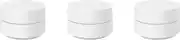
This review is from Google - Wifi - Mesh Router (AC1200) - 3 pack - White
Posted by JUDE
- Rated 5 out of 5 stars
It doesn’t Mesh around!!
Very pleased overall. Easy setup. Easy to maintain. Now get strong signal all over the house. 5g speeds on basic Spectrum internet. Definitely worth it. Do it!
Posted by Veni
- Rated 5 out of 5 stars
Good and easy to manage
I really like this equipment, the app is great. I’m notified when a new device is logged on my internet and it’s easy to operate. Good service and they look nice. They are suggested to be apart two rooms apart but I have them 3 rooms separated and they work well. Easy to manage and very helpful on how many devices are connected and when it was connected and how much internet it used. You can rename all the devices as you connect them and you can paused any you are not so sure off.
Posted by YareliR
- Rated 4 out of 5 stars
Solves my wireless AND wired internet issues
I've forever struggled with internet for my living room entertainment center. I need wired and wireless internet. I've used a variety of extenders and a powerline ethernet adapter. Recently had my Linksys router/extender die so I decided to try the Google Wifi, specifically because each mesh point has a LAN adapter. I have a big house, the router is in the front office. To complete the mesh and keep strong connection I had to place the second in the middle of the first floor outside of the kitchen, then the third one on the entertainment system. The good part is this has completed my wireless needs throughout the first floor and second floor without needing to add extra mesh points. The GREAT is my stereo receiver connects to the LAN of the mesh point in the living room and it maintains consistent connectivity for streaming and control from the MARANTZ app. We have 500/500 internet and amazingly my laptop gets 500/500 in my office both wired AND wireless which is incredible. I can't get 500 wireless when connecting directly to the router which blows my mind. Setup is incredibly easy. Any walking around idiot can set this up. The only negative and the reason for only four stars, is as you travel farther away from the main router the internet speed decreases. I can get 500 next to the initial mesh router, next to the second one it decreases to around 180-200 which is still more than most people need, then decreases again next to the third to only 80mbps. Still, plenty fast for 99.9% of people and applications. I frequently download and upload a lot of raw football video files for work which would account for that .1%, but I also don't work in my living room, but it's worth noting for this review. For the price, the LAN connectivity, ease of setup, and consistent wireless connectivity throughout the home, this is definitely worth the price. One final negative is Best Buy doesn't sell the Outlet Holder Mount for this version of Google Wifi. However, trusty Amazon has them for $11.
Posted by Gridley
- Rated 5 out of 5 stars
Fantastic Wi-Fi coverage
Replaced a single AC1300 router with this mesh setup and the coverage and performance is fantastic! Coverage now extends to our outside fire pit (about 40 feet) and is basically full speed in all corners of the house. Not a large house, about 2400 sq ft ranch, but previous router performance was not good enough. The satellites appear to provide better speed when connected via Ethernet but even when connected wireless the speed is good. Nice feature on each satellite allows an Ethernet connection to another device, or switch, if needed.
Posted by AZdc