Govee - Dreamview TV Strip Lights for 55”- 65” TVs - Multi
- Key Specs
- Color Temperature: Multicolor
- Indoor or Outdoor Use: Indoor
- Product Length: 10 feet (The out of box length of the item. Length is measured as the longest dimension of the item.)
- General
- Brand: Govee
- Model Number: H6198AD1
- Product Name: Dreamview TV Strip Lights for 55”- 65” TVs
- Color: Multi
- Lighting
- Bulb Technology: LED
- Color Temperature: Multicolor
- Compatibility
- App Compatible: true (The product can be connected to a program or software application on a mobile device, which then receives collected data from the product.)
- Features
- Flexible Design: true
- Pre Programmed Modes: true
- Performance
- Indoor or Outdoor Use: Indoor
- Dimensions
- Product Length: 10 feet (The out of box length of the item. Length is measured as the longest dimension of the item.)
- Warranty
- Warranty - Parts: 1 year
- Warranty - Labor: 1 year
- Other
- UPC: 850034049137
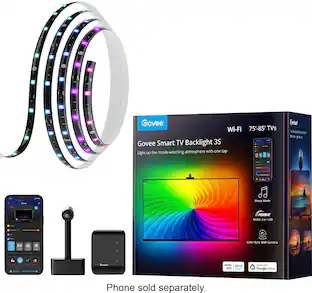
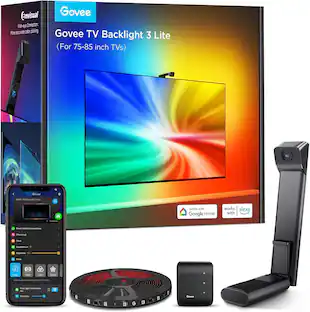
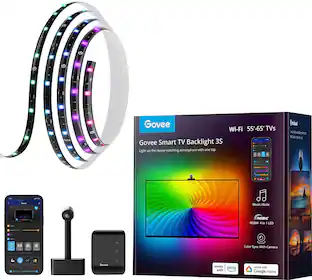
With the Immersion TV Backlights, your gaming world and movie nights will never be the same. Enhance your home entertainment with splashes of vibrant colors dancing around your TV, mimicking what's on-screen.
- Immersive wiewing experience: Our 1080p intelligent camera captures the color onscreen and automatically applies to your Govee TV backlights with more accurate color recognition. (Notice: The camera is only used to capture the color onscreen, it cannot be used for projection or audio).
- Smart voice control: Manage your LED lights for TV with simple voice commands, via Alexa and Google Assistant, or with the Govee Home app. Enjoy access to more colors and features like Timer, Video, DIY and Music mode, helping you create the ambiance you need.
- Dynamic light effects: RGBIC technology allows you to customize each light segment and display multiple colors simultaneously. With 99+ scene modes and 2 video modes, your gaming and viewing experience will never be the same. You can also save other people's DIY Styles from the Govee Light Studio.
- Enhanced music mode: The control box of the LED lights for TV is equipped with a built-in mic, helping you sync them to music. Choose from 4 modes (Energic, Rhythm, Spectrum, Rolling) and jazz up your parties with vibrantly dancing colors.
- Install with ease: The camera can be attached to the center top of your TV. With clips and adhesives, the 12.5 feet TV backlights made up of 4 pieces can be installed firmly on all 4 sides of any 55-65 inch TV. Each side is connected via a flexible cable
Q: Would it be possible to use the LED lights with a smaller tv?
A: Yes, just double up the row of lights across the back of your TV.
A: Pretty much yes, they don't sell the dreamview online anymore, but this comes with the same stuff that was included and it looks fantastic. Might have to adjust color and saturation to your liking but I've learned having the camera on the bottom not only gets rid of it being distracting but also makes the lights follow more.
Q: Do you need to have an iPhone to use the app or does it work with a Samsung?
A: It works with Samsung and any phone that has the play store app
A: Stick an orange calibration square underneath the back of cam while sticking it to the back of your tv.
A: Yes during set up it will tell you in what position you have placed the camera top or bottom and you also have to be careful in what direction you put them because if you set up the lights clockwise but you put in counterclockwise your lights will be off and it’ll take you out of the immersion
Q: Will this fit on a sony a80k 65 inch?
A: Yes, I put them on my 65" Sony OLED, no regrets!
Q: I know it says 55-65 but I have a 75 inch tv will it work just as fine with that?
A: Yes. It has set-length LED strips with plenty of room between to be used on a larger TV (I have a 65" and there's still lots of extra cable between the LED strips). The only issue I could see is that the color projected behind the TV may be slightly dimmer in the corners of the TV. But you'd have to be looking for it to notice.
A: I would buy scotch brand stickies and make sure the clean the surface really well with alcohol to remove dust and any thing that will hinder adhesion
People also viewed
 $52.99The price was $69.99
 $94.99The price was $169.99
 $42.99The price was $69.99
Today's top picks
- $94.99The price was $169.99
- $52.99The price was $69.99